
A smartwatch with clear calling quality should not earn that label from a product photo or a single marketing phrase. Calling quality needs to be tested in the places people actually use a watch: a quiet room, a busy office, outside near traffic, across Bluetooth range, and after reconnecting to the phone.
This article is a practical call-quality test plan. It explains how a buyer, reviewer, or store owner should judge a Bluetooth calling smartwatch before saying it sounds clear. The goal is simple: reduce uncertainty before purchase without making unsupported claims like “crystal clear” when no physical test has been done.
Testing Method
A fair smartwatch call test needs consistency. Do not test one watch in a quiet bedroom and another beside a busy street, then compare the results as if the conditions were equal.
Use the same phone, same carrier connection, same test caller, same room, same route, and similar battery level for each test. Fully pair the smartwatch before starting. Confirm that Bluetooth calling is enabled, the watch speaker is selected for audio, and the paired phone remains nearby.
The test should include two people:
- Tester A: wears the watch and speaks through it
- Tester B: listens from another phone and rates what they hear
Record notes immediately after each call. Do not rely on memory, because small differences in volume, delay, and background noise are easy to forget.
Use a simple 1–5 scale:
5 = clear and easy to understand
4 = mostly clear with minor issues
3 = understandable but not ideal
2 = difficult to use
1 = not acceptable
Also track whether the watch is being tested for incoming calls, outgoing calls, or both. Some watches handle incoming calls well but make dialing from the wrist less convenient.
This method is especially important for Bluetooth calling watches because the watch depends on the paired phone. For readers still learning the difference between call alerts, Bluetooth calling, and LTE calling, this guide to a smartwatch that can answer phone calls explains the basics before testing audio quality.
Quiet-Room Test
The quiet-room test is the baseline.
Test location: bedroom, home office, or quiet living room
Phone position: within 3–6 feet of the watch
Watch position: normal wrist position, then raised closer to mouth
Call length: 2 minutes
Test phrase: repeat the same 3–4 sentences during each test
A quiet room reveals the best-case performance. If a smartwatch does poorly here, it will likely struggle everywhere else.
Tester A should answer an incoming call from the watch, speak normally, and avoid holding the wrist directly against the mouth. Tester B should rate:
- Voice clarity
- Speaker loudness
- Delay or lag
- Echo
- Dropouts
- Whether words sound muffled
Then repeat the test with the watch slightly closer to the mouth. This shows whether microphone positioning affects call quality.
A watch does not need to sound like a premium phone speaker to pass. It should simply make a short conversation easy to understand without repeating every sentence.
Quiet-room pass standard:
A good result means the caller can understand normal speech without strain, and the wearer can hear the caller at a comfortable volume.
Office-Noise Test
The office-noise test checks whether the watch still works in a normal work environment.
Test location: office, shared workspace, break room, or room with light background noise
Phone position: on desk, in pocket, or in bag nearby
Call length: 2–3 minutes
Noise source: people talking, keyboard sounds, air conditioning, light music, or printer noise
This is where many smartwatch calls become less impressive. A watch speaker may sound fine in silence but become harder to hear when people are nearby. A microphone may also pick up background chatter.
Run the test while sitting, standing, and walking slowly across the room. That gives a better picture of real office use.
Tester B should listen for whether the speaker’s voice stays understandable or gets buried by the room noise. Tester A should note whether they need to raise the volume to the maximum or lift the watch unusually close to hear.
Office-noise pass standard:
A good result means the call remains usable for short work conversations, such as confirming a meeting time, answering a quick personal call, or saying you will call back.
Privacy also matters here. If the call is easy for the wearer to hear, nearby people may hear it too. A smartwatch is not ideal for confidential work, financial, medical, or personal conversations.
Outdoor Test
The outdoor test is where call quality becomes more realistic for commuters, walkers, delivery drivers, and people who use the watch away from a desk.
Test location: sidewalk, driveway, park path, parking lot, or outdoor seating area
Phone position: in pocket or bag nearby
Call length: 2–3 minutes
Noise source: wind, passing cars, birds, people, or general street noise
Start in a calm outdoor area. Then repeat near moderate background noise, such as a street or parking lot. Do not test in unsafe conditions or while driving.
Outdoor testing should focus heavily on the microphone. Wind and traffic can make the caller hear noise instead of voice. If the watch is worn under a jacket sleeve, the speaker or microphone opening may also be partly blocked.
Tester A should try three positions:
- Wrist down at normal height
- Wrist raised toward the face
- Wrist turned slightly toward the mouth
Tester B should rate whether speech becomes clearer when the wrist is raised. If call quality only works when the watch is held very close to the mouth, note that in the report card.
Outdoor pass standard:
A good result means the watch can handle a short call in light outdoor noise, but it does not need to replace a headset in traffic, wind, or loud public spaces.
Speaker-Volume Test
Speaker volume is not just about loudness. It is about whether the caller’s voice stays understandable without distortion.
Test location: quiet room, office-noise room, and outdoor location
Phone position: nearby
Call length: 1 minute per volume level
Volume levels: low, medium, high, maximum
Start at medium volume. If the caller is hard to hear, increase the watch volume one step at a time. Note whether higher volume improves clarity or only makes the speaker sound harsh.
A tiny watch speaker has natural limits. At maximum volume, some devices may sound thin, buzzy, or distorted. That does not automatically fail the watch, but it matters for buyers who expect frequent wrist calls.
Rate the speaker on:
- Loudness
- Clarity
- Distortion at high volume
- Comfort for the wearer
- Privacy risk in public spaces
Speaker-volume pass standard:
A good result means the watch is loud enough for short calls in quiet or moderate conditions without becoming unpleasant or distorted.
For buyers who want to understand the hardware behind this test, the guide to a smartwatch with speaker and microphone for calls explains why both parts are necessary for real wrist calling.
Caller-Hearing Test
This test focuses on what the other person hears.
Many buyers judge call quality only from the wearer’s side. That is incomplete. A smartwatch may have a decent speaker but a weak microphone, or a good microphone in quiet rooms but poor outdoor pickup.
Tester B should rate the caller-hearing side using these questions:
- Can you understand every sentence?
- Does the voice sound muffled?
- Is there echo?
- Is there delay?
- Does the voice cut in and out?
- Does background noise overpower the speaker?
- Does raising the watch closer to the mouth help?
Use the same test phrase each time. For example:
“I am testing the smartwatch microphone in a normal speaking voice. Please rate how clearly you can hear me.”
Repeat this phrase at normal wrist position, then with the watch raised closer to the mouth.
Caller-hearing pass standard:
A good result means the person on the other end can understand the wearer without repeated clarification during short calls.
Avoid claiming advanced noise cancellation unless the product documentation clearly supports it. A watch can perform acceptably without verified noise-cancellation specs, but the article should not invent hardware claims.
Bluetooth-Distance Test
Bluetooth calling depends on the paired phone staying nearby. That makes distance testing essential.
Test location: open room, apartment, house, or office
Phone position: stationary
Watch position: gradually farther away
Call length: 30–60 seconds at each distance
Start with the phone within a few feet. Then test at longer distances:
- Same desk or table
- Across the room
- One room away
- Around a corner
- Behind a closed door, if realistic
The goal is not to publish one universal distance number. Bluetooth performance can change based on walls, furniture, interference, phone model, and building layout. The goal is to understand the practical range in normal use.
Record:
- When audio starts breaking up
- When the watch disconnects
- Whether call controls remain responsive
- Whether reconnecting happens automatically
- Whether the wearer receives a warning
Bluetooth-distance pass standard:
A good result means the watch handles calls reliably when the phone is nearby, such as in a pocket, bag, desk area, or same room. It should not be expected to work independently across long distances.
This is also where LTE and Bluetooth expectations must stay separate. Bluetooth calling is not phone-free calling.
Reconnection Test
A good smartwatch should recover gracefully when the Bluetooth connection is interrupted.
This test matters because real life is messy. A user may walk away from the phone, enter another room, leave the phone in a bag, or briefly lose connection in a crowded wireless environment.
Test sequence:
- Start with the watch connected to the phone.
- Place a call or receive a call.
- Walk just far enough to weaken or break the connection.
- Return near the phone.
- Watch whether the device reconnects automatically.
- Try another call after reconnection.
Record how long reconnection takes and whether the user must manually open the app, toggle Bluetooth, or restart the watch.
Also test what happens when Bluetooth is turned off and back on from the phone. A watch that reconnects quickly is easier to trust during daily use.
Reconnection pass standard:
A good result means the watch reconnects without complicated steps and can handle another call after reconnecting.
If reconnection is unreliable, say so clearly. A calling watch can have good speaker quality but still feel frustrating if it often drops connection.
Call-Quality Report Card
Use this report card before calling any smartwatch clear, reliable, or easy to use for calls.
| Test area | What to measure | Passing result | Notes to record |
|---|---|---|---|
| Quiet-room call | Baseline voice and speaker clarity | Easy to understand both ways | Echo, muffling, delay |
| Office-noise call | Workday usability | Good enough for short calls | Background noise impact |
| Outdoor call | Real-world mobility | Usable in light outdoor noise | Wind and traffic impact |
| Speaker volume | Loudness and distortion | Clear at practical volume | Distortion at maximum |
| Caller-hearing | Microphone quality | Caller understands normal speech | Wrist position effect |
| Bluetooth distance | Phone-nearby reliability | Stable near phone/same room | Dropout point |
| Reconnection | Recovery after disconnect | Reconnects without hassle | Time to reconnect |
Suggested Scoring
| Score | Meaning |
| 5 | Strong result; easy short calls |
| 4 | Good result; minor limitations |
| 3 | Usable but environment-sensitive |
| 2 | Frustrating or unreliable |
| 1 | Not acceptable for call use |
A watch should average at least 4 out of 5 across quiet-room, speaker-volume, caller-hearing, and Bluetooth-distance tests before being described as having clear calling quality.
For office, outdoor, and noisy work environments, be more careful. A watch can be clear in a quiet room but only average outside.
How This Applies to the $150 Long-Battery Smartwatch
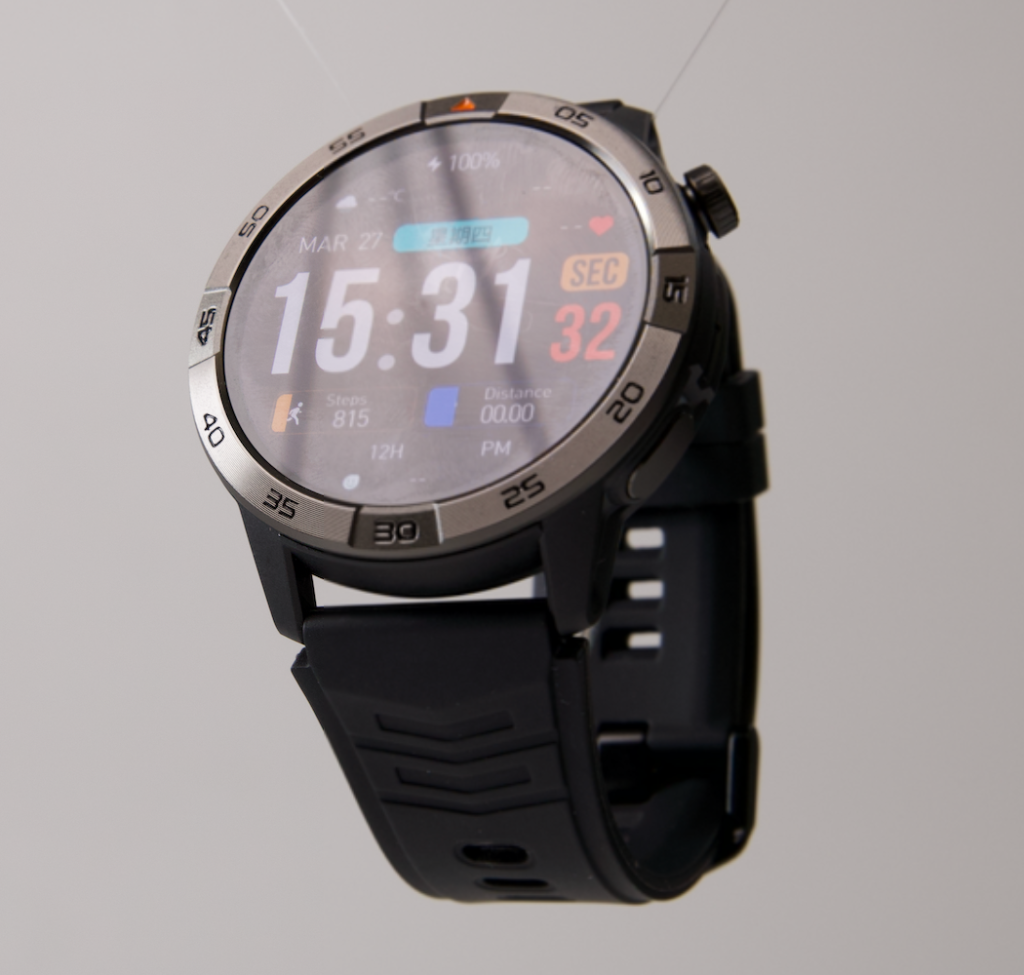
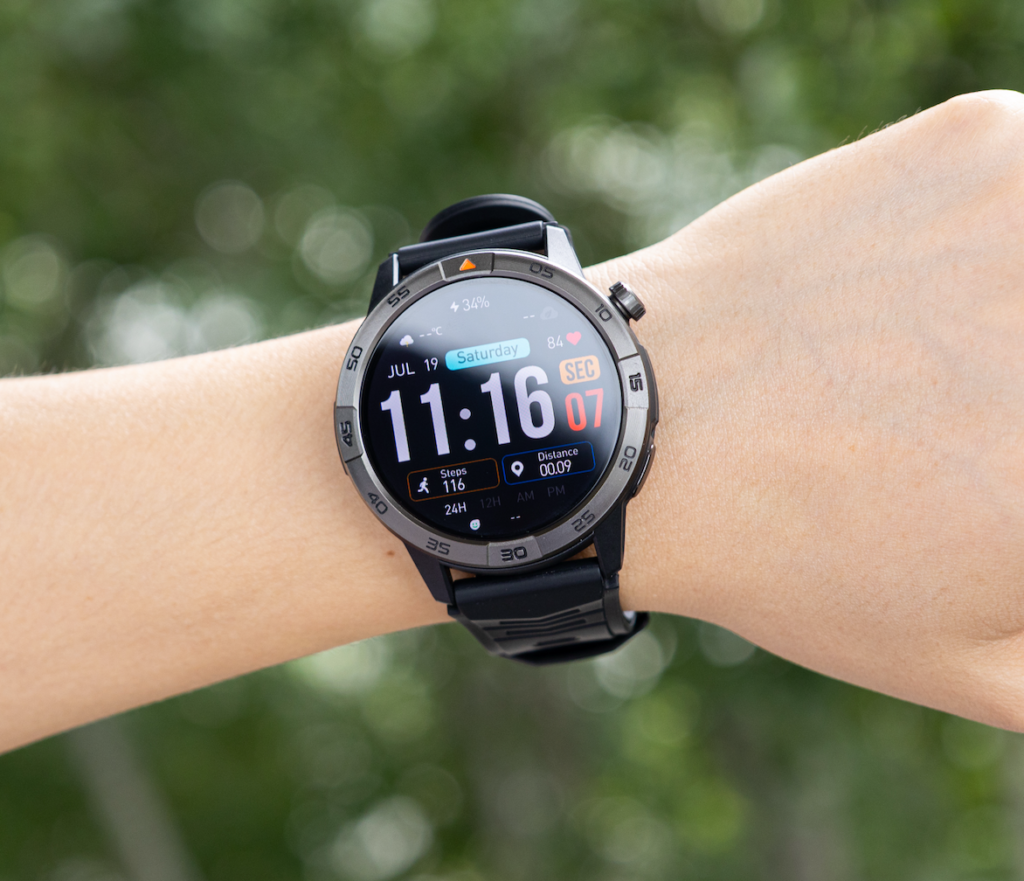
The 30-day smartwatch with GPS and Bluetooth calling is attractive because it combines wrist calling with features that matter beyond calls: AMOLED display, built-in GPS, offline maps, activity tracking, notifications, and long advertised battery life.
That makes it a strong candidate for buyers who want more than a basic call-alert watch.
But call quality should still be tested before making strong audio claims. The right message is not “crystal clear.” The honest message is:
This smartwatch supports Bluetooth calling, and call quality should be judged through quiet-room, office, outdoor, speaker, microphone, distance, and reconnection testing.
If it performs well in those scenarios, that evidence gives buyers more confidence than a generic product claim.
For shoppers comparing calling watches by price and feature value, the guide to the best smartwatch with Bluetooth calling under $200 is the better buying-intent page.
Final Recommendation
A smartwatch with clear calling quality should earn that description through testing, not marketing language.
The most important tests are simple: can the wearer hear the caller, can the caller hear the wearer, does the call stay stable near the phone, and does the watch reconnect without frustration?
For everyday buyers, the target is not studio-quality audio. The target is reliable short-call performance during normal situations: home, office, commuting, walking, or light outdoor use.
The $150 long-battery smartwatch with GPS and Bluetooth calling deserves consideration because it combines call support with a strong everyday feature set. But the strongest product page would include real call-quality evidence using the report card above.
Explore the 30-day smartwatch with GPS and Bluetooth calling if you want a calling smartwatch with long battery potential, then judge call performance using the same test method before relying on it for frequent wrist calls.