
A product listing says “call support,” the price looks good, and the photos show a smartwatch on someone’s wrist during a busy day. But before buying a smartwatch with microphone and speaker under $150, U.S. shoppers need to confirm one important thing: can it actually answer calls from the watch, or does it only show call alerts?
That small difference matters. Many budget smartwatches mention calls, phone notifications, or Bluetooth features, but not all of them include both a microphone and a speaker. This guide helps American consumers filter misleading listings, compare real call-ready features, and avoid buying a notification-only watch by mistake.
Set the Hard Budget for U.S. Smartwatch Shopping
Start with the budget before looking at features. If the goal is a smartwatch with a microphone and speaker under $150, the price limit should be clear from the beginning.
For U.S. consumers, “under $150” means the final listed price should be below $150 before taxes, shipping, warranty add-ons, or accessories. A watch priced at exactly $150 does not technically fall under the budget unless it is discounted below that amount.
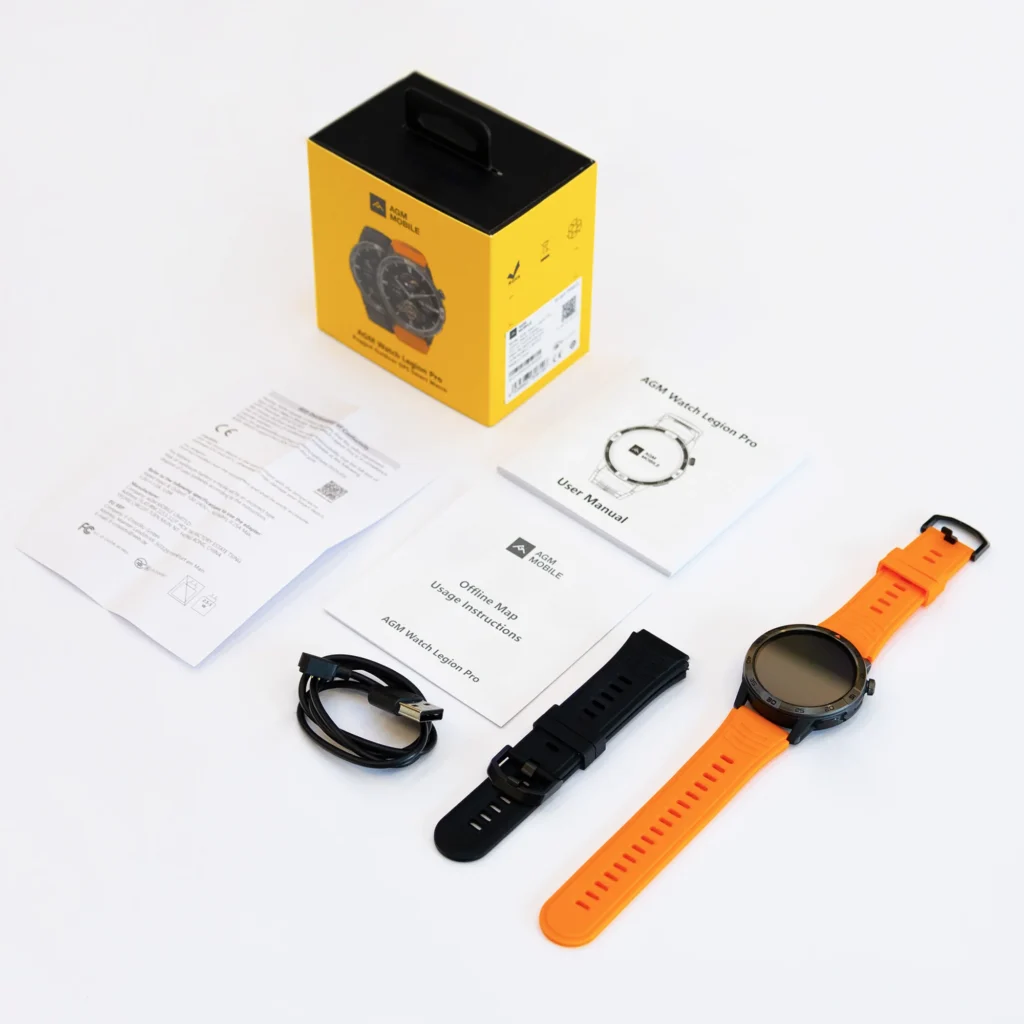
That matters for the current smartwatch in this project. It is positioned at $150, so it should be treated as a borderline option, not a true under-$150 pick. If a discount brings it below $150, it can fit this budget category. If the price stays at $150, shoppers should compare it as a slightly-above-budget alternative with stronger feature value.
Why the Budget Line Matters in the United States
American shoppers often compare smartwatches across Amazon, Walmart, Best Buy, official brand stores, and smaller ecommerce sites. Prices can shift quickly during sales, holidays, coupon events, and clearance promotions.
A smartwatch may look like an under-$150 option at first, but the final price can change after shipping or add-ons. Budget-focused buyers should check the final checkout price, not only the headline price.
Exclude Notification-Only Watches First
The fastest way to narrow the search is to remove notification-only watches.
A notification-only smartwatch can show that someone is calling, but it may not let you answer the call from the watch. That means the watch vibrates or displays the caller, but you still need to grab your phone to talk.
For U.S. buyers who want wrist calling during work, errands, commuting, or gym sessions, notification-only support is not enough.
Call Alerts Are Not the Same as Watch Calling
Look for clear wording such as:
- “Bluetooth calling”
- “Make and answer calls”
- “Answer calls from the watch”
- “Built-in microphone”
- “Built-in speaker”
- “Speaker and mic for calls”
Be careful with vague wording such as:
- “Call reminder”
- “Call notification”
- “Message alerts”
- “Phone notifications”
- “Smart notifications”
- “Reject calls”
Those phrases may only mean the watch shows incoming calls. They do not always mean the watch has a speaker and microphone for phone conversations.
For readers who want a deeper explanation of actual call handling, this guide on a smartwatch that can answer phone calls is a useful next step.
Verify Microphone Presence Before Buying
A smartwatch cannot support true wrist calling without a microphone. The microphone captures your voice during the call.
This may sound obvious, but many budget listings do not clearly separate call alerts from call audio. Some watches show calls but do not include the hardware needed to speak through the watch.
How U.S. Shoppers Can Check for a Microphone
Before buying, look for microphone confirmation in:
- Product specification tables
- Official product pages
- Call feature descriptions
- Product images showing mic holes
- User manuals
- FAQ sections
- Customer questions and answers
- Setup instructions for Bluetooth calling
If the listing does not mention a microphone, do not assume it has one. A smartwatch with microphone and speaker under $150 should clearly state both parts.
The microphone matters most for quick calls at home, work, the gym, or during errands. It does not need to replace a phone microphone for long conversations, but it should support short, practical calls.
Verify Speaker Presence Too
A microphone lets the other person hear you. A speaker lets you hear them.
A smartwatch may include a microphone for voice assistant features but still lack a strong speaker for calls. That is why buyers should confirm both parts, not just one.
What Speaker Support Should Mean
For call use, the listing should make it clear that the speaker works for phone calls, not only alarms, tones, or sound alerts.
Good signs include:
- “Built-in speaker”
- “Speaker for Bluetooth calls”
- “Answer calls using watch speaker”
- “Microphone and speaker for calling”
- “Make and receive calls from your wrist”
For American users, speaker quality matters during everyday situations like cooking, working from home, walking outside, or checking a quick call during a break. A smartwatch speaker is usually best for short calls, not private or long conversations.
For more detail on audio hardware, readers can compare this related guide on a smartwatch with speaker and microphone for calls.
Confirm Answer-Call Support
A watch can have a microphone and speaker but still require extra setup before calls work properly. That is why shoppers should confirm answer-call support, not just hardware.

The product should clearly support answering incoming calls from the smartwatch when paired to a nearby phone.
What Real Answer-Call Support Should Include
Look for features like:
- Incoming call screen on the watch
- Answer and decline buttons
- Caller name or number display
- Bluetooth call pairing instructions
- Speaker and microphone use during calls
- Compatibility with the required phone app
This is especially important for U.S. workers, parents, commuters, and busy professionals who want a smartwatch for quick call control. If the watch only lets you reject calls or see alerts, it does not meet the same buying intent.
A call-ready watch should make answering simple enough for normal American routines: desk work, grocery shopping, walking outdoors, errands, and family calls.
Confirm Phone Compatibility in the United States
Phone compatibility can make or break the experience. A smartwatch may support Bluetooth calling, but some features can depend on the phone operating system, app permissions, Bluetooth settings, or firmware updates.
Most U.S. consumers will be using either iPhone or Android. Before buying, check whether the smartwatch supports your phone type clearly.
What Compatibility Details to Check
Look for:
- iOS compatibility
- Android compatibility
- Required app name
- Minimum iOS version
- Minimum Android version
- Bluetooth version
- Calling setup instructions
- Any feature limits for iPhone or Android users
Do not assume every feature works the same way on both phone ecosystems. Some budget watches support basic calls on both, while others may limit message replies, app controls, or extra functions.
The current $150 smartwatch supports iOS and Android compatibility, which makes it easier for many U.S. households to consider if the price fits the shopper’s budget or drops during a sale.
Check Battery Capacity Before Choosing a Call Watch
Bluetooth calling uses more battery than basic notifications. A smartwatch with microphone and speaker under $150 should have enough battery capacity to support calls, alerts, and daily use without becoming frustrating.
Battery capacity alone does not tell the whole story, but it is still worth checking. A larger battery can give the watch more room to handle calls, screen brightness, notifications, and health tracking.
Why Battery Matters for American Call Users
U.S. shoppers should think about their calling style:
- Light callers may only answer one or two short calls per day.
- Moderate callers may use the watch several times during work and errands.
- Heavy callers may drain battery faster with frequent wrist calls.
A watch with an extended battery rating can be more forgiving, especially if the user wants Bluetooth calls, notifications, activity tracking, and occasional GPS use.
The current $150 smartwatch includes a 370mAh battery and long advertised battery performance. Since it is not below $150 at regular pricing, shoppers should compare it as a stretch option unless discounted. Its value becomes more relevant if the buyer wants stronger battery headroom along with Bluetooth calling.
For battery-focused comparison, readers can review this guide on a smartwatch with Bluetooth calls and long battery if that page is published, or use the internal battery guides already available on the site.
Compare Finalists Like a Specification Filter
Once notification-only watches are removed, compare finalists using a simple checklist. This helps U.S. buyers avoid being distracted by vague product claims.
Budget Call-Watch Comparison Checklist
| Feature to Check | Why It Matters |
|---|---|
| Price under $150 | Keeps the watch inside the hard budget |
| Built-in microphone | Lets the caller hear your voice |
| Built-in speaker | Lets you hear the caller from the watch |
| Bluetooth calling | Enables wrist-based call handling through a nearby phone |
| Answer-call support | Confirms the watch can answer, not just show alerts |
| iOS and Android compatibility | Helps avoid phone pairing problems |
| Battery capacity | Shows whether the watch has enough power headroom |
| Display clarity | Makes caller ID easier to read |
| Return policy | Protects buyers if call features disappoint |
Example Finalist Types for U.S. Buyers
A strict under-$150 shopper may compare low-cost Bluetooth calling models first, such as budget watches that clearly list speaker, microphone, and answer-call support.
A buyer who can stretch slightly may compare the $150 smartwatch if the calling, display, GPS, offline maps, and longer battery positioning make the extra cost worthwhile.
A buyer who wants the lowest price should be extra careful. Very cheap listings may advertise “call reminder” or “smart notifications” without offering real watch-based calling.
For shoppers comparing call performance more directly, this article on a smartwatch with best call quality under $200 can help separate call-focused needs from general smartwatch features.
Red-Flag Specifications to Avoid
Budget smartwatch listings can be confusing. Some are clear, while others use vague wording that sounds more capable than it really is.
Red Flags in U.S. Smartwatch Listings
Be cautious if the listing says:
- “Call alerts” but not Bluetooth calling
- “Call reminder” but no speaker or microphone
- “Reject calls” but not answer calls
- “Smart notifications” without call audio support
- “Music control” but no speaker for calls
- “Voice assistant” but no phone-call support
- “Compatible with phones” but no clear iOS or Android details
- “Long battery” without capacity or usage explanation
- “Waterproof” without a clear rating
- “HD calling” without proof or technical details
If the listing does not clearly confirm microphone, speaker, and answer-call support, it may not match the search intent.
What the Current $150 Smartwatch Means for This Budget
The current smartwatch is important for this topic, but it must be placed honestly.
It is not technically a smartwatch under $150 at regular $150 pricing. That means strict budget shoppers should not count it as an under-$150 model unless a sale or discount lowers the final price.
However, it can still be included as a comparison option for U.S. buyers who are deciding whether to stretch the budget slightly. The reason is that it combines Bluetooth calling with a 1.43-inch AMOLED display, 466 × 466 resolution, built-in GPS, offline maps, iOS and Android compatibility, 370mAh battery capacity, and practical daily tools.
That combination may be useful for shoppers who care about more than just the lowest possible price.
When It Makes Sense to Consider It
Consider it if:
- The price drops below $150
- You can stretch slightly above a strict budget
- You want Bluetooth calling plus stronger battery positioning
- You value GPS and offline maps
- You want a sharper AMOLED display
- You want iOS and Android compatibility
- You prefer one watch for calls, alerts, fitness awareness, and daily tools
The product page currently shows no customer reviews, so buyers should rely on listed features, price, and their own needs rather than review-backed proof.
Final Buying Advice for American Shoppers
A smartwatch with a microphone and speaker under $150 should pass three tests before you buy: it should have the hardware, support real call answering, and work with your phone.
Do not buy based only on the word “calls.” Check whether the watch actually includes a microphone, includes a speaker, supports Bluetooth calling, and lets you answer calls from the wrist.
If your budget is strict, stay below $150 and avoid borderline models. If your budget has a little room, compare the calling hardware, battery capacity, display, GPS, and compatibility before deciding. The current $150 option is best treated as a stretch or sale-price candidate, not a guaranteed under-$150 pick.
For buyers who want to compare the borderline option against strict budget picks, review the calling, display, and battery specs before making the final choice.
Frequently Asked Questions
Can I get a smartwatch with microphone and speaker under $150?
Yes, some budget smartwatches under $150 include both a microphone and speaker, but shoppers should verify that the watch supports real Bluetooth calling, not just call alerts.
What is the difference between call alerts and Bluetooth calling?
Call alerts only notify you that someone is calling. Bluetooth calling lets you answer and talk from the smartwatch when the paired phone is nearby.
Does every smartwatch with call notifications have a microphone?
No. Some watches show call notifications but do not include a microphone for speaking through the watch. Always check the specification list.
Does every smartwatch with a speaker support phone calls?
No. Some speakers are used for alarms, tones, or media sounds. The listing should clearly say the speaker works for Bluetooth calls.
Is a $150 smartwatch considered under $150?
No. A $150 smartwatch is not technically under $150 unless it is discounted below that price. It should be treated as a borderline or stretch-budget option.
What should I check before buying a budget calling smartwatch?
Check for a built-in microphone, built-in speaker, Bluetooth calling, answer-call support, iOS and Android compatibility, battery capacity, clear caller display, and a return policy.