
Before buying another device for your route, complete 30 deliveries with a tally mark every time your phone leaves your pocket, holster, console, or delivery bag.
Do not estimate. Count it.
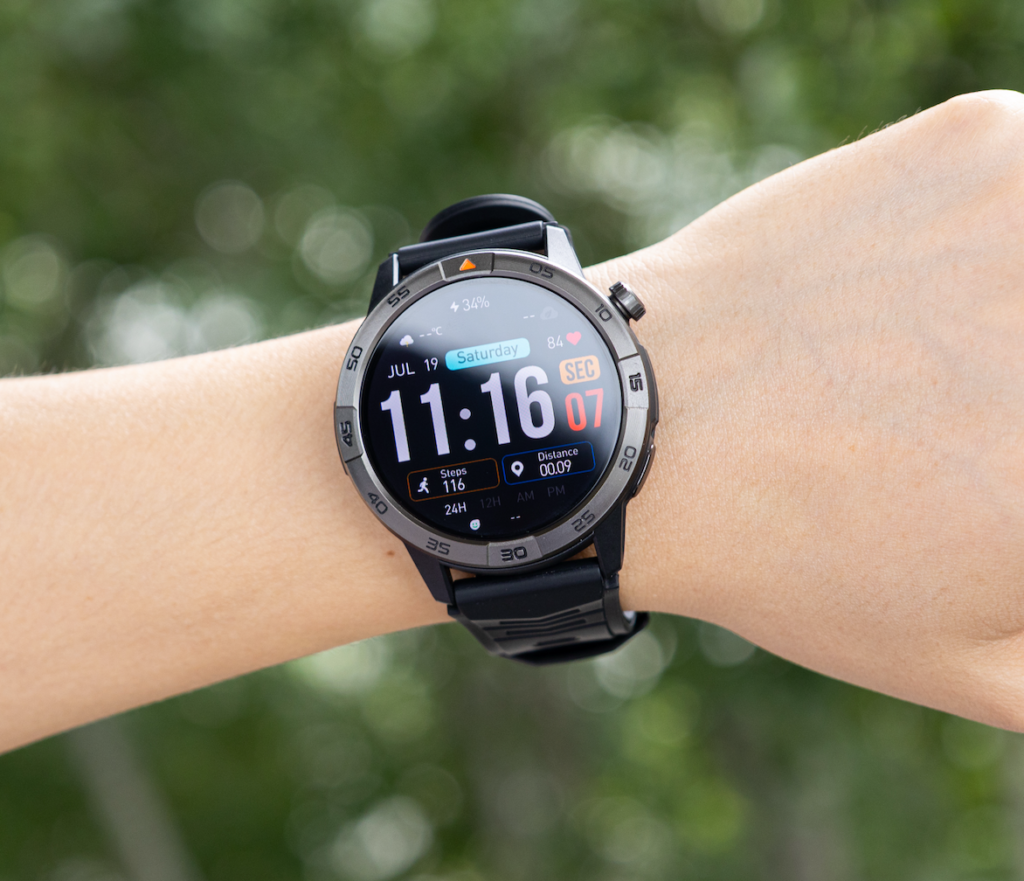
A smartwatch for delivery drivers long battery and calls may reduce unnecessary phone handling, but it cannot replace route navigation, package scanning, proof-of-delivery photos, customer signatures, or required delivery apps.
Its value depends on how often you retrieve your phone for something that could have been identified—or completed—with a quick glance at your wrist.
That question matters whether you handle Amazon, UPS, or FedEx deliveries, work as an independent courier, or use apps such as DoorDash and Uber Eats.
A 30-stop phone-access audit shows whether a smartwatch would solve measurable route friction or simply add another screen to manage.

How to Test a Smartwatch for Delivery Drivers Long Battery and Calls
Choose one normal delivery block.
Avoid an unusually quiet shift, a major holiday rush, or a day dominated by technical problems. The route should resemble the work you normally perform.
The audit can be used by:
- Parcel delivery drivers
- Contracted last-mile drivers
- Restaurant delivery workers
- Grocery and pharmacy delivery drivers
- Independent couriers
- Multi-app gig workers
- Drivers completing suburban or urban routes
The purpose is not to compare employers or platforms.
It is to measure how often your work requires physical access to the phone.
Create a simple record with five columns:
| Stop | Why the phone came out | Watch could identify it | Watch could handle it | Phone was required |
|---|
Add a row whenever you retrieve the phone.
Stops 1–10: Observe the Route Without Changing It
A last-mile driver in Jacksonville, Florida, begins a mixed suburban route containing single-family homes, gated neighborhoods, apartment buildings, and several business deliveries.
The phone is used for:
- Turn-by-turn navigation
- Delivery instructions
- Customer communication
- Proof-of-delivery photos
- Apartment and gate information
- Route updates
During the first 10 stops, the driver retrieves the phone 14 times.
Those phone pulls include:
- Checking the next address
- Reading a gate instruction
- Identifying an incoming caller
- Responding to dispatch
- Taking a delivery photo
- Confirming an apartment number
- Dismissing a retail promotion
- Checking the remaining route
- Returning a customer call
The driver does not change the routine during this first block.
Trying to use a watch before recording the existing behavior would distort the result.
Count phone retrievals, not screen taps
One phone retrieval may include several actions.
A driver may take out the phone to identify a caller, reject the call, and then check the next address.
That is one retrieval with multiple tasks.
Record the first reason the phone came out. Add a note when a second task is important to the audit.
The goal is to measure physical phone access, not every tap inside the delivery app.
Keep required work tasks separate
Many delivery tasks must remain on the assigned phone or handheld device.
These may include:
- Scanning a package or order
- Taking a delivery photo
- Capturing a customer signature
- Confirming an age-restricted delivery
- Uploading proof of delivery
- Completing an order inside the app
- Reading detailed customer instructions
- Contacting platform support
- Following route navigation
Do not classify these tasks as avoidable phone use.
A useful audit separates required work from interactions that a watch might simplify.
Give Every Phone Pull One of Four Tags
After the first 10 stops, label each phone retrieval.
Watch could identify it
The watch could show enough information to explain the interruption, even if the phone would still be needed afterward.
Examples include:
- Seeing who is calling
- Recognizing a dispatch alert
- Identifying which app sent a message
- Noticing a priority family call
- Seeing whether an alert concerns the active route
This category measures the value of caller identification and short notification previews.
Watch could handle it
The interaction could be completed from the wrist while the driver is safely parked or standing in an appropriate location.
Examples include:
- Rejecting a nonessential call
- Acknowledging a short update
- Confirming an arrival time
- Asking a caller to send details by text
- Saying that a callback will happen after the current delivery block
This category measures the practical value of Bluetooth calling.
Phone required
The delivery phone or assigned work device is necessary.
Examples include:
- Opening the route
- Viewing a map
- Reading long delivery notes
- Taking a photo
- Uploading proof of delivery
- Scanning a package
- Entering information in the delivery app
- Reviewing several customer messages
These interactions should remain on the phone.
No route value
The phone came out because of an interruption that did not help complete the delivery route.
Examples include:
- Social media alerts
- Shopping promotions
- General news notifications
- Nonurgent group messages
- App recommendations
- Duplicate reminders
These interruptions should usually be removed rather than transferred to the watch.
Stops 11–20: Find the Real Friction Point
The Jacksonville driver continues through a gated subdivision, a multistory apartment building, a restaurant pickup, and several residential stops.
The phone comes out 17 times.
Surprisingly, calls are not the largest source of phone use.
Access information is.
The driver repeatedly checks:
- Gate codes
- Apartment numbers
- Customer notes
- Building entrances
- Drop-off preferences
- Business receiving instructions
A smartwatch cannot replace the complete delivery screen for those tasks.
That finding changes the buying decision.
The driver originally assumed that wrist calling would be the main benefit. The audit shows that calling could still help, but a watch will not eliminate the route’s largest category of phone access.
Your route may reveal a different problem
An urban courier may find that navigation creates the most phone handling.
A DoorDash or Uber Eats driver may discover that alerts from multiple apps create the most confusion.
A parcel driver may learn that nearly every phone retrieval involves scanning or proof of delivery.
Another driver may find that caller identification is the largest avoidable interruption.
The audit can challenge the reason you originally planned to buy the watch.
That is useful.
It prevents you from paying for features that do not address your actual route.
Calculate the Avoidable Phone-Pull Count
After 20 stops, total the interactions tagged:
- Watch could identify it
- Watch could handle it
- No route value
Together, these form the avoidable phone-pull count.
Keep the phone-required category separate.
For the Jacksonville route:
| Category | Stops 1–20 |
| Watch could identify it | 7 |
| Watch could handle it | 4 |
| Phone required | 16 |
| No route value | 4 |
A watch might reduce, shorten, or prevent 15 interactions.
It will not eliminate the 16 phone-required tasks.
That is a realistic expectation.
The watch is not replacing the delivery phone. It is reducing unnecessary handling between the tasks that still require it.
Stops 21–30: Add Route Battery Checkpoints
The final 10 stops measure the amount of coverage a future watch would need.
American delivery shifts can extend beyond the planned route because of traffic, restaurant delays, apartment access problems, undelivered packages, additional orders, or a second gig-work block.
Battery should therefore cover more than the delivery count.
Power use may increase through:
- Repeated screen wake-ups
- Bright outdoor display settings
- Bluetooth connection
- Incoming-call alerts
- Wrist conversations
- Notifications from multiple apps
- GPS activity
- Health tracking
- Hot or cold working conditions
- An extended shift
Use five checkpoints:
| Checkpoint | What to record |
| Departure | Starting charge and active settings |
| Stop 10 | Battery remaining after the first block |
| Stop 20 | Battery after heavier route communication |
| Stop 30 | Battery at the end of the audit |
| End of shift | Reserve after returns, check-in, and the trip home |
The first audit can be completed without owning a smartwatch.
Record the amount of time and communication demand the watch would need to cover.
Repeat the checkpoints with the actual watch during the retailer’s return period.
Include the full American workday
The final doorstep may not be the end of the shift.
The watch may still need power for:
- Returning undelivered packages
- Dispatch communication
- A drive back to the station or service area
- Fueling
- An additional delivery block
- Evening DoorDash or Uber Eats work
- Family calls
- The commute home
Drivers comparing endurance can review battery planning for full delivery routes.
Convert Your Results Into a Buying Scorecard
After stop 30, identify the two problems that caused the most avoidable phone access.
Those problems—not the longest specification list—should determine what you buy.
| Audit result | Feature to prioritize |
| Frequent incoming-call checks | Clear caller identification |
| Several short customer or dispatch calls | Built-in microphone and speaker |
| Too many irrelevant alerts | Per-app notification controls |
| Repeated phone separation | Reliable Bluetooth reconnection |
| Long delivery blocks | Strong practical battery reserve |
| Difficult viewing in sunlight | Bright, readable display |
| Missed alerts in noisy areas | Noticeable vibration |
| Evening route extensions | Easy-to-read battery percentage |
| iPhone or Android connection problems | Confirmed phone compatibility |
Score features according to your route
Rate every candidate watch from one to five:
- 5: Directly addresses a frequent audited problem
- 4: Addresses a moderate route problem
- 3: Useful but not essential
- 2: Rarely needed
- 1: Adds little practical value
A driver who repeatedly retrieves the phone to identify callers may give caller identification a 5.
A driver whose route is dominated by scanning and proof-of-delivery photos may give calling a 2 or 3.
The same watch can receive very different scores from two delivery drivers.
That is exactly why the audit matters.
What Can Realistically Move to the Wrist?
A smartwatch may help a delivery driver:
- Identify an incoming caller
- Reject an unwanted call
- View a short route alert
- Decide whether a message is urgent
- Give a brief acknowledgment
- Check the time
- Check remaining battery
- Notice that the phone disconnected
It usually cannot replace:
- Route navigation
- Proof-of-delivery photos
- Package or order scanning
- Customer signatures
- Detailed delivery notes
- App-based support
- Multi-step order workflows
- Required identity or age checks
For a deeper look at delivery-specific communication, see how wrist calls can support a delivery route.
Calling Should Shorten a Stop
The most useful wrist calls are brief and practical.
A driver who is safely parked or standing away from traffic may use the watch to say:
- “I am outside the building.”
- “Which entrance should I use?”
- “Please send the gate code by text.”
- “I received the route update.”
- “I will call after this delivery block.”
- “Is this urgent?”
Longer conversations should move to the phone or another appropriate device.
A watch call should close a small communication gap. It should not turn a curbside stop into a long speakerphone conversation.
Keep communication separate from movement
Do not operate the watch while driving.
Avoid reading alerts while cycling, crossing a street, climbing stairs, carrying an unstable load, backing out of a driveway, or entering an unfamiliar property.
Follow applicable state laws, employer rules, platform requirements, and customer-site policies.
The watch should remove friction without creating another safety risk.
Multi-App Drivers Need Stronger Notification Control
A driver using several apps may receive:
- New-order offers
- Customer messages
- Restaurant updates
- Route changes
- Incentive announcements
- Promotional notifications
- Personal messages
Sending all of them to the wrist can make every vibration feel urgent.
A practical setup may allow:
- Active-order changes
- Direct customer messages
- Dispatch calls
- Priority personal contacts
It may block:
- Promotions
- General marketing
- Inactive-app alerts
- Social notifications
- Routine email
The goal is not to place every phone alert on the wrist.
It is to make route-relevant communication easier to recognize.
Repeat the Audit During the Return Period
The first audit measures the route before the watch.
The second audit measures whether the watch improved it.
Use a similar route whenever possible.
| Measurement | Before the watch | With the watch |
| Total phone retrievals | ||
| Caller-identification retrievals | ||
| Brief calls handled from the wrist | ||
| Required delivery-app tasks | ||
| Low-value interruptions | ||
| Missed important calls | ||
| Bluetooth failures | ||
| End-of-shift battery |
Suppose the Jacksonville driver’s phone retrievals fall from 39 to 28.
The watch did not replace the phone.
It removed or simplified 11 interactions.
That improvement may become meaningful across five or six delivery days.
Another driver may see only two fewer phone pulls and decide the watch does not justify the cost.
Both results are useful because they are based on actual U.S. delivery work rather than advertising language.
Questions U.S. Delivery Drivers Ask
How many stops should be included in the audit?
Thirty normal deliveries provide enough repetition to reveal a pattern without requiring weeks of tracking. Drivers with highly varied routes can repeat the test on another day.
Which delivery tasks can a smartwatch handle?
A watch can identify callers, display short alerts, reject calls, and support brief conversations. It generally cannot replace scanning, route navigation, proof-of-delivery photos, customer signatures, or detailed app instructions.
Can a smartwatch replace a delivery driver’s phone?
No. The phone or assigned handheld device remains necessary for delivery apps and required work tasks. The watch works best as a filtering and quick-communication tool.
How should DoorDash and Uber Eats drivers manage several app alerts?
Allow direct customer communication and active-order changes from the apps currently in use. Keep promotions and inactive-app alerts off the wrist.
What should be recorded at each battery checkpoint?
Record the battery percentage, wrist-call activity, notification volume, screen use, GPS activity, and any Bluetooth disconnections.
How can I tell whether the watch improved route efficiency?
Repeat the 30-stop audit and compare phone retrievals, missed calls, low-value alerts, connection failures, and the battery remaining at the end of the shift.
Let Your U.S. Delivery Route Decide What You Buy
A smartwatch for delivery drivers long battery and calls should solve a problem already visible in your workday.
Complete 30 normal deliveries.
Mark every time the phone comes out. Separate required delivery tasks from caller checks, short conversations, and interruptions with no route value.
Then circle the two categories that caused the most avoidable phone handling.
Those categories become your buying priorities.
When the audit shows that caller checks, brief route communication, and battery coverage are creating measurable friction, test a long-battery calling watch against your results during the next 30 stops.