
Walk far enough away from the phone and the answer becomes clear: the presence of a speaker does not prove that the watch has its own calling connection.
A marina dock coordinator in Annapolis, Maryland, wants to leave a phone inside the office while checking slips along the waterfront. The watch has a microphone, speaker, contacts, and call controls, so it appears capable of handling calls. The unanswered question is whether it can continue doing so after the phone is left behind.
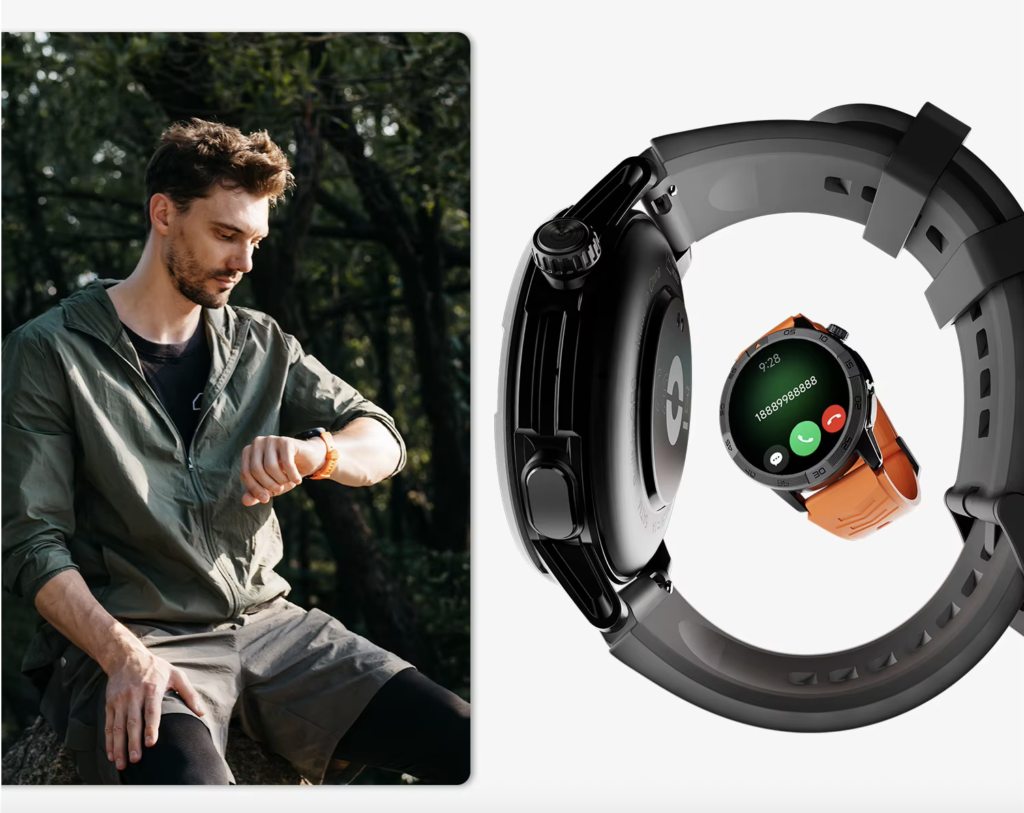
To determine can smartwatch answer calls without phone nearby, the coordinator must identify which connection carries the conversation: nearby Bluetooth, supported Wi-Fi calling, or activated cellular service.
Draw the Annapolis Calling Map Before Leaving the Office
The coordinator’s workday creates a clear test.
The phone remains on a desk inside the marina office. The coordinator then moves through the doorway, along the dock walkway, and toward the assigned slips.
Calls may come from the office, marina staff, or boat owners. Missing one could delay an arrival, create confusion about a slip assignment, or require an unnecessary walk back to the office.
The buyer therefore needs one answer:
Will an ordinary phone call still reach the watch when the paired phone is no longer nearby?
That question cannot be answered by looking only at the watch’s speaker and microphone.
Call hardware is not the same as a call connection
A calling smartwatch may include:
- A microphone
- A speaker
- Caller identification
- Answer and reject controls
- Contact access
- A dial pad
- Recent-call history
Those features show that the watch can manage call audio and controls.
They do not show where the actual voice connection comes from.
The conversation may still depend on:
- A paired phone within Bluetooth range
- A compatible Wi-Fi calling service
- A cellular or LTE connection activated on the watch
Before treating visible call controls as proof of independence, buyers should separate call hardware from the connection carrying the conversation.
Phone-assisted calling versus standalone calling
Phone-assisted calling uses the paired phone’s mobile connection. The watch functions as a remote call interface, but the phone remains part of the communication path.
Standalone calling allows the watch to place or receive supported ordinary calls without depending on a nearby phone connection.
A watch can provide excellent phone-assisted calling without being a standalone phone.
That distinction becomes visible only after distance is added to the test.
Mark Three Calling Zones Along the Maryland Waterfront
The coordinator divides the marina into three practical connection zones.
Each zone tests a different level of phone dependence.
| Test zone | Phone location | Connection being examined | Main question |
|---|---|---|---|
| Marina office | Beside the watch | Bluetooth-assisted calling | Does wrist calling work under ideal conditions? |
| Doorway and dock walkway | Phone remains inside | Edge of Bluetooth range | Where does the connection begin weakening? |
| Waterfront slips | Phone remains in office | Wi-Fi, cellular, or no fallback | Does calling continue independently? |
The purpose is not to measure an exact number of feet.
The purpose is to discover which connection path remains available as the coordinator moves away from the phone.
Path One: Test Bluetooth Calling Inside the Marina Office
The first test establishes a working baseline.
The coordinator keeps the phone powered on, confirms that Bluetooth is active, and verifies that the watch shows a connected status.
An ordinary incoming call is then placed.
The coordinator:
- Receives the alert on the watch.
- Checks that the caller’s identity appears.
- Answers from the wrist.
- Speaks briefly.
- Ends the call using the watch.
A successful result confirms that the speaker, microphone, call controls, and paired-phone connection are functioning.
It does not prove that the watch can make or receive calls independently.
What the office test actually proves
The watch may be doing several things successfully:
- Receiving call information from the phone
- Using Bluetooth to carry call audio
- Accessing synchronized contacts
- Sending answer or reject commands back to the phone
The phone still provides the underlying ordinary calling service.
Buyers who need the dependency explained more clearly can review how phone-assisted Bluetooth calling works before testing greater distance.
The office is therefore the control zone, not the final answer.
Find the Edge of Bluetooth Range Around the Marina Office
The coordinator leaves the phone on the office desk and begins walking away.
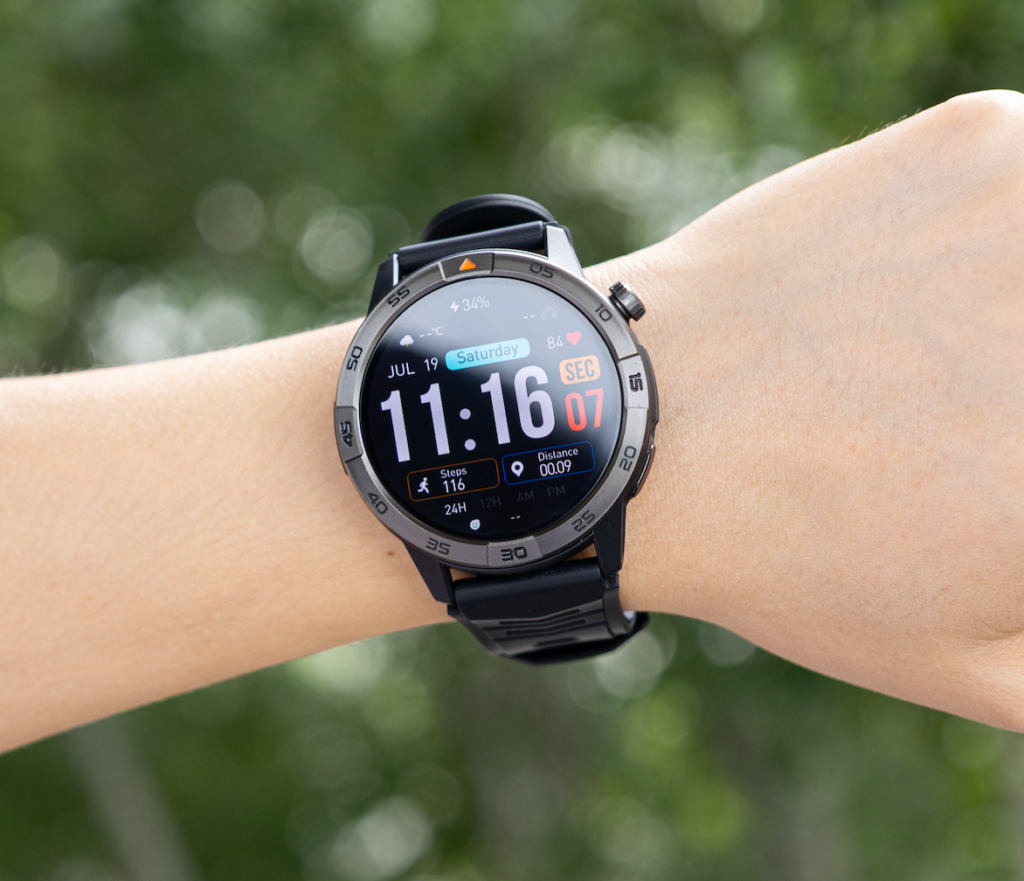
The first stop is the doorway. The next is the beginning of the dock walkway. The final point is farther along the waterfront.
No settings are changed during the movement.
Watch for boundary behavior
At each point, the coordinator checks:
- Whether incoming calls appear promptly
- Whether caller information remains available
- Whether answering still works
- Whether audio becomes unstable
- Whether the watch disconnects
- Whether the connection returns after moving closer
The first failure point is important because it reveals practical phone dependence.
If the call works beside the phone but fails after the coordinator reaches the walkway, the watch is most likely relying on Bluetooth-assisted calling.
Why there is no universal Bluetooth distance
Practical range varies because real workplaces are not empty testing rooms.
At an Annapolis marina, the connection may be influenced by:
- Office walls
- Metal doors
- Dock structures
- Phone placement inside the room
- Nearby wireless equipment
- Other connected devices
- The specific phone and watch
- Interference around the waterfront
A distance printed in a specification cannot guarantee the same result in every U.S. workplace.
The coordinator’s actual route is therefore more useful than a theoretical range estimate.
Path Two: Check Whether Marina Wi-Fi Can Carry the Call
Losing Bluetooth does not automatically mean that Wi-Fi calling will take over.
A smartwatch may include Wi-Fi hardware without supporting ordinary phone calls over Wi-Fi.
The available path depends on the exact combination of:
- Watch model
- Operating system
- Paired phone
- Calling account
- Supported apps
- Wi-Fi network
- Manufacturer features
Test Wi-Fi only after Bluetooth becomes unavailable
At a point where the watch no longer has a reliable Bluetooth connection, the coordinator checks whether the watch is connected to an approved marina Wi-Fi network.
The next steps are:
- Confirm that the watch has Wi-Fi access.
- Confirm that the phone-and-watch ecosystem supports ordinary calling over Wi-Fi.
- Receive or place one ordinary test call.
- Check caller identification.
- Confirm that two-way audio works.
- Repeat while Bluetooth remains unavailable.
If the call succeeds, the watch may have moved to a supported Wi-Fi-assisted path.
A successful Wi-Fi call is not the same as cellular independence
The watch may still depend on:
- A configured phone account
- A synchronized calling service
- An internet connection
- A compatible app
- Manufacturer support
When the coordinator leaves the marina Wi-Fi area, the call path may disappear again.
American buyers should therefore verify Wi-Fi calling in the manufacturer’s official documentation. The presence of a Wi-Fi specification alone is not enough.
Path Three: Confirm Cellular or LTE Independence
Ordinary calling beyond both Bluetooth and Wi-Fi generally requires a cellular-capable watch with supported service.
The coordinator should look for more than a microphone, speaker, or call icon.
Verify the exact watch version
A cellular-capable model may require:
- LTE or cellular hardware
- An eSIM or another supported activation method
- U.S. carrier compatibility
- Voice-service support
- A wearable line
- Number sharing or a separate number
- Network coverage at the marina
Some watch families are sold in Bluetooth-only and cellular versions.
A buyer must verify the exact unit rather than assuming every version has the same connection options.
Ask the U.S. carrier before purchasing
The Annapolis coordinator should confirm:
- Does the carrier support this exact watch?
- Is another wearable line required?
- Can the phone’s existing number be shared?
- Are incoming and outgoing calls supported?
- Will calling work when the phone is powered off?
- Are activation or recurring service charges required?
- Does cellular coverage reach the waterfront slips?
Plan terms and fees can change, so current answers should come directly from the carrier.
Bluetooth-only calling has a clear limitation
The smartwatch featured in this project supports Bluetooth calling rather than LTE standalone calling.
Its microphone and speaker allow wrist conversations when the paired-phone connection is available. They do not give the watch its own cellular calling service.
The phone therefore remains part of the ordinary calling path.
Can a Smartwatch Answer Calls Without a Phone Nearby in the United States?
Yes, but only when another supported connection replaces the nearby phone.
A watch may answer ordinary calls without the phone nearby when:
- Activated cellular or LTE voice service is available, or
- The exact watch ecosystem supports calling through Wi-Fi
A watch normally cannot continue ordinary Bluetooth-assisted calling when:
- The paired phone is powered off
- The phone is outside usable Bluetooth range
- No supported Wi-Fi fallback exists
- The watch does not have activated cellular service
The network path decides independence
A speaker does not decide whether the watch is independent.
A microphone does not decide whether the watch is independent.
The connection path decides.
For the Annapolis coordinator, the test results can be interpreted this way:
- Works only in the office: phone-assisted calling
- Becomes unreliable along the walkway: Bluetooth range dependency
- Works through approved Wi-Fi: Wi-Fi-assisted calling
- Works without phone or Wi-Fi through an activated plan: cellular independence
Separate Ordinary Calls From Emergency Expectations
The coordinator should not treat ordinary wrist calling as guaranteed emergency communication.
A Bluetooth-only watch may lose its call path when:
- The phone is left behind
- The phone battery dies
- Bluetooth disconnects
- The phone is powered off
- The paired system stops responding
Marina Wi-Fi may not cover every slip
Indoor Wi-Fi may work inside the office but weaken outside.
Coverage can vary along:
- Walkways
- Waterfront slips
- Areas behind buildings
- Locations near metal structures
- The far end of the marina
The coordinator should not assume that a Wi-Fi-assisted call will remain available throughout the entire property.
Cellular watches still require service
Even an LTE-capable watch depends on:
- Successful activation
- Carrier compatibility
- Account status
- Local network coverage
- Adequate signal
No smartwatch connection should be described as guaranteed emergency coverage.
Emergency features and limitations should be confirmed in official manufacturer and carrier documentation.
Run the Three-Zone Dockside Calling Test
The coordinator can now combine the three paths into one controlled test.
Test 1: Beside the phone
Record whether:
- The call alert appears
- Caller ID is visible
- Audio works in both directions
- The call can be ended from the wrist
A successful result confirms phone-assisted calling.
Test 2: Near the edge of range
Move from the office doorway toward the dock walkway.
Record:
- Physical barriers
- Alert delay
- Audio quality
- Disconnection point
- Reconnection behavior
This identifies the practical Bluetooth boundary.
Test 3: Outside phone range
At a waterfront slip, confirm:
- Bluetooth is unavailable
- Whether Wi-Fi remains connected
- Whether the watch has activated cellular service
- Whether an ordinary call still works
- Which path carried the call
| Test | Did the call work? | Available path | Meaning |
|---|---|---|---|
| Beside the phone | Bluetooth | Confirms phone-assisted calling | |
| Edge of range | Weakening Bluetooth | Reveals the practical dependency boundary | |
| Outside range | Wi-Fi, LTE, or none | Determines whether calling is independent |
Before relying on the watch during waterfront rounds, the coordinator should check whether calling remains dependable across the actual work area rather than judging it only beside the office phone.
Make the Standalone-Calling Buying Decision
The test should lead to one practical choice.
Choose Bluetooth-assisted calling when
Bluetooth calling is suitable when:
- The phone normally remains nearby
- Wrist conversations are brief
- The watch is mainly a convenient call interface
- No separate service plan is desired
- Calls beyond the marina office are not essential
Choose supported Wi-Fi calling when
Wi-Fi-assisted calling may fit when:
- Reliable Wi-Fi covers the required areas
- The exact watch ecosystem supports ordinary calls
- The buyer accepts dependence on the network
- Cellular service is unnecessary
Choose cellular or LTE calling when
Standalone service is worth considering when:
- The phone will regularly remain inside the office
- Calls must continue at distant slips
- Wi-Fi coverage is incomplete
- The exact watch is supported by a U.S. carrier
- The buyer accepts activation and ongoing service requirements
Buy the connection the routine requires
The marina coordinator should not pay for cellular service simply because LTE sounds more advanced.
Standalone calling becomes valuable only when the work routine repeatedly places the watch beyond both phone range and dependable Wi-Fi.
The connection requirement should come from the route, not the appearance of the watch.
Questions About Calling Without a Nearby Phone
Does Bluetooth calling work when the phone is off?
Bluetooth-assisted calling normally depends on the paired phone for ordinary voice service. When the phone is powered off, that call path is unavailable.
Can Wi-Fi replace Bluetooth for ordinary calls?
Sometimes, but only when the exact watch, paired-phone ecosystem, account, app, and network support Wi-Fi calling. Wi-Fi hardware alone does not guarantee ordinary phone calls.
Does an LTE smartwatch require another phone number?
That depends on the watch and U.S. carrier. Some services support number sharing, while others use a separate wearable line or account arrangement.
Can the same cellular plan be shared with the watch?
Possibly. Number sharing and wearable plans vary by carrier, device, and account type. Buyers should confirm support before purchasing the cellular version.
How far can the watch be from the phone?
There is no universal distance that works in every environment. Walls, metal structures, interference, phone placement, and device design can all change practical Bluetooth range.
Does a microphone mean the watch has standalone calling?
No. A microphone supports voice input. Independent calling still requires a supported Wi-Fi or cellular path when the paired phone is unavailable.
Let the Connection Path Answer the Question
For the Annapolis marina coordinator, can smartwatch answer calls without phone nearby is not answered by the call screen, speaker, or microphone.
The answer comes from the connection path.
The office test confirms whether Bluetooth-assisted calling works. The walkway test reveals where phone dependence becomes visible. The waterfront test determines whether supported Wi-Fi or activated cellular service can take over.
If the watch fails when Bluetooth disappears and no fallback exists, it is not a standalone-calling watch.
Buyers whose phones will normally remain within connection range can review the Bluetooth-calling and GPS specifications while remembering that this model is not an LTE standalone-calling watch.
Run a beside-phone, edge-of-range, and outside-range test. The first point where calling fails will reveal whether the watch depends on Bluetooth, supported Wi-Fi, or its own cellular service.