
A smartwatch should make your routine easier, not become another device that needs charging every night. The best smartwatch battery life for everyday use should support work, commuting, workouts, sleep tracking, calls, and weekend plans without constant battery anxiety. Battery life alone is not enough, however. A practical daily watch also needs a readable screen, comfortable design, useful notifications, Bluetooth calling, and dependable navigation. This guide explains what battery ratings really mean, which features use the most power, and why a 30-day smartwatch can offer strong value for busy U.S. buyers.
What Makes the Best Smartwatch Battery Life for Everyday Use?
The longest advertised runtime does not automatically make a watch the best choice. Some endurance-focused models save power by limiting apps, calling, screen quality, or health features. That may be fine for hikers, but it can feel restrictive during normal daily use.
A better everyday smartwatch balances battery life with features you will regularly use:
- A bright, easy-to-read display
- Bluetooth calling for quick conversations
- Notifications that reduce phone checking
- Built-in GPS for walking, running, and travel
- Sleep, heart-rate, step, and activity tracking
- Water resistance for workouts and daily wear
- Android and iPhone compatibility
- A comfortable design for work, the gym, and weekends
Why Long Battery Life Matters
Battery endurance changes how consistently you can use a smartwatch.
Better Sleep Tracking
A watch cannot track sleep while it is charging. Daily charging often happens at night, forcing you to choose between collecting sleep data and having enough power for the next day. A longer-lasting watch makes overnight tracking easier.
More Dependable During Long Shifts
Warehouse employees, delivery drivers, nurses, retail workers, and other people with extended shifts may not have a convenient charging opportunity. A larger battery reserve helps calls, alerts, step tracking, and reminders remain available.
Easier Travel
On a road trip or short business trip, one less charging cable is helpful, and you are less likely to depend on it every evening.
Less Feature Management
Many people disable GPS, health tracking, or notifications to protect a weak battery. A long-battery watch gives you more freedom to use the features you paid for.
Recommended Pick: A 30-Day Smartwatch for Daily Convenience
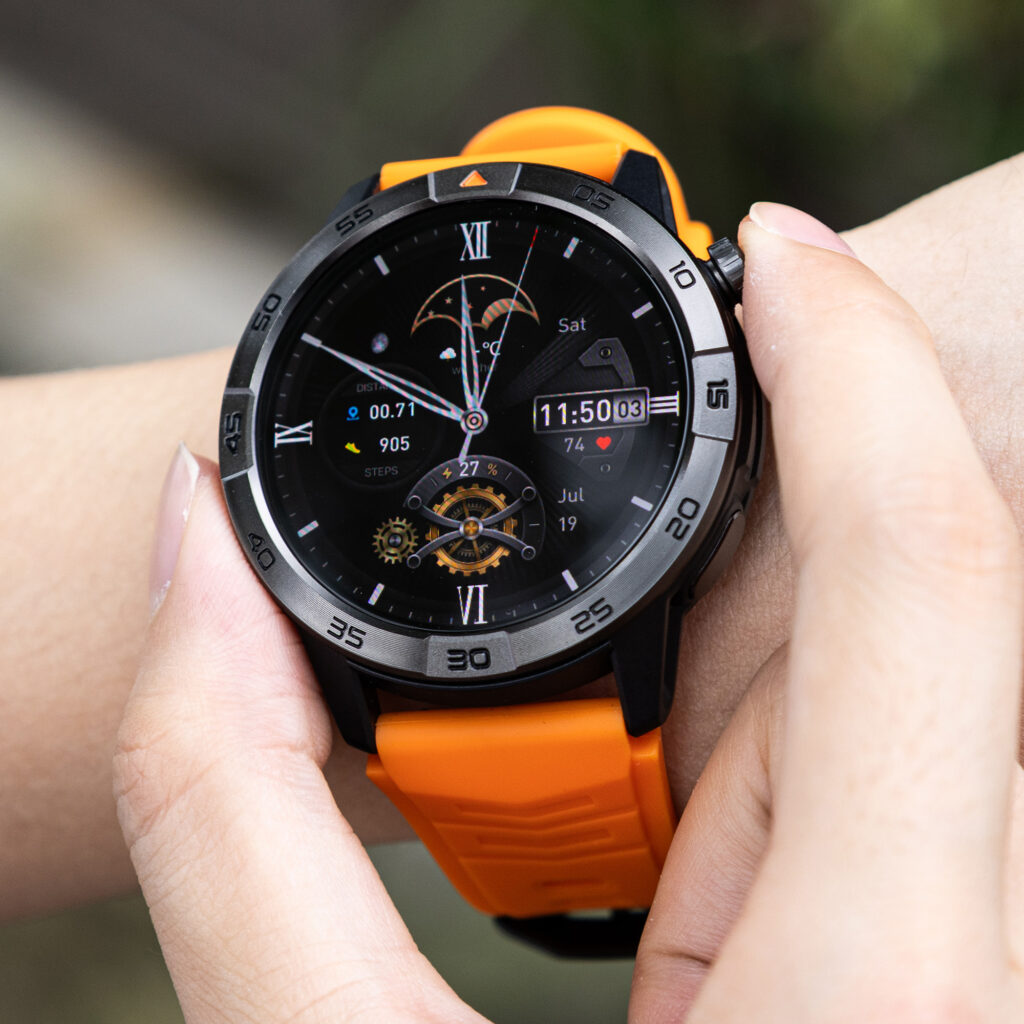
For shoppers seeking a premium-feeling watch without a flagship price, the Smart Watch with GPS, Bluetooth Calling, and up to 30-Day Battery is a strong everyday option.
It costs $150 and combines:
- Battery life rated for up to 30 days
- A 370mAh battery
- Bluetooth calling
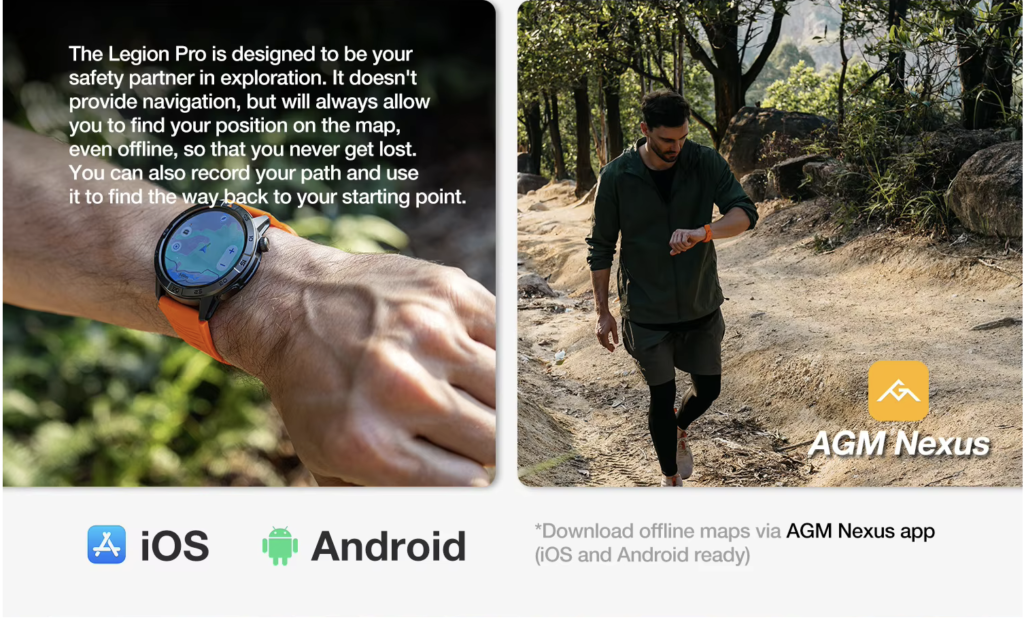
- Built-in GPS and offline maps
- A 1.43-inch AMOLED touchscreen
- 466 × 466 resolution
- IP68 and 5ATM protection
- Heart-rate, sleep, activity, step, and calorie tracking
- Music controls, alarms, calendar tools, and notifications
- iOS and Android compatibility
The appeal is the balance. This is not merely a basic fitness tracker with a long standby time, and it is not a one-day smartwatch that demands nightly charging. It combines long potential endurance with calling, navigation, fitness tools, and a modern display.
What “Up to 30 Days” Means
Treat 30 days as a maximum manufacturer rating rather than a guaranteed result. Actual runtime depends on brightness, screen-on time, call duration, GPS use, notification volume, health-monitoring frequency, and temperature.
A person using basic notifications, step tracking, and occasional calls may get closer to the maximum than someone recording GPS workouts every day. Heavy use reduces battery life on every smartwatch.
The practical question is whether the battery gives you enough headroom to avoid frequent charging. Even below the maximum, multi-week endurance can be easier to manage than nightly charging.
Smartwatch Battery and Feature Comparison
| Smartwatch type | Battery expectation | Calling | Best for | Main limitation |
|---|---|---|---|---|
| Omarek 30-day smartwatch | Up to 30 days | Bluetooth calling | Work, commuting, gym, travel, long shifts | Runtime varies with GPS and calls |
| Apple Watch models | Usually hours to a few days, depending on model and mode | Yes | iPhone users wanting deep integration | Frequent charging and higher price |
| Samsung or Pixel watches | Commonly one to several days | Yes | Android users prioritizing apps | Shorter battery than multi-week watches |
| Garmin endurance watches | Often multiple weeks | Limited on some models | Serious runners and outdoor users | Higher price and fewer calling options |
| Hybrid smartwatches | Often several weeks | Usually no | Traditional style and basic tracking | Small displays and limited smart features |
Apple, Samsung, and Google watches offer polished software and larger app ecosystems, but usually require more charging. Garmin is excellent for advanced fitness and outdoor use, though some long-lasting models lack convenient wrist calling. Hybrid watches can last weeks but often sacrifice navigation, large displays, and voice features.
The Omarek watch stands out for buyers who want long potential runtime, Bluetooth calls, GPS, and an AMOLED screen in one $150 package.
How Bluetooth Calling Helps in Real Life
Bluetooth calling becomes useful when your hands are busy. A delivery driver can answer briefly while carrying packages. An office worker can take a quick call while moving between rooms. A gym user can respond without reaching into a locker or bag.
Because the watch lists Bluetooth calling rather than cellular or LTE service, buyers should plan to keep the paired phone nearby. It adds convenience around your phone rather than replacing the phone completely.
That trade-off can be worthwhile. Cellular watches usually cost more, may require a carrier plan, and can use more battery. Bluetooth calling is practical for people who normally carry their phone but do not want to pull it out whenever it rings.
Why Built-In GPS and Offline Maps Matter
GPS is useful for more than serious running. It can support neighborhood walks, outdoor workouts, hiking, distance tracking, travel, and exploring unfamiliar areas.
Offline maps add value when cellular coverage is weak or when you would rather follow a route from your wrist. The limitation is power use: GPS is one of the most demanding smartwatch features. Frequent, long GPS sessions will reduce battery life much faster than basic notifications or step counting.
Use GPS when it adds value, then turn off continuous location features when they are unnecessary.
What Drains a Smartwatch Battery Fastest?
Always-On Display
An AMOLED screen looks sharp, but keeping it illuminated all day uses more energy. Raise-to-wake is usually better for battery endurance.
Maximum Brightness
High brightness helps in direct sunlight but is unnecessary indoors. Automatic or moderate brightness can extend runtime.
Long Wrist Calls
The microphone, speaker, and active Bluetooth connection use more power than passive notifications. Occasional calls have less impact than long conversations.
Continuous GPS
GPS recording can reduce a watch’s runtime dramatically. Daily outdoor workouts will produce different results from casual everyday use.
Frequent Health Readings
Continuous heart-rate, blood-oxygen, or other background measurements consume power. Adjust their frequency when the app permits.
Too Many Notifications
Every vibration and screen wake uses a small amount of energy. Disabling unimportant app alerts improves battery life and reduces distractions.
For more charging advice, read this guide to choosing a smartwatch that does not need frequent charging.
Everyday Use Cases
Office Work and Commuting
Meeting reminders, incoming calls, messages, and calendar alerts are easier to check without repeatedly taking out your phone. The AMOLED display also gives the watch a polished appearance for professional settings.
Delivery and Warehouse Jobs
Wrist-based calls and notifications are helpful when your hands are occupied. Long battery life matters during extended shifts and back-to-back workdays.
Gym and Casual Fitness
The watch can track activity, heart rate, steps, and calories while controlling music. Its water protection is useful for sweat and daily splashes, though users should follow the seller’s care instructions for swimming.
Road Trips and Travel
GPS, offline maps, notifications, and longer battery life reduce dependence on charging stops. A longer-lasting watch is also easier to wear overnight for sleep tracking.
Busy Schedules
Calls, alarms, calendar tools, and sedentary reminders keep small tasks visible throughout the day. The watch is most useful when it supports the routine without demanding constant maintenance.
Pros and Cons
Pros
- Up to 30-day advertised battery life
- $150 price
- Bluetooth calling
- Built-in GPS and offline maps
- AMOLED touchscreen
- Android and iPhone compatibility
- Sleep, health, and activity tracking
- IP68 and 5ATM protection
- Strong feature mix for the price
Cons
- Heavy GPS and calling use will reduce runtime
- Bluetooth calling requires a nearby paired phone
- No cellular or LTE service is listed
- Serious athletes may want deeper training analytics
- The product page currently shows no customer reviews
- The app ecosystem may be smaller than Apple Watch or Wear OS
Who Should Buy This Smartwatch?
It is a good fit for:
- People tired of nightly charging
- Workers with long or unpredictable shifts
- Commuters who want quick call access
- Android and iPhone users
- Casual gym users, walkers, and travelers
- Buyers wanting a premium feel around $150
Who Should Avoid It?
Consider another watch if:
- You need independent LTE calling
- You require specialized medical or health features
- You need marathon, triathlon, or recovery analytics
- You rely heavily on third-party smartwatch apps
- You want the deepest possible iPhone integration
- You prefer a traditional hybrid design
Garmin may suit serious endurance athletes better. Apple Watch remains attractive for users invested in Apple’s ecosystem. Samsung or Pixel models may make more sense for people who value Wear OS apps above battery longevity.
Smartwatch Buying Checklist
1. Check How the Battery Rating Was Measured
Confirm whether the claim refers to normal use, standby, battery saver, or GPS mode.
2. Understand the Calling Method
Bluetooth calling requires a nearby phone. LTE calling can work independently but usually costs more.
3. Confirm Phone Compatibility
Check that the companion app supports your phone and operating-system version.
4. Consider the Display
AMOLED provides rich color and contrast, but always-on mode can shorten battery life.
5. Look for Built-In GPS
Built-in GPS is more useful than connected GPS when you want route tracking without actively using your phone.
6. Review Water-Protection Guidance
IP68 and 5ATM are useful ratings, but they do not make every type of water exposure risk-free.
7. Think About Total Value
Compare battery life, calling, GPS, screen quality, comfort, shipping, warranty terms, and software—not one specification alone.
For a deeper endurance comparison, see this guide to smartwatches with the strongest battery performance.
Frequently Asked Questions
What Is Good Smartwatch Battery Life for Everyday Use?
A week is convenient compared with watches that need daily charging. Two weeks or more is excellent when the watch still offers calling, GPS, health tracking, and a quality display.
Can a Smartwatch Really Last 30 Days?
Some watches are rated for up to 30 days under lighter or optimized use. Actual battery life changes with GPS, calls, display settings, health monitoring, and notification frequency.
Does Bluetooth Calling Drain the Battery?
Yes. Calls activate the microphone, speaker, and Bluetooth connection, so they consume more power than passive alerts.
Can Bluetooth Smartwatches Call Without a Phone?
Standard Bluetooth calling requires the paired phone to remain within range. Independent calling requires a cellular or LTE watch and usually a carrier plan.
Is Long Battery Life Better for Sleep Tracking?
Yes. A longer-lasting watch can remain on your wrist overnight instead of sitting on a charger.
Does This Smartwatch Work With iPhone and Android?
The product page lists compatibility with iOS and Android. Buyers should still verify that their specific phone supports the required companion app.
Conclusion: The Best Smartwatch Battery Life for Everyday Use
The best smartwatch battery life for everyday use is not simply the biggest advertised number. A useful watch should reduce charging stress while supporting calls, navigation, notifications, workouts, and daily planning.
At $150, the Omarek smartwatch offers a compelling mix: up to 30-day battery life, Bluetooth calling, built-in GPS, offline maps, an AMOLED screen, water protection, and compatibility with both major phone platforms. It is particularly suitable for commuters, busy professionals, delivery and warehouse workers, travelers, and casual fitness users.
Ready to spend less time charging and more time using your smartwatch? Explore the 30-day smartwatch with GPS and Bluetooth calling and see whether its long battery life, AMOLED display, and everyday features are the right fit for your routine.