
A warehouse shift rarely leaves both hands free. One hand may be holding a scanner while the other moves cartons, checks labels, adjusts a pallet, or handles equipment. Your phone may stay zipped inside a pocket, stored in a locker, or restricted on the floor. When a call, shift reminder, or important message arrives, stopping work to find the phone is not always practical.
A smartwatch for warehouse workers with long battery life should solve that specific problem. It should make essential information easier to notice while staying comfortable through movement, sweat, noise, and overtime. It should also remain secondary to workplace safety.
The goal is not to add another distracting screen. It is to create a simple hands-free connection point for demanding shifts.
The Warehouse Floor Test: Why Regular Smartwatches Can Fall Short
A smartwatch that works well at home may become frustrating inside a warehouse.
The first challenge is access. A phone may be difficult to reach beneath gloves, workwear, or protective equipment. Some facilities require personal phones to remain in designated areas. Even where phones are allowed, repeatedly pulling one out can interrupt picking, packing, receiving, inventory checks, or loading tasks.
The second challenge is noise. Conveyor systems, pallet jacks, forklifts, scanners, ventilation, and nearby conversations can make a quiet alert easy to miss. A visible caller name and strong wrist vibration may be more useful than relying on a ringtone from a pocket.
The third challenge is movement. Frequent lifting, reaching, pushing, and bending can make a loose or bulky watch uncomfortable.
The fourth challenge is battery reliability. A low battery removes calls, alarms, time checks, and activity tracking.
A warehouse-friendly smartwatch therefore needs to pass a different test from a general lifestyle watch. It must support quick glances, short interactions, physical movement, and consecutive workdays without demanding constant charging.
Why Long Battery Life Matters Across Consecutive Shifts
Warehouse schedules are not always predictable. A normal shift may be extended because of seasonal volume, late inbound freight, inventory counts, or an unexpected staffing gap.
Some workers move between day and night schedules. Others work several long shifts in a row.
A watch designed around nightly charging creates another pre-shift task. Forget it once, and the device may be unavailable for the entire day. A longer battery window gives workers room for overtime, schedule changes, and missed charging nights.
The real advantage is finishing a demanding day, wearing the watch for sleep tracking, and returning for the next shift with power remaining.
The featured smartwatch is rated for up to 30 days and uses a 370mAh battery. That figure should be understood as a maximum rather than a guaranteed warehouse result. Frequent calls, high brightness, repeated screen wake-ups, health monitoring, and GPS will shorten runtime.
Even so, a watch designed for multi-week potential provides more breathing room than one built around daily charging.
Workers comparing schedules that regularly stretch beyond eight hours can also read this guide to a smartwatch for long shifts without daily charging.
Bluetooth Calling When Your Hands Are Occupied
Bluetooth calling is most useful in a warehouse when it shortens a simple interaction.
Suppose you are moving between aisles when a family member calls. The watch shows the caller, allowing you to decide whether to reject the call, answer briefly, or wait until break.
If a supervisor or coworker contacts you through the paired phone, the wrist alert may be easier to notice than a phone vibrating beneath work clothes.
A Bluetooth calling watch can typically help you:
- See who is calling
- Accept or reject a call
- Dial from the wrist
- Speak through the watch microphone
- Hear the caller through the watch speaker
The feature has practical limits. A noisy facility may make the built-in speaker difficult to hear. Long conversations from the wrist may also be distracting and use more battery.
Bluetooth calling works best for short exchanges such as:
- “I will call you on break.”
- “I am still at work.”
- “I saw your call.”
- “I will respond after my shift.”
The paired smartphone also needs to remain nearby and connected. This is not independent LTE calling. If workplace rules require phones to remain in a distant locker, Bluetooth calling may not remain connected across the facility.
Most importantly, workers should never answer or operate the watch when doing so would interfere with equipment control, load handling, spotting, climbing, or hazard awareness.
The feature should reduce unnecessary phone handling, not create a new source of distraction.
For a broader explanation of the calling and battery trade-off, see the guide to a smartwatch with long battery life and calls.
Notifications Without Constantly Checking a Phone
Warehouse workers do not need every phone notification copied to the wrist. Too many alerts can interrupt concentration and drain the battery.
The useful approach is selective visibility.
A worker may choose to allow:
- Calls from family or emergency contacts
- Shift alarms and break reminders
- Schedule-change notifications
- Important direct messages
- Calendar alerts for appointments after work
Promotional emails, social media updates, shopping alerts, and large group conversations usually do not deserve attention during a shift.
A readable screen keeps each interaction brief. The featured watch uses a 1.43-inch AMOLED touchscreen with 466 × 466 resolution for caller names, icons, time, and notification text.
Screen brightness should be high enough for the facility but not automatically kept at maximum. Raise-to-wake and a short screen timeout can reduce unnecessary battery use.
The watch should function as a filter:
Look → decide → return attention to the task
It should not encourage workers to scroll through messages on the floor.
Step and Activity Tracking During Physical Work
A warehouse shift can involve thousands of steps, repeated lifting, and long periods of standing. Activity tracking may help workers understand how physically demanding their day has been, but the numbers need context.
The featured watch lists:
- Step counting
- Calorie estimates
- Heart-rate monitoring
- Activity tracking
- Sleep tracking
- Breathing monitoring
- Sedentary reminders
- Multiple sports modes
Step totals can reveal how movement differs between picking, packing, receiving, and fixed-station work.
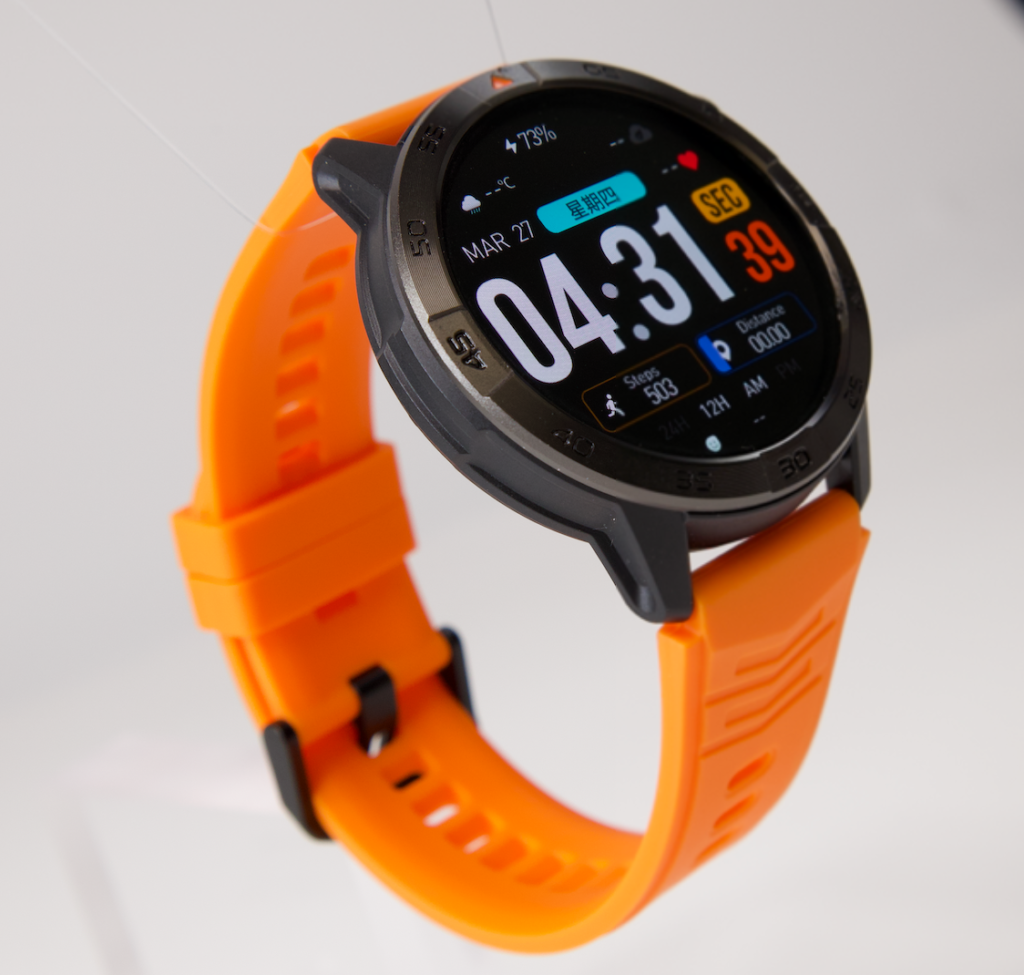
However, consumer smartwatch data should not be treated as a workplace productivity score or medical assessment. Arm movement, pushing carts, scanner use, vibration, fit, and repeated handling can affect readings.
Calorie totals are also estimates rather than exact measurements.
Sedentary reminders may be useful for workers at fixed control or packing stations, but they can become irrelevant for employees who are already moving constantly. Disable alerts that do not fit the job.
Sleep tracking may offer more practical value after a physically demanding or overnight shift. Longer battery life allows the watch to stay on the wrist after clock-out instead of immediately going onto a charger.
Water Resistance and Everyday Warehouse Durability
Sweat, dust, handwashing, rain near loading areas, and accidental splashes are realistic warehouse conditions.
A work watch should be able to handle ordinary exposure, but water-resistance numbers should not be confused with industrial certification.
The product listing states IP68 and 5ATM protection. Those ratings support everyday resistance to water and dust, but they do not make the watch indestructible.
Warehouse risks can exceed standard ratings:
- Impacts against shelves, bins, carts, or door frames
- Abrasive dust and packaging debris
- Cleaning chemicals
- Hot water or steam
- Repeated pressure on the screen
- Damaged seals after a hard strike
A screen protector may be a sensible addition for workers who frequently reach into racks or handle hard containers.
The watch should also be cleaned according to the seller’s instructions, especially after sweaty or dusty shifts.
This model is not advertised with a military durability standard or certified impact rating. Workers who need proven resistance to severe impacts, extreme temperatures, hazardous materials, or specialized industrial environments should choose equipment designed and certified for those conditions.
A smartwatch is also not personal protective equipment. It does not replace gloves, hearing protection, high-visibility clothing, or any safety device required by the employer.
Comfortable Fit During Long, Active Shifts
Comfort matters during constant movement.
A strap that is too loose can let the case rotate, catch on objects, and produce inconsistent sensor contact. A strap that is too tight can trap sweat, irritate the skin, and become uncomfortable during physical work.
The fit should be secure without restricting movement or sliding toward the hand.
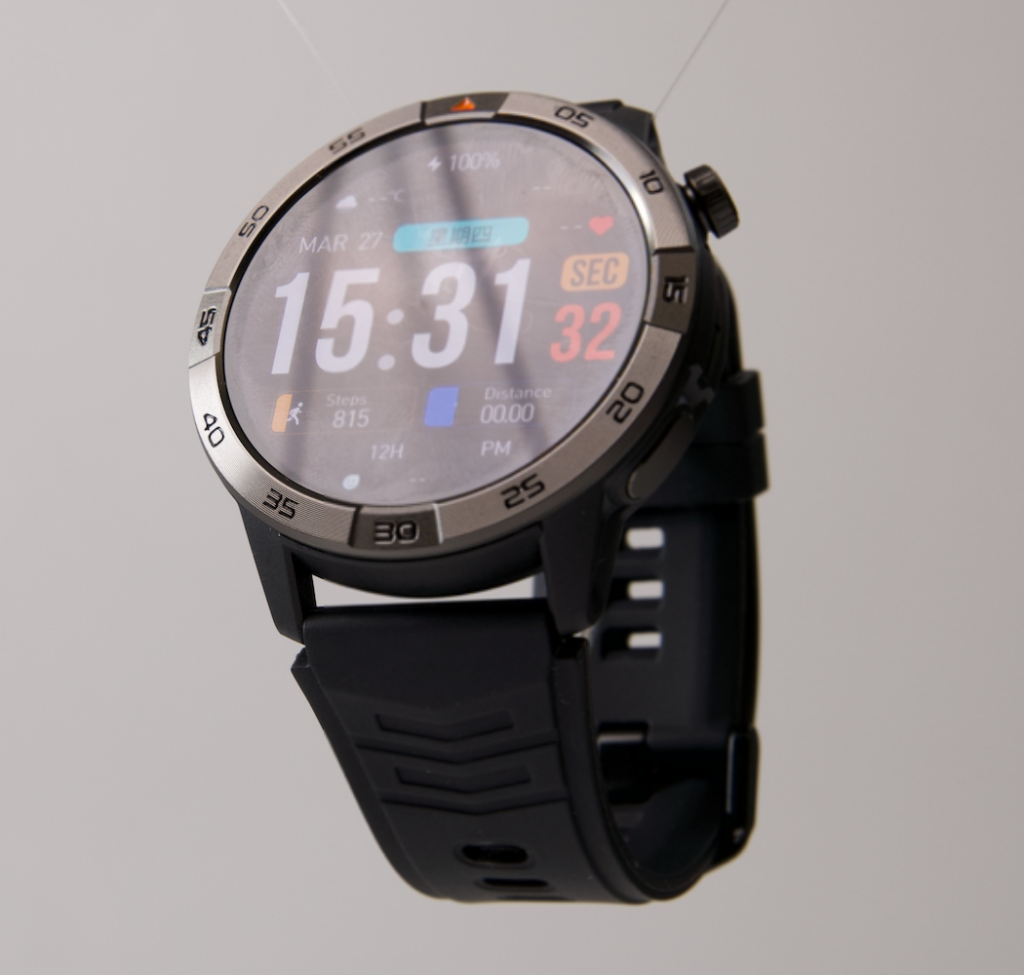
Workers should also consider how the watch interacts with:
- Work gloves and glove cuffs
- Long sleeves
- Wrist supports
- Protective clothing
- Repetitive scanner movement
- Frequent handwashing
The 1.43-inch display offers useful visibility, but it is larger than a slim fitness band. Workers with limited clearance around equipment may prefer a lower-profile wearable.
Cleaning the strap regularly and allowing the skin to dry can improve comfort. Alternating the wrist outside work may also help if workplace tasks repeatedly place one side near shelving or equipment.
Practical Limitations and Workplace Safety Rules
A smartwatch is only useful when the workplace permits it and the task can be performed safely while wearing it.
Some employers restrict smartwatches because they include Bluetooth, notifications, data storage, microphones, or communication functions.
Secure warehouses may prohibit personal electronics entirely. Food, pharmaceutical, medical, government, and high-security facilities may have additional rules.
Moving machinery creates another concern. Watches, bands, jewelry, loose clothing, and other items can present entanglement or electrical-contact hazards in certain work areas.
Equipment operators and spotters also need undivided attention.
Before wearing a smartwatch on the floor:
- Check the employer’s personal-device policy.
- Ask whether watches are allowed near machinery or conveyors.
- Follow all PPE and jewelry restrictions.
- Disable distracting notifications.
- Never interact with the screen while operating equipment.
- Remove the watch when instructed by a supervisor or safety procedure.
The watch should not be used to photograph, record, or transmit workplace information without authorization.
Call audio may also be difficult to hear in a loud facility. Do not increase risk by holding the wrist close to your face while walking through traffic lanes or active work zones.
Wait until you are in a designated safe area.
Warehouse-Floor Strengths and Trade-Offs
The featured 30-day-rated watch offers long potential runtime, visible calls, Bluetooth calling, an AMOLED display, activity tracking, alarms, and iOS and Android compatibility for $150.
Its main strengths for warehouse use include:
- Less frequent charging between shifts
- Visible incoming-call information
- Short wrist-based conversations
- Shift alarms and selected notifications
- Step and activity tracking
- A readable round display
- Water and dust resistance for everyday exposure
The trade-offs are equally important.
Bluetooth depends on a nearby phone. The speaker may struggle against warehouse noise. The listed water and dust ratings do not prove impact resistance.
The product page currently shows no customer reviews, and the long-term software-support policy is not clearly stated.
This makes it an everyday convenience watch, not specialized industrial equipment.
Questions Warehouse Workers Commonly Ask
Can the Battery Last Through a 10- or 12-Hour Shift?
A single long shift should be well within a watch advertised for up to 30 days.
The more meaningful question is how many consecutive shifts it can cover. Actual results depend on calls, display settings, notification volume, sensors, and GPS use.
Can I Answer Calls While Wearing Work Gloves?
You may be able to accept a call using the touchscreen or physical controls, depending on the gloves and watch setup.
Thick or coated gloves may not work reliably with the touchscreen. Configure shortcuts before starting work and avoid experimenting while handling equipment.
Will Bluetooth Calling Work If My Phone Is in a Locker?
Only when the locker is within usable Bluetooth range and walls or equipment do not interrupt the connection.
A phone stored far across the facility may disconnect.
Is IP68 Enough for Warehouse Work?
It may help with sweat, dust, rain, and everyday splashes, but it does not guarantee protection from impacts, chemicals, hot water, steam, or every industrial condition.
Can the Watch Replace a Warehouse Scanner or Safety Device?
No.
It is a consumer smartwatch for calls, alerts, time, and general activity tracking. It should not replace approved scanners, radios, alarms, PPE, or employer-provided safety equipment.
Buying Recommendation
For a warehouse worker, the best smartwatch is not the one with the most apps. It is the one that stays out of the way while making a few important tasks easier.
This 30-day-rated smartwatch is worth considering when your priorities are:
- Seeing important incoming calls without reaching for a phone
- Handling brief Bluetooth conversations when it is safe
- Receiving selected shift and schedule alerts
- Tracking steps and general activity
- Wearing the watch across consecutive shifts
- Reducing nightly charging
- Getting a readable AMOLED display around $150
Choose another option if your facility requires certified ruggedness, independent LTE calling, specialized safety functions, guaranteed impact protection, or a mature industrial software platform.
The product’s strongest role is as a hands-free convenience tool for physically demanding work. It can reduce phone handling and keep basic information visible, but it should always remain secondary to employer rules and warehouse safety.
Review the 30-day smartwatch with GPS and Bluetooth calling and compare its size, features, and workplace limitations with the conditions of your actual shift before ordering.