
A delivery route can change before the first package leaves the vehicle. A customer calls about a gate code, dispatch sends an update, an apartment office needs clarification, or a missed call appears while the phone is secured in the van. A smartwatch for delivery drivers calls should help drivers notice important communication faster during safe stops — not encourage watch use while the vehicle is moving.
This delivery-route operational playbook focuses on one problem: how delivery drivers can manage call awareness during a busy route while keeping the phone secured and safety first.

Vehicle Loading: Start the Route With Call Priorities Set
The best time to prepare for delivery calls is before the route begins. During vehicle loading, drivers can decide which calls matter most and how they will handle them later.
For American delivery drivers, route communication can come from several places: dispatch, customers, building managers, warehouse staff, apartment leasing offices, restaurant pickup contacts, or family members. If every call feels equally urgent, the driver may be tempted to check the phone too often.
A smartwatch helps most when the driver uses it as a call-awareness screen. It can show who is calling while the phone stays secured nearby, but the decision to answer should happen only during a safe parked moment or through a lawful hands-free system.
Pre-Route Call Setup for U.S. Delivery Drivers
Before leaving the loading area, drivers should:
- Make sure the phone is paired properly.
- Confirm Bluetooth calling is working.
- Keep the phone secure and within connection range.
- Allow only important call notifications.
- Silence low-priority app alerts.
- Decide which contacts deserve immediate attention.
- Plan to return non-urgent calls during safe route pauses.
This keeps the smartwatch focused on route communication instead of becoming another distraction.
Beginning the Route: Keep the Phone Secured
Once the route starts, the phone should stay secured according to workplace policy, local laws, and safe-driving practices. The smartwatch should not become a reason to interact with screens while driving.
The value of the watch is quick awareness. If a call comes in, the driver may be able to see the caller name or number at a glance during a safe stop, then decide whether the call needs attention.
For delivery drivers in cities like Phoenix, Atlanta, Houston, Miami, or Chicago, stops can happen frequently. That stop-and-go rhythm makes call filtering useful, but only when used responsibly.
What the Watch Should Do Early in the Route
At the beginning of the route, the smartwatch should help with:
- Showing incoming call alerts.
- Identifying whether the caller is dispatch or customer-related.
- Reducing the need to pull out the phone.
- Helping the driver return calls during safe parked pauses.
- Keeping unnecessary notifications away from the main work screen.
Bluetooth calling depends on the nearby paired phone. It is not LTE or cellular calling, so the phone still powers the connection while the watch handles the call interface.
Dispatch Notifications During Route Changes
Dispatch communication can be time-sensitive. A route may change because of missed access, address issues, rerouting, customer availability, failed delivery attempts, or pickup adjustments.
A smartwatch can help delivery drivers notice a dispatch call without digging for the phone at every stop. The key is to treat the watch as a filter. The driver sees who is calling, then handles the call only when it is safe.
Dispatch Calls Should Be Filtered, Not Chased
A safe dispatch-call workflow may look like this:
- The smartwatch shows the incoming dispatch call.
- The driver does not interact while moving.
- At the next safe parked stop, the driver checks the missed call.
- If the issue affects the route, the driver returns the call.
- If the call is not urgent, it waits until the next planned pause.
This keeps communication visible without turning the watch into a distraction.
Drivers who want broader work-call guidance can compare this with the article on a Bluetooth calling smartwatch for work, but the delivery-route use case is more stop-based and customer-driven.
Customer Calls During Active Deliveries
Customer calls are different from dispatch calls. A customer may call about a gate code, porch location, apartment number, business entrance, lobby access, or delivery instruction.
For U.S. delivery drivers, these calls often happen at the worst time: hands full, package in one arm, scanner in the other, phone secured, and the next stop waiting.
A smartwatch can help the driver identify the caller quickly. If the driver is safely parked and not operating the vehicle, a short wrist call may help confirm a delivery detail without unlocking the phone.
When Customer Calls Are Worth Answering
Customer calls may need attention when they involve:
- Gate or access codes
- Apartment entry instructions
- Business suite numbers
- Locked lobby access
- Safe drop-off clarification
- Wrong address concerns
- Pickup timing changes
Not every customer call needs an immediate answer. If the driver is moving, crossing traffic, handling packages, or approaching a doorway, the call should wait until it is safe.
A smartwatch is useful because it helps the driver know whether the call is worth returning soon.
Apartment Deliveries and Building Access Calls
Apartment deliveries create some of the most call-heavy moments in a delivery route. Drivers may deal with entry gates, call boxes, leasing offices, mailrooms, lockers, elevators, and unclear unit numbers.
In these moments, the phone may be in a pocket, holster, locked vehicle, or delivery bag. A smartwatch can make incoming calls more visible while the driver manages the delivery process.
Apartment Call Handling for American Routes
For apartment stops, the watch may help drivers:
- See whether the customer is calling back.
- Notice a leasing office call.
- Identify a gate-code call.
- Return a missed call after reaching a safe spot.
- Avoid repeatedly pulling out the phone while carrying packages.
This use case is not about long conversations. It is about short, route-specific communication.
For drivers who want easier call controls, the guide on a smartwatch with easy phone call answering can help explain what makes answering and rejecting calls simpler.
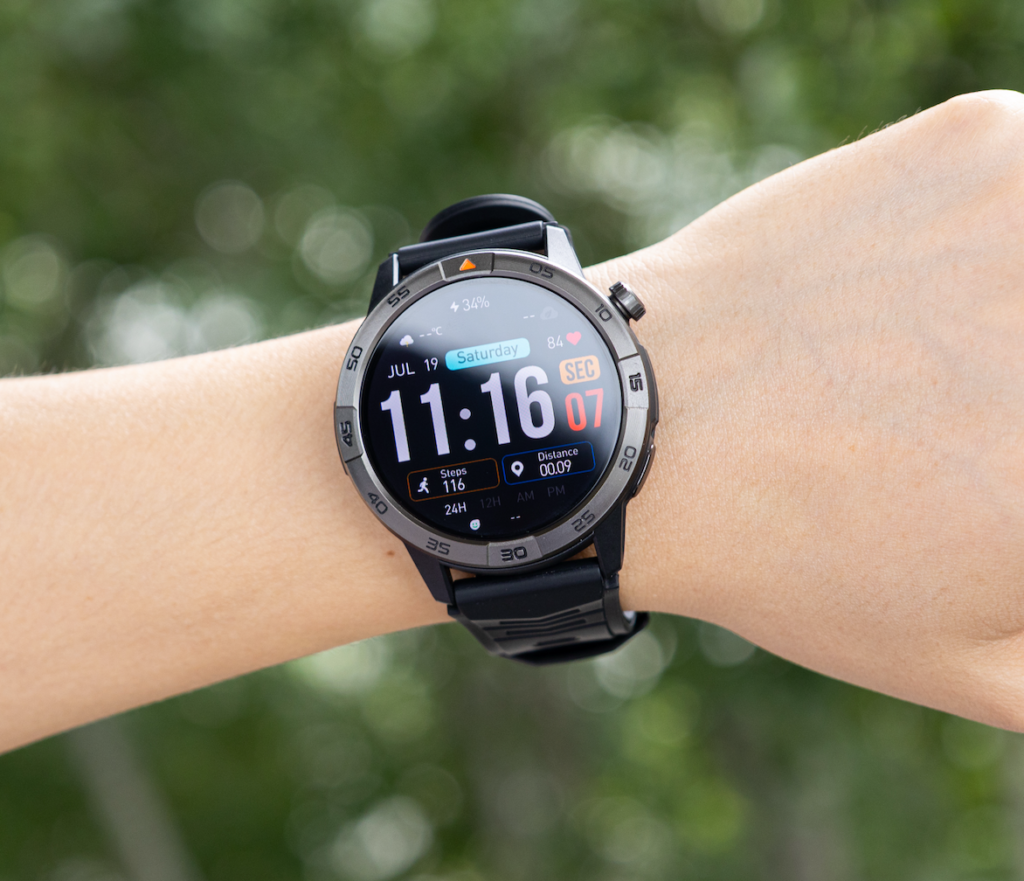
Outdoor Stops and Fast Call Awareness
Delivery drivers spend much of the day outside the vehicle. They may walk across parking lots, climb apartment stairs, approach porches, enter office buildings, or move between houses on a tight schedule.
Outdoor stops create two call-handling problems. First, the phone may not be easy to reach. Second, the driver may need to decide quickly whether a call is related to the current stop.
A smartwatch can help by making the call visible on the wrist. The driver can identify the caller and decide whether to return the call after the package is delivered.
Outdoor Delivery Situations Where Wrist Alerts Help
Wrist call alerts can be useful during:
- Suburban porch deliveries
- Office park drop-offs
- Apartment courtyard deliveries
- Campus-style building deliveries
- Business entrance confusion
- Parking-lot handoffs
- Multi-building residential stops
The watch should not be used while crossing streets, walking through traffic areas, carrying heavy loads, or doing anything that requires full attention.
Weather Exposure During Delivery Calls
Delivery work does not stop because the weather changes. Drivers may work through light rain, summer heat, cold mornings, humidity, wind, or snow depending on the U.S. region.
A smartwatch used for call awareness should be able to handle ordinary route conditions, but buyers should keep expectations realistic.
The smartwatch includes IP68 and 5ATM protection, which supports everyday exposure such as sweat, splashes, and some wet conditions. That does not mean the screen will respond perfectly with wet fingers, and it does not mean drivers should ignore care instructions.
Weather Can Affect Call Handling
Weather may affect call use in practical ways:
- Wet fingers can make touch controls less accurate.
- Gloves can make answering harder.
- Bright sunlight can make caller details harder to read.
- Wind can affect how clear a wrist call sounds.
- Rain can make drivers want faster, simpler call decisions.
For delivery drivers, the best smartwatch call interface is simple: readable caller information, clear answer and decline controls, and quick awareness without unnecessary steps.
Battery at Mid-Shift: Keep Call Awareness Available
By mid-shift, a delivery driver may have already handled dozens of stops. Calls, notifications, screen wake-ups, and route-related alerts can all affect battery.
This section matters because call awareness is only useful if the watch still has enough power during the busy part of the route.
A smartwatch with a longer battery window gives drivers more confidence that call alerts will still be available during afternoon deliveries, evening routes, or overtime shifts. Runtime still depends on usage, especially if the driver receives frequent calls or keeps brightness high.
Mid-Shift Battery Habits for Delivery Drivers
To keep call awareness available, drivers can:
- Reduce unnecessary app notifications.
- Keep screen brightness practical, not excessive.
- Avoid using the watch for long calls.
- Return longer calls from the phone or headset during breaks.
- Keep call alerts focused on dispatch, customers, and priority contacts.
- Charge on a planned schedule instead of waiting for a low-battery warning.
For drivers comparing call features with battery expectations, this article on a smartwatch with Bluetooth calls and long battery may help once the page is published.
End-of-Route Review: What Calls Actually Mattered?
The end of the route is a good time to review which calls mattered and which ones created noise.
A smartwatch can help drivers notice calls faster, but the real productivity gain comes from better call filtering. If most alerts are spam, low-priority apps, or non-route messages, the driver should adjust notification settings.
End-of-Day Call Review Checklist
After the route, delivery drivers can ask:
- Which missed calls affected deliveries?
- Which contacts should be prioritized tomorrow?
- Which notifications distracted me?
- Did the watch help reduce phone checking?
- Did any calls need a safer handling routine?
- Were customer calls easier to notice?
- Did battery last through the route comfortably?
This makes the smartwatch part of a better route workflow, not just another gadget.
Safety Boundaries for Delivery Drivers
Safety boundaries are non-negotiable.
Drivers should not operate the smartwatch while the vehicle is moving. They should not tap, scroll, answer, reject, read, or adjust watch settings while driving.
Calls should be handled only when safely parked or through lawful hands-free systems that follow local laws, employer rules, platform policies, and delivery company guidelines.
Safe Smartwatch Use During Delivery Work
Delivery drivers should avoid:
- Reading watch alerts while driving
- Answering calls from the watch while moving
- Adjusting settings at traffic lights
- Using the watch while reversing or parking
- Looking at the watch while crossing streets
- Handling calls while carrying heavy packages
- Using wrist calls for private customer or business conversations in public
A smartwatch can support safer call awareness only when the driver uses it at the right time.
How This Smartwatch Fits Delivery-Route Call Handling
The smartwatch fits delivery-route communication best as a call-awareness and call-filtering tool.
It can show incoming calls, support Bluetooth calling through a nearby paired phone, and help drivers identify whether a call is from dispatch, a customer, a building contact, or someone who can wait.
The product page currently shows no customer reviews, so buyers should focus on listed features, route needs, safety habits, and return policy before deciding.
Final Route-Based Buying Advice
A smartwatch for delivery drivers calls makes the most sense when the goal is faster awareness, not more screen use.
Choose this type of smartwatch if you want to keep the phone secured, identify important calls faster, manage customer and dispatch communication during safe stops, and reduce unnecessary phone checking during a route.
It may not be the right fit if you expect to answer calls while driving, need LTE independence, or want a device that replaces company-approved communication tools.
For delivery drivers who want a safer call-filtering setup, the smart move is to compare your route style first: apartment-heavy routes, suburban stops, business deliveries, weather exposure, and dispatch frequency. Then review the smartwatch’s calling and route-use features to see whether it matches your daily delivery workflow.
Frequently Asked Questions
Is a smartwatch useful for delivery drivers calls?
Yes. A smartwatch can help delivery drivers notice dispatch, customer, and building-access calls while the phone stays secured. It is best used during safe parked stops, not while driving.
Can delivery drivers answer smartwatch calls while driving?
No. Delivery drivers should not operate a smartwatch while the vehicle is moving. Calls should be handled only when safely parked or through lawful hands-free systems.
How can a smartwatch help with apartment deliveries?
A smartwatch can help drivers notice customer, gate-code, leasing office, or building-access calls faster during apartment stops. The driver should still handle calls only when it is safe.
Does Bluetooth calling replace the delivery driver’s phone?
No. Bluetooth calling depends on the nearby paired phone. The smartwatch handles the call interface, but the phone still powers the connection.
Will weather affect smartwatch call handling?
Weather can affect call handling. Wet fingers, gloves, bright sun, rain, and wind may make touch controls or wrist calls less convenient, so drivers should use the watch carefully during outdoor stops.
What should delivery drivers prioritize in a smartwatch for calls?
Delivery drivers should prioritize clear caller visibility, simple answer and decline controls, Bluetooth calling, practical battery life, comfortable wear, and safe use during parked route moments.