
Some smartwatch call screens look impressive in product photos until the phone rings while you are carrying groceries, wearing gloves, walking into work, or rushing through a busy U.S. airport. A smartwatch with easy phone call answering should not just have Bluetooth calling. It should make the call simple to see, simple to answer, simple to hear, and simple to manage in real American routines.
This article is a usability and accessibility audit, not a hands-on product review. The goal is to help U.S. consumers understand what “easy phone call answering” actually means before buying a smartwatch. Instead of treating “easy” as a vague marketing word, this guide breaks it into practical factors: button size, touch target size, call visibility, tap versus swipe controls, speaker-volume adjustment, contact readability, wet-hand use, glove use, and accessibility.
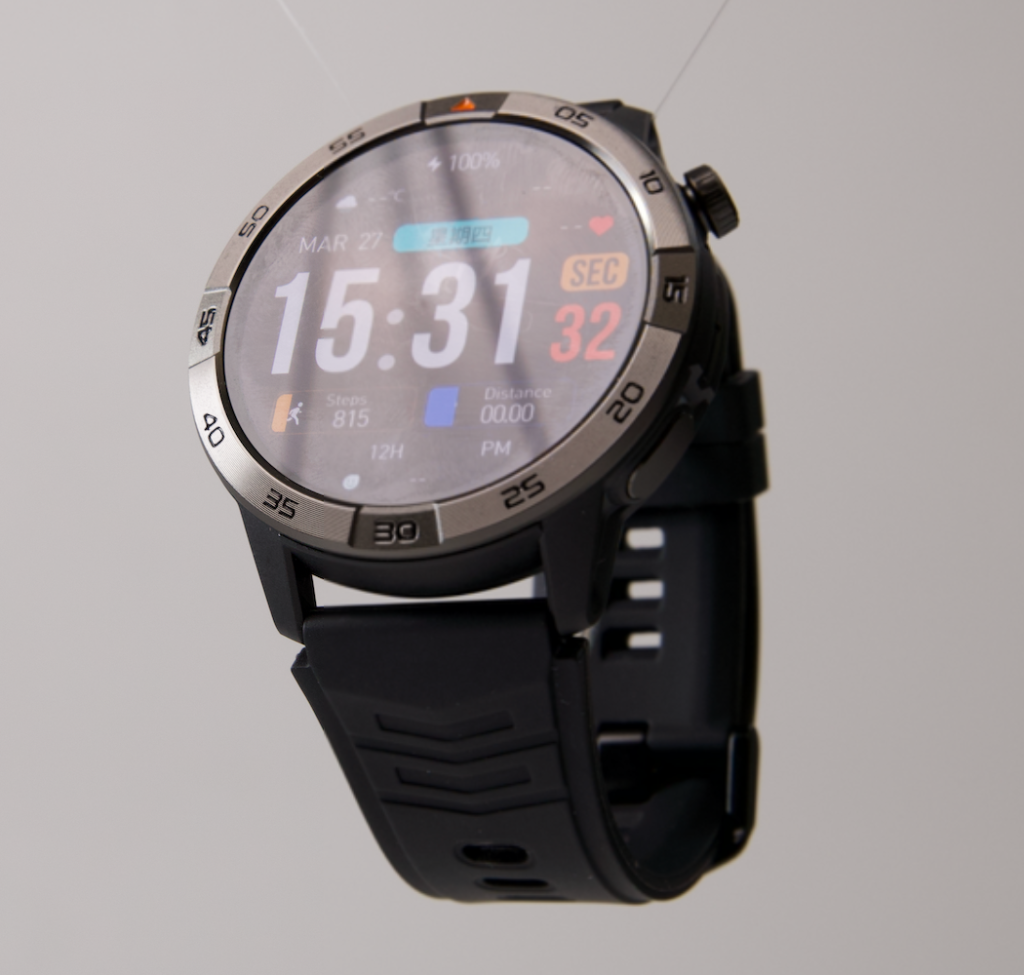
Why Easy Call Answering Matters for U.S. Smartwatch Buyers
In the United States, many smartwatch users are not trying to replace their phone. They want a faster way to handle everyday calls while the phone is nearby but not easy to reach.
That can happen during an office shift in Dallas, a grocery run in Ohio, a gym session in Florida, a walk in New York, a warehouse break in Illinois, or a family errand in California. The phone may be inside a purse, backpack, jacket pocket, car console, or desk drawer. In those moments, the smartwatch needs to make answering a call feel natural.
A smartwatch with Bluetooth calling can be useful, but Bluetooth calling alone does not automatically mean the experience is easy. A small call button, confusing swipe gesture, dim screen, low speaker volume, or hard-to-read contact name can make the feature frustrating.
For American consumers who value simplicity more than advanced specifications, ease of answering should be judged as a real usability feature.
Button Size: The First Test of Easy Call Answering
The first thing to check is button size. When a call comes in, the answer and decline buttons should be easy to notice and easy to press.
A smartwatch screen is much smaller than a phone screen, so the call interface needs to be clear. Large on-screen buttons reduce mistakes, especially when the user is moving, carrying something, or checking the watch quickly.
For U.S. office workers, this matters when a call comes in between meetings. For parents, it matters when answering a school call while doing errands. For delivery drivers or mobile workers, it matters when checking a call during a safe stopped moment.
What Good Button Size Looks Like for American Users
A good call-answering interface should have:
- A clearly visible answer button
- A clearly visible decline button
- Enough space between controls
- Strong color contrast
- Simple icons that are easy to understand
- No clutter around the call controls
The smartwatch’s 1.43-inch AMOLED touchscreen helps because a larger bright display gives the call screen more room to breathe. The 466 × 466 resolution also supports sharper visual details, which can make call icons and caller information easier to read.
That does not mean every user will find every screen perfect, but display size and clarity are important advantages for call answering.
Touch Target Size: Easy Means Fewer Mistaps
Button size and touch target size are related, but they are not the same. A button may look visible, but the actual touch area may still feel small.
Touch target size matters because smartwatch calls often happen during imperfect moments. You may be walking into a U.S. office building, carrying takeout, cooking dinner, wearing a jacket, or moving between errands. If the call button is too small, you may accidentally decline a call you meant to answer.
A smartwatch with easy phone call answering should reduce that risk.
Why Touch Targets Matter More Than Extra Features
Many smartwatch buyers focus on features like GPS, activity tracking, display type, or battery life. Those features matter, but call usability depends on smaller details.
For phone calls, a simple large tap target can be more valuable than another sports mode. American users who mainly want easy call handling should prioritize the interface before getting distracted by long spec lists.
This is especially true for older users, busy professionals, parents, and people who do not want to learn complicated gestures just to answer a call.
For readers comparing call usability more deeply, this guide on the smartwatch call answer feature can support the buying decision.
Incoming-Call Visibility in United States Daily Life
Incoming-call visibility is one of the biggest parts of ease of use. The watch should make it obvious that a call is coming in, who is calling, and what action you can take.

In a normal American day, calls can arrive while you are outside in bright sun, inside a store, working under office lighting, walking through a parking lot, or sitting in a noisy break room. If the screen is hard to read, answering becomes slower.
The smartwatch’s AMOLED display is useful here because AMOLED screens generally help with strong contrast and vivid call-screen elements. The 466 × 466 resolution also supports sharper text and icons, which matters when caller names need to be readable at a glance.
What U.S. Consumers Should Look for on the Call Screen
A call screen should show:
- Caller name or phone number clearly
- Easy-to-recognize answer and decline icons
- Strong contrast between text and background
- Enough brightness for everyday indoor and outdoor use
- A layout that does not feel crowded
- Quick response without too many extra steps
For many U.S. consumers, the best call screen is not the most stylish one. It is the one that makes the next action obvious.
Swipe Versus Tap Controls: Which Is Easier?
Some smartwatches use swipe controls to answer calls. Others use tap controls. Some may use a combination of both.
For ease of use, tap controls are often simpler for quick answering because they feel more direct. You see the button, tap the button, and the call is answered. Swipe controls can work well too, but they may be harder when your hands are wet, cold, gloved, or moving.
The best option depends on the user. A younger tech-comfortable user may not care. But an American buyer who values simplicity, accessibility, or quick response may prefer a clear tap-based interface.
Which Control Style Fits Everyday U.S. Routines?
Tap controls may feel easier for:
- Office workers answering quick calls
- Parents managing family calls
- Shoppers carrying bags
- Home users cooking or cleaning
- People who dislike gesture-based controls
Swipe controls may feel safer when designed to prevent accidental answering, but they should not be so sensitive or awkward that they cause frustration.
The main rule is simple: easy call answering should not require guessing. The watch should make the action clear the moment the call appears.
Speaker-Volume Adjustment for Phone Calls
A smartwatch with easy phone call answering should also make the call easy to hear. Answering is only half of the experience. If the speaker is too quiet or volume control is hard to access, the call feature becomes less useful.
For American users, speaker audibility matters in places like kitchens, office break rooms, parking lots, gyms, stores, and sidewalks. A smartwatch speaker will not usually replace a phone speaker or earbuds, but it should be practical enough for short calls.
Why Volume Control Matters for U.S. Work and Errands
A simple volume adjustment can make a big difference during real routines. If a call comes in while you are cooking, walking outside, or standing in a store, you may need to raise or lower volume quickly.
The best smartwatch call experience should make volume control easy to find. If the user has to search through settings during a call, the experience does not feel simple.
Bluetooth calling also depends on the nearby paired phone. It is not LTE or cellular calling. The phone still powers the connection, while the watch acts as the wrist-based call interface.
For buyers focused on audio hardware, this related guide on a smartwatch with speaker and microphone for calls may be useful.
Contact Readability: Caller Names Should Be Easy to Recognize
Contact readability is another important part of call-answering ease. The watch should make it easy to tell whether the call is from a spouse, coworker, school office, delivery service, doctor’s office, or unknown number.
For U.S. consumers, this matters because many people screen calls before answering. Spam calls, work calls, family calls, and appointment reminders are not equal. A clear caller display helps users decide quickly.
A 1.43-inch display gives more room for caller information than smaller watch screens. The high-resolution display also helps with sharper text.
Good Contact Readability Should Include
A call-friendly smartwatch should make these details easy to notice:
- Caller name when saved in contacts
- Phone number when the caller is unknown
- Large enough text
- Strong text contrast
- Minimal screen clutter
- Clear answer and decline options near the caller details
This is especially helpful for older users, busy professionals, and anyone who does not want to squint at a tiny watch screen during a call.
Use With Wet Hands: What Buyers Should Expect
Wet-hand use is important, but expectations should stay realistic. A smartwatch may have water and dust protection, but that does not mean the touchscreen will work perfectly with wet fingers.
The smartwatch includes IP68 and 5ATM protection, which can support everyday exposure such as sweat, rain, or splashes. However, water protection does not guarantee that call-answering controls will respond perfectly when the screen or fingers are wet.
For example, answering a call after washing hands, walking in rain, or sweating during a workout may be less precise than using the watch with dry hands.
Practical Wet-Hand Advice for American Users
U.S. users should think about wet-hand call answering in real situations:
- After washing hands in a restaurant or office restroom
- During a rainy commute
- While sweating at the gym
- While cooking at home
- During outdoor errands in humid weather
A smartwatch can still be useful in these moments, but the best experience usually comes when the screen and fingers are reasonably dry. Users should also avoid treating water protection as permission to answer calls underwater or during unsafe conditions.
Use While Wearing Gloves
Glove use is another important test of easy call answering, especially for American users in colder states or outdoor jobs.
Someone in Minnesota, Michigan, New York, Colorado, or Pennsylvania may wear gloves during winter errands, commuting, warehouse work, or outdoor walking. A smartwatch call screen that works well with bare fingers may be harder to use with thick gloves.
Unless a smartwatch specifically supports glove-friendly touch input, users should expect reduced touchscreen accuracy while wearing gloves.
Glove Use for U.S. Workplaces and Winter Weather
Glove usability matters for:
- Winter commuters
- Warehouse employees
- Delivery workers
- Outdoor walkers
- Drivers before or after trips
- Retail workers handling cold storage areas
A smartwatch with large answer and decline buttons has an advantage because larger targets are easier to tap. However, thick gloves can still make touchscreen interaction difficult.
For users who often wear gloves, the most practical approach is to check whether the interface uses large call buttons and whether the watch can be operated comfortably in their normal routine.
Accessibility Checklist for Easy Phone Call Answering
A smartwatch that is easy for answering phone calls should support more than tech-savvy users. It should also feel simple for people who want clear visuals, fewer steps, and less confusion.
This is where accessibility matters. Accessibility does not only mean disability support. It also means usability for older adults, busy workers, parents, drivers during parked moments, and anyone who wants simple call control.
Smartwatch Call Accessibility Checklist
Use this checklist when evaluating a smartwatch for easy phone call answering:
- Are answer and decline buttons large enough?
- Is the caller name or number readable at a glance?
- Is the screen bright enough for U.S. indoor and outdoor routines?
- Are icons simple and recognizable?
- Can the user answer without multiple steps?
- Is speaker volume easy to adjust?
- Does Bluetooth calling work reliably with the nearby phone?
- Is the watch comfortable for all-day wear?
- Is the call interface easy for older users?
- Does the watch avoid clutter during incoming calls?
- Can the user reject or silence calls quickly?
- Does the watch support both iOS and Android users?
The smartwatch supports iOS and Android compatibility, which is helpful for U.S. households where different family members may use different phone types.
Ease-of-Use Score: How This Smartwatch Performs for Phone Call Answering
This score is an editorial usability evaluation based on listed features and practical call-answering needs. It is not a lab test and does not claim verified call quality from customer reviews. The product page currently shows no customer reviews, so the score focuses on feature fit, display usability, call convenience, and everyday practicality.
Ease-of-Use Scoring Model
| Usability Factor | Weight | Score |
|---|---|---|
| Button size and call controls | 15% | 8.5 |
| Touch target practicality | 15% | 8.3 |
| Incoming-call visibility | 15% | 9.0 |
| Tap/swipe simplicity | 10% | 8.0 |
| Speaker-volume practicality | 10% | 8.1 |
| Contact readability | 15% | 8.8 |
| Wet-hand usability expectations | 10% | 7.4 |
| Glove-use practicality | 10% | 7.2 |
| Final Ease-of-Use Score | 100% | 8.2/10 |
What the Score Means
An 8.2/10 score means the smartwatch appears strong for everyday phone call answering, especially for users who value display clarity, simple call access, readable contact information, Bluetooth calling, and everyday convenience.
The lower scores for wet-hand and glove use are intentional. Most touchscreen smartwatches can become less predictable when fingers are wet or covered by thick gloves. That is not a failure; it is a realistic usability limitation.
For American users who want easy call handling without paying premium smartwatch prices, the smartwatch is a practical option to consider.
Who Should Care Most About Easy Call Answering?
This kind of smartwatch is best for buyers who value simplicity more than advanced specifications.
It may fit U.S. consumers who:
- Want quick call answering from the wrist
- Often keep their phone in a bag or pocket
- Work in offices, stores, warehouses, or mobile jobs
- Run errands with their hands full
- Prefer clear caller information
- Want a smartwatch that supports both calls and daily tools
- Do not want to pay premium smartwatch prices
- Want long advertised battery life instead of another device that needs daily charging
It may not be ideal for users who want LTE independence, advanced app ecosystems, or medical-grade health tools. Bluetooth calling still requires the nearby paired phone, and wellness features are for general awareness only.
How It Compares With More Complicated Smartwatches
Some smartwatches offer more apps, more advanced health features, or deeper phone integration. Those features can be useful, but they can also make the experience feel more complex.
For U.S. buyers who simply want to answer calls easily, more features do not always mean a better experience. A smartwatch can be more useful when the call screen is clear, the controls are simple, the display is readable, and the battery does not create constant charging stress.
That is why ease of use should be judged separately from the full spec sheet.
For readers comparing call-focused use cases, these guides on a smartwatch for hands-free calling and a smartwatch for work and phone calls may help narrow the decision.
Final Verdict: Easy Should Mean Clear, Quick, and Practical
A smartwatch with easy phone call answering should not make users think too much. When a call comes in, the screen should be readable, the buttons should be obvious, the caller should be easy to identify, and the answer or decline action should feel natural.
For many American users, that matters more than having the longest feature list. The smartwatch works best for people who want quick wrist-based call handling during work, errands, commuting, home routines, and weekend activities.
If simplicity is the priority, review the call controls, display, battery, GPS, and everyday features here: explore the smartwatch.
Frequently Asked Questions
What makes a smartwatch easy for answering phone calls?
A smartwatch is easy for answering calls when it has large call buttons, readable caller information, clear screen visibility, simple controls, practical speaker volume, and reliable Bluetooth connection to the paired phone.
Is Bluetooth calling the same as cellular calling?
No. Bluetooth calling works through a nearby paired phone. It is not LTE or cellular calling, so the phone must remain close enough for the connection to work.
Are tap controls better than swipe controls for phone calls?
Tap controls often feel simpler because users can press a clear answer or decline button. Swipe controls can also work, but they may feel harder when hands are wet, cold, or gloved.
Can I answer smartwatch calls with wet hands?
Sometimes, but touchscreen accuracy may be reduced when your fingers or the screen are wet. Water protection does not guarantee perfect wet-hand touch control.
Can I use a smartwatch call screen while wearing gloves?
Thick gloves may make touchscreen controls harder to use unless the watch specifically supports glove-friendly touch input. Large buttons can help, but glove use may still be less precise.
Is this type of smartwatch good for older users?
It can be, especially if the caller name is readable, the buttons are large, the interface is simple, and the screen is bright enough. Buyers should prioritize display clarity and easy controls over complex features.