
The phrase smartwatch for hands-free calling sounds simple until the first call comes in while your hands are full. Maybe you are carrying groceries, walking from the parking lot, packing an order, moving between meetings, or cooking dinner. You glance at your wrist, see who is calling, and tap the screen instead of digging for your phone.
That feels convenient. But is it truly hands-free? Not always.
A Bluetooth calling smartwatch can make phone calls easier to handle, but it does not magically remove the phone, eliminate every tap, or make every call private. The real value is more practical: fewer phone grabs, faster caller checks, and short wrist calls when the paired phone is nearby.
This guide separates the myths from the real experience.
Myth: The Phone Is No Longer Needed
Many buyers hear “hands-free calling” and imagine the phone can stay at home.
That is usually not true for a Bluetooth calling smartwatch.
With Bluetooth calling, the phone still handles the actual mobile call. The watch works as the wrist-based speaker, microphone, caller screen, and call-control device. If the paired phone is nearby, connected, and receiving service, the watch can help you answer or manage the call.
If the phone is far away, turned off, disconnected, or out of Bluetooth range, normal Bluetooth calling may not work.
That does not make the feature weak. It simply defines the category.
A Bluetooth calling watch is best for people who already keep their phone close but do not want to take it out constantly. The phone may be in a pocket, work bag, backpack, purse, desk drawer, car cup holder, or gym bag nearby.
For many everyday situations, that is enough.
You do not need the phone in your hand. You do need the phone within connection range.
A cellular or LTE smartwatch is the different category. That type can make or receive calls without the phone nearby when the watch model, carrier, plan, and setup support it. It usually costs more and may use more battery.
For a clear breakdown of Bluetooth versus LTE calling, read the guide to a smartwatch that can answer phone calls.
Myth: No Physical Interaction Is Required
“Hands-free” can be misleading.
Unless the watch clearly supports voice answering and that function is verified, assume you may need to tap the screen to accept or decline a call. Some watches may also require a tap to adjust volume, switch audio, open call controls, or end the call.
That means a Bluetooth calling smartwatch is often better described as phone-free in the hand, not completely touch-free.
This matters during work, driving, workouts, and physical tasks.
If your hands are wet, gloved, dirty, or occupied, tapping a small watch screen may still be inconvenient. If you are driving, operating machinery, climbing, lifting, or handling tools, interacting with the watch may be unsafe or against workplace rules.
The most realistic use looks like this:
You hear or feel the call alert.
You glance at the watch.
You tap answer or decline during a safe moment.
You speak briefly through the watch.
You end the call or move the conversation to your phone.
That is still useful. It reduces the need to unlock the phone, search a bag, or stop everything just to see who is calling.
But it is not always zero-touch calling.
Myth: Wrist Calls Are Always Private
A smartwatch speaker is convenient because it plays the caller’s voice from your wrist.
That same feature creates a privacy problem.
If you can hear the caller through the watch speaker, people nearby may hear parts of the conversation too. This is especially true in quiet spaces like offices, elevators, waiting rooms, rideshares, break rooms, and shared homes.
Wrist calls are best for short, low-risk conversations:
- “I’m outside.”
- “I’ll call you back.”
- “Yes, I got the update.”
- “I’m walking in now.”
They are not ideal for financial details, medical information, private work discussions, passwords, customer data, or personal conversations that should stay confidential.
The microphone creates another privacy issue. The person on the other end may hear background noise from your environment, including coworkers, music, machinery, traffic, or other people talking.
A smartwatch call is convenient, but it is not discreet like earbuds.
For buyers who want to understand why speaker and microphone design matters, this guide to a smartwatch with speaker and microphone for calls explains the hardware side.
Reality of Bluetooth Range
Bluetooth range is not a fixed promise that works the same in every room, building, or workplace.
A watch may stay connected across a small room but struggle through walls, metal shelving, vehicles, thick doors, or crowded wireless environments. Your phone model, watch software, Bluetooth version, building layout, and interference can all affect the result.
For daily use, think in practical zones.
Green Zone: Reliable Calling
The phone is in your pocket, bag, desk area, car, or nearby room. This is where Bluetooth calling usually makes the most sense.
Yellow Zone: Possible but Uncertain
The phone is across the house, inside a locker, behind a wall, or in a work bag several rooms away. The call may work, break up, or disconnect.
Red Zone: Do Not Rely on It
The phone is left at home, powered off, in a distant vehicle, or far outside normal Bluetooth range. A Bluetooth calling watch is not the right tool here.
A good habit is to test your own range before relying on wrist calls. Walk around your home, office, warehouse break area, or gym while on a short test call. Notice where the audio starts to break or where the watch disconnects.
Bluetooth calling is strongest when you treat the phone as nearby support, not as something you can forget completely.
Best Hands-Free Situations
A smartwatch becomes genuinely helpful when it removes a small but repeated friction point.
The best situations are ordinary.
You are walking from the parking lot with coffee and a laptop.
You are cooking and your phone is on the counter.
You are carrying packages and need to know whether the call matters.
You are on a treadmill with your phone in the cup holder.
You are at your desk and do not want to unlock your phone during focused work.
You are in a break room and want to return a quick call.
You are doing yard work with the phone nearby.
You are commuting before or after driving, and the phone is inside a bag.
In those moments, the watch helps you make a quick decision: answer, decline, or call back later.
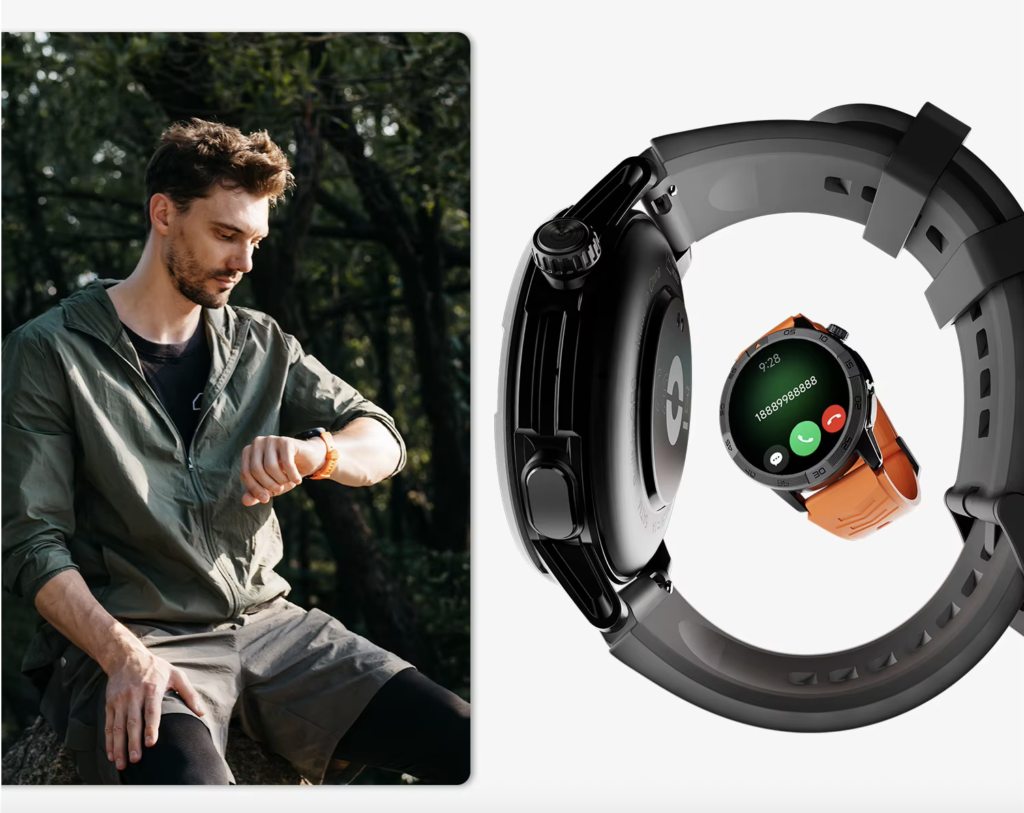
The feature works best when:
- The call is short
- The phone is nearby
- The environment is not too loud
- Privacy is not a concern
- You can safely tap the watch
- The watch has a speaker and microphone
- Battery life is strong enough for daily use
This is why Bluetooth calling fits everyday routines, office work, delivery stops, home tasks, gym sessions, and long shifts where constant phone checking becomes annoying.
For workplace use, the guide to a Bluetooth calling smartwatch for work gives a full-shift view of when wrist calls help.
Poor Situations for Speaker Calls
A wrist speaker has limits.
It may sound fine in a quiet room and weak in a loud place. It may be good enough for “I’ll call you back,” but not for a 20-minute work discussion.
Poor situations include:
- Busy streets
- Loud gyms
- Warehouses with machinery
- Construction areas
- Truck cabs at highway speed
- Crowded restaurants
- Confidential meetings
- Windy outdoor areas
- Driving
- Any task requiring full attention
The safety issue matters most.
Do not operate the watch while driving, handling machinery, climbing ladders, lifting heavy items, crossing streets, or doing any task where a glance or tap could create risk. Bluetooth calling does not remove safety rules, employer policies, or state laws.
Speaker calls also become awkward when the environment is quiet. A call that feels convenient to you may feel intrusive to the people around you.
A smartwatch call should be treated like a small speakerphone on your wrist. Use it when that makes sense. Switch to the phone or earbuds when privacy, clarity, or safety matters.
Watch Versus Earbuds
A calling smartwatch and wireless earbuds solve different problems.
A smartwatch is better for quick call awareness. It shows who is calling, lets you accept or reject, and helps with short conversations when your phone is nearby.
Earbuds are better for longer, clearer, and more private calls. They place the microphone closer to your mouth and the audio directly in your ears. They also work better in public places where a watch speaker would be too exposed.
Here is the practical split.
Choose the Watch When:
You need to screen calls quickly.
You want a short answer.
Your phone is nearby but inconvenient to reach.
You do not want earbuds in all day.
You need alerts, battery life, fitness tracking, and calls in one device.
Choose Earbuds When:
You expect longer calls.
You need privacy.
You are in a noisy place.
You want better microphone pickup.
You need both hands free for a longer period.
You are already listening to audio.
Use Both When:
You want the watch for caller ID and control, then earbuds for the conversation.
This combination is often the most realistic setup. The watch tells you who is calling. Earbuds handle the audio when the call needs more time or privacy.
A smartwatch is not automatically better than earbuds. It is better at a different job.
Where the $150 Bluetooth Calling Smartwatch Fits
A $150 Bluetooth calling smartwatch makes sense when you want wrist-call convenience without paying for a cellular watch.
The 30-day smartwatch with GPS and Bluetooth calling is positioned for this middle ground. It includes Bluetooth calling, a speaker and microphone for wrist conversations, a 1.43-inch AMOLED display, built-in GPS, offline maps, iOS and Android compatibility, and up to 30 days of advertised battery life.

That mix matters because hands-free calling alone is not enough.
A useful everyday smartwatch should also help with time checks, notifications, alarms, activity tracking, sleep tracking, walking routes, workouts, and basic daily information. If the watch only handles calls but needs frequent charging or lacks useful everyday features, the convenience fades quickly.
The strongest reason to consider this type of watch is value.
You can keep your phone nearby, answer short calls from the wrist, avoid unnecessary phone checks, and still get long battery potential without moving into premium LTE pricing.
The main limitations remain clear:
- It is not independent cellular calling
- The phone must stay nearby
- Audio quality depends on the environment
- Speaker calls are not private
- Some interaction may still be required
- Heavy calls, GPS, and brightness reduce battery life
For buyers comparing calling watches on budget, see the best smartwatch with Bluetooth calling under $200 guide.
Honest Recommendation
A smartwatch for hands-free calling is useful, but only when expectations are realistic.
It is not a full phone replacement unless you buy and activate a supported LTE model. It is not always completely hands-free unless voice answering is verified. It is not always private because the speaker plays audio from your wrist.
What it can do well is more practical.
It can help you see who is calling without grabbing your phone. It can let you answer short calls when your phone is nearby. It can reduce interruptions at work, during errands, while cooking, at the gym, or during busy daily routines.
The best buyer is someone who carries a phone but dislikes constantly taking it out.
The wrong buyer is someone who wants phone-free independence, private long calls, or no physical interaction at all.
The 30-day smartwatch with GPS and Bluetooth calling is a strong fit for the first buyer. It offers wrist-call convenience, long advertised battery life, AMOLED display quality, GPS, offline maps, and daily tracking at a $150 price point.
Explore the 30-day smartwatch with GPS and Bluetooth calling if you want a practical calling watch for nearby-phone convenience rather than a cellular phone replacement.