
7:42 a.m. in a busy U.S. kitchen. Coffee is brewing, one hand is holding a lunchbox, and your phone starts ringing from somewhere inside your bag. By the time you find it, the call is gone. That is exactly where a smartwatch for answering calls quickly can help: not by replacing your phone, but by giving you a faster way to see, answer, or reject a call from your wrist when your paired phone is nearby.
This article answers one question: how much faster can a smartwatch make call response when your phone is not easy to reach?

Why Call Response Speed Matters for American Users
In the United States, many people move through the day with their phone close but not always in hand. It may be in a coat pocket during a New York commute, inside a backpack on a college campus, on a kitchen counter during dinner, or charging across the room during remote work.
The problem is simple: the phone rings, but you lose time reaching for it.
A smartwatch can reduce that gap. When Bluetooth calling is set up correctly, the watch can show the caller, let you answer from the wrist, or help you reject the call without digging for the phone. That speed matters most for short, practical calls: a delivery update, a family check-in, a work call, or a quick “I’ll call you back.”
This is not about turning every call into a wrist conversation. It is about reducing missed calls when seconds matter.
Phone-in-Pocket Scenario: The Fastest Everyday Win
A phone in your pocket sounds easy to reach, but it is not always instant. You may be wearing gloves, carrying grocery bags, walking outside, or sitting in a meeting where pulling out your phone feels awkward.
With a smartwatch, the call appears on your wrist first. You can glance down, see who is calling, and decide quickly.
For many U.S. users, this is the most realistic benefit. The phone is still nearby, so Bluetooth calling can work, but the watch saves the reach, unlock, and swipe process.
What Happens Without a Smartwatch
The usual phone-in-pocket process looks like this:
- Feel or hear the phone ring.
- Stop what you are doing.
- Reach into the pocket.
- Pull out the phone.
- Check the caller.
- Swipe or tap to answer.
That may only take several seconds, but several seconds can be enough to miss a call.
What Happens With a Smartwatch
With a call-ready smartwatch, the process becomes shorter:
- Feel the watch alert.
- Raise your wrist.
- See the caller.
- Tap answer or reject.
The difference is convenience. You are not searching for the phone. You are responding from the place the alert already reached.
For a deeper look at this call feature, see the guide on the smartwatch call answer feature.
Phone-in-Bag Scenario: Where a Smartwatch Saves the Most Time
A phone inside a bag is one of the biggest reasons people miss calls. This is common for commuters, parents, students, travelers, and anyone moving through errands in the United States.
A phone may be under a wallet, keys, receipts, a charger, or gym clothes. Even if you hear the ringtone, finding the phone may take too long.
A smartwatch changes the first step. Instead of searching for the phone first, you can check the caller from your wrist.
Why This Scenario Matters
A phone in a bag creates delay because the user must:
- Notice the ringtone or vibration
- Stop walking or pause the task
- Open the bag
- Find the correct pocket or section
- Pull out the phone
- Decide whether to answer
The smartwatch removes the search step. You may still choose to take a longer call on the phone, but the watch helps you decide quickly.
Best Use Case
This is especially useful for:
- Grocery shopping
- Airport lines
- Walking through a parking lot
- Carrying kids’ items
- Moving between office buildings
- Waiting for rideshare pickup
- Traveling with luggage
For quick calls, a smartwatch can be the difference between answering on time and calling back later.
Phone-Across-the-Room Scenario: Helpful but With Limits
A smartwatch can also help when the phone is across the room, but this depends on Bluetooth range and the layout of the space.
At home or in a small office, this can be useful. Maybe your phone is charging on the desk while you are folding laundry, cooking, or working in another part of the room. The watch can alert you immediately and may allow you to answer if the Bluetooth connection is strong enough.
But this is not the same as LTE or cellular calling. If the phone is too far away, behind several walls, or outside Bluetooth range, the watch may not handle the call properly.
Best Phone-Across-the-Room Situation
A smartwatch works best when:
- The phone is nearby but not within arm’s reach
- You are in the same room or close area
- Bluetooth connection remains stable
- You only need a short call
- The environment is not too loud
For American remote workers, this can be useful during home-office routines. The phone may sit on a desk while the user steps into the kitchen or moves around the room. The watch gives faster call awareness without requiring the phone to stay in hand all day.
Wrist-Answer Workflow: How Fast It Can Feel
A smartwatch does not magically make every call instant. The speed depends on alert visibility, touch response, Bluetooth pairing, and how quickly the user recognizes the caller.
A smooth wrist-answer workflow looks like this:
- Call alert appears on the watch.
- The watch vibrates or rings.
- Caller name or number is readable.
- The answer button is easy to tap.
- Audio routes to the watch speaker and microphone.
- The user keeps the call short or switches to the phone if needed.
When all of this works properly, answering from the wrist can feel much faster than reaching for a phone in a bag or pocket.
The real value is not just speed. It is also decision speed. You can quickly know whether the call is important, reject spam, or answer a short call without interrupting your whole routine.
The Five-Second Response Checklist
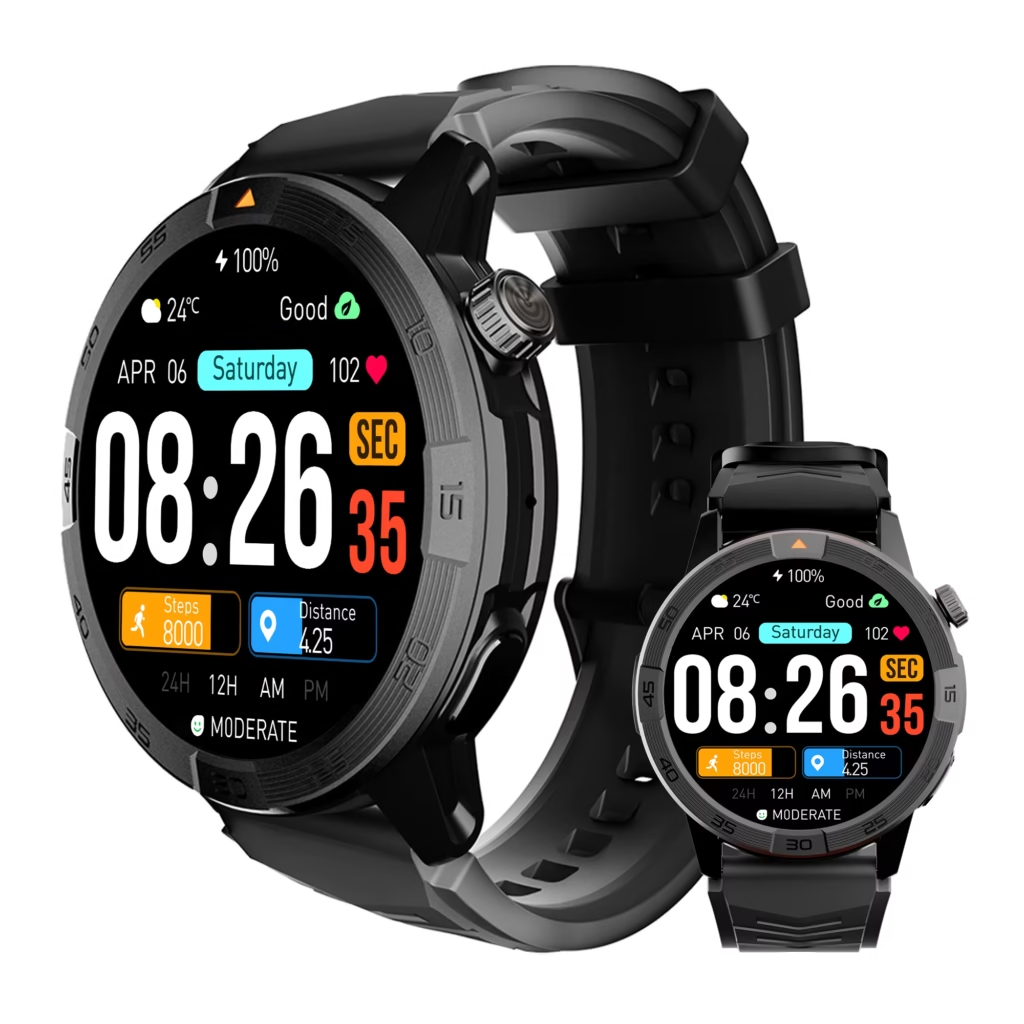
A good smartwatch for answering calls quickly should make the first five seconds easier. Use this checklist to judge whether a watch is actually useful for fast call response.
1. Is the Caller Easy to Read?
Caller ID should be clear enough to recognize quickly. A bright display helps, especially when checking calls outdoors, near a window, or during a busy U.S. workday.
2. Is the Answer Button Easy to Tap?
A tiny or confusing answer button slows everything down. The call screen should make answer and reject actions obvious.
3. Does the Watch Vibrate Strongly Enough?
If the alert is too weak, you may still miss calls. A noticeable wrist vibration helps when the phone is on silent or buried in a bag.
4. Does Call Audio Route Correctly?
Fast answering only works if audio goes to the watch when you tap answer. If the phone sends audio to earbuds or car audio instead, the process becomes slower.
5. Is the Phone Close Enough?
Bluetooth calling needs the paired phone nearby. If the phone is too far away, the watch may alert you but fail to complete the call smoothly.
If all five points work, the smartwatch becomes a fast call-response tool instead of just another notification screen.
Missed-Call Prevention in Daily U.S. Routines
A smartwatch is useful for missed-call prevention because it keeps call alerts visible on the wrist. This helps during moments when the phone is nearby but not easy to reach.
Common U.S. situations include:
- A parent carrying groceries from the car
- An office worker stepping away from the desk
- A commuter walking through a train station
- A student with a phone inside a backpack
- A remote worker moving around the house
- A traveler waiting at an airport gate
- Someone cooking while the phone charges nearby
In these situations, the smartwatch does not need to handle a long conversation. It only needs to help the user respond quickly enough to avoid missing the call.
That is why speed matters more than advanced features for this article’s intent.
For related daily calling use cases, you can read smartwatch for daily phone calls.
Common Delays That Slow Down Smartwatch Call Answering
If a smartwatch feels slow for answering calls, the issue is often not the idea of wrist calling. It is usually one small delay in the chain.
Common delays include:
- Call alerts arriving late
- Caller ID not showing
- Weak vibration
- Phone audio routing to earbuds
- Bluetooth call audio not fully paired
- Notification settings blocking call alerts
- Phone being too far away
- Watch screen waking too slowly
- User needing to swipe instead of tap
- Do Not Disturb or Focus mode blocking alerts
These delays matter because the whole goal is speed. If the user has to troubleshoot during every call, the smartwatch is not solving the problem.
A fast call-answer setup should feel simple: wrist alert, caller check, tap, talk.
Settings That Improve Call Response Speed
You do not need to turn the article into a full setup tutorial, but a few settings can improve response speed.
Enable Incoming Call Alerts
Make sure call alerts are turned on inside the smartwatch companion app. If this is off, the watch may only show missed calls after the phone has already stopped ringing.
Allow Notification Access
On both Android and iPhone, blocked notifications can delay or prevent call alerts. Make sure the smartwatch app is allowed to send alerts.
Allow Contact Access
Contact access helps caller names appear on the watch. This improves response speed because you can decide faster when you recognize the caller.
Check Call-Audio Pairing
The watch may need call-audio pairing, not just normal app pairing. If the watch receives alerts but cannot answer calls, call-audio pairing may be missing.
Reduce Competing Bluetooth Devices
Earbuds, car audio, and other Bluetooth devices can take over calls. If you want the watch to answer quickly, test it without other audio devices connected.
For a deeper troubleshooting article, see smartwatch with Bluetooth calls and long battery.
When a Smartwatch Is Faster Than a Phone
A smartwatch is usually faster when the phone is:
- In a bag
- In a pocket under clothing
- Charging nearby
- On a desk across the room
- In another part of the same room
- Hard to reach during a task
- On silent but connected to the watch
In these cases, the watch gives you the first useful action: identify the caller and decide what to do.
The watch may not always be better for the full conversation. But it can be faster for the first response.
When a Smartwatch Is Not the Right Way to Answer
Speed is useful, but safety and privacy matter more.
Do not answer from a smartwatch when:
- You are driving
- You are operating equipment
- You are carrying something unsafe
- You are in a private conversation area
- The call is confidential
- The environment is too noisy
- The call will be long
- You need to focus on work or movement
In a car, use a lawful hands-free vehicle setup or wait until parked. In a workplace, follow employer rules. A smartwatch should make communication easier, not create distractions.
Where This Smartwatch Fits for Quick Call Answering
For this article’s problem, the smartwatch fits users who mainly want faster call awareness and quick wrist response while the paired phone stays nearby.
It makes the most sense for short calls, quick rejects, caller ID checks, and moments when the phone is inconvenient to reach. The value is not replacing earbuds, a phone, or an LTE watch. The value is reducing the time between “phone is ringing” and “I know what to do.”
That can be useful for American users who often keep their phone in a bag, pocket, desk drawer, or charging spot during the day.
Final Advice
Choose based on how often you miss calls because your phone is close but not easy to reach. If your main problem is slow response time, caller ID on the wrist and quick answer controls can make a smartwatch useful.
Before deciding, check whether the watch supports the kind of fast call handling you need. You can review the smartwatch call-answering details to see if its Bluetooth calling setup matches your routine.
Frequently Asked Questions
Is a smartwatch faster than a phone for answering calls?
A smartwatch can be faster when the phone is in a pocket, bag, desk drawer, or charging nearby. It lets you see the caller and answer or reject from the wrist.
Why does my smartwatch help prevent missed calls?
It keeps call alerts visible on your wrist, so you do not have to search for your phone first. This can reduce missed calls during errands, work, commuting, or home tasks.
Can I answer long calls from a smartwatch?
You can answer calls from many Bluetooth calling smartwatches, but they are usually better for short conversations. For long or private calls, earbuds or the phone may be more comfortable.
What slows down smartwatch call answering?
Common delays include weak vibration, late notifications, missing caller ID, blocked permissions, call audio routing to earbuds, or the phone being too far away.
Does the phone need to stay nearby for quick smartwatch calling?
Yes. Bluetooth calling usually needs the paired phone within range. It is not the same as LTE or cellular calling.
Should I answer calls from a smartwatch while driving?
No. Do not operate a smartwatch while driving. Use a lawful hands-free vehicle system or wait until safely parked.