
A smartwatch can fail without breaking. It fails when a timer needs three precise swipes with damp fingers, a caller’s name disappears in bright sunlight, or the connection stays lost after the phone returns to the room.
The best smartwatch for practical everyday use earns its place by surviving those small, ordinary frictions. A long specification list matters less when common actions become slow, uncomfortable, or unreliable outside ideal conditions.
Practicality means the watch solves recurring problems without creating a new set of maintenance tasks.
What Practical Everyday Use Means for American Buyers
A practical smartwatch is not necessarily the cheapest, simplest, or least advanced model.
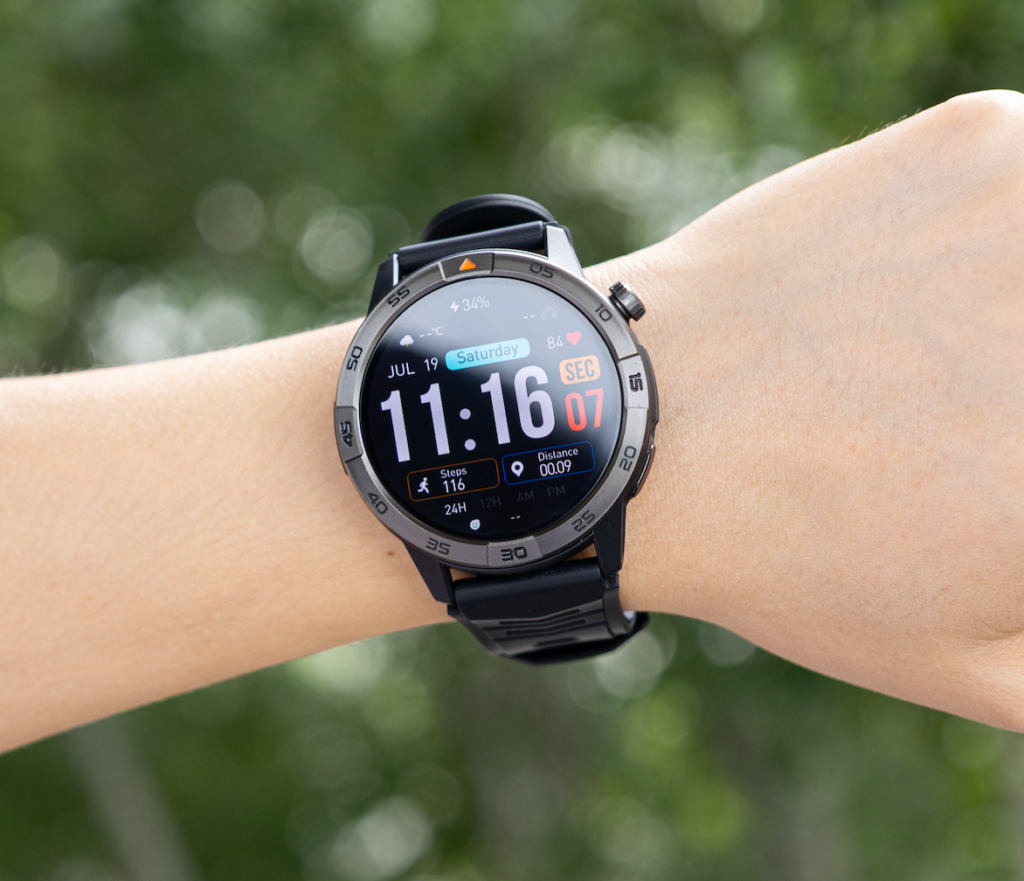
It is the watch that remains useful during the routines an American buyer repeats most often:
- Morning preparation
- Driving or public-transit commutes
- Office or hybrid work
- Grocery pickup
- Household tasks
- Exercise
- School or daycare coordination
- Evening errands
- Family communication
- Optional sleep tracking
The best daily experience comes from dependable basics.
A practical watch should make it easier to:
- Recognize an important caller
- Check the time quickly
- Read a useful reminder
- control a timer
- See whether the phone deserves attention
- Track ordinary activity
- Finish the day without battery anxiety
Advanced features still have value, but they should support the routine rather than complicate it.
Practical does not mean feature-free
A feature becomes practical when it works quickly and repeatedly.
For example, Bluetooth calling can be useful when the phone is inside a bag. It becomes less useful when call audio routes unpredictably or the connection requires manual repair.
Similarly, a bright display helps when information is readable outdoors. A high brightness claim means little when the screen still requires several seconds of concentration.
The standard should be simple:
A practical feature must solve the problem faster than retrieving the phone.
Test One-Handed Use During U.S. Errands and Commutes
Everyday interactions often happen while the other hand is occupied.
An American user may be:
- Carrying grocery bags
- Holding a child’s hand
- Walking a dog
- Pulling a suitcase
- Managing paperwork
- Holding a cooking utensil
- Standing on public transit
The watch should not demand perfect posture and two free hands for routine actions.
Try the most common controls
Test whether one hand can:
- Dismiss an alert
- Stop a timer
- Reject a call
- Check the battery
- Open a recent notification
- Return to the watch face
- Start a basic activity
The screen, buttons, and menus should respond without repeated attempts.
Check the physical button layout
A well-placed button can improve everyday access.
It may provide a faster route to:
- The home screen
- Recent apps
- A timer
- Exercise tracking
- A customizable shortcut
Confirm which functions can actually be assigned. Do not assume a programmable button can answer calls or launch every feature unless the product documentation says so.
Avoid accidental activation
Controls should be easy to use without being easy to trigger unintentionally.
Test the watch under:
- A jacket sleeve
- A fitted shirt cuff
- Exercise clothing
- Winter gloves
- A backpack strap
A button that presses against the wrist or clothing can make an otherwise useful design frustrating.
Test Wet Hands, Rain, and Everyday Household Tasks
Real life is not a dry showroom.
The wearer may interact with the watch after:
- Washing hands
- Cooking
- Cleaning
- Exercising
- Walking through rain
- Working near a pool
- Handling outdoor equipment
Touchscreens often behave differently when fingers or the display are damp.
Try a timer while cooking
Set and stop a timer after lightly drying the hands.
Check whether the watch requires:
- Repeated taps
- Precise swipes
- A screen unlock
- Several menu steps
A physical button or voice control may be more practical for this situation.
Check screen-lock behavior
Some watches automatically lock the screen during water exposure or specific activities.
That can prevent accidental touches, but the unlocking process should remain understandable.
Verify how to:
- Lock the screen
- Unlock it
- Clear water from the speaker when supported
- Return to normal controls
Treat water resistance carefully
Water-resistance ratings have specific limits.
A rating does not automatically make the watch suitable for every shower, pool, diving activity, cleaning chemical, or high-pressure water situation.
American buyers should follow the manufacturer’s current instructions rather than interpreting one rating as universal protection.
Check Display Readability Across American Daily Environments
A practical screen should provide the needed information at a glance.
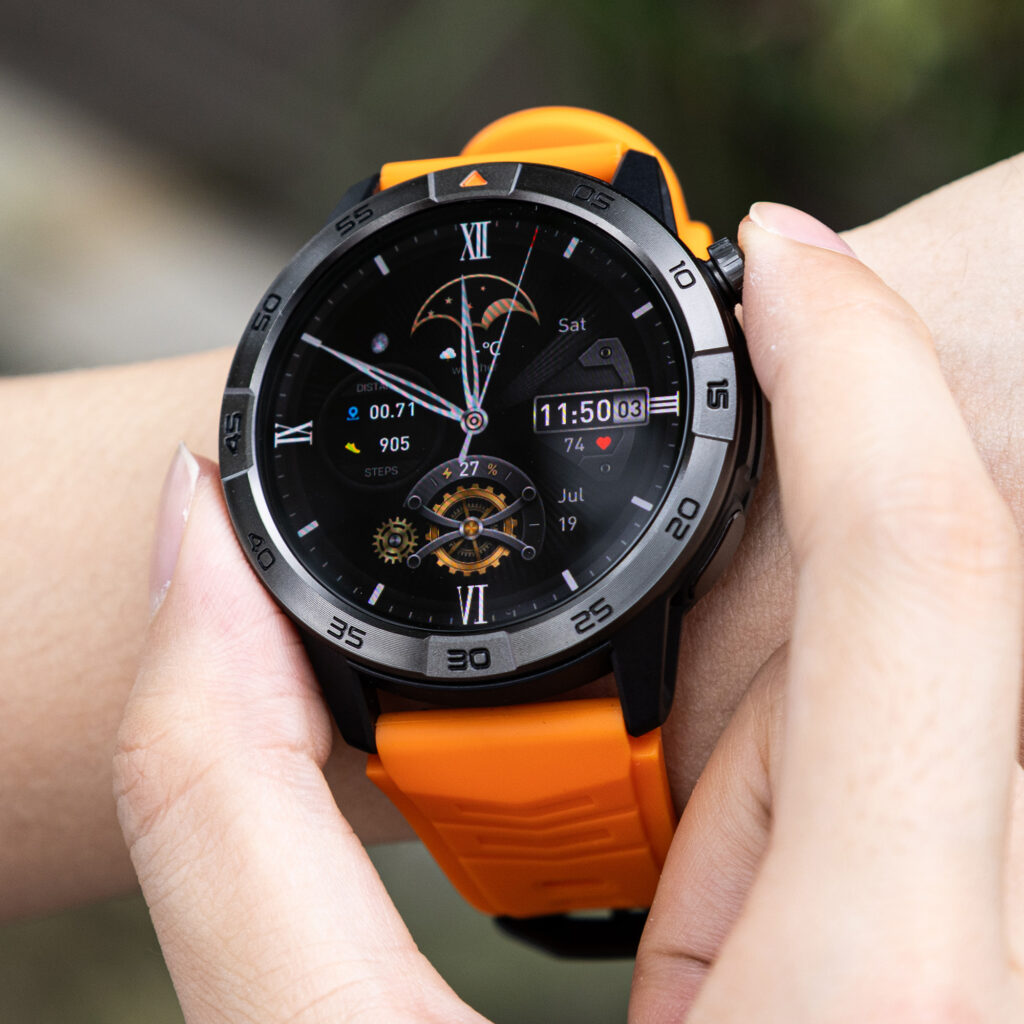
Test it in the environments where the watch will actually be worn.
Bright outdoor settings
Read the display in:
- A sunny parking lot
- A school pickup line
- An outdoor sports field
- A sidewalk
- A patio
- An open worksite
Check whether you can recognize:
- The time
- Caller identity
- A calendar reminder
- Battery percentage
- Navigation direction
The wearer should not need to shade the screen or stare at it for several seconds.
Indoor workplaces and stores
Office lighting, warehouses, recreation facilities, and large retail stores can all create glare or uneven visibility.
A useful display should remain readable without staying at maximum brightness all day.
Dim rooms
At night, the watch should not feel like a flashlight on the wrist.
Test:
- Bedtime brightness
- Theater or presentation settings
- Do-not-disturb behavior
- Screen wake sensitivity
A practical watch should adjust to both bright and dark environments without constant manual correction.
Judge Whether Notifications Save or Waste Time
A notification becomes useful when it supports a quick decision.
It becomes friction when the watch provides too little context and still forces the user to retrieve the phone.
Look for enough information
A practical alert may show:
- Caller name
- App name
- Message sender
- A short preview
- Calendar time
- Appointment location
The watch does not need to display every detail. It should provide enough information to decide whether the phone deserves attention.
Test dismissal controls
Clearing a low-priority alert should be simple.
Repeated scrolling, tiny targets, or confusing gestures can turn a small interruption into a longer one.
Filter before judging the watch
Copying every phone notification to the wrist makes almost any smartwatch feel intrusive.
Allow only alerts that may influence the next action.
Examples include:
- Priority calls
- Direct family messages
- Calendar changes
- Security alerts
- Transportation updates
- Time-sensitive work communication
Readers who want broader guidance can understand the role of everyday smartwatch convenience without treating every alert as equally valuable.
Test Noise, Vibration, and Brief Calling Conditions
Daily usability changes with the surrounding environment.
A watch that works well in a quiet room may feel different in:
- A busy American workplace
- A grocery store
- A recreation center
- A sidewalk
- A vehicle parked near traffic
- A crowded station
Check whether vibration is noticeable
The vibration should be strong enough to notice without becoming disruptive.
Test it while:
- Walking
- Wearing a jacket
- Typing
- Exercising
- Carrying bags
Missing every wrist alert reduces practical value, while aggressive vibration can become annoying.
Use calls for short exchanges
Wrist calling is most practical for brief communication:
- Confirming arrival
- Saying you will call back
- Asking whether something is urgent
- Sharing a quick update
- Rejecting an unnecessary call
Detailed or private conversations should move to the phone or an approved headset.
People evaluating communication as part of ordinary use can check whether wrist calling fits daily routines.
Judge caller recognition before audio quality
Sometimes the most useful feature is not answering.
Seeing the caller may be enough to decide whether to:
- Ignore the call
- Leave the room
- Retrieve the phone
- Return it later
That quick decision can save more time than holding the entire conversation on the wrist.
Check Automatic Recovery After Everyday Disconnections
A practical smartwatch should recover from normal interruptions.
Connection loss can happen when:
- The phone is left in another room
- Bluetooth is restarted
- The phone reboots
- Earbuds disconnect
- Vehicle Bluetooth takes over
- The companion app closes
- The phone enters a strong power-saving mode
Leave Bluetooth range deliberately
Place the phone safely inside the home or workplace and move beyond range.
When you return, check whether the watch reconnects automatically.
Then test:
- Notifications
- Caller identification
- Call audio
- Contact synchronization
Test after a vehicle connection
While safely parked, connect the phone to the car and place a test call.
After turning off the vehicle, confirm that the watch regains the expected call connection.
Restart the phone
A phone restart should not create a full troubleshooting session.
The watch may need a short recovery period, but daily functions should return without deleting the pairing.
Repeated manual repair is one of the clearest signs that a smartwatch is not practical for ordinary use.
Evaluate All-Day Comfort
A smartwatch cannot deliver daily value when it spends half the day on a desk.
Comfort should be tested across different activities.
Typing and desk work
Check whether the case presses against the wrist or laptop edge.
The strap should remain secure without feeling restrictive.
Driving and errands
The watch should not dig into the wrist when gripping the steering wheel or carrying bags.
Exercise and heat
Movement, sweat, and warmer conditions can change how the strap feels.
Look for:
- Irritation
- Sliding
- Pinching
- Trapped moisture
- Unwanted button presses
Sleeves and professional clothing
The case should fit comfortably under the clothing the buyer normally wears.
A large rugged watch may be useful outdoors but inconvenient under fitted sleeves.
Sleep tracking
People who plan to wear the watch overnight should test:
- Case thickness
- Strap pressure
- Screen wake-ups
- Vibration
- Morning comfort
Sleep tracking is not practical when the watch is removed every night because it feels uncomfortable.
Count the Maintenance the Watch Creates
Convenience should be measured after setup, not only during the first demonstration.
Track how often the owner must:
- Charge
- Repair Bluetooth
- Change permissions
- Clear unnecessary alerts
- Reopen the companion app
- Adjust the strap
- Correct notification settings
- Restart the watch
- Search for a proprietary cable
A device can offer many useful features and still create too much upkeep.
Charging frequency
The best battery target depends on the routine.
A practical watch should cover the periods when the wearer needs it most without forcing inconvenient charging.
Readers can match battery life to a normal day when endurance is part of the buying decision.
Companion-app quality
The app should make essential settings understandable.
Check whether it is easy to manage:
- Notifications
- Contacts
- Watch faces
- Health tracking
- Permissions
- Firmware updates
A confusing app can weaken the entire ownership experience.
Replacement accessories
U.S. buyers should check whether replacement chargers and straps are easy to find.
A low-cost watch becomes less practical when a lost cable is difficult or expensive to replace.
A Fort Collins Coordinator Runs the Friction Test
A community recreation coordinator in Fort Collins, Colorado, moves through several different environments in one day.
The morning begins with household preparation. One hand holds a travel mug while the other stops a timer on the watch.
At the office, the coordinator checks calendar reminders and caller names without opening the phone.
Later, the routine moves into an indoor recreation facility. After helping near a pool area and drying the hands, the coordinator tests whether a physical button works more reliably than the damp touchscreen.
A bright Colorado parking lot creates the next challenge. The watch must show the time, battery, and an incoming caller clearly without extended concentration.
During grocery pickup, one-handed dismissal controls matter because bags occupy the other hand.
The phone then reconnects to a parked vehicle. After the car is turned off, the watch must restore notifications and call access automatically.
An evening youth program tests:
- Strap comfort
- Vibration
- Indoor readability
- Brief caller screening
- End-of-day battery reserve
A late walk adds one more check: whether the display becomes readable outdoors without staying too bright afterward.
The coordinator does not judge the watch by one feature.
The verdict comes from the number of small tasks completed without delay, troubleshooting, discomfort, or unnecessary phone retrieval.
Run a Seven-Day Friction Log
One ordinary week reveals more than an hour of product testing.
Create a simple record with these categories:
| Daily event | What to record |
|---|---|
| Useful interaction | What the watch helped complete |
| Failed interaction | What took too long or did not work |
| Prevented phone check | When the watch provided enough information |
| Caused phone check | When the watch lacked useful context |
| Connection issue | Whether recovery was automatic |
| Comfort problem | When or why the watch was removed |
| Maintenance task | Charging, settings, updates, or troubleshooting |
Look for repeated friction
One failed swipe may be accidental.
The same problem appearing several times is more meaningful.
Common repeated failures include:
- Poor sunlight readability
- Awkward one-handed controls
- Weak vibration
- Lost Bluetooth recovery
- Strap discomfort
- Excessive charging
- Too many low-value alerts
Compare value with upkeep
At the end of the week, count:
- Tasks the watch simplified
- Phone checks it prevented
- Problems it created
- Maintenance it required
The watch should produce a clear net benefit.
Buying a Practical Everyday Smartwatch in the United States
American consumers should compare everyday ownership, not only advertised features.
Important buying considerations include:
- iPhone or Android compatibility
- Display readability
- Button and touchscreen usability
- Notification detail
- Vibration strength
- Bluetooth recovery
- Strap comfort
- Charging frequency
- Replacement accessories
- Companion-app quality
- U.S. warranty support
- Retailer return conditions
Under $150
Prioritize reliable basics:
- Readable display
- Stable notifications
- Comfortable fit
- Simple controls
- Practical battery life
- Dependable app setup
A large feature count should not outweigh poor everyday usability.
From $150 to $300
U.S. buyers may expect:
- Better materials
- Brighter displays
- More polished software
- Stronger phone integration
- Better sensors
Those improvements still need to pass the same friction tests.
Premium models
Higher-priced watches may add:
- Cellular service
- Payments
- Larger app ecosystems
- Advanced health tools
- Deeper ecosystem integration
Compare those benefits with:
- More frequent charging
- Possible subscriptions
- Carrier costs
- Increased setup complexity
Premium does not automatically mean more practical.
Use the U.S. return period properly
Test the watch during:
- A workday
- An errand-heavy day
- Outdoor activity
- Exercise
- A vehicle transition
- An evening routine
- Optional overnight wear
Keep the packaging and accessories until the watch passes.
The return decision should reflect ordinary life, not the excitement of the first setup.
Buyers trying to reduce communication friction can also use wrist communication without adding more interruptions, while those managing work and personal alerts can keep notifications in the right part of the day.
Questions About Practical Everyday Smartwatches
What makes a smartwatch practical for everyday use?
It should complete recurring tasks quickly, remain comfortable, reconnect automatically, present useful information clearly, and require limited maintenance.
Should an everyday smartwatch have physical buttons?
Physical buttons can improve one-handed use, wet-hand interaction, and access without precise touchscreen gestures. Their value depends on placement and supported shortcuts.
Can smartwatch screens be read clearly in bright sunlight?
Some displays perform better outdoors than others. Test caller names, time, reminders, and battery information in direct daylight during the return period.
How comfortable should a smartwatch feel after a full day?
It should remain secure without pinching, sliding, irritating the skin, or interfering with typing, driving, sleeves, exercise, or relaxation.
Why does automatic Bluetooth reconnection matter?
Normal routines move the watch in and out of phone range. Automatic recovery prevents repeated troubleshooting and missed alerts.
Are advanced apps necessary for ordinary daily use?
Not always. Many users receive more value from reliable notifications, time, alarms, calling, comfort, and battery life than from a large app library.
How often should a practical smartwatch need charging?
The ideal interval depends on the user’s routine. Charging should fit a predictable low-value period without repeatedly interrupting useful wear.
How should U.S. buyers test a smartwatch during the return period?
Use it through work, errands, bright outdoor settings, wet-hand situations, vehicle transitions, exercise, evening use, and normal charging.
Find the First Repeated Friction Point
Wear the watch through one ordinary week and mark the first problem that keeps returning.
It may be poor visibility, awkward controls, discomfort, lost connection, excessive charging, or unnecessary alerts.
The watch qualifies as practical only when that friction can be removed without disabling the functions that made the device useful.
Compare the practical everyday model with the repeated conditions in your own week—not the ideal conditions used to demonstrate it.