
The label is attached, but the fulfillment step is not finished. One gloved hand keeps the work item in position while the other completes the remaining action. Only then does the incoming-call symbol appear at the edge of the watch screen.
The caller can be identified immediately, yet answering would cross the task boundary too early. A smartwatch for answering calls while working becomes useful when it helps a worker wait for the right pause instead of treating every visible answer button as permission to talk.
For a hypothetical veterinary pharmacy fulfillment technician in Salem, Oregon, that decision moves through the Safe Work-Pause Gate: red while the task remains active, amber after the item is secured but another barrier remains, and green only when a stationary, permitted call window truly opens.
Why U.S. Workers Need an Answer Point, Not Just an Answer Button
Bluetooth calling support tells an American worker that a watch may display, accept, decline, or route a call. It does not decide whether the current work stage allows that interaction.
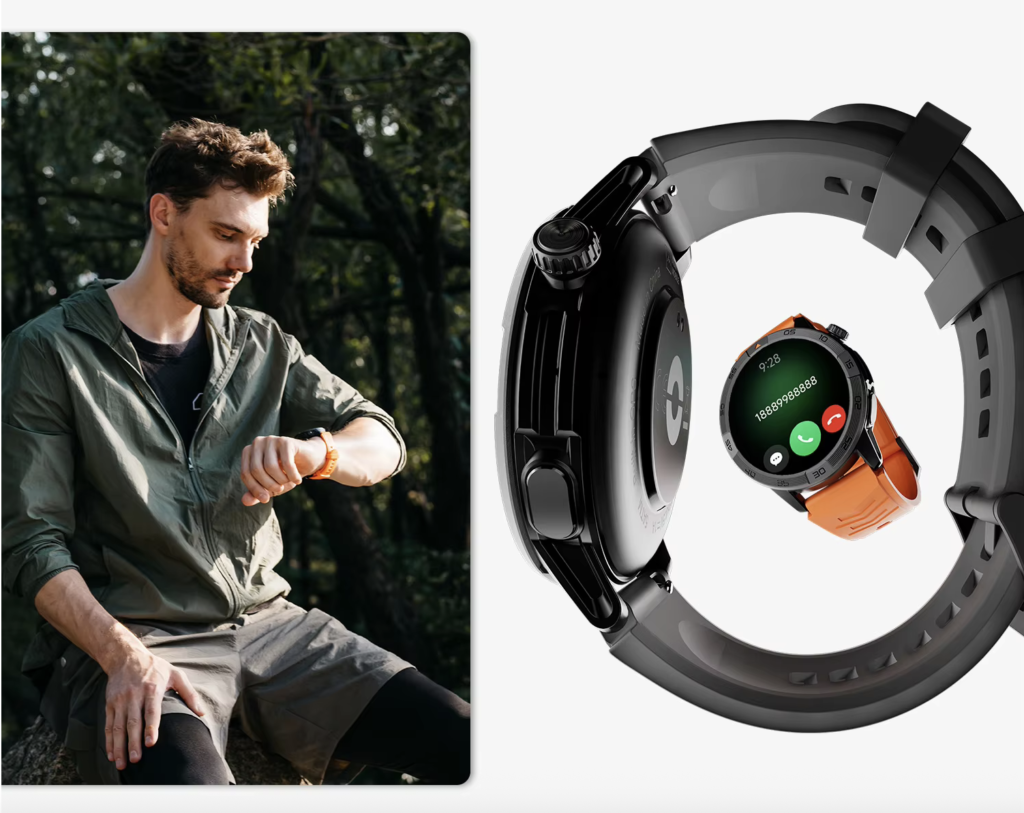
A fulfillment technician, maintenance employee, front-desk coordinator, production worker, or field specialist may move through several attention states during one shift. Some stages commit both hands. Others expose private information, require gloves, involve movement, or depend on employer-approved procedures.
The same incoming call can therefore produce different correct actions:
- Ignore the watch until the active step ends
- Read the caller identity without answering
- Decline the call during an unsuitable pause
- Return it at the next safe gate
- Answer briefly at the wrist
- Move the conversation to the phone
Immediate answering is not the only successful outcome. A properly deferred call may protect the task better than a fast wrist response.
Readers still confirming the basic calling controls can confirm what wrist-based call support actually includes. Technical support establishes what the watch can do; the Safe Work-Pause Gate determines when that action fits the work cycle.
Start the Salem Work Cycle in Red
Red is the default state while the task remains active. The watch may ring or vibrate, but the gate stays closed.
A work stage belongs in red when:
- Both hands remain committed
- The current item has not reached a stable point
- The worker needs full attention
- Tools, gloves, materials, or records remain active
- The resume position has not been marked
- Touching the watch conflicts with workplace instructions
- The worker is moving rather than safely stationary
In the Salem scenario, the technician notices an incoming call while completing a labeled fulfillment step. Caller identification may still provide useful information. The worker can recognize a family member, appointment office, supervisor, or unknown number without treating that information as permission to answer.
The red rule is simple: the alert does not interrupt the task boundary. The task reaches a secure state first.
A smartwatch should not encourage the worker to finish the step one-handed, glance repeatedly at the screen, or speak through the watch while attention remains divided. Those behaviors change the work process merely to accommodate the device.
Secure the Task Before Opening an American Work-Pause Gate
The move from red to amber begins when the immediate task is secured. This transition matters across many U.S. workplaces because “stopped for a moment” and “ready for a call” are not the same condition.
A Task-Security Check asks:
- Has the current step stopped at an approved boundary?
- Does the work item remain in a stable state?
- Can another person understand that the task is not complete?
- Has the worker preserved the correct resume point?
- Will a brief pause create confusion, duplication, or abandonment?
The worker should use only an employer-approved way to mark the position. That might involve a permitted checklist state, a system status, a work-stage marker, or another established method. The article does not prescribe veterinary pharmacy procedures or assume that every American workplace uses the same process.
This marker becomes the Resume Anchor. It shows where the employee should return after the call decision.
Securing the task does not turn the gate green. It only removes the first barrier.
Treat Amber as a Hold, Not Permission to Answer
Amber describes a task that has stopped safely while another condition still blocks the conversation.
Common amber barriers include:
- Gloves prevent reliable screen control
- The current area lacks suitable privacy
- The caller probably needs a long discussion
- Employer instructions restrict watch use in that location
- The Resume Anchor remains unclear
- The call requires notes, records, or documents
- Background sound makes a short wrist call impractical
The mistake is treating every gap as a call window. A few seconds between work stages may be enough to read a caller’s name, but not enough to begin a conversation, understand the request, close the call, and restart correctly.
Amber supports several useful actions. The worker may let the call ring, decline it, silence it, send it toward the phone, or plan a callback. Each choice can protect the work cycle without pretending that immediate wrist answering is necessary.
Gloves can also move a promising pause back into amber. A visible answer icon means little when repeated taps fail, accidental controls activate, or glove removal would be inappropriate at that point.
Open the Green Gate Only at a Safe, Stationary Pause
The Safe Work-Pause Gate turns green only after every required condition passes.
Before answering, confirm that:
- The task is secured
- The worker is stationary
- The hands can interact safely
- The Resume Anchor remains visible
- Employer instructions permit the device action
- The location suits the conversation
- The caller identity provides enough context
- The expected call length fits the pause
- The audio will not expose inappropriate information
A green gate creates a choice rather than an obligation.
Answer the Brief Call at the Wrist
This option fits a short, appropriate exchange when the watch controls respond reliably and the worker does not need documents, private details, or extended note-taking.
Decline the Call With Intent
Declining can be the correct result when the caller is known but the work period should remain protected. The watch has still helped the worker classify the interruption.
Return the Call at the Next Gate
A callback works when the call matters but the present pause is too narrow. The worker preserves both availability and task control.
Move the Conversation to the Phone
Some discussions need better privacy, clearer control, access to records, or more time. In those cases, the watch can identify the call without becoming the final communication device.
How to Test a Smartwatch for Answering Calls While Working
A useful test should record work states, not merely count answered calls. Answering ten calls proves little when several began during active tasks or forced the worker to abandon the current position.
Create one Gate Event Card for each naturally occurring or safely simulated alert. Do not create test calls during unsafe work stages.
| Gate Event field | What to record |
|---|---|
| Alert time | When the watch began ringing or vibrating |
| Work stage | The task position at that moment |
| Gate color | Red, amber, or green |
| Caller type | Known, priority, work-related, personal, or unknown |
| Action | Answer, decline, silence, callback, or phone |
| Glove condition | Controls usable, unreliable, or not tested |
| Work position | Resume Anchor preserved or missing |
| Final result | Call handled without disrupting the task or not |
The comparison unit is not the number of calls accepted. It is the number handled at declared pause points without task abandonment, unsafe interaction, or loss of work position.
American workers with compressed schedules can also place communication inside a demanding work schedule. That broader schedule question differs from deciding whether one immediate work stage has reached green.
Run the Gate Across a Hypothetical Oregon Workday
A single U.S. shift can contain several call conditions. The following Salem examples remain hypothetical and do not describe a real employer, clinic, pharmacy, policy, or fulfillment process.
Call One: The Task Is Still Active
The wrist vibrates while both hands remain committed to the labeled step.
Gate state: Red
Correct action: No interaction beyond any safely visible caller information.
Result: The alert waits until the task reaches a secure boundary.
Call Two: The Task Is Secure, but the Gloves Remain On
The immediate work item is stable, yet the screen does not respond reliably through the glove.
Gate state: Amber
Correct action: Decline, silence, or wait for a later gate.
Result: The worker does not convert control difficulty into a rushed interaction.
Call Three: An Approved Stationary Pause Opens
The task is marked, the worker is stationary, the location suits a short exchange, and workplace instructions allow the device action.
Gate state: Green
Correct action: Answer if the caller and expected duration fit the pause.
Result: The call can occur without phone retrieval or work abandonment.
Call Four: The Caller Needs a Longer Discussion
The gate is green, but the conversation requires records or detailed notes.
Gate state: Green, wrist-inappropriate
Correct action: Arrange a callback or move to the phone at an approved location.
Result: The watch helps route the call rather than forcing a poor wrist conversation.
Call Five: The Shift Handoff Is Incomplete
The worker has stopped moving, but the current work position has not been communicated or marked clearly.
Gate state: Amber
Correct action: Finish securing the handoff before handling the call.
Result: Stationary does not automatically mean ready.
Test Gloves and Watch Controls in U.S. Workplaces
Glove interaction should be tested separately from an active task. The worker should stand at a safe, permitted point and use the same glove type normally required for the routine.
Record whether:
- The screen wakes predictably
- The caller identity remains readable
- The answer control responds on the first attempt
- The decline control can be selected accurately
- Accidental taps occur
- Glove removal becomes necessary
- Voice control requires extra setup or confirmation
A successful bare-finger demonstration does not establish glove usability. Likewise, a marketing image showing an incoming call does not prove that an American worker can operate the controls through required work gloves.
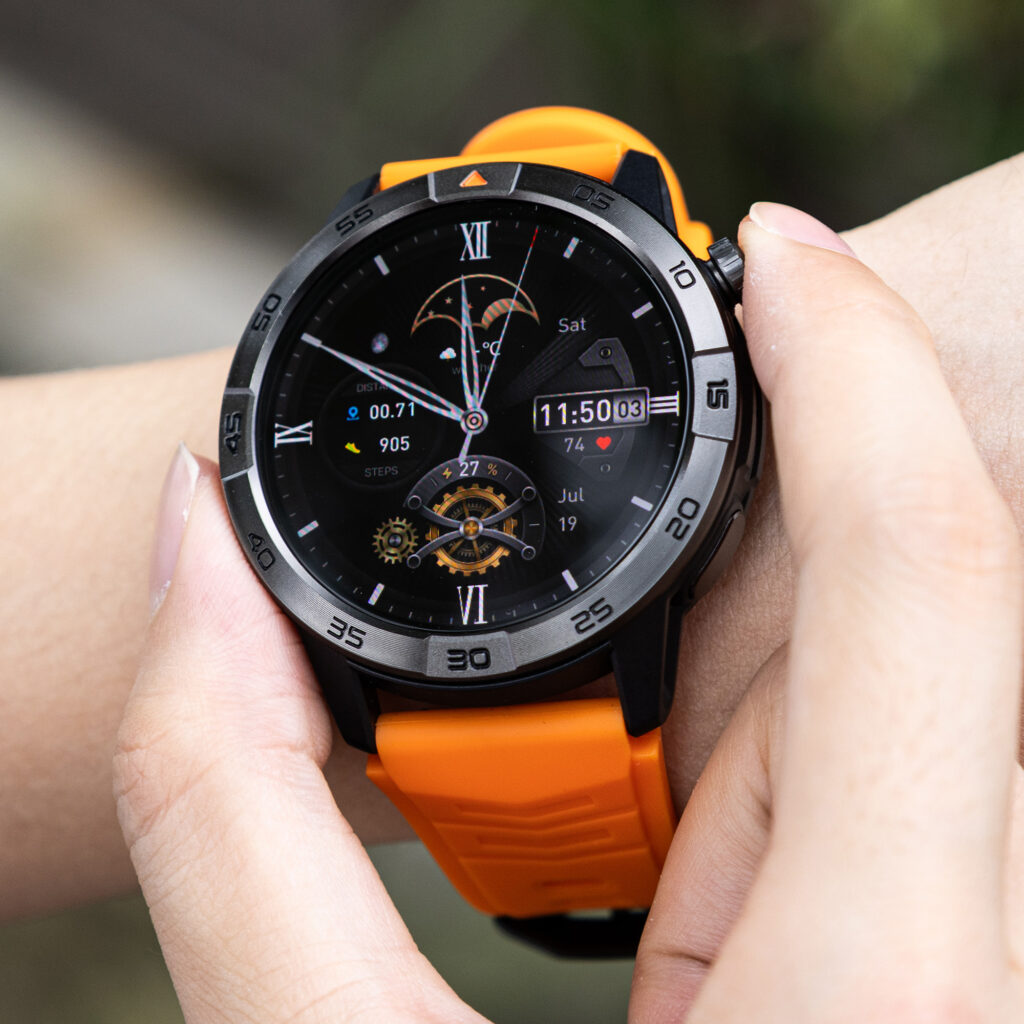
When gloves prevent reliable interaction, the gate stays amber. The worker can defer the call, remove the gloves later at an appropriate point, or use the phone where workplace procedures permit it.
Product-specific claims about touch response, buttons, voice assistants, call controls, Bluetooth behavior, or compatibility should be checked against current official documentation for the exact watch and paired phone.
Apply Employer Rules Before Calling Convenience in America
U.S. workplaces do not share one universal rule for personal devices or wrist calls. Employers may distinguish between work areas, task types, call categories, privacy conditions, and approved communication systems.
A smartwatch may be allowed as a timepiece while voice calls remain restricted. Another workplace may permit brief calls only during designated periods or in particular locations. The relevant instructions come from the employer, not from the watch’s feature list.
Create a Workplace Boundary Card before testing:
| Boundary | Recorded condition |
|---|---|
| Smartwatch access | Allowed, prohibited, or conditional |
| Voice calls | Allowed, prohibited, or conditional |
| Permitted locations | Employer-approved areas only |
| Permitted times | Declared work pauses or other approved periods |
| Alternative channel | Required workplace communication method |
Do not assume that “hands-free” overrides privacy expectations, workplace procedures, or device restrictions. A smartwatch also does not replace an employer’s required communication system.
Preserve the Work Position Without Measuring Reentry Cost
The Resume Anchor protects the point where the worker should return. Before the green gate opens, the employee confirms that the current stage remains visible and will not be mistaken for complete.
After the call, Article 257 asks only two questions:
- Is the Resume Anchor still present?
- Did the worker return to that marked position?
This article does not count the number of recovery steps, measure concentration loss, or analyze errors after the call. Those questions belong to the separate Task Reentry Cost method planned for Article 262.
Here, the objective is narrower: prevent the call from beginning before the work position has been secured.
Employees dealing with longer shifts can protect call handling across a long American workday. That page considers extended work duration, while the Safe Work-Pause Gate focuses on one task boundary at a time.
Mark Four Breaches on the Workbench Timeline
Mid-Task Answer
The worker touches or speaks through the watch before the active task reaches a secure boundary.
Visible sign: The red stage is bypassed.
Correct response: Defer the call until the task reaches a legitimate stopping point.
Glove-Control Barrier
The worker reaches a pause, but the watch cannot be operated reliably with the required gloves.
Visible sign: Repeated taps, accidental actions, or unsuitable glove removal.
Correct response: Keep the state amber and choose decline, callback, or later phone use.
Task Marker Loss
The call begins before the work position has been preserved.
Visible sign: The worker cannot confirm the exact resume point after the conversation.
Correct response: Establish the Resume Anchor before opening the gate.
Workplace-Rule Assumption
The worker treats calling capability as automatic permission to use the watch.
Visible sign: The Gate Event Card contains no employer-rule check.
Correct response: Follow the workplace’s actual instructions and required communication channels.
| Gate breach | What failed | Correct response |
|---|---|---|
| Mid-Task Answer | The red state was bypassed | Wait until the task is secure |
| Glove-Control Barrier | Reliable control was unavailable | Keep the gate amber |
| Task Marker Loss | The work position was not preserved | Create the Resume Anchor first |
| Workplace-Rule Assumption | Permission remained unverified | Follow employer instructions |
Choose a Safe Work-Answering Verdict for American Workers
Safe Pause Fit
Use this verdict when calls are answered only at green gates, the task remains secure, glove interaction works or is unnecessary, workplace instructions permit the action, and the Resume Anchor survives the call.
Callback at Next Gate
Choose this result when the watch identifies the incoming call successfully but immediate answering does not fit the work stage. The worker returns the call at a later safe pause.
This verdict represents successful handling, not failure.
Phone Retrieval Required
Apply this result when the watch helps identify or classify the call, but the conversation needs privacy, records, detailed notes, longer duration, or more reliable controls.
Work Answering Rejected
Use this verdict when no dependable green gate exists, employer instructions prohibit the action, gloves prevent safe control, calls repeatedly intrude on active tasks, or the work position cannot be preserved.
| Verdict | Green gate available? | Work position protected? | Practical meaning |
|---|---|---|---|
| Safe Pause Fit | Yes | Yes | Brief wrist calls fit declared pauses |
| Callback at Next Gate | Later | Yes | Deferral protects the task |
| Phone Retrieval Required | Yes | Yes | The watch assists, but the phone completes the call |
| Work Answering Rejected | No | No or uncertain | Wrist answering does not fit the routine |
Smartwatch Work-Call FAQs for U.S. Employees
Should Every Work Call Be Answered From the Wrist?
No. The appropriate action may be to decline, silence, or return the call when the work cycle reaches a green gate.
Do Gloves Change the Call-Answering Result?
Yes. Gloves can make touch controls unreliable. Test them only while safely stationary and away from the active task.
What if an American Employer Restricts Smartwatch Use?
Follow the employer’s instructions. Product capability does not override workplace rules, privacy expectations, or required communication procedures.
Does Declining a Call Count as Successful Handling?
Yes. When the alert arrives during a red or amber state, declining can protect the active task and create a clear callback decision.
Can Voice Control Make the Call Safe During an Active Task?
No. Voice control may reduce screen interaction, but it does not turn an active task into an appropriate conversation point.
What if the Call Becomes Longer Than the Pause?
End the wrist conversation, arrange a callback, or move to an approved phone location before the call disrupts the work cycle.
Does Clear Call Audio Prove the Watch Fits the Workplace?
No. Audio quality matters after the green gate opens. Readers evaluating whether both participants understand the conversation can score whether both sides hear the same message.
Will Frequent Work Calls Affect the Battery Plan?
They may add demand, but the effect depends on the watch, call duration, connection, settings, and other functions. Workers can check whether work calls and battery demands share the same shift.
The Useful Work Call Waits Until the Gate Turns Green
Return to the Salem workbench. The caller’s name was visible, but both hands remained committed and the labeled task had not reached a stable boundary. The correct first action was not answering. It was keeping the gate red.
The task then moved through its proper sequence: active work, secured position, amber review, green pause, call decision, and work resumption. Gloves, privacy, expected duration, employer instructions, and the Resume Anchor each had to support the answer point.
Answer, defer, and phone retrieval can all represent a useful result. The watch fits only when it helps the worker choose correctly without forcing the task to accommodate the call.
The useful call is not the one answered fastest; it is the one handled after the task, hands, and workplace rules all reach green.
Draw one normal work cycle, mark active stages red, identify amber barriers, and reserve green for genuine stationary pauses. Use that completed strip to check this watch against your safe-pause gates before deciding that wrist answering belongs in the routine.