
A scanner confirms one delivery just as an apartment-access message reaches the driver’s wrist. The van is safely parked, but the next parcel still needs to be located, the unit number checked, and the building entrance identified.
The best smartwatch for amazon delivery drivers should make that sequence easier, not add another screen demanding attention. A useful watch helps the driver notice a small number of important calls and messages at the correct moment. A poorly configured one repeats scanner information, forwards personal alerts, and interrupts parcel handling when the driver cannot safely respond.
The buying question is therefore not, “How many notifications can this watch display?”
It is:
Where in the delivery stop does each watch action belong?
For a last-mile parcel driver in Columbus, Ohio, every potential wrist interaction can be assigned to one of four destinations:
- Before the stop
- At a safe parked pause
- After the stop
- Not suitable on the wrist
That interruption filter turns a long feature list into a practical buying decision.
What the Best Smartwatch for Amazon Delivery Drivers Should Prevent
A dense suburban delivery route already places several systems in competition for the driver’s attention. Navigation provides the next address. A scanner or work device records delivery activity. Dispatch may send route changes. Customers may call about locked entries, confusing building numbers, or safe placement.
The paired phone adds personal messages, email, news, shopping notices, and other alerts that may have nothing to do with the route.
A smartwatch can reduce phone retrieval, but it can also copy all that noise onto the wrist.
More alerts can create more work
A vibration is useful only when the driver can understand why it occurred and decide what to do next. The watch creates extra friction when it:
- Repeats information already visible on the scanner
- Displays long messages that cannot be handled immediately
- Treats personal and work notifications as equally important
- Encourages checking during parcel movement
- Requires several taps to identify a caller
- Surfaces information with no effect on the current stop
This is why call availability and call timing must be treated as separate decisions. A driver can understand how delivery drivers can screen work calls without treating every call the same and still decide that the present moment is unsuitable for answering.
Route awareness is not constant interaction
The wrist may be helpful for identifying a dispatch caller, noticing a short access update, or recognizing that a message can wait. It should not encourage the driver to read paragraphs, type replies, open detailed maps, or manage complicated delivery exceptions.
The objective is selective awareness.
When the watch reveals just enough information to support the next safe decision, it can reduce interruption. When it presents more than the driver can act on, it becomes another task.
Break a Columbus Parcel Stop Into Its Real Stages
A delivery stop is not one continuous interaction window. Its stages place different demands on the driver’s hands, vision, balance, and attention.
The smartwatch must fit those stages rather than forcing the driver to adapt the route around the device.
Stage 1: Approach and park
The driver is locating the correct street, watching traffic, identifying the building, and finding a lawful place to stop.
No watch interaction belongs here while the vehicle is moving. A vibration may be noticed, but the information should remain unhandled until the driver is legally and safely parked.
Being temporarily stopped in traffic does not create a safe watch-use window.
Stage 2: Prepare the delivery
Once parked, the driver confirms the address, finds the parcel, checks the unit number, and reviews any short access instruction.
This may provide a brief pre-stop window for a glanceable watch action. For example, the driver might identify that a call is from dispatch or see that a building-entry message has changed.
The interaction must remain brief. Once the parcel is being lifted, sorted, or carried, wrist attention should end.
Stage 3: Move from the vehicle to the door
The driver may be carrying packages, crossing a parking area, approaching traffic lanes, climbing steps, or watching for the correct entrance.
This is generally not a watch-interaction window.
Even a relevant alert can wait when the driver’s attention is needed for movement, package stability, and surroundings.
Stage 4: Complete the delivery
The driver may be entering an access code, locating the apartment, speaking with a recipient, following placement instructions, or completing confirmation on the scanner.
The watch should not compete with the customer or work device. A vibration that does not affect immediate safety can remain unanswered until the stop is complete.
Stage 5: Return and close the stop
After returning to the safely parked vehicle, the driver can secure the door, close the delivery record, and review deferred communication before beginning the next leg.
This is often the best point for short wrist interactions because the parcel task has ended and the driver is not yet moving.
The timing difference may be less than a minute, but it determines whether the watch supports the route or breaks its rhythm.
Send Every Watch Action to One of Four Destinations
The stop-sequence interruption filter classifies each action by timing rather than by feature.

A call, message, or reminder does not belong on the wrist merely because the watch can display it.
1. Before the stop
A suitable pre-stop action is short, relevant to the current delivery, and understandable at a glance while the vehicle is safely parked.
Possible examples include:
- Identifying a dispatch caller
- Reading a short gate-code update
- Checking whether a message changes the current stop
- Dismissing an unrelated personal alert
- Confirming a simple timing reminder
The watch should show the caller or sender clearly without requiring several screens. A distinct vibration can also help the driver notice a priority alert without treating every notification as urgent.
2. At a safe parked pause
Some actions need more attention than a quick glance. They should wait until the driver is safely parked with no parcel task underway.
This category may include:
- Returning a brief access call
- Listening to a short dispatch instruction
- Reviewing several missed alerts
- Confirming a route adjustment
- Moving a conversation from the watch to the phone
Bluetooth calling is phone-assisted. The compatible paired phone must remain nearby, connected, and properly configured. Buyers should review how Bluetooth call support depends on a connected nearby phone before assuming a watch can place or receive calls independently.
Walls, vehicle placement, interference, and the distance between the watch and phone may affect the connection.
3. After the stop
Many notifications are relevant but not urgent enough to interrupt the current delivery.
They may include:
- Nonurgent dispatch questions
- Schedule reminders for later
- Personal messages
- Administrative updates
- Information unrelated to the parcel being carried
Deferring these alerts does not make the driver unreachable. It places communication after the physical delivery sequence, where it can be understood without dividing attention.
4. Not suitable on the wrist
Some tasks should stay on the phone, scanner, or another approved work system.
These include:
- Reading long customer directions
- Writing multi-sentence replies
- Entering detailed information
- Reviewing private account details
- Resolving a delivery dispute
- Studying a detailed map
- Managing a complicated exception
- Completing any interaction while driving, crossing traffic, climbing, or carrying an unstable load
A useful rule is simple:
If the task requires extended reading, typing, privacy, navigation detail, or divided physical attention, the wrist is the wrong destination.
Follow One Apartment-Access Alert Through the Filter
The Columbus driver confirms the previous delivery on the scanner. Before the next parcel is removed from the vehicle, an apartment-access message reaches the watch.
The notification may lead to three different outcomes.
The message fits before the stop
The customer has sent a short gate-code correction. The vehicle is safely parked, the parcel remains secured, and the new code is visible in a single glance.
The driver can note the update before beginning the delivery movement.
The call belongs at a parked pause
The customer is calling because the normal entrance is closed. Explaining the alternative route will take longer than a glance.
The driver handles the call only while safely parked, before lifting the package or beginning the walk. If the audio is unclear or the explanation becomes detailed, the conversation moves to the phone.
The instructions do not belong on the wrist
The message contains several turns, door descriptions, and landmarks. Trying to remember the entire sequence from a small preview would create repeated checking during the walk.
The driver opens the instructions on the phone or approved work device before starting the delivery.
The information is the same in all three outcomes. The route stage and complexity determine where it should be handled.
Identify the Alerts That Deserve Wrist Space
A last-mile driver does not need every phone notification copied to the watch. The wrist should be reserved for messages that can change a decision or reduce unnecessary phone retrieval.
Keep route-changing information visible
Potentially valuable alerts may include:
- A dispatch change affecting the current route
- A time-sensitive access message
- A priority customer call
- An urgent route exception
- A deliberately selected family-priority contact
The watch’s job is usually to identify the message, not complete every related task.
Remove scanner duplication
If the work device already displays a delivery confirmation clearly, repeating the same information on the wrist may add no value.
Other low-value duplicates can include:
- Routine status updates
- Nonactionable system notices
- Messages already visible on the scanner
- Repeated reminders for a completed step
Duplicate alerts can also increase screen activity and battery use without improving awareness.
Delay unrelated personal notifications
Shopping promotions, social updates, news, entertainment alerts, and routine personal email should not compete with a parcel stop.
A large app list is less important than the ability to choose which apps can reach the wrist.
Purchase Requirements for a Stop-Sequence-Friendly Watch
The buying criteria should follow the interruption filter. Each feature must help the driver understand an alert or send it to the correct stage.
Fast caller and sender identification
The screen should make it easy to distinguish dispatch, a customer-access call, a priority family contact, and an unknown number.
The goal is not to answer everything quickly. It is to evaluate whether caller information can be understood without a long interaction.
Contact-name display may depend on phone permissions, companion-app settings, contact synchronization, and operating-system compatibility.
Notification controls that reduce duplication
Check whether the watch and companion app allow the user to:
- Select which phone apps send alerts
- Disable promotions and low-priority messages
- Control notification previews
- Adjust vibration behavior
- Preserve selected priority communication
The exact controls may differ by phone, operating system, and app permissions. Buyers should verify compatibility rather than assuming every notification feature works identically.
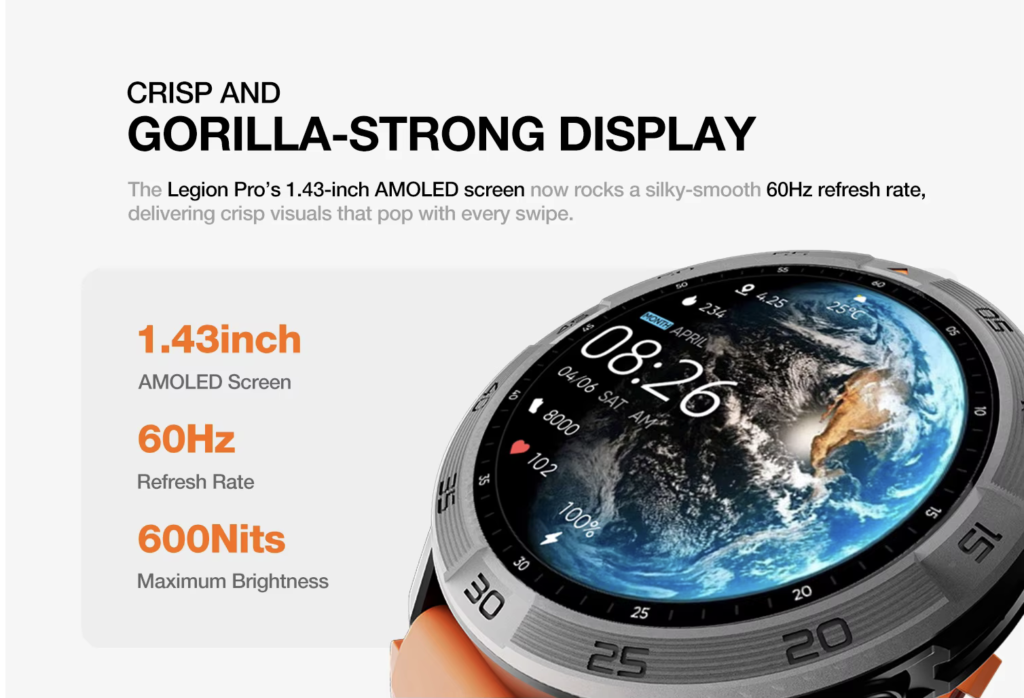
A glanceable display
A route-friendly display should make short information understandable without repeated taps.
Evaluate:
- Caller-name visibility
- Text size
- Interface clarity
- Outdoor readability
- The number of steps required to return to the main screen
A decorative watch face should not make work alerts harder to recognize.
Simple controls
The driver should be able to dismiss an alert, identify a caller, end a brief call, or return to the main screen without navigating several menus.
Complex controls turn a two-second decision into an interruption.
Comfortable all-route wear
A watch that feels comfortable for ten minutes in a store may become distracting after repeated parcel handling.
Consider:
- Strap fit
- Wrist stability
- Comfort beneath a jacket or sweatshirt
- Whether the case catches on sleeves or packaging
- Skin comfort through a complete route
Battery reserve for the full delivery window
Battery is important, but it supports the workflow rather than defining it.
The watch should cover route preparation, scheduled stops, realistic delays, the return trip, and the time before the next dependable charge. Drivers who need deeper endurance guidance can compare route-length battery needs when charging opportunities are limited.
Advertised battery figures are not guarantees. Calling, screen brightness, notification volume, tracking, connection quality, and other settings can change actual runtime.
Dependable phone compatibility
Before purchasing, confirm:
- Supported phone operating system
- Companion-app requirements
- Notification permissions
- Bluetooth call-audio setup
- Contact-name behavior
- Connection limits
- Reconnection behavior after separation
A watch with good hardware can still fail the route if its connection or permissions are unreliable.
Run a One-Route Interruption Test During the Return Period
American buyers should test the watch in the real delivery sequence, not only at home.
During one Columbus route, record every moment the watch vibrates or invites interaction. For each event, note:
- The route stage
- The caller or app
- Whether the alert changed the stop
- Whether the driver could act safely
- Whether the information duplicated another device
- Where the action should have gone
Label the destination as before the stop, parked pause, after the stop, or not suitable on the wrist.
At the end of the route, remove alerts that repeatedly appeared during unsuitable stages. Keep only the communication that helped the driver make a useful decision.
A successful setup should produce fewer unnecessary wrist checks while preserving awareness of the few messages that truly affect the route.
Complete this test early enough to remain within the seller’s applicable return period. Return policies vary, so verify the current terms of the retailer or marketplace used for the purchase.
Red Flags for Last-Mile Parcel Drivers
A watch may be a poor workflow fit when:
- Long notifications require several screens
- Caller names appear inconsistently
- The phone connection drops repeatedly
- Every app alert is forwarded by default
- Call audio routes unpredictably
- Outdoor text is difficult to read
- Basic actions require repeated taps
- The strap becomes uncomfortable during a full route
- Battery claims depend on unrealistically light use
- Marketing suggests independent calling when the watch supports only Bluetooth calling
- App quantity is emphasized more than notification control
The right watch does not need to perform every phone task. It needs to handle a small group of route-appropriate actions reliably.
Questions Columbus Parcel Drivers Should Ask Before Buying
Can a smartwatch replace a delivery scanner?
No. A watch may help identify selected calls, messages, and reminders, but the scanner or approved delivery system remains responsible for route workflow, parcel records, and delivery confirmation.
Should a driver answer wrist calls at every stop?
No. A call should be handled only during a suitable safe window, normally when the driver is legally and safely parked and is not carrying a parcel or completing another delivery task.
Will Bluetooth calling work if the phone stays in the vehicle?
It may work while the compatible phone remains connected and within reliable Bluetooth range. Building walls, distance, phone placement, interference, and device behavior can affect the connection.
Which notifications are most useful during a parcel route?
The most useful alerts generally identify a route-changing dispatch message, a time-sensitive access call, or another issue that affects the current stop. Routine duplicates and promotional alerts should usually be filtered out.
Is maximum battery life the most important buying factor?
No. The battery must cover the required route window, but notification control, readable caller information, comfort, compatibility, and correct interaction timing may be more important than the largest advertised battery figure.
Is this article endorsed by Amazon?
No. “Amazon delivery drivers” is used descriptively for people searching for smartwatch guidance related to that type of last-mile parcel work. No affiliation, approval, or endorsement is implied.
Choose Three Watch Actions That Preserve the Stop Sequence
The scanner confirms one delivery. The next apartment-access message reaches the wrist. The useful watch does not automatically demand another interaction.
It helps the driver decide whether the information belongs before the stop, at a safe parked pause, after the stop, or somewhere other than the wrist.
The best smartwatch for amazon delivery drivers is therefore not the model that displays the most information. It is the one that supports a few valuable actions without competing with driving, parcel handling, customer service, or delivery confirmation.
Choose three wrist actions that can happen without breaking the sequence. They might be identifying a priority caller before leaving the parked vehicle, noticing a short route-changing alert, and reviewing deferred notifications after returning safely to the vehicle.
Then review the calling, notification, display, and battery details to decide whether the watch can support those three actions while the paired phone remains nearby.