
A common buying mistake is choosing the cheapest calling watch first and asking battery questions later. A U.S. buyer may see a low price, notice the call-answer feature, and assume it will handle daily calls without becoming another device to charge every night. But the best smartwatch with calling and 30 day battery is not just about one attractive claim. Calling, battery life, Bluetooth setup, display use, GPS, and daily habits all have to make sense together.

For American consumers, the better buying question is simple: can one smartwatch handle short wrist-based calls while still fitting a low-maintenance charging routine?
What “Calling + 30-Day Battery” Really Means for U.S. Buyers
A smartwatch that combines calling and advertised long battery life sounds simple, but the details matter. “Calling” can mean different things depending on the watch. “30-day battery” usually refers to an advertised maximum, not the exact result every buyer will get.
For this type of smartwatch, calling usually means Bluetooth calling. The watch can help you answer, reject, and speak during calls when the paired phone is nearby. The phone still powers the call connection. The watch acts as the wrist-based speaker, microphone, and call-control screen.
That distinction matters because many U.S. buyers compare smartwatches quickly and assume all calling features work the same way. They do not. Bluetooth calling is convenient when your phone is in a pocket, bag, desk area, or nearby room. It is not the same as LTE calling that works more independently from the phone.
The battery claim also needs context. Up to 30 days is best understood as a maximum advertised rating under certain usage conditions. Real use changes depending on calling frequency, display brightness, GPS use, notifications, health tracking, and how often the screen wakes.
So when a product page says calling and up to 30 days of battery life, read it as a feature combination to evaluate, not a guarantee that every user will get a full month while using every feature heavily.
Bluetooth Calling vs LTE Calling: The First Buying Difference
The biggest mistake buyers make is not separating Bluetooth calling from LTE calling.
Bluetooth calling works through the nearby paired phone. The watch gives you the call interface on your wrist, but your phone still needs to be close enough to maintain the connection. This is usually the more affordable option because it does not require a separate cellular watch plan.
LTE calling is different. It can allow more independent calling, but LTE watches usually cost more and may require monthly carrier fees. That can change the total cost of ownership for U.S. consumers.
For many American buyers, Bluetooth calling is enough. If your phone is usually nearby during work, errands, home routines, or commuting, the watch can still help you avoid missed calls and reduce phone-checking.
Bluetooth calling is best for:
- Quick caller ID
- Short calls
- Answering when the phone is nearby
- Rejecting spam or non-urgent calls
- Family or work check-ins
- Reducing phone pickups
LTE calling is better if:
- You regularly leave your phone behind
- You want calling during phone-free runs
- You need independent watch communication
- You are comfortable with possible monthly carrier costs
For this article’s buying intent, Bluetooth calling is the more practical choice for shoppers who want call convenience without premium cellular-watch ownership costs.
Why Advertised 30-Day Battery Life Varies
Battery life depends on how the watch is used. A buyer who mostly checks time, receives light notifications, and takes occasional short calls may get much longer battery life than someone who uses GPS, frequent calls, high brightness, constant alerts, and health tracking throughout the day.
This is not a flaw in the idea of a long-battery smartwatch. It is how wearable battery claims work.
For U.S. buyers, the useful question is not “Will I always get exactly 30 days?” A better question is, “Will this watch reduce my charging burden compared with watches that need more frequent attention?”
A long advertised battery life can still be valuable even if your real-world result is lower than the maximum. The benefit is fewer charging interruptions, less nightly device management, and more confidence during busy routines.
Battery life may vary based on:
- Number of Bluetooth calls
- Length of calls
- Screen brightness
- Always-on or frequent screen wake behavior
- GPS and offline map use
- Notification volume
- Activity and sleep tracking
- Vibration intensity
- App syncing
- Temperature and charging habits
A smart buyer treats the 30-day claim as a ceiling, then judges whether the likely real-world battery life still fits their routine.
Call Convenience During American Daily Routines
The real appeal of a smartwatch with calling is not replacing the phone. It is making common moments easier.
For the U.S. buyer who originally compared only by price, the value becomes clearer after thinking through a normal day. The phone may be nearby but not always in hand. It may be charging on a counter, sitting in a car console, buried in a work bag, or face down during a meeting.
In those moments, a smartwatch can help the buyer see who is calling, answer briefly, reject the call, or decide to call back later.
This is especially useful for short everyday calls. A family member asks a quick question. A delivery driver calls from outside. A coworker needs a fast response. A reminder call comes in while the phone is not easy to grab.
The best calling smartwatch is not the one that turns every call into a wrist conversation. It is the one that makes call awareness easier without forcing the buyer to keep the phone in hand all day.
For more focused call-use guidance, see this related guide on a smartwatch with Bluetooth calls and long battery.
Battery Expectations for Light, Moderate, and Heavy Users
The easiest way to judge battery life is by user type. Not every buyer uses a smartwatch the same way.
Light Users
Light users mostly check time, receive a few notifications, track basic activity, and take occasional short calls. They may use GPS rarely and keep brightness moderate.
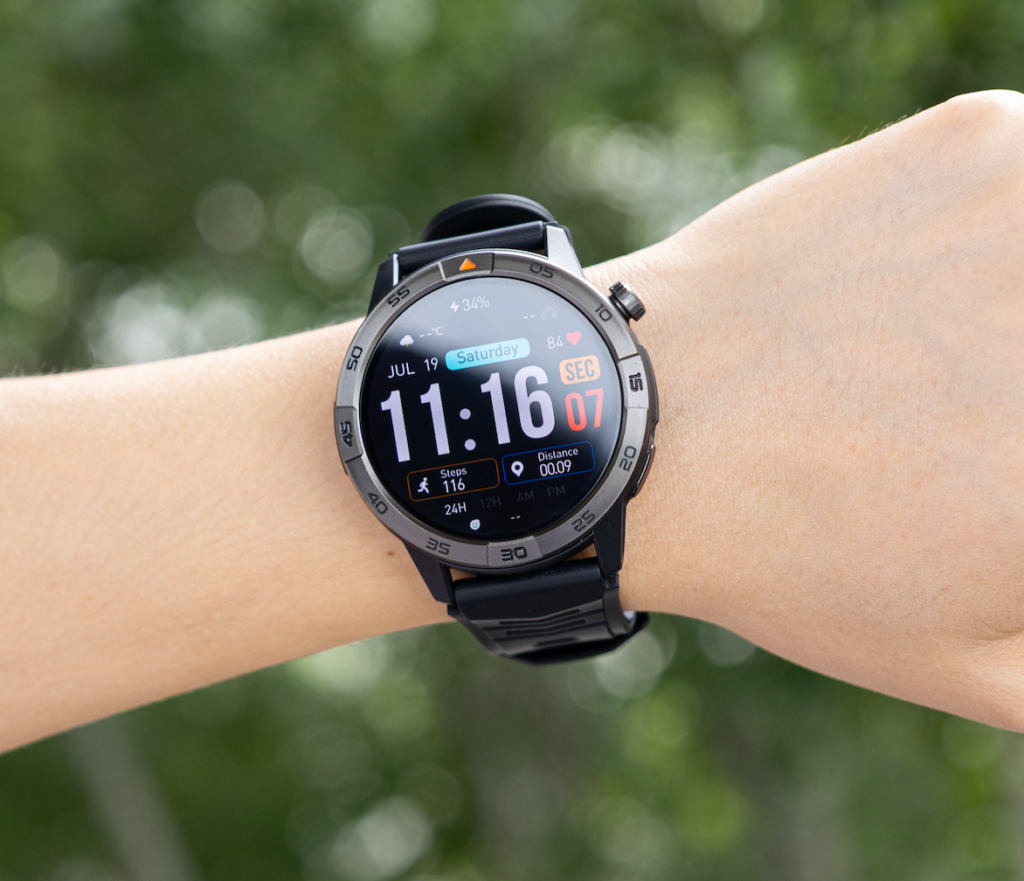
For this type of buyer, advertised long battery life is more likely to feel meaningful. The watch may go much longer between charges because demanding features are used less often.
Light users should focus on comfort, readable display, caller ID, and basic alert reliability.
Moderate Users
Moderate users are probably the best match for a smartwatch with calling and long battery life. They may take a few calls, track daily movement, receive steady notifications, use alarms, check reminders, and occasionally use GPS.
This is where balance matters. The watch needs to support real daily tools without becoming a nightly charging chore.
A moderate U.S. buyer should expect battery life to depend on how often calling, GPS, and brightness-heavy use happen during the week.
Heavy Users
Heavy users take frequent calls, use GPS often, keep brightness high, track workouts regularly, receive many notifications, and wear the watch for sleep tracking.
For them, the maximum advertised battery claim becomes less realistic. That does not mean the watch has poor battery life. It means heavy feature use naturally consumes more power.
Heavy users should buy with realistic expectations and choose based on whether the watch still lasts comfortably through their actual routine.
Why Battery and Calling Should Be Judged Together
Battery life and calling are connected because calling is one of the features that makes a smartwatch more useful but also more demanding.
A watch with strong battery but weak call support may not solve the buyer’s communication problem. A watch with good calling but short battery life may become frustrating if it needs constant charging.
The better buying decision is to judge both together.
Ask:
- Does the watch support Bluetooth calling?
- Does the phone need to stay nearby?
- Is the speaker and microphone setup practical for short calls?
- Does the battery fit daily or weekly charging habits?
- Will frequent calls reduce the expected runtime?
- Does the watch still offer value when used beyond calls?
A smartwatch that balances these points is more useful than one that looks impressive in only one category.
Display, GPS, and Daily Tools That Add Value
Calling and battery life may bring the buyer to the page, but daily tools often decide whether the watch is worth wearing.
A bright AMOLED display can make caller ID, reminders, time, and activity data easier to read. A 1.43-inch screen with a sharp 466 × 466 resolution can help the watch feel more usable for quick glances. That matters because everyday smartwatch use is often measured in seconds.
Built-in GPS and offline maps also add value for U.S. users who walk outdoors, commute, travel, or explore unfamiliar areas. GPS does not need to be the main reason to buy this article’s type of watch, but it can strengthen the overall package if the buyer wants one device for calls, movement, and daily awareness.
Other useful tools include:
- Notifications
- Alarms
- Calendar reminders
- Music controls
- Step tracking
- Sleep tracking
- Heart-rate tracking for general awareness
- Activity tracking
- iOS and Android compatibility
Health and activity features should be treated as general wellness tools, not medical diagnosis systems. Still, they can help users understand routines and movement patterns better.
For buyers comparing battery-focused options, this guide on the best smartwatch with 30-day battery life can support the broader decision.
What Under-$200 Buyers Should Watch For
Many U.S. consumers looking for calling and long battery life are also watching price closely. A smartwatch around the $150 range can be appealing because it sits below premium pricing while still offering practical features.
But buyers should avoid judging value by price alone. A low price is only useful if the watch solves the right problem.
Under-$200 buyers should check:
- Bluetooth calling support
- Nearby-phone requirement
- Battery claim and realistic usage expectations
- Display readability
- GPS availability
- Basic durability ratings
- iOS and Android compatibility
- Comfort for daily wear
- Whether the product page has customer reviews
- Return-policy comfort
The product page currently shows no customer reviews, so buyers should not rely on review-backed proof. Instead, they should judge the watch by listed features, personal needs, and whether the return policy gives enough confidence to test it with their phone and routine.
For budget-focused shoppers, this related guide on a smartwatch with 30-day battery under $200 is a useful next step.
Buying Checklist for Calling and 30-Day Battery
Use this checklist before choosing a smartwatch with calling and advertised long battery life.
| Buying Check | Why It Matters |
|---|---|
| Bluetooth calling support | Confirms the watch can handle wrist-based calls through a paired phone. |
| Nearby-phone requirement | Helps avoid confusing Bluetooth calling with LTE calling. |
| Battery claim wording | “Up to” battery life should be treated as a maximum advertised rating. |
| Speaker and microphone | Needed for actual wrist conversations. |
| Display readability | Helps with caller ID, alerts, reminders, and daily use. |
| GPS and offline maps | Adds value for walking, commuting, travel, and outdoor movement. |
| Compatibility | The watch should work with the buyer’s phone platform. |
| Charging routine | The watch should reduce charging stress, not add to it. |
| Daily comfort | A watch only helps if the buyer actually wears it. |
| Price-to-feature balance | A $150 watch should be judged by practical usefulness, not only low price. |
This checklist keeps the buying decision grounded. It also prevents the common mistake of choosing only by battery claim or only by calling feature.
Final Recommendation by Buyer Type
The best smartwatch with calling and 30-day battery depends on the buyer’s routine.
Best for Light Users
Light users should focus on comfort, battery convenience, notifications, and occasional short calls. For them, long advertised battery life may be especially appealing because they are less likely to drain the watch with heavy feature use.
Best for Moderate Everyday Users
Moderate users should look for balance. They need calling, readable display, strong enough battery expectations, basic activity tracking, GPS support, and reminders. This is the best-fit group for a smartwatch that combines Bluetooth calling with advertised long battery life.
Best for Busy U.S. Buyers
Busy buyers should think about how often the watch reduces phone pickups. If the phone is often in a bag, pocket, desk drawer, or nearby room, wrist calling and alerts can be genuinely useful.
Best for Battery-Focused Buyers
Battery-focused buyers should judge the watch by charging routine, not only the maximum claim. If the watch helps them avoid daily charging while still supporting short calls and notifications, it may be a strong fit.
Best for Buyers Who Need Phone-Free Calling
This group should consider LTE smartwatches instead. Bluetooth calling is useful, but it still depends on the nearby paired phone.
Compare the Full Daily-Use Package Before Deciding
Do not buy only because the watch says calling. Do not buy only because it says up to 30 days. The strongest value comes when both features fit the same routine.
If you want short wrist-based calls, fewer phone pickups, long advertised battery life, GPS support, and everyday smartwatch tools around a budget-friendly price point, compare the full package before deciding. You can review the smartwatch details and decide whether its calling, battery, GPS, display, and daily-use features match your actual routine and budget.
Frequently Asked Questions
Does a smartwatch with Bluetooth calling need a phone nearby?
Yes. Bluetooth calling works through a nearby paired smartphone. It is not the same as LTE or cellular calling.
Does a 30-day battery claim guarantee 30 days for every user?
No. Up to 30 days is an advertised maximum rating. Actual battery life depends on calling, GPS use, notifications, display brightness, and other activities.
Is Bluetooth calling enough for most buyers?
For many U.S. consumers, yes. Bluetooth calling can handle caller ID, incoming calls, and short conversations when the paired phone is nearby.
Does GPS affect smartwatch battery life?
Yes. GPS is one of the more power-intensive smartwatch features and may reduce overall runtime compared with lighter usage patterns.
Is a smartwatch with calling and long battery life worth buying under $200?
It can be, provided it offers the right combination of calling support, battery performance, compatibility, and everyday usability.
Should I choose LTE instead of Bluetooth calling?
Only if you regularly need calling without a nearby smartphone. Many buyers find Bluetooth calling sufficient for daily routines.