
REGULAR SMARTWATCH
Definition: missing.
That phrase appears in comparison tables as though it names a fixed product category. It does not.
One so-called regular smartwatch may vibrate when a call arrives. Another may show the caller’s name. A third may let the wearer reject the call but not speak. Without a capability boundary, a smartwatch for calls vs regular smartwatch comparison mixes several different devices under one vague label.
Replace “regular” with four practical questions:
- What can the watch display?
- What can it alert the wearer to?
- What can it answer?
- What can it complete or transfer?
The first call action the buyer genuinely needs marks the correct side of the boundary.
Replace “Regular” With a Functional Category
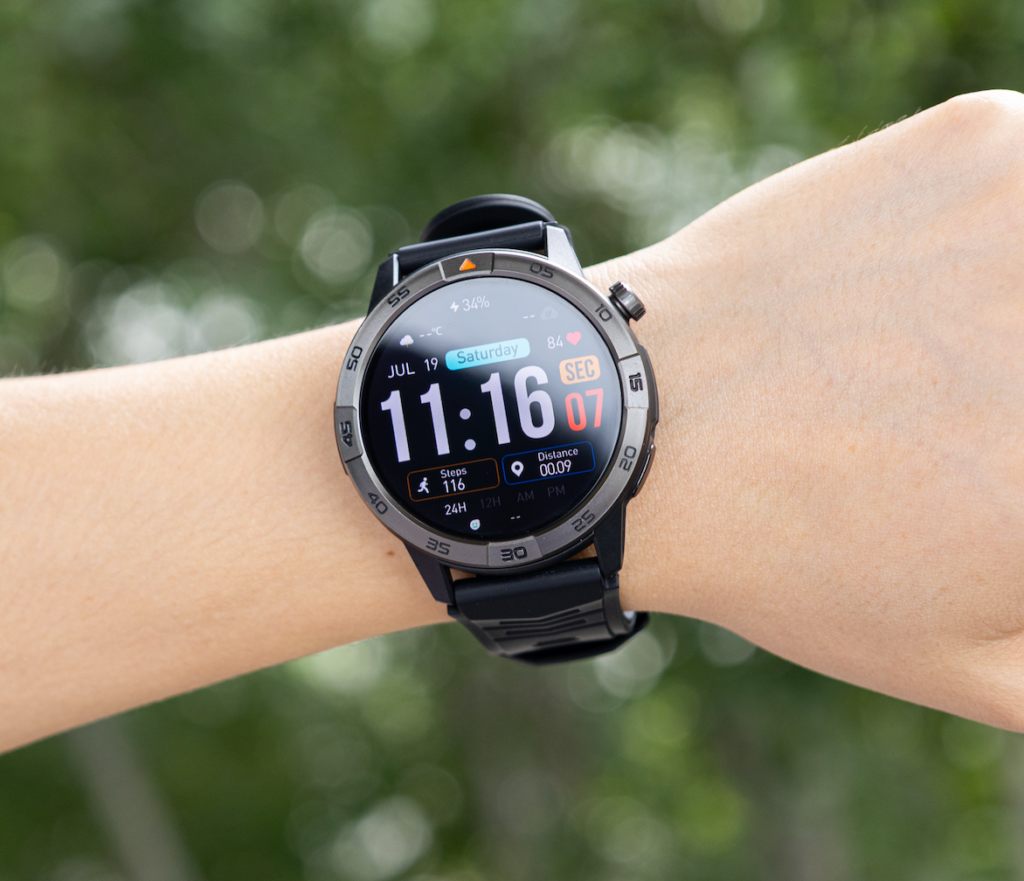
A regular smartwatch is often understood as a watch that handles notifications, reminders, activity information, timers, and basic phone-connected functions. That description is useful for everyday shopping, but it does not tell the buyer what happens when the phone rings.
Depending on the exact model, a non-calling watch may provide:
- An incoming-call vibration
- A caller name or number
- A missed-call notification
- A mute or reject control
- A reminder to return the call
Those functions create caller awareness. They do not automatically create a two-way conversation.
A call-capable smartwatch moves beyond awareness when it can support the required call action from the wrist. At minimum, wrist conversation generally requires:
- An answer control
- A working microphone
- A speaker
- A compatible connection
- The required phone permissions
- Proper call-audio routing
Some watches rely on a nearby paired phone for that connection. Others may support verified standalone cellular calling. The phrase “Bluetooth calling” should not be treated as proof of phone independence.
A buyer comparing general smartwatch functions before narrowing the decision can separate useful everyday functions from broad category labels. For this comparison, only call-related boundaries matter.
Use Four Verbs to Draw the Line
Feature lists become easier to interpret when each claim is placed under one of four verbs.
Display
A watch may display:
- An incoming-call symbol
- A caller name
- A telephone number
- A missed-call record
- A recent-call entry
Displaying information is the lowest call-related capability level. It helps the wearer understand that a call exists, but it may not allow any response from the wrist.
Caller names also depend on factors such as contact synchronization, notification permissions, phone compatibility, and the exact watch software.
Alert
A watch may alert through:
- Vibration
- Sound
- A banner
- A full-screen caller notification
- A missed-call reminder
An alert can be valuable even when the watch cannot answer. It may prevent the wearer from overlooking an appointment call or returning to the phone too late.
Alerting still belongs on the awareness side of the boundary.
Answer
Answering means more than showing an accept icon.
The watch must allow the wearer to:
- Accept the incoming call
- Hear the other person
- Speak through the watch
- Maintain usable two-way audio
- End the call
Rejecting, silencing, or dismissing a call is not the same as answering it.
Buyers whose main concern is speed can examine when answering from the wrist saves enough time to matter. This page first establishes whether answering is supported at all.
Transfer or Complete
A watch may answer a call but still be the wrong device for finishing it.
The wearer may need to:
- Continue on the phone
- Open a calendar
- Check a client record
- Move away from other people
- Hear detailed information more clearly
- Protect private information
A capable watch should therefore be judged by what it can complete and what still requires a phone handoff.
Apply the Boundary to a Durham Veterinary Clinic
The practical difference becomes clearer inside a real work setting.
A veterinary clinic scheduler in Durham, North Carolina, handles appointment requests, pet-owner arrivals, rescheduling questions, pharmacy calls, laboratory updates, and messages from treatment staff.
The scheduler does not need every call to remain on the wrist. Different moments stop at different capability levels.
Missed-call alert
A pet owner calls while the scheduler is helping someone at the front desk.
A notification-only watch may show:
- A missed-call symbol
- The caller’s name
- The time of the call
That information can prompt a timely callback.
The watch has improved awareness, but it has not completed any conversation.
Boundary result: Caller-Awareness Category
Incoming caller identification
The watch shows that the incoming call is from a local pharmacy rather than an unknown number.
Knowing the caller may help the scheduler decide to:
- Return to the desk quickly
- Ask a coworker to answer
- Prepare the relevant record
- Call back after finishing the current task
Caller identification can be useful without wrist audio.
A notification-centered watch may therefore satisfy a buyer whose first required action is simply recognizing the caller. Readers comparing that category with a calling device can see how notification-focused watches differ from true calling watches.
Boundary result: Caller-Awareness Category
Quick appointment confirmation
A pet owner asks whether a routine appointment can move from 3:00 to 3:30.
When the scheduler already knows the calendar is open, a brief wrist response may complete the immediate communication:
“Yes, 3:30 works. We will update the appointment.”
That task crosses the boundary from awareness to conversation.
The watch must support:
- Accepting the call
- Two-way audio
- A stable connection
- Sufficient volume
- Clear microphone pickup
Boundary result: Paired Calling Category, unless independent calling is specifically documented.
Long client discussion
A caller begins describing symptoms, medication timing, changes in behavior, and several scheduling constraints.
The watch may technically carry the audio, but the task now requires more than a quick exchange. The scheduler may need the appointment system, a private area, written notes, or another staff member.
The conversation should move to the phone or clinic desk.
Boundary result: Phone-Handoff Required
The calling watch has not failed. The task has crossed a second boundary—from brief wrist communication into detailed professional handling.
Receiving a Call Is Not the Same as Answering It
Product descriptions sometimes use “receive calls” loosely.
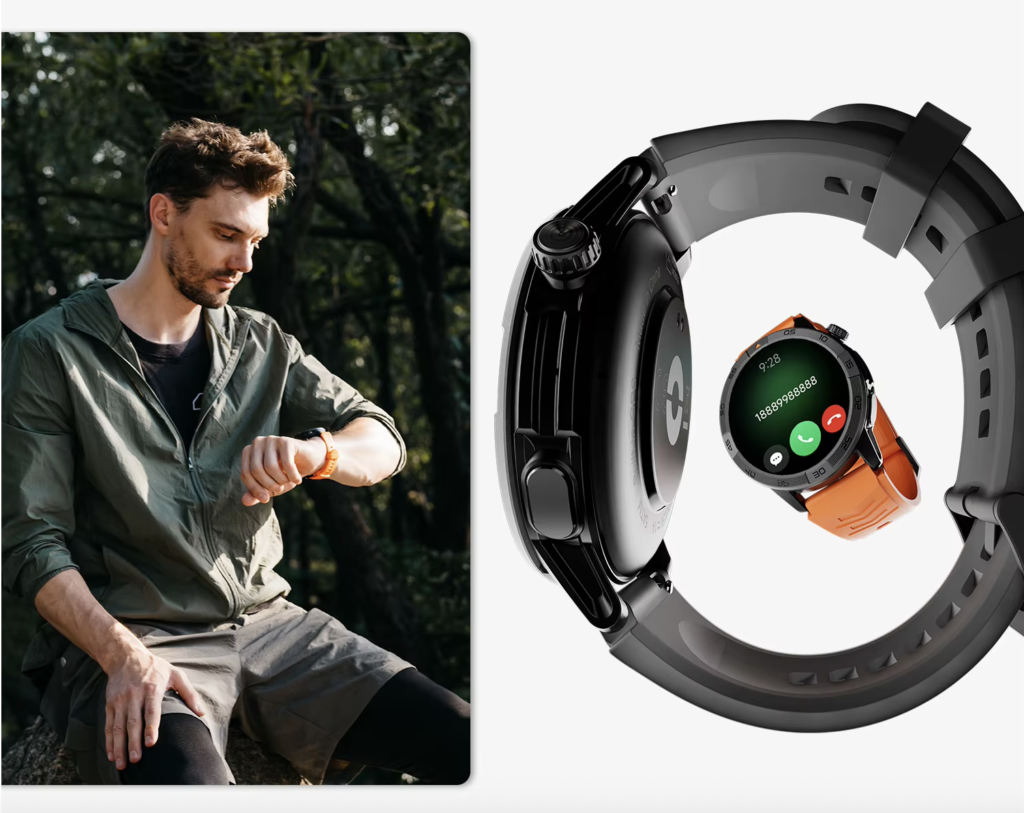
That wording may refer to any of these functions:
- Receive an incoming-call alert
- Display caller information
- Show accept and reject icons
- Route audio to the watch
- Support an actual two-way conversation
A buyer should not rely on the verb “receive” without checking what follows it.
Ask:
- Does the watch only receive the alert?
- Can the wearer accept the call?
- Does audio play through the watch?
- Does the watch include a microphone?
- Can the other person hear the wearer?
- Does the phone need to stay nearby?
A watch that vibrates and shows the caller has received information about the call. It has not necessarily received the call as an audio device.
Caller Identification Is Not Conversation
Caller identification can solve a narrow problem completely.
For the Durham scheduler, seeing the clinic owner, pharmacy, laboratory, or known client may be enough to decide the next action. In that case, a call-capable watch may offer more than the buyer needs.
The boundary moves only when the buyer must speak before reaching the phone.
Use this rule:
If knowing who is calling completes the immediate need, caller awareness may be sufficient. If the wearer must exchange information from the wrist, a call-capable watch becomes necessary.
This distinction prevents a buyer from paying for wrist audio when caller identification would solve the real problem.
It also prevents the opposite mistake: buying a notification-only watch and later discovering that every short confirmation still requires returning to the phone.
Draw a Separate Boundary Around Phone Dependence
A smartwatch can support calls without being an independent phone.
Many Bluetooth calling watches use the paired phone for:
- The cellular connection
- Contact access
- Call routing
- Recent-call information
- Bluetooth audio
- Permissions
- Companion-app settings
When the phone is nearby and connected, the watch may be able to answer, speak, listen, reject, end, or initiate a call.
When the phone is too far away or disconnected, those functions may stop.
Exact behavior differs by model, phone, software version, settings, and connection method. Buyers who need more technical detail should verify which calling functions remain when the paired phone is not nearby.
Paired calling
Use this category when:
- The watch can support wrist conversation
- The nearby phone provides the underlying mobile connection
- Bluetooth or another verified link must remain active
Independent calling
Use this category only when documentation confirms:
- Standalone cellular hardware or service
- Compatible carrier support
- Activation requirements
- Calling without the paired phone nearby
- Any additional plan or fee conditions
A speaker, microphone, phone icon, or Bluetooth label does not prove independent calling.
Let Privacy Redraw the Technical Boundary
Capability answers can the watch do it?
Privacy asks should the watch do it here?
A veterinary clinic waiting area may include other pet owners, reception staff, delivery workers, and conversations happening only a few feet apart. Speaker audio can expose information that should not be shared publicly.
Brief wrist calls may be suitable for:
- “I will call you back in five minutes.”
- “Your appointment is confirmed.”
- “Please wait near the front entrance.”
- “I am bringing the message to the technician.”
The phone or desk line is better for:
- Detailed symptom descriptions
- Medication information
- Billing concerns
- Complaints
- Client contact details
- Treatment discussions
- Emotionally difficult conversations
The privacy boundary does not turn a calling watch into a regular watch. It limits which calls should remain on the wrist.
Readers considering daily convenience rather than category definitions can compare when wrist calling actually removes a useful phone-handling step.
Build the Capability-Boundary Chart
Use the chart below before comparing prices, designs, battery claims, or other features.
| Required call action | Notification-only watch | Call-capable watch | What must be verified |
|---|---|---|---|
| Show missed-call alert | Commonly possible | Commonly possible | Notification support |
| Vibrate for incoming call | Conditional | Conditional | Permissions and connection |
| Display caller name | Conditional | Conditional | Contact synchronization |
| Mute or reject call | Conditional | Often supported | Exact controls |
| Answer from wrist | Usually unavailable | Possible | Answer control, speaker, microphone |
| Speak and listen | Unavailable | Possible | Two-way audio |
| Start a call | Usually unavailable | Model-dependent | Dialer or contact access |
| Move conversation to phone | Not applicable | Model-dependent | Handoff behavior |
| Call without nearby phone | Usually unavailable | Model-dependent | Verified standalone connectivity |
Do not add checkmarks and declare the watch with the highest total the winner.
Instead:
- Find the first call action the buyer requires.
- Read across that row.
- Identify the minimum category that can complete it.
- Verify phone dependence.
- Apply the privacy limit.
- Ignore higher capabilities that the buyer will not use.
Choose the Category, Not the Longest Feature List
Notification-Only Category
Choose this when the buyer needs:
- Incoming-call awareness
- Missed-call alerts
- Vibration
- Basic caller information
- A reminder to return to the phone
Caller-Awareness Category
Choose this when caller identity helps the wearer decide:
- Answer elsewhere
- Call back later
- Return to the desk
- Ask another person to respond
- Ignore a nonurgent call temporarily
Paired Calling Category
Choose this when the buyer needs to:
- Answer brief calls
- Speak through the watch
- Confirm simple information
- End the call from the wrist
- Keep the nearby phone available as the connection source
Independent Calling Category
Choose this only when calling without the phone nearby is a genuine requirement and the exact watch, carrier, activation method, and service conditions support it.
Phone-Handoff Required
Use this result when the watch can answer but the conversation becomes:
- Long
- Private
- Detailed
- Difficult to hear
- Dependent on records or another app
The first required action identifies the watch category. The nature of the conversation determines how long the call should remain there.
Common Category Mistakes
Assuming every smartwatch can answer
Many smartwatches display calls without providing wrist conversation.
Treating reject control as call support
Silencing or rejecting an incoming call does not require a speaker or microphone.
Reading “Bluetooth” as “independent”
Bluetooth calling often signals dependence on a paired phone rather than freedom from it.
Trusting a phone icon
The icon may open notifications, recent calls, a reject button, contacts, or an actual dialer. The image alone does not define the capability.
Ignoring compatibility
Confirm the exact:
- Android or iPhone requirements
- Operating-system versions
- Companion app
- Permissions
- Contact access
- U.S. app-store availability
- Calling controls
Forgetting the privacy boundary
A technically successful speakerphone call may still be unsuitable in a public clinic area.
Questions About Calling and Regular Smartwatch Categories
What is a regular smartwatch?
“Regular smartwatch” is not a fixed technical category. It usually describes a watch focused on notifications, reminders, activity information, and phone-connected functions, but calling support varies by model.
Can a regular smartwatch show incoming calls?
Many models can show an incoming-call alert or caller information when connected to a compatible phone. That does not prove the wearer can answer through the watch.
What makes a smartwatch call-capable?
A call-capable watch needs verified answer controls, a microphone, a speaker, compatible software, and either a paired-phone connection or supported standalone service.
Is rejecting a call the same as answering it?
No. Rejecting, muting, or dismissing changes the call status but does not support two-way conversation.
Does Bluetooth calling work without a phone?
Often it does not. Many Bluetooth calling watches depend on a nearby paired phone for the mobile connection.
Can a calling smartwatch replace a phone for long conversations?
It may carry the audio, but privacy, comfort, clarity, record access, and conversation length often make a phone handoff more practical.
Which category suits a veterinary clinic scheduler?
Caller awareness may be enough when the scheduler only needs to recognize and return calls. Paired wrist calling is more suitable when brief appointment confirmations must be completed before returning to the phone.
Draw the Line at the First Required Action
“Regular smartwatch” is still written at the top of the comparison—but it no longer controls the decision.
Replace it with one precise requirement:
- I need to notice the call.
- I need to identify the caller.
- I need to reject or mute it.
- I need to answer briefly.
- I need to start a call.
- I need to call without my phone nearby.
The Durham scheduler may need caller awareness for most calls, wrist answering for a few short confirmations, and phone handoff for every detailed client discussion. That combination does not make the category unclear. It makes the boundary practical.
Mark the first call action that must be completed from the wrist, confirm the phone condition behind it, and compare the required side of the boundary with the calling specifications.
Draw the line at the first call action the buyer genuinely needs—not at the broadest claim on the product page.