
A smartwatch for commuting and phone calls is useful because commuting is full of transitions. You may be standing on a train platform, stepping off a bus, walking from a parking lot, or carrying coffee while your phone is buried in a bag. The watch should not replace your phone, but it can help you notice calls faster and decide what needs attention.
This guide answers one question only: how useful is a smartwatch for phone calls during different commuting situations?
Why Commuting Calls Are Different From Regular Phone Calls
Commuting is not one single environment. A train commute is different from a bus commute. Walking is different from driving. A quiet suburban parking lot is different from a crowded subway platform.
That is why a smartwatch call feature should be judged by situation, not just by the word “calling” on a product page.
For U.S. commuters, the main benefit is simple: the watch can show who is calling while the phone stays secured nearby. If the call matters, you can decide whether to answer, ignore it, or call back later when it is safe and appropriate.
Bluetooth calling still depends on a nearby paired phone. The smartwatch handles the call interface, but the phone powers the connection.
Train Commuting: Useful for Call Screening, Not Long Conversations
Train commuting is one of the best places for call awareness, but not always the best place for wrist calling.
On a commuter train, subway, or light rail, you may not want to pull your phone out every time it rings. A smartwatch can show whether the call is from a family member, coworker, school, daycare, doctor’s office, or unknown number.
That quick visibility is useful. It helps you decide whether the call deserves attention.
When Wrist Calling Works on a Train
Wrist calling may be useful when:
- The train is not crowded.
- The call is short.
- You can speak quietly.
- The call is not private.
- You are seated away from heavy noise.
- You only need to confirm something quickly.
For example, a commuter on a New Jersey train into New York may glance at the watch and see a call from a child’s school. That call may need faster attention than a random unknown number.
When Train Calls Should Wait
Train calls may be better delayed when:
- The car is packed.
- The call is private.
- Background noise is high.
- You would need to speak loudly.
- Other passengers are close.
- The conversation will take more than a minute.
In crowded train settings, the smartwatch is often best used as a caller-ID filter, not a speakerphone.
Bus Commuting: Helpful During Stops and Transfers
Bus commuting is more stop-and-go than train commuting. You may be standing at a bus stop, boarding, tapping a fare card, holding a bag, or watching for your stop.
A smartwatch can help when the phone is hard to reach. Instead of digging into a backpack or coat pocket, you can see who is calling from the wrist.
Best Bus-Commute Use Cases
A smartwatch is useful during bus commuting when:
- You are waiting at a stop.
- You are between transfers.
- You are seated and the bus is quiet.
- You need to reject a non-urgent call.
- You need to identify an important caller quickly.
- Your phone is zipped inside a bag.
A commuter in Seattle, Denver, or Boston may use the watch to see whether a call is worth answering before pulling out the phone in a busy bus lane or crowded shelter.
Why Bus Calls Need More Caution
Bus rides can be noisy, bumpy, and crowded. A wrist call may feel awkward if other passengers are nearby. It can also be hard for the caller to hear you clearly if the bus engine, traffic, or passenger noise is loud.
For bus commuters, the smartwatch is often better for call awareness than full conversations.
Walking Commutes: Convenient When Your Hands Are Busy
Walking is one of the most practical commuting situations for smartwatch call alerts. Many people walk from a parking garage, train station, bus stop, office building, apartment complex, campus, or downtown lot.
During walking transitions, the phone may be in a bag, jacket, or back pocket. If a call comes in, the smartwatch can show whether it matters.
When Wrist Calls Help While Walking
Wrist calling may be useful when:
- You are walking in a quiet area.
- You are not crossing streets.
- Your hands are full.
- You need a very short call.
- You can step aside safely.
- The call does not require privacy.
For example, a Chicago commuter walking from the train station to the office may see a call from home and answer briefly after stepping away from foot traffic.
Walking Safety Comes First
A smartwatch should not pull your attention away from traffic, sidewalks, intersections, driveways, parking lots, bikes, scooters, or other pedestrians.
If you need to answer, step aside first. If the area is busy, let the call ring and return it from a safer place.
Cycling Commutes: Alerts Only, Not Active Call Handling
Cycling is different from walking. A cyclist needs both hands, full attention, and clear awareness of traffic, road surfaces, pedestrians, parked cars, and signals.
For cycling commuters, a smartwatch can be useful for call alerts, but not for active call handling while riding.
What the Watch Can Do for Cyclists
A smartwatch can help cyclists:
- Notice that a call came in.
- Identify whether the call is urgent.
- Let non-urgent calls wait.
- Check missed calls only after stopping safely.
- Avoid pulling out the phone while riding.
A commuter biking in Portland, Austin, or Washington, D.C. may benefit from seeing that a call came through, but the right response is to wait until stopped in a safe place.
What Cyclists Should Avoid
Cyclists should avoid:
- Answering wrist calls while riding.
- Looking down at the watch in traffic.
- Tapping controls while moving.
- Taking calls at intersections.
- Adjusting call settings on the road.
- Using speaker calls that reduce awareness.
For cycling, the smartwatch is mainly a notification filter. It should not become a riding distraction.
Car Commuting: Do Not Operate the Watch While Driving
For car commuters, safety boundaries are strict. The smartwatch should not be operated while the vehicle is moving.
That means no tapping, scrolling, answering, rejecting, reading, or adjusting call controls while driving. If a call comes in, the watch may alert you, but the call should be handled only through lawful hands-free systems or after safely parking.
When the Watch Helps Car Commuters
The smartwatch can still be useful before and after the drive:
- Before leaving the driveway
- While safely parked
- During a fuel stop
- At a rest stop
- After arriving at work
- Before walking into a building
- While waiting in a parked car
For example, a Los Angeles commuter may park at the office, see a missed call on the watch, and return it before going inside. That is a practical use. Handling the watch during traffic is not.
Car Commute Reality
In a car, wrist calling is usually less useful than a proper hands-free setup. The watch is better for identifying missed calls after the drive or during safe parked transitions.
Privacy in Crowded Spaces
Privacy is one of the biggest weaknesses of smartwatch calling during commuting.
A wrist call uses a speaker and microphone. That can make nearby people hear parts of the conversation. Even if the audio is clear enough, the setting may not be appropriate.
Public Places Where Wrist Calls May Feel Awkward
Wrist calls may not be ideal in:
- Crowded trains
- Packed buses
- Airport shuttles
- Subway platforms
- Office elevators
- Coffee shop lines
- Campus buses
- Busy sidewalks
- Shared rides
If the call involves work, family issues, health appointments, banking, addresses, or personal details, it is better to use earbuds, the phone, or call back later.
A smartwatch should help you decide whether a call matters. It does not mean every call should be answered out loud.
Background Noise During Commuting Calls
Commuting environments are noisy. Trains brake, buses accelerate, cars pass, people talk, crosswalks beep, and stations echo.
This matters because wrist calls use small speaker and microphone hardware. A short call may work in a quiet place, but background noise can make longer calls frustrating.
High-Noise Commute Settings
Wrist calls may be harder in:
- Subway stations
- Bus terminals
- Train platforms
- Highway rest stops
- Windy sidewalks
- Busy downtown intersections
- Airport pickup zones
- Parking garages
In these places, the smartwatch may still show the call clearly, but answering may not be practical.
That is why commuters should treat wrist calling as a convenience for short, simple moments, not a replacement for every phone conversation.
When Earbuds Are Better
Earbuds are often better than smartwatch calls when privacy, clarity, or longer conversations matter.
If you commute regularly by train, bus, or walking route, earbuds can give you better audio and more private listening. The smartwatch still plays a useful role by showing who is calling before you decide what to do.
Earbuds Are Better When
Use earbuds instead of wrist calling when:
- The call is private.
- The area is loud.
- The call will last more than a minute.
- You need both clearer audio and lower volume.
- You are in a crowded public place.
- You do not want everyone nearby hearing the caller.
For many commuters, the best setup is not watch versus earbuds. It is watch plus earbuds. The watch helps you identify the call; earbuds help you take it more comfortably.
When Wrist Calling Is Actually Useful
Wrist calling is most useful during short commuting transitions where reaching your phone is inconvenient.
It works best when the call is quick, the area is safe, and the conversation is not private.
Good Wrist-Calling Moments
Wrist calling can make sense when:
- You are standing safely at a quiet train platform.
- You are waiting at a bus stop.
- You have just parked and are walking inside.
- You are carrying bags and cannot reach the phone easily.
- You need to confirm a pickup time.
- You need to answer a quick family call.
- You want to reject a spam call without pulling out the phone.
- You are between commute stages and not moving through traffic.
This is the real commuting advantage: faster call awareness during transitions.
The smartwatch is not trying to replace the phone. It helps you avoid unnecessary phone handling when all you need is to see who is calling and respond at the right moment.
How This Smartwatch Fits Commuting Calls
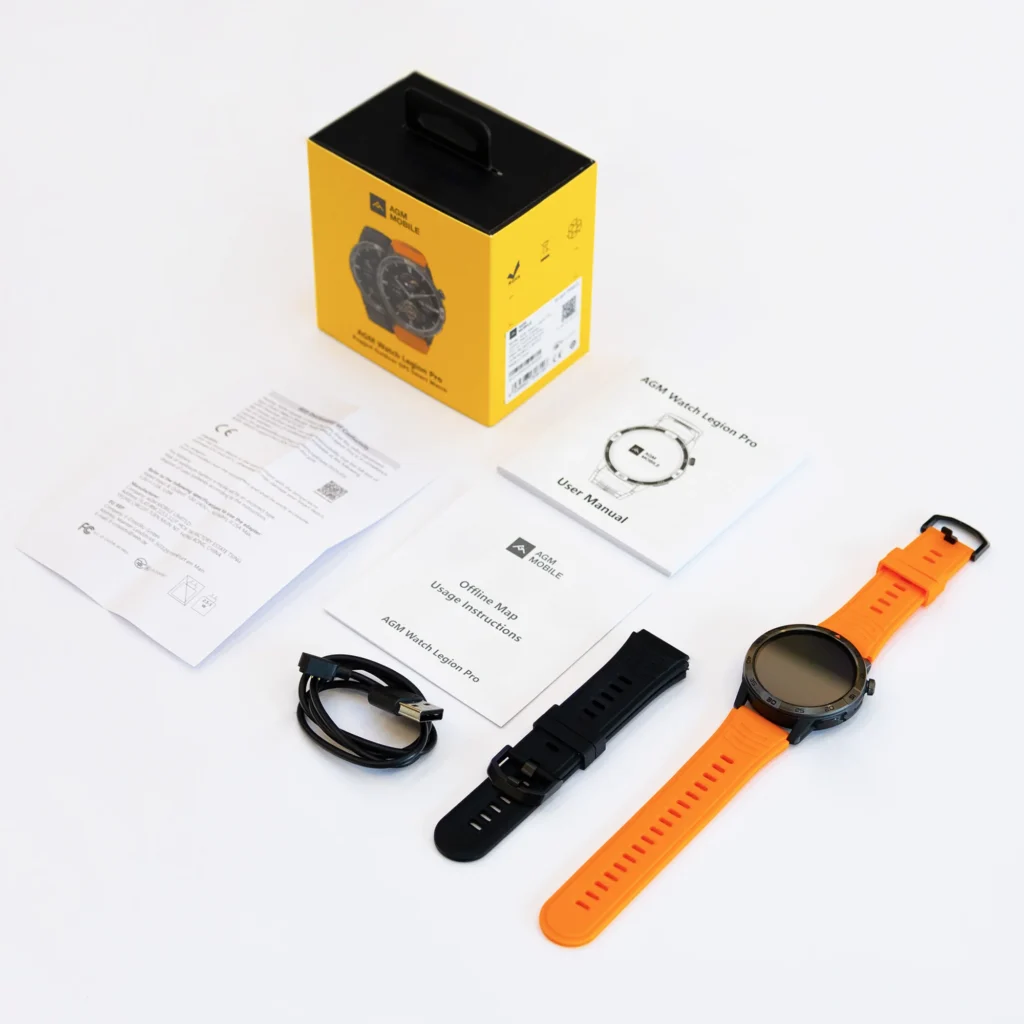
This smartwatch fits commuter calling needs because it supports Bluetooth calling through a nearby paired phone. That makes it useful for seeing and handling calls during safe commuting moments, such as train waits, bus transfers, walking transitions, and parked car arrivals.
The AMOLED touchscreen can help make incoming call details easier to see, while the call interface supports quick awareness when the phone is tucked away. For commuters comparing call support before buying, this smartwatch call verification checklist explains what to confirm before trusting any watch for calls.
The most important thing is to match the feature to the commute. Train riders may use it mostly for screening. Bus riders may use it at stops. Walkers may use it during safe pauses. Cyclists and drivers should not operate it while moving.
Frequently Asked Questions
Is a smartwatch useful for commuting phone calls?
Yes. A smartwatch can help commuters see who is calling while the phone stays in a bag, pocket, or nearby secured place. It is most useful for call screening and short conversations during safe moments.
Can I answer smartwatch calls on a train?
You can answer smartwatch calls on a train if the area is quiet, the call is short, and the conversation is not private. In crowded or noisy train cars, it is better to use earbuds or call back later.
Are smartwatch calls good on a bus?
Smartwatch calls can work at bus stops, during quiet seated moments, or between transfers. On crowded or noisy buses, the watch is better for call alerts than full conversations.
Should cyclists use smartwatch calls while riding?
No. Cyclists should not operate a smartwatch while riding. The watch can show that a call came in, but calls should be checked only after stopping safely away from traffic.
Can drivers answer smartwatch calls while commuting?
Drivers should not operate a smartwatch while the vehicle is moving. Calls should be handled only through lawful hands-free systems or after safely parking.
When are earbuds better than smartwatch calls?
Earbuds are better for private calls, longer conversations, noisy public spaces, crowded transit, and situations where you need clearer audio without using the watch speaker.
Final Commuter Buying Advice
A smartwatch for commuting and phone calls is most useful when you want call awareness during transitions, not when you want to talk everywhere.
It is a good fit if your phone is often in a bag, pocket, coat, cup holder, or work tote and you want to quickly see whether a call matters. It is less useful if most of your calls are private, long, or handled in loud public spaces.
For commuters who want easier call screening between train rides, bus stops, walking routes, and parked arrivals, review the smartwatch’s Bluetooth calling features and compare them with your daily commute habits.