
Field note, Day 0, 8:07 a.m.: Test rejected. Display brightness has no fixed value. Alert frequency has no baseline. The watch changed power modes overnight, and nobody defined what counts as a recharge. No battery percentage belongs in the record yet. A smartwatch real 30 day battery test becomes defensible only after the workload, required functions, and stopping rule stop moving.
A university laboratory inventory coordinator in Ann Arbor, Michigan, would recognize the problem as a protocol failure rather than a battery failure. Recording thirty dates does not create a controlled test. The Frozen-Setup Month Protocol first seals the watch configuration, then opens the calendar and allows the first recharge—not the desired headline—to decide the result.
This method does not promise that every user will reproduce one result. It creates a clear evidence trail for one watch, one setup, one software state, and one declared workload.
Field Note 00: Reject a Battery Test With No Fixed Setup
Many informal battery tests begin with a screenshot of 100 percent and a note that says “Day One.” The tester has not documented display behavior, notifications, phone pairing, calls, GPS, sensors, overnight use, or power mode. Those details emerge only after the battery begins falling faster than expected.
The test then starts changing shape.
Brightness drops. Alerts disappear. A low-power mode replaces normal operation. GPS use becomes “unusual” even though the wearer expected to use it. A brief charge does not make the diary. By the end of the month, the setup no longer matches the one that started the run.
That result may describe a personal experiment, but it cannot support a controlled 30-day conclusion.
The first protocol decision is therefore simple: stop an undefined test before it produces misleading evidence. Readers examining the wording behind a published month-long claim should first separate a marketing claim from controlled test evidence. Article 255 begins after that distinction and builds an independent test.
Seal the Ann Arbor Day-Zero Configuration
Day Zero belongs outside the battery count. Use it to configure the watch, complete normal setup activity, record the device state, and create a Configuration Fingerprint that another run could follow.
The fingerprint should identify the exact watch and the conditions surrounding it.
Record the Device and Software State
Start with:
- Exact watch model and variant
- Firmware or software version
- Companion-app version
- Paired phone and mobile operating system
- Bluetooth, Wi-Fi, or cellular state
- Account and synchronization state
- New, reset, or established device status
A software update during the month can change battery behavior or reset settings. Recording the original version gives the tester a reference point if that happens.
Lock the Display Configuration
The display can create a large difference between two apparently similar routines. Freeze:
- Brightness level or automatic-brightness setting
- Always-on display status
- Raise-to-wake or gesture behavior
- Screen timeout
- Watch face
- Planned manual screen checks
Do not lower brightness on Day 18 simply because the forecast now looks unfavorable. That would create Mid-Test Tuning.
Lock Connections, Alerts, and Calls
Record which phone connection remains active, which apps can send alerts, and how the test handles calls. The protocol does not need identical alert counts every day, but it needs a declared normal range.
For example, the Ann Arbor coordinator might specify selected work notifications, personal calls within an expected range, and normal phone proximity during the workday. Those conditions remain hypothetical and do not describe a real university or employer.
Lock Sensors, GPS, and Overnight Roles
Document:
- Activity tracking
- Heart-rate or other sensor schedule
- Planned workouts
- GPS or GNSS sessions
- Sleep or overnight tracking
- Alarms
- Any other declared function
Product-specific mode and sensor behavior should come from current official documentation. A mode name alone does not prove which features remain active.
| Setup category | Frozen state | Evidence | Mid-run change allowed? |
|---|---|---|---|
| Battery mode | Declared before Day One | Settings capture and official documentation | No |
| Display | Brightness, wake behavior, timeout recorded | Settings capture | No |
| Notifications | Sources and expected range recorded | Phone and app settings | No deliberate reduction |
| GPS | Normal schedule declared | Protocol card | Exceptional sessions logged |
| Sensors | Frequency and roles recorded | Device settings | No |
| Phone pairing | Connection state recorded | Connection screen | Only after documented disruption |
Issue the Required-Function Roster Before Day One
A settings list does not explain what the watch must accomplish. The Required-Function Roster names the functions that cannot disappear merely to protect the 30-day target.
Sort functions into five groups:
- Required throughout: Must remain available for the entire run.
- Required on scheduled days: Needed during declared sessions.
- Optional but allowed: May occur without defining the test.
- Excluded before Day One: Intentionally outside the workload.
- Behavior unknown: Not used for a firm conclusion until verified.
A function belongs on the required roster when removing it would change the question the test is supposed to answer. If selected alerts, an alarm, activity tracking, or a scheduled GPS session defines the intended use, the tester cannot quietly remove that function halfway through the month.
The roster should come from a realistic workload rather than a wish to maximize endurance. Readers still defining that workload can define the real-use load before sealing the month.
| Function | Required frequency | Day-Zero status | Does loss break the test purpose? |
|---|---|---|---|
| Selected alerts | Continuous or scheduled | On and recorded | Yes or no |
| Calling | Declared expected range | Available or excluded | Yes or no |
| GPS or GNSS | Scheduled sessions | Declared | Yes or no |
| Activity sensing | Continuous or periodic | Recorded | Yes or no |
| Overnight role | Nightly or excluded | Declared | Yes or no |
Write the Recharge Stop Rule in Ink
The first recharge defines the comparison unit, so the rule must exist before the watch approaches a low battery state.
For the primary uninterrupted run, any external charging power ends the count. That includes:
- A normal full charge
- A five-minute top-up
- Brief contact with a powered charging dock
- Charging during an update
- An accidental overnight connection
- Any other event that adds external energy
A separate partial-charge experiment can still provide useful evidence, but it requires a new protocol declared before the run starts. The tester cannot insert a top-up into the uninterrupted month and continue counting as though nothing happened.
Fix the Starting Condition
Record what “fully charged” means for the test. Note the displayed starting state, the time charging ends, and the moment the timed run begins. Complete initial setup, updates, syncing, and configuration before that moment whenever practical.
Fix the Ending Condition
The run stops at the earliest of these events:
- The watch receives external charging power.
- The battery reaches a predefined recharge threshold.
- Insufficient energy removes a required function.
- The watch shuts down.
- The fixed Day-30 endpoint arrives.
The threshold cannot move on Day 27 because the watch looks close to finishing. A clean early result carries more evidence value than a month rescued by a new rule.
| Boundary item | Predeclared rule |
|---|---|
| Starting battery state | Exact displayed state and charging-completion method recorded |
| Official start time | Fixed after setup activity ends |
| Recharge threshold | Selected before Day One |
| Any top-up | Ends the first uninterrupted run |
| Required-function loss | Stops the useful-function interval |
| Day-30 endpoint | Fixed calendar time |
Open the Sealed Calendar Only After the Setup Lock Holds
This is the one Cluster 9 test where a calendar serves the search intent directly. The calendar does not create the evidence by itself. The Day-Zero seal gives each date meaning.
Keep Day Zero outside the duration count. Day One begins at the registered start time, and the calendar closes at the first recharge or the fixed Day-30 endpoint.
A simple daily baseline can record:
- Date and protocol day
- Battery percentage at one consistent time
- Required functions available: yes or no
- Deviation present: yes or no
- Exceptional load present: yes or no
- External power received: yes or no
A single consistent reading provides cleaner trend evidence than several readings taken at random times. The percentage still does not predict the remaining runtime; it only documents the state at that moment.
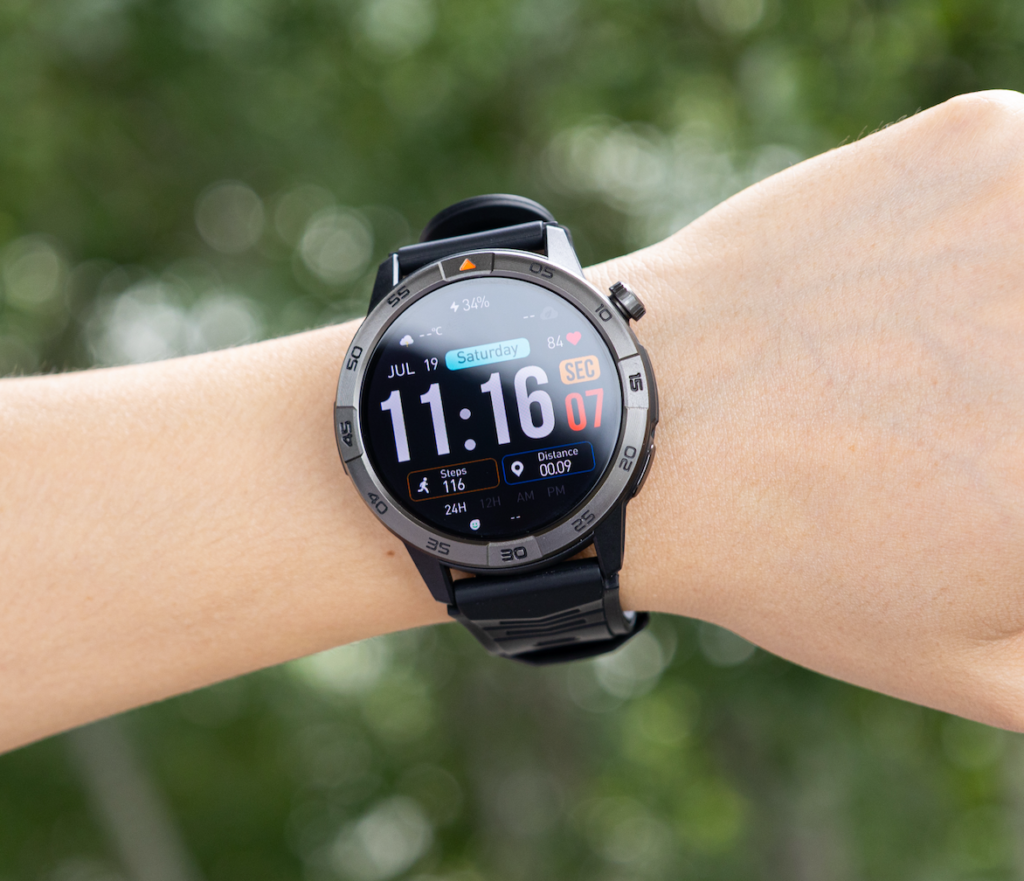
Normal days should remain visually quiet. The test needs detail when something changes, not a long story about every ordinary afternoon.
Leave Normal Days Quiet and Record Only What Changed
A Deviation Ticket documents any departure from the frozen configuration. An Exceptional Load Card records unusual demand that occurs while the setup itself remains intact.
Those records solve different problems.
Use a Deviation Ticket for Configuration Changes
Record:
- Date and time
- What changed
- Why it changed
- How long the change lasted
- Functions affected
- Whether the frozen setup returned
- Effect on test validity
An accidental display change, lost phone connection, sensor reset, or altered alert setting belongs here.
Use an Exceptional Load Card for Unusual Work
Record:
- Type of demand
- Duration or count
- Whether it was planned
- Evidence available
- Difference from the normal range
- Likely effect on interpretation
An extended GPS session, unusually high call volume, or heavy alert day may shorten the run. Honest documentation preserves the evidence; hiding the event weakens it.
| Event | Setup changed? | Workload changed? | Correct record |
|---|---|---|---|
| Longer GPS session | No | Yes | Exceptional Load Card |
| Brightness manually reduced | Yes | Possibly | Deviation Ticket and integrity review |
| More alerts than expected | No | Yes | Exceptional Load Card |
| Battery saver enabled mid-run | Yes | Yes | Mid-Test Tuning flag |
| Brief charging-dock contact | Energy added | Not relevant | First-Recharge Stop Stamp |
Record Exceptional Loads Across a Real U.S. Month
No realistic American month contains thirty identical days. Workweeks, weekends, weather, travel, calls, errands, and software events can change demand. The protocol should expose those variations rather than pretending they never occurred.
For the hypothetical Ann Arbor inventory coordinator, exceptional events might include a longer campus walking day, more work alerts than usual, an unplanned GPS session, a weekend outside the city, colder outdoor exposure, or a software update prompt.
The example does not represent a real university, laboratory, inventory system, route, weather record, employer policy, or completed test.
An Unusual GPS Day
Keep the declared GPS settings and record the longer session. Do not disable later functions to compensate for the energy use.
The session may explain a steeper decline without invalidating the whole test. It becomes a limitation attached to the result.
A Heavy Alert or Calling Day
Log the higher count or duration. Silencing required notifications after the fact would create Mid-Test Tuning, while preserving the workload keeps the evidence honest.
A Software Update During the Run
Record the date, version change, downtime, charging requirement, and any settings that changed. A major update may turn the final verdict into a Conditional Month Result because the software state no longer matches Day Zero.
A Change in Outdoor Conditions
Temperature and display behavior may influence the experience, but the tester should not invent a precise effect without product-specific evidence. Record the condition and keep it beside the result.
Apply Five Integrity Stamps Without Repairing the Result
The Frozen-Setup Month Protocol uses five integrity marks. They show where the evidence chain weakened and prevent a favorable headline from hiding the breach.
Mid-Test Tuning
This mark appears when the tester changes brightness, wake behavior, alerts, sensors, connections, GPS plans, or battery mode because the remaining percentage looks unfavorable.
A planned setting rule can remain valid. An improvised endurance rescue cannot.
Invisible Top-Up
Any unrecorded external power creates this breach. The problem is not the length of the charge. The problem is continuing the uninterrupted count afterward.
Usage Drift
Workload gradually moves away from the Required-Function Roster without clear records. The tester may interact less, skip scheduled activities, or stop using a declared function while still describing the run as unchanged.
Missing Deviation Record
An unusual event occurred, but the notes do not identify what changed, when it happened, or how long it lasted. The missing detail limits interpretation.
Finish-Line Extension
The tester adds extra hours after Day 30, changes the recharge threshold, ignores a required-function failure, or removes setup time after seeing the result.
| Integrity breach | What changed | Can observation continue? | Likely verdict effect |
|---|---|---|---|
| Mid-Test Tuning | Frozen setup | Yes, but control is broken | Conditional or invalid |
| Invisible Top-Up | Energy input | A new run may begin | Invalid if concealed |
| Usage Drift | Declared workload | Depends on documentation | Conditional |
| Missing Deviation Record | Evidence chain | Yes, with reduced confidence | Conditional or invalid |
| Finish-Line Extension | Predefined endpoint | No | Invalid |
Stop the First Run at the First Recharge
The moment external power reaches the watch, the primary uninterrupted run ends. Close the calendar rather than continuing toward a preferred number.
Use this stop sequence:
- Record the final pre-recharge battery state.
- Confirm which required functions remained available.
- Mark the exact date and time.
- Record why charging became necessary.
- Apply the First-Recharge Stop Stamp.
- Close the uninterrupted count.
- Preserve the setup and deviation records for analysis.
The test may end on Day 12, Day 24, Day 30, or another point. A valid shorter result still answers the protocol question. It shows how long that frozen function set lasted before the first recharge.
A clean early stop offers stronger evidence than a calendar stretched through hidden power, feature removal, or changing rules.
Publish the Evidence Sheet for American Readers
“It lasted 30 days” does not give U.S. consumers enough information to interpret the result. Publish the conditions beside the duration.

The Result Condition Sheet should include:
- Exact model and variant
- Firmware or software version
- Paired phone state
- Start and stop times
- Starting battery rule
- Battery mode
- Display setup
- Connection state
- Alert pattern
- Call use
- GPS schedule
- Sensor schedule
- Overnight roles
- Required-Function Roster
- Recharge definition
- Deviation Tickets
- Exceptional Load Cards
- First-recharge point
- Final verdict
Do not publish only a screenshot, calendar, or battery percentage. Those items show states, not the full conditions behind them.
This controlled protocol also differs from a qualitative ownership review. Readers comparing the experience of living with a month-long watch can compare a controlled result with a qualitative month review.
One Ann Arbor-based protocol cannot represent every American phone, climate, network, work schedule, software version, or individual device. The conclusion should remain attached to the recorded setup.
Repeat the Protocol Without Changing the Story
Running the watch again does not automatically create a repeat test. Repeatability requires the same Configuration Fingerprint.
A direct repeat should retain:
- Same watch model and variant
- Same software version when possible
- Same phone and pairing state
- Same operating mode
- Same display behavior
- Same alert structure
- Same Required-Function Roster
- Same recharge threshold
- Same daily recording time
- Same deviation rules
When the tester intentionally changes brightness, mode, GPS use, notification volume, or another major condition, the new run needs a revised protocol number. It should not overwrite the first result.
Article 255 establishes whether the protocol can be repeated. A separate question asks whether performance remains stable over many charging cycles. Readers investigating that issue can check whether the result stays stable across repeated cycles.
Stamp the Frozen-Setup Month Result
Protocol-Supported 30 Days
Use this verdict when the watch reaches the fixed Day-30 endpoint without recharging, the setup remains frozen, every required function stays available, and all deviations receive adequate records.
The result supports the declared conditions—not universal 30-day performance.
Conditional Month Result
This verdict applies when the watch reaches Day 30 but a documented software change, exceptional load, limited configuration deviation, or evidence gap affects interpretation.
The condition must remain attached whenever the result appears.
Early-Recharge Result
Use this outcome when the protocol remains valid but the first recharge occurs before Day 30. Report the actual interval and preserve the evidence chain.
This verdict does not represent a failed protocol. It represents a controlled result shorter than the target month.
Invalid Test
Apply this verdict when Mid-Test Tuning, a hidden top-up, undocumented usage drift, missing deviation records, or a moved finish line prevents a defensible conclusion.
| Verdict | Setup frozen? | Recharge before Day 30? | Deviations documented? | Evidence value |
|---|---|---|---|---|
| Protocol-Supported 30 Days | Yes | No | Yes | Strong for the declared conditions |
| Conditional Month Result | Mostly | No | Yes | Useful with stated limitations |
| Early-Recharge Result | Yes | Yes | Yes | Valid shorter interval |
| Invalid Test | No or uncertain | Hidden or unclear | No | Cannot support the conclusion |
Questions From a U.S. Test Bench
Does a Five-Minute Top-Up End the Test?
Yes. Any external charging ends the first uninterrupted run. A partial-charge study requires a separate protocol declared before it starts.
Can the 30-Day Test Be Repeated?
Yes. Reuse the same Configuration Fingerprint, Required-Function Roster, recharge boundary, and recording method. Label any planned setup change as a new protocol version.
What if One Day Includes Unusual GPS Use?
Record it as an Exceptional Load. A documented demanding day does not automatically invalidate the run when the frozen setup remains intact.
Should Battery Saver Be Enabled From Day One?
It may be, but the tester must select it before the run and keep it fixed. Current official documentation should confirm which functions the mode changes.
Before using a reduced mode, verify what the selected long-battery mode changes.
What if Battery Saver Removes a Required Function?
The selected mode cannot support that test question. Choose another Day-Zero setup or revise the question before starting.
Can the Tester Change Brightness Outdoors?
Only when the protocol predefines automatic brightness or another repeatable rule. An unplanned manual change needs a Deviation Ticket.
What if the Watch Updates During the Month?
Record the version change, charging requirement, downtime, and altered settings. A major update may produce a Conditional Month Result.
Does Reaching Day 30 Prove Every Watch Will Do the Same?
No. The test supports one recorded device state, setup, workload, environment, phone relationship, and software version.
Day 30 Is Earned on Day Zero
Return to the rejected field note. Stopping that unprepared test created the first trustworthy piece of evidence.
The Frozen-Setup Month Protocol succeeds because the Configuration Fingerprint, Required-Function Roster, Recharge Boundary Seal, deviation rules, and Day-30 endpoint exist before the first timed percentage enters the calendar.
A 30-day result becomes defensible only when the setup stays frozen, every exception stays visible, and the first recharge ends the count.
Identify the device, lock the workload, define external power as the first-run endpoint, and prepare the deviation records before Day One. Use that completed setup to compare this watch with your frozen month protocol rather than changing the test whenever the battery curve stops supporting the desired result.