
One cooking alarm sounds, the prep-room music becomes too loud, and a produce supplier calls while both of the owner’s hands are occupied. Only one of those interruptions may require speaking through the watch.
For an Orlando meal-prep business owner, the best smartwatch for hands free convenience is not automatically the model with the largest calling screen. It is the watch that removes the most repeated friction with the least touching, looking, and interruption.
That may mean noticing an alarm, pausing music, or identifying a delivery caller before deciding whether to stop working. A brief wrist call can help, but calling is only one part of low-touch convenience.
The better buying question is:
Which smartwatch tasks remain useful when the owner’s hands are occupied, eyes are busy, privacy matters, and the paired phone is not immediately accessible?
Define Hands-Free Convenience for an Orlando Meal-Prep Business
“Hands-free” is often used too broadly.
A smartwatch may reduce phone handling without completing every task through voice alone. Buyers should separate fully hands-free actions from low-touch actions and attention-heavy interactions.
Fully hands-free requires no physical interaction
A task is fully hands-free when the user can complete it without touching either the watch or phone.
Depending on the exact device and connected phone, possible examples may include:
- Starting a supported function with a voice command
- Hearing an automatic announcement
- Giving a short spoken response
- Using a compatible voice assistant
These capabilities must be verified before purchase. Voice support can vary by watch model, phone operating system, internet connection, permissions, language, and region.
A buyer should not assume that Bluetooth calling automatically includes a full voice assistant.
Low-touch requires one brief action
Low-touch convenience is the more realistic category for this Orlando business owner.
Examples include:
- Dismissing an alarm
- Pausing music
- Checking a caller’s name
- Rejecting a nonurgent call
- Reading a short delivery alert
- Answering a brief supplier call
The owner still needs a safe stopping point and a clean hand before touching the watch. The benefit is that one short wrist interaction may replace retrieving, unlocking, and navigating the phone.
Attention-heavy tasks do not qualify
Some watch functions may be technically possible but still demand too much attention.
Examples include:
- Reading a long supplier message
- Entering several order quantities
- Reviewing a delivery route
- Handling a customer complaint
- Taking notes during a call
- Scrolling through detailed instructions
Those tasks should move to the phone or wait until the owner reaches a suitable pause.
Readers comparing broader utility can compare practical smartwatch functions beyond a single headline feature before treating one advertised capability as the complete buying decision.
How to Choose the Best Smartwatch for Hands Free Convenience
A useful comparison needs more than a list of supported features.
Score each task against five sources of friction:
| Matrix factor | Buying question |
|---|---|
| Hands occupied | Can the task be completed with no touch or one brief touch? |
| Eyes occupied | Is a quick glance enough, or must the user read carefully? |
| Privacy required | Could a speaker or visible message expose business information? |
| Safety risk | Can the user interact only after reaching a safe pause? |
| Phone proximity | Does the paired phone need to remain nearby and connected? |
Use a simple 0–2 burden score.
| Score | Meaning |
|---|---|
| 0 | Little or no burden |
| 1 | Some attention or one deliberate action |
| 2 | Repeated interaction, privacy concern, or substantial attention |
A total of 0–3 suggests a strong convenience candidate. A score of 4–6 means the task may still be useful after a safe pause. A result of 7–10 indicates that the watch does not remove enough friction to support the hands-free claim.
This is a practical comparison tool, not a scientific measurement. Its value comes from scoring every task by the same standards.
Score Alarms and Timers During a Florida Prep Session
Timing may provide more daily value than wrist calling.
A meal-prep owner may be managing several cooking stages while handling ingredients, checking packaging, and coordinating the next batch. A noticeable wrist alert can reduce the need to keep the phone beside the food-preparation surface.
Confirm which timing tools are actually supported
The smartwatch’s known feature set includes alarms. Dedicated countdown-timer behavior should be confirmed before purchase.
A buyer should check whether the watch supports:
- Countdown timers
- Multiple simultaneous timers
- Timer labels
- Independent timer operation
- Voice-created timers
- Easy dismiss or snooze controls
Do not treat “alarm” and “timer” as interchangeable product claims.
Compare how clearly the alert communicates
A useful timing function should answer three questions quickly:
- Which stage needs attention?
- Is the alert noticeable?
- Can it be dismissed without opening several menus?
The Orlando owner should compare:
- Vibration strength
- Screen readability
- Alarm labels
- Number of taps
- Snooze behavior
- Whether the phone is required
An alert that cannot identify the relevant cooking stage may create more confusion than convenience.
Example timing score
| Factor | Score | Reason |
|---|---|---|
| Hands occupied | 1 | One brief dismissal may be required |
| Eyes occupied | 1 | A short glance identifies the alert |
| Privacy required | 0 | No sensitive information |
| Safety risk | 1 | The owner must pause safely |
| Phone proximity | 0–1 | Depends on the exact implementation |
| Total | 3–4 | Strong or useful low-touch candidate |
The watch may help the owner notice a stage change. It does not verify cooking completion, food temperature, sanitation, or compliance with food-service requirements.
Evaluate Music and Audio Controls Without Reaching for the Phone
Music controls can remove a small but repeated source of friction.
The owner may need to pause background audio when a supplier arrives, lower the volume before speaking with a courier, or skip a distracting track. A clear wrist control may be faster than walking to the phone.
Count the actions required
Compare whether the watch allows the user to:
- Play or pause audio
- Skip a track
- Return to a previous track
- Adjust volume
- Identify the current audio source
- Resume playback after a call
The feature loses value when it requires several swipes or a deep menu.
Keep the task narrow
The goal is not to browse music from the wrist.
The useful Orlando examples are brief:
- Pause music
- Lower volume
- Skip one track
- Resume audio
These actions can reduce phone handling without creating an attention-heavy interaction.
Example audio-control score
| Factor | Score | Reason |
|---|---|---|
| Hands occupied | 1 | One tap |
| Eyes occupied | 1 | Brief glance |
| Privacy required | 0 | No business information exposed |
| Safety risk | 1 | The preparation action must pause |
| Phone proximity | 1 | Paired-phone audio is commonly involved |
| Total | 4 | Useful low-touch task |
Buyers should verify whether controls work with the intended phone, earbuds, speaker, and music app.
They can also review how smartwatch audio and Bluetooth communication work together before assuming that every connected audio setup behaves the same way.
Screen Supplier and Delivery Calls Before Answering
Caller screening may be more useful than taking the call.
When the watch vibrates, the immediate decision is often not “Can I talk through my wrist?” It is:
Does this caller justify stopping the current task?
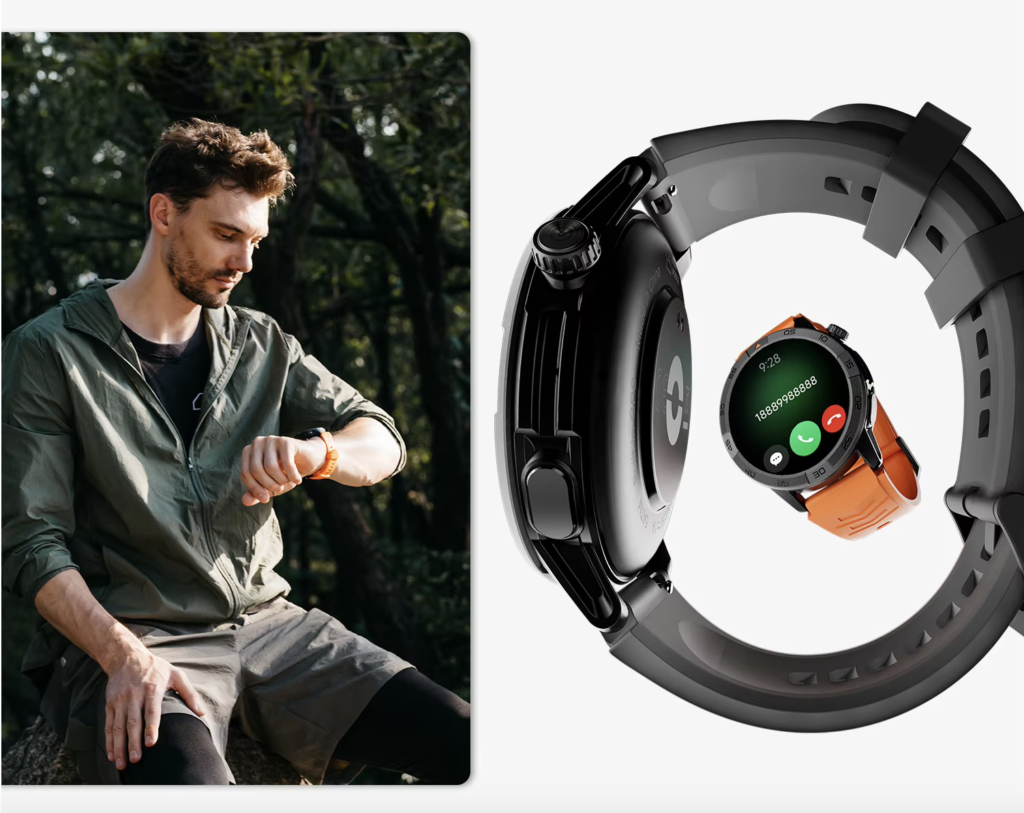
Use the caller screen as a decision tool
The Orlando owner may need to identify:
- The produce supplier
- A delivery driver
- A packaging vendor
- An expected client
- An unknown or low-priority caller
Seeing the contact name may be enough to accept, reject, or delay the conversation.
Compare identification clarity
Before buying, evaluate:
- Contact-name visibility
- Number visibility
- Screen legibility
- Vibration noticeability
- Answer and reject controls
- Missed-call information
- Number of required taps
A crowded interface increases visual demand and weakens the convenience benefit.
Example caller-screening score
| Factor | Score | Reason |
|---|---|---|
| Hands occupied | 0–1 | A glance or one reject action |
| Eyes occupied | 1 | Brief identification |
| Privacy required | 1 | Caller identity may be visible |
| Safety risk | 1 | The owner should pause first |
| Phone proximity | 1 | Paired phone is required |
| Total | 4–5 | Useful communication-decision task |
Caller screening reduces uncertainty without forcing a full conversation.
Buyers should understand how phone-assisted Bluetooth calls depend on the paired phone because the watch does not provide independent LTE calling.
Keep Brief Bluetooth Calls as One Matrix Row
Bluetooth calling can help during a meal-prep session, but it should not automatically rank first.
The paired phone must remain nearby and connected. Privacy, noise, call length, and the need for note-taking also affect whether a wrist call is genuinely convenient.
Define a brief call
Suitable examples include:
- “Use the east entrance.”
- “I will call back in ten minutes.”
- “Is the delivery urgent?”
- “Please text the revised quantity.”
- “The order will be ready at noon.”
Each exchange communicates one decision and ends quickly.
Move detailed business conversations off the wrist
Use the phone or a private area when the call involves:
- Several order quantities
- Pricing
- Customer information
- A supplier dispute
- Note-taking
- Employee matters
- Detailed delivery instructions
The watch should screen or shorten the interruption, not turn every business call into speakerphone audio.
Example brief-call score
| Factor | Score | Reason |
|---|---|---|
| Hands occupied | 1 | Answer control is required |
| Eyes occupied | 1 | Caller must be checked |
| Privacy required | 1–2 | Speaker audio may expose information |
| Safety risk | 1 | Food preparation must pause |
| Phone proximity | 1 | Nearby paired phone required |
| Total | 5–6 | Useful but conditional |
This score may place brief calling below alarms, music pause, and caller screening.
That is the key difference between choosing a calling watch and choosing a watch for broader hands-free convenience.
Evaluate Delivery and Supplier Alerts by Message Length
A short notification can support low-touch awareness.
A detailed message usually cannot.
Strong low-touch alerts
Examples include:
- “Courier arriving in five minutes”
- “Supplier delayed”
- “Delivery moved to rear entrance”
- “Pickup time changed”
- “Order approved”
These alerts may tell the owner whether the current schedule needs adjustment.
Weak low-touch alerts
Examples include:
- A long order revision
- Several substituted ingredients
- Detailed customer instructions
- A message requiring a written reply
- A delivery route that must be studied
A watch may display those messages, but displaying them does not make them convenient.
Score awareness separately from resolution
A short alert may score well because it provides awareness with one glance.
Resolving the issue may still require:
- The phone
- A private conversation
- Written notes
- A longer pause
- Access to business records
The matrix should score the action the watch completes, not the larger problem it merely introduces.
Review Phone Finding, Voice Tools, and Shortcuts Conditionally
These features can add value, but only when the exact implementation is verified.
Phone finding
A phone-finding feature may help when the paired phone has been placed on a shelf, office desk, or charging station away from the preparation surface.
Check:
- Whether the function is supported
- Required Bluetooth range
- Whether the phone must remain connected
- Whether it works when the phone is muted
- Differences between iPhone and Android
Do not assume that every connected watch includes this tool.
Voice control
Voice tools may depend on:
- A compatible assistant
- Internet access
- Phone proximity
- App permissions
- Language support
- Regional availability
- The specific command
A buyer asking whether voice control needs internet access should expect a conditional answer. Some commands may be processed differently from others.
Physical shortcuts
A customizable button may reduce menu navigation when it can be assigned to a useful task.
Before relying on it, verify:
- Whether customization is supported
- Which functions can be assigned
- Whether short and long presses behave differently
- Whether the shortcut opens the watch function directly
- Whether the phone is still required
A shortcut offers limited convenience when it only opens an app that requires several more steps.
Apply a Safety Boundary Around Heat, Knives, and Equipment
A smartwatch can reduce phone handling. It cannot make every moment suitable for wrist interaction.
Avoid interaction during immediate hazards
The Orlando owner should not look at or touch the watch while:
- Using a knife
- Carrying hot cookware
- Handling boiling liquids
- Operating powered equipment
- Moving heavy containers
- Cleaning with workplace chemicals
- Performing a task requiring full visual attention
Even a one-tap action must wait when the active task is unsafe to interrupt.
Use a safe interaction sequence
The proper sequence is:
- Stop the active food-preparation action.
- Place the utensil, cookware, or container safely.
- Complete any required glove or hand procedure.
- Check the watch briefly.
- Return to the task.
A low matrix score never overrides immediate safety.
Keep hygiene separate from water resistance
A water-resistance rating does not prove that the watch:
- Meets food-service sanitation requirements
- Can be worn during every preparation task
- Resists every commercial cleaner
- Can be washed using workplace procedures
- Is permitted by every employer or local rule
The owner should follow workplace practices and the manufacturer’s cleaning instructions.
Protect business privacy
Visible notifications and speaker calls may expose:
- Customer names
- Delivery addresses
- Pricing
- Order quantities
- Supplier terms
- Employee information
Sensitive communication should move away from shared preparation areas.
Buying Considerations for American Small-Business Owners
The strongest choice is not necessarily the watch with the longest list of advertised functions.
The buyer should first identify the three tasks that matter most.
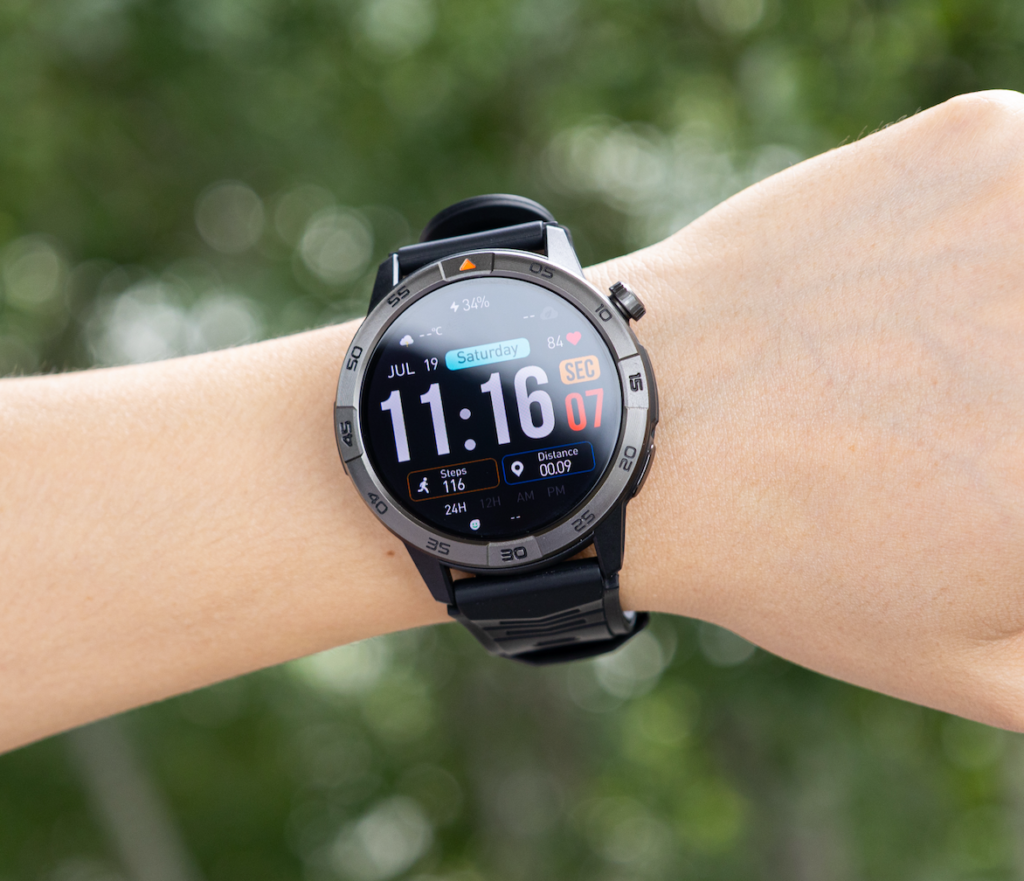
Choose three priorities before comparing models
For the Orlando owner, the likely priorities are:
- Notice and dismiss a timing alert
- Pause or adjust audio
- Screen a supplier or delivery call
A brief Bluetooth call may rank fourth because it occurs less often and creates more privacy and attention concerns.
Verify the exact phone pairing
The watch should be tested with the buyer’s actual iPhone or Android phone.
Compare:
- Notification delivery
- Bluetooth calling
- Contact display
- Music controls
- Background connection
- Companion-app permissions
- Reconnection behavior
- Software-update support
Compatibility in a product description does not guarantee identical behavior across every phone.
Compare interaction speed
A feature may exist but remain inconvenient.
Evaluate:
- Number of taps
- Menu depth
- Screen readability
- Button accessibility
- Response delay
- Whether gloves affect use
- Whether the screen wakes reliably
The best low-touch feature is easy to recognize and complete.
Consider total U.S. ownership value
American buyers should balance convenience against:
- Price in USD
- Warranty support
- Replacement-charger availability
- Strap replacement
- Companion-app quality
- Display visibility
- Comfort
- Battery endurance
- Phone compatibility
- Verified low-touch functions
Battery life supports the buying decision because the watch must remain available through the work session. It should not replace the central task question.
Readers can see how connected convenience can reduce repeated phone checks during a busy day while still evaluating alarms, audio, caller screening, and safety separately.
Choose the Three Tasks That Remove the Most Friction
The matrix should produce a ranked buying result.
For the Orlando meal-prep owner, an illustrative ranking may be:
| Rank | Task | Why it earns the position |
|---|---|---|
| 1 | Notice and dismiss an alarm | Repeated timing value with little privacy concern |
| 2 | Pause or lower audio | Reduces unnecessary phone handling |
| 3 | Screen a supplier or courier call | Helps decide whether work must stop |
| 4 | Take a brief Bluetooth call | Useful occasionally but requires a safe pause |
| 5 | Read a detailed delivery message | Demands too much visual attention |
The order may change when the buyer’s routine changes.
A watch deserves consideration when it performs the three highest-value tasks:
- Clearly
- Reliably
- With few interactions
- Without demanding unsafe attention
- With acceptable phone dependence
A large calling interface cannot compensate for confusing alarms, poor caller visibility, or audio controls hidden behind several menus when those functions occur more frequently.
Questions U.S. Buyers Ask About Hands-Free Smartwatch Use
Is a smartwatch ever completely hands-free?
Some functions may support voice commands or automatic actions, but many tasks remain low-touch rather than fully hands-free. Exact behavior depends on the watch, paired phone, permissions, connection, and supported assistant.
Which smartwatch tasks may require only one brief touch?
Common examples include dismissing an alarm, pausing music, rejecting a call, or opening a short notification. The exact number of actions depends on the watch interface.
Can alarms or timers work without opening the phone?
Many watches provide alarms, but dedicated timer behavior varies. Verify whether the exact model supports countdown timers, multiple timers, labels, and independent operation.
Can music be controlled from the wrist during food preparation?
A watch may control paired-phone audio, but the owner should first pause the preparation task and follow appropriate hand or glove procedures before touching the device.
Does voice control require internet access?
It depends on the assistant, command, watch, phone, permissions, and software. Buyers should verify the exact setup rather than assuming every voice function works offline.
Which interactions remain unsafe while the user is occupied?
Avoid watch interaction while using knives, handling heat or boiling liquids, operating powered equipment, carrying heavy items, or performing any task requiring full attention.
Buy for Three Low-Touch Tasks, Not One Calling Feature
Highest-value tasks for the Orlando owner: notice a cooking-stage alarm, pause audio, and screen a supplier call.
Brief wrist calling ranks fourth because it helps occasionally, while the first three tasks remove friction repeatedly.
The best smartwatch for hands free convenience is the one that performs those priority actions clearly and reliably—not merely the one that places a call on the wrist.
Before comparing models, choose:
- One timing task
- One audio or alert task
- One communication-decision task
Score each for hand use, visual demand, privacy, safety, and phone dependence. Remove any watch that cannot complete those three tasks with a safe, brief interaction.