
The charging cable is in a locker in Anchorage. The airport operations dispatcher has already passed the secure-area checkpoint, and the shift is still moving. A delayed handoff, weather disruption, or staffing issue could extend the work window well beyond the planned end.
That is the problem a smartwatch for long shifts without charging has to solve. The question is not simply whether a watch can last through a scheduled shift. It is whether it can remain useful from the last dependable outlet, through restricted-area work, through a possible extension, through the commute home, and until there is still enough reserve for essential personal awareness.
Generic battery advice often assumes a worker can top up during a break. That assumption breaks down when the charger is inaccessible, the outlet is unreliable, or leaving the work area is not practical. In that situation, battery planning is less about finding a charging break and more about protecting a reserve before the shift begins.
The outlet-free rule: Plan from the last reliable outlet to the next reliable outlet—not from clock-in to clock-out.
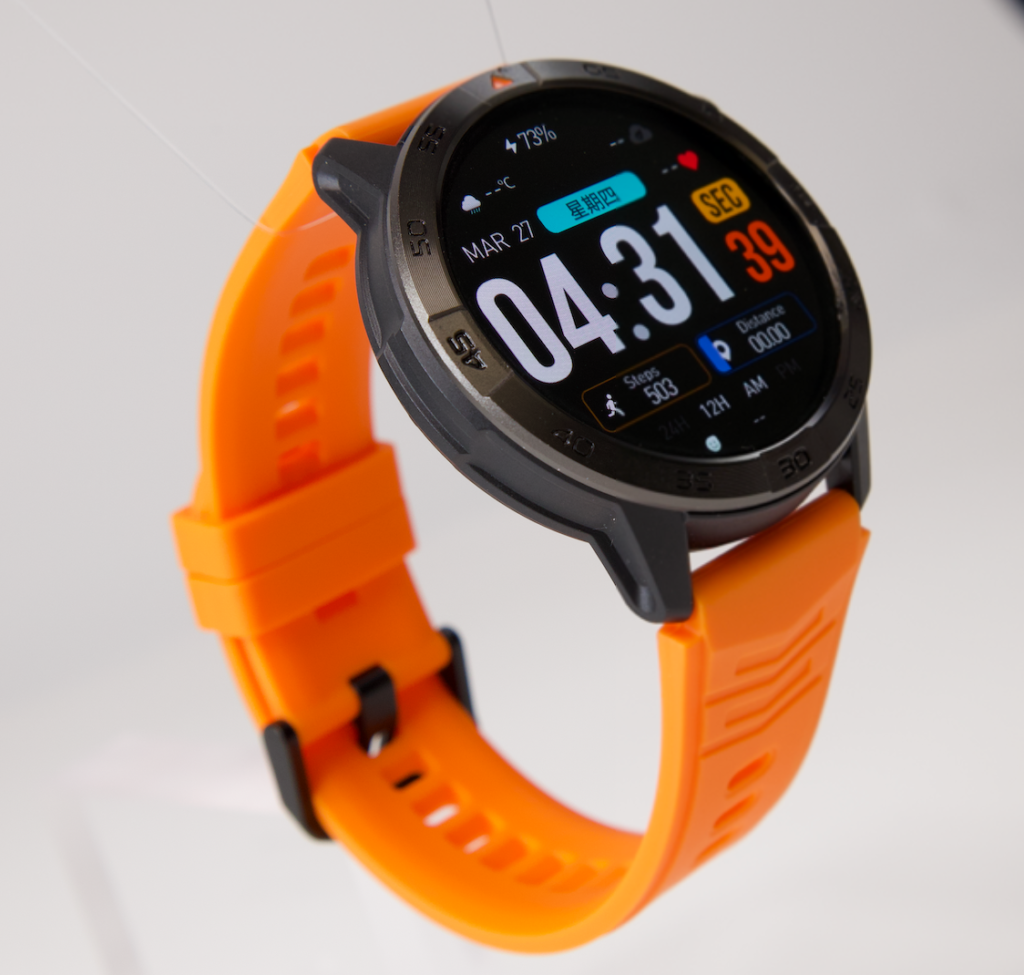
A Smartwatch for Long Shifts Without Charging Starts at the Last Reliable Outlet
For this Anchorage dispatcher, the battery window does not begin when the shift officially starts. It begins when the watch leaves its last dependable charging point.
That may be a locker, employee parking area, break room, or home. Once the employee enters a secure terminal-operations area, a cable sitting in a locker is no longer part of the plan. It is only a future option.
A dependable outlet is one the worker can realistically reach and use. It is not:
- A shared outlet that may already be occupied
- A charging point outside a restricted area
- A break-room plug that is too far away to use during the actual workload
- A cable that is available only after the shift ends
- A vehicle charger that does not help until the commute begins
The planning window should include every hour between the last reliable charge and the next realistic opportunity to recharge.
Make an Outlet-Free Window Card
Before changing settings, write down five points:
| Planning point | What to record |
|---|---|
| Last reliable charge | When and where the watch can actually be charged before work |
| Secure-area entry | When personal charging access becomes uncertain |
| Scheduled shift end | The normal end of the work assignment |
| Extension margin | Extra time that could reasonably be added |
| Next reliable outlet | Home, vehicle, locker, or another place that can truly be reached |
This simple card prevents a common mistake: treating the scheduled shift as the entire battery target. For many U.S. workers, it is only the first layer.
Build the Essential Function Stack Before the Checkpoint
An outlet-free plan works only when the watch is carrying the right functions. Not every feature deserves battery during a restricted-area shift.
Start by sorting functions into three groups.
Keep Essential Work Awareness Active
This is the smallest group. It may include:
- Time checks
- Alarms
- Calendar prompts
- A tightly filtered priority-notification route
- Any approved reminder that helps the worker track a personal obligation around the shift
The watch should support awareness, not replace airport dispatch systems, radios, employer procedures, or operational communication channels.
Keep Personal Continuity Narrow
The second group is for life outside the immediate work task:
- Priority family-contact awareness
- A reminder connected to the commute home
- A limited notification path that can wait for an approved break
- Phone-connected calling only when the paired phone is nearby, workplace policy allows it, and the worker is in a suitable location
This is not a reason to keep every message active. It is a reason to decide which personal signals genuinely matter before the employee enters the secure area.
Remove What Does Not Protect the Reserve
The third group should be limited or switched off for the shift:
- Duplicate app notifications
- Social alerts
- Promotional messages
- Repeated screen wake-ups
- Optional functions that do not serve the work window
- Alerts that can be reviewed after the secure-area shift ends
The aim is not to strip the watch down until it becomes useless. The aim is to protect the few functions that matter most. Separate practical all-shift needs from features that can wait before relying on the battery estimate.
Protect Four Reserve Layers, Not One Battery Guess
A battery percentage by itself does not explain whether the watch will remain useful. The more useful question is: What must that remaining charge still cover?
Build the plan around four reserve layers.
Layer One: The Required Work Window
This is the scheduled secure-area shift. It is the minimum target, not the full target.
A watch that reaches low charge exactly at the planned end may look acceptable on paper. It is not necessarily a comfortable setup for a dispatcher who has not reached the locker, parking area, commute connection, or home charger.
Layer Two: The Extension Margin
A normal shift can change. A delayed handoff, staffing gap, operational issue, or late task can add time before the worker can leave the restricted area.
The extension margin is not a prediction that every shift will run late. It is the amount of uncertainty the watch must absorb without forcing the wearer to start disabling needed functions mid-shift.
Layer Three: Commute-Home Coverage
The workday does not end the moment the assignment ends.
The dispatcher may still need to walk to parking, wait for a pickup, travel through Anchorage traffic, take transit, or arrive home before reaching a dependable outlet. A battery plan that ignores the commute creates a gap between “shift completed” and “watch safely recharged.”
Layer Four: Emergency Communication Reserve
The final layer is not about treating the watch as a standalone emergency device. Bluetooth calling depends on the paired phone remaining nearby and connected.
Instead, this reserve protects basic personal awareness: the time, alarms, a limited priority alert path, and the ability to see that something important needs attention after work. It is the buffer that stops nonessential use earlier in the day from consuming the last useful portion of the battery.
| Reserve layer | What it protects | What weakens it |
|---|---|---|
| Required work window | Scheduled secure-area shift | Unnecessary alerts and repeated screen use |
| Extension margin | Unplanned added work time | Planning only for the official schedule |
| Commute-home coverage | Time between leaving work and reaching a charger | Transit delays, parking, weather, errands |
| Emergency communication reserve | Final essential personal awareness | Treating every feature as essential |
The value of this structure is that it turns “Will my watch last?” into a more useful decision: “Which layer would fail first if the shift runs longer than planned?”
Find the First Failure Point Before It Finds You
The first failure point is rarely battery at zero.
It is usually the moment when the wearer starts feeling forced to compromise: disabling a reminder that matters, worrying about the commute reserve, checking for an outlet that cannot be reached, or deciding the watch is too low to remain useful.

For an outlet-free shift, identify that point before the checkpoint.
Ask these questions before work:
- Does the current charge cover all four reserve layers?
- Which active setting would be the first one to remove if the reserve became thin?
- Is the extension margin realistic for this role?
- Does the commute still have coverage after the planned shift?
- Is there any genuine charging opportunity before the worker gets home?
This also separates a planning problem from a battery problem. A watch may be functioning normally but still be set up for more alerts and screen use than the outlet-free window can support.
On the other hand, a watch that suddenly drains much faster than it did during the same routine may need investigation. Check for a changed battery pattern before blaming the usual workday load rather than treating every decline as normal.
Run an Anchorage Secure-Area Dry Run Before Depending on It
Do not wait for a difficult shift to discover that the reserve is too narrow.
Run one controlled test before relying on the watch during a long outlet-free day.
- Charge the watch to the level you would normally have before leaving the locker.
- Turn on only the essential function stack.
- Follow a comparable workday, or recreate the same length of time away from a charger.
- Check the battery at the scheduled shift end.
- Check it again after an extension-sized margin.
- Check it at the expected commute endpoint.
- Decide whether the remaining reserve still feels comfortable.
The goal is not to create a universal battery formula. Different settings, notifications, screen behavior, and phone connections can change real-world use. The dry run answers one personal question: Does this setup cover my full outlet-free window?
Make one adjustment at a time. Remove duplicate notifications before cutting functions that genuinely matter. Reduce unnecessary wake-ups before assuming every useful setting must be disabled. Then repeat the same test window.
Compare long-shift battery choices after testing a real no-charger work window rather than judging a watch only by a broad advertised battery claim.
Choose a Setup That Covers the Whole Outlet-Free Window
A smartwatch fits this situation when it can support the essential stack through the required shift, extension margin, commute, and final reserve without relying on an outlet that may not be available.
That does not require every optional function to stay active. It requires an honest choice about what the worker needs before the checkpoint.
For U.S. airport employees considering a watch for this type of routine, look beyond maximum claimed battery days. Focus on:
- Notification controls that allow unnecessary alerts to be removed
- Alarm and calendar tools that support personal time awareness
- Clear display readability for quick checks
- Compatibility with the phone already used outside work
- A battery setup that can be tested during a real return-period window
- A comfortable fit for long hours without constant adjustments
Battery capacity matters, but so does the ability to control what consumes it. Understand why battery performance matters when a workday cannot include a top-up before deciding which features should remain active.
Leave the Locker With a Reserve, Not a Hope
The cable can stay in the locker. What matters is the decision made before the secure-area checkpoint.
A smartwatch for long shifts without charging should be measured against the entire outlet-free window: required work time, possible extension, commute home, and a final reserve for essential awareness. The scheduled shift is only one part of that picture.
Before the next long day, write down your last reliable outlet and your next dependable charging point. Add the expected shift, a realistic extension margin, the commute, and the minimum reserve you do not want to lose. Then remove or defer anything that threatens those layers without adding real value.
After you have calculated that window, inspect the controls built for an outlet-free shift reserve and decide whether the battery, notifications, alarms, calendar tools, display, and phone-connected features fit the workday you need to cover.
Questions to Settle Before the Checkpoint
How do I plan smartwatch battery life when there is no charger at work?
Start at the last dependable outlet, then include the scheduled shift, a realistic extension margin, the commute home, and a final emergency communication reserve. Do not assume a break-time charger will be available.
Should I expect to charge my smartwatch during a long shift?
Only if that charging point is genuinely reachable and dependable. When access is uncertain, build the plan around the full period without a charger.
What should stay active during an outlet-free work shift?
Keep only essential time awareness, alarms, calendar prompts, approved priority notifications, and limited personal continuity settings. Remove duplicate or nonessential alerts first.
Does an advertised battery claim guarantee coverage for a secure-area shift?
No. Actual coverage depends on the watch’s settings, display behavior, notifications, connected-phone use, and the wearer’s complete outlet-free window.
What should I do if my watch no longer covers the same long shift?
Check for recent changes in watch settings, notification load, software, apps, or battery behavior. Compare the current setup with the last routine that worked.
Can Bluetooth calling be part of the reserve plan?
Only as a phone-connected feature when the paired phone is nearby and workplace policy allows it. Do not assume Bluetooth calling works independently when the phone is out of range.
Leave the Locker With a Reserve, Not a Hope
The charging cable can stay in the locker because the decision should already be complete before the secure-area checkpoint.
For an Anchorage airport operations dispatcher, a smartwatch for long shifts without charging is not judged by the scheduled shift alone. It must cover the required work window, a realistic extension margin, the trip home, and a final reserve for essential personal awareness.
Before the next outlet-free shift, write down the last reliable charging point and the next one you can actually reach. Add the planned shift, likely extension time, commute, and minimum reserve you do not want to lose. Then remove any nonessential setting that weakens those four layers without helping the day.
After building that reserve plan, check whether the watch controls fit your outlet-free reserve and assess its battery, notification controls, alarms, calendar tools, and display against the full work window you need to cover.