
Train arrival: 90 seconds. A transit-operations trainee has enough time to confirm one reporting location, acknowledge a schedule change, or request a later callback. Beginning a long conversation would be a mistake. For a Newark commuter, choosing a smartwatch under 150 for commuting and calls starts with that closing platform window.
Wrist calling has practical value only when a safe stationary period stays open long enough to identify the caller, answer, complete one narrow task, end the call, and return attention to the commute. Walking, boarding, driving, and other moving periods do not qualify merely because the watch can display an answer button.
Draw the route as a strip, black out every unsafe segment, and measure the stationary pockets that remain.
Draw the Newark Commute as a Countdown Strip
The route does not need a full travel diary. Record only the moments that affect whether a short wrist call can be completed safely.
A Newark transit-operations trainee might move through this sequence:
- Leave home and walk toward the station
- Pause at the station entrance
- Wait on the platform
- Ride the train
- Stop during a transfer
- Continue by rail, bus, or another commuting mode
- Pause in a safely parked vehicle when applicable
- Enter the work building
- Wait briefly in the lobby before reporting
Beside each segment, record:
- Whether the commuter is stationary
- How long the stationary period usually lasts
- Background noise
- Privacy
- Phone proximity
- The call task that might fit
The finished strip should resemble this:
HOME — MOVING ✕ — 30 SEC — MOVING ✕ — 90 SEC — MOVING ✕ — 60 SEC — MOVING ✕ — WORK
Only the open countdown pockets proceed to the call test.
Black Out Moving and Unsafe Call Periods First
A call-capable smartwatch does not make every commuting moment suitable for conversation.
Cross out periods that involve:
- Walking through a crowded station
- Crossing a street
- Using stairs or an escalator
- Boarding or leaving transit
- Standing without stable footing in a moving vehicle
- Cycling
- Driving
- Watching for route or safety changes
Mark each one:
MOVING — NO CALL TEST
Newark commuters may combine walking, rail, bus, rideshare, and driving within one trip. Readers evaluating more than one transportation mode can compare broader call conditions across commuting modes without treating active movement as an approved wrist-call window.
Removing unsafe periods before testing prevents a misleading conclusion. The question is not whether the watch can technically answer. It is whether the commuter has a stable moment in which answering is appropriate.
Use a 30-Second Window for Screening
A brief pause near a station entrance may remain open for only thirty seconds. That period rarely supports a complete conversation, but it can still make caller screening useful.

Suitable tasks include:
- Read the caller’s name
- Reject the call
- Silence the alert
- Confirm that the call is important
- Decide to return it later
Do not attempt to explain a delay, discuss a schedule problem, or begin a personal conversation. Those tasks are larger than the available pocket.
| 30-second stage | Time used |
|---|---|
| Notice the vibration | ___ seconds |
| Read caller identity | ___ seconds |
| Choose reject or defer | ___ seconds |
| Complete the control action | ___ seconds |
| Leave an exit buffer | ___ seconds |
The final buffer matters. A commuter should have time to look up, check the entrance or platform, and resume movement without still staring at the watch.
Thirty-second verdict: Screening Only
Match One Detail to a 60-Second Transfer Pause
A one-minute stationary period can support a narrow two-way exchange when the task is defined before the call begins.
Useful objectives might include:
- Confirm a meeting location
- Acknowledge a reporting-time change
- State that the wearer is in transit
- Request a callback after arrival
- Confirm one yes-or-no detail
The strongest sixty-second call begins with a sentence such as:
“I only need to confirm whether the briefing moved to the west entrance.”
An open-ended beginning such as “Let’s discuss the morning plan” can outgrow the transfer pause before the important detail is reached.
| 60-second component | Target |
|---|---|
| Caller identified | 5 seconds |
| Answer control completed | 5 seconds |
| Greeting and context | 10 seconds |
| One detail confirmed | 25 seconds |
| Call ended | 5 seconds |
| Safe exit buffer | 10 seconds |
Control speed consumes part of the window before the conversation starts. A buyer who needs to preserve more of those useful seconds can reduce the time required to answer an important call by comparing caller display, answer response, and audio connection delay.
Test a Smartwatch Under 150 for Commuting and Calls on the Platform
The platform display now reads ninety seconds.
A work call arrives with one required task: confirm the trainee’s reporting point. The available time is longer than a transfer pause, but it still has a hard ending.
A suitable ninety-second task may involve:
- Confirming one location
- Clarifying an arrival time
- Receiving one short instruction
- Resolving a simple scheduling conflict
- Requesting a later call for anything more detailed
| 90-second call component | Time used |
|---|---|
| Caller identification | ___ seconds |
| Answer and audio connection | ___ seconds |
| Short greeting | ___ seconds |
| Required detail | ___ seconds |
| Confirmation | ___ seconds |
| End-call action | ___ seconds |
| Platform-awareness buffer | ___ seconds |
The watch passes when the required detail is confirmed, the conversation ends cleanly, and the commuter’s attention returns to the platform before boarding begins.
A failure occurs when the train arrives while the wearer is still speaking, searching for the end control, moving the call to the phone, or repeating information because of background noise.
Choose a 90-second result
- Countdown Completed
- Detail Confirmed, No Margin
- Window Closed Mid-Task
- Call Should Have Been Deferred
Freeze the Countdown Before the First Spoken Word
Conversation time is not the full call duration. Several seconds disappear before either person speaks.
The pre-call delay may include:
- Noticing the vibration
- Raising the wrist
- Waiting for the screen to wake
- Reading the caller’s name
- Deciding whether to answer
- Tapping the control
- Waiting for Bluetooth audio to connect
Suppose a sixty-second pocket loses eight seconds before the alert is noticed, seven seconds while the caller is identified, and five seconds while audio connects. Only forty seconds remain for the exchange and safe exit.
| Pre-call stage | Candidate A | Candidate B |
|---|---|---|
| Alert noticed | ___ | ___ |
| Caller identified | ___ | ___ |
| Answer registered | ___ | ___ |
| Audio ready | ___ | ___ |
| First spoken word | ___ | ___ |
The better commuting result preserves more usable conversation time without making accidental answering easier.
Include the End-Call Control in the Dwell Test
Fast answering does not create a complete countdown pass when ending the call is slow or unreliable.
A suitable watch should provide:
- A visible end control
- One deliberate action to disconnect
- Prompt audio termination
- No unwanted continuation on the phone
- A quick return to the commute
The watch fails when a sleeve blocks the control, the red icon is difficult to tap, the phone becomes the only way to disconnect, or movement begins before the call ends.
For a smartwatch under 150 for commuting and calls, answer speed and end speed belong to the same task. Both consume seconds from the stationary pocket.
Put Newark Platform Noise Through the Countdown
Stationary time alone does not guarantee usable audio.
Newark platform noise may include:
- Arrival announcements
- Train braking
- Nearby conversations
- Street traffic
- Bus engines
- Wind
- Construction
The environment passes only when both people can understand the necessary detail without raised speech, multiple repetitions, or an extended conversation.
Use one notation:
- Quiet enough for one detail
- Usable with one repetition
- Too noisy for wrist audio
- Phone or later callback required
This page does not rank audio richness or premium sound. Its narrower question is whether noise allows the required task to finish before the dwell window closes.
Apply a Privacy Gate to Every Public Window
A platform can be stationary and still unsuitable for a call.
Before answering, ask:
- Can nearby commuters hear the speaker?
- Does the topic contain personal or work-sensitive details?
- Is the space crowded?
- Can the call be completed at a low volume?
- Would one short sentence reveal too much context?
Privacy-friendly exchanges include:
- “I received the update.”
- “Meet me in the lobby.”
- “Please call after nine.”
- “The reporting point is confirmed.”
Detailed personal information, workplace incidents, payment details, or long explanations should move to a more private location.
A ninety-second period becomes a rejection window when the subject is unsuitable for public audio.
Separate Parked Use From Active Driving
A parked vehicle may create a useful stationary pocket. Active driving does not.
After the vehicle is safely parked, a commuter may have better privacy, lower background noise, predictable phone range, and enough stability to handle one short confirmation.
Suitable parked tasks include:
- Confirm arrival
- Receive one location detail
- Request a later callback
- Screen an important caller
Exclude answering, dialing, or looking at the watch while driving. The call must end before the vehicle starts moving again.
Readers comparing these two conditions should separate parked use from active driving interaction rather than treating both as the same commuting situation.
Use the Building Lobby as the Final Dwell Window
The trainee reaches the work building with sixty to ninety seconds available before reporting.
This pocket may support:
- Confirming arrival
- Returning one brief family call
- Acknowledging a supervisor’s message
- Promising a longer response later
- Confirming one appointment detail
The lobby may outperform the platform because it offers lower noise, stable footing, predictable phone proximity, and no immediate boarding event.
Privacy still matters. A crowded or echoing entrance can reduce the window to screening only.
Assign One Call Task to Every Countdown Pocket
| Stationary pocket | Duration | Approved task | Rejection condition |
|---|---|---|---|
| Station entrance | 30 seconds | Identify and defer | Caller unclear |
| Transfer pause | 60 seconds | Confirm one detail | Phone required |
| Platform wait | 90 seconds | Complete one short exchange | Boarding begins |
| Safely parked car | Variable | Brief private confirmation | Vehicle begins moving |
| Building lobby | 60–90 seconds | Arrival or callback update | Privacy inadequate |
The task should become smaller as the available period shrinks. Do not force a full conversation into a pocket designed only for screening.
Once the individual windows are assigned, readers can evaluate the full commuter calling routine without changing this page into a general route guide.
Calculate Dwell-Time Call Fit
For each important call, record:
- Stationary duration
- Caller-identification time
- Answer delay
- Audio-connection delay
- Required call task
- Conversation length
- End-call time
- Exit buffer
- Whether movement resumed before completion
| Call task | Window | Completed? | Reason |
|---|---|---|---|
| Identify and reject | 30 seconds | Yes / No | __________ |
| Confirm reporting point | 60 seconds | Yes / No | __________ |
| Clarify arrival time | 90 seconds | Yes / No | __________ |
| Parked arrival call | ___ seconds | Yes / No | __________ |
The success measure is simple:
Completed call tasks inside approved stationary windows ÷ total call tasks tested
Do not add battery, GPS, health tracking, or other commuter features to this calculation. Dwell-Time Call Fit measures one thing: whether the defined call task ends before the safe pocket closes.
Recognize a Countdown Mismatch
A smartwatch may support Bluetooth calls while failing the actual Newark commute.
A mismatch appears when:
- Caller identity loads too slowly
- Audio connection consumes too much time
- Conversations regularly expand
- End controls are unreliable
- Platform noise causes repetition
- Privacy requires relocation
- The phone is still needed
- Movement resumes before the task ends
Choose the most accurate result:
- Screening Only
- Phone Required
- Parked-Window Fit
- Noise Failure
- Privacy Failure
- No Reliable Dwell Fit
The failure does not mean the watch lacks calling capability. It means the commute does not provide enough approved time to use that capability as intended.
Apply the $150 U.S. Ceiling After the Countdown Test
Price enters the decision after the important call tasks have been timed.
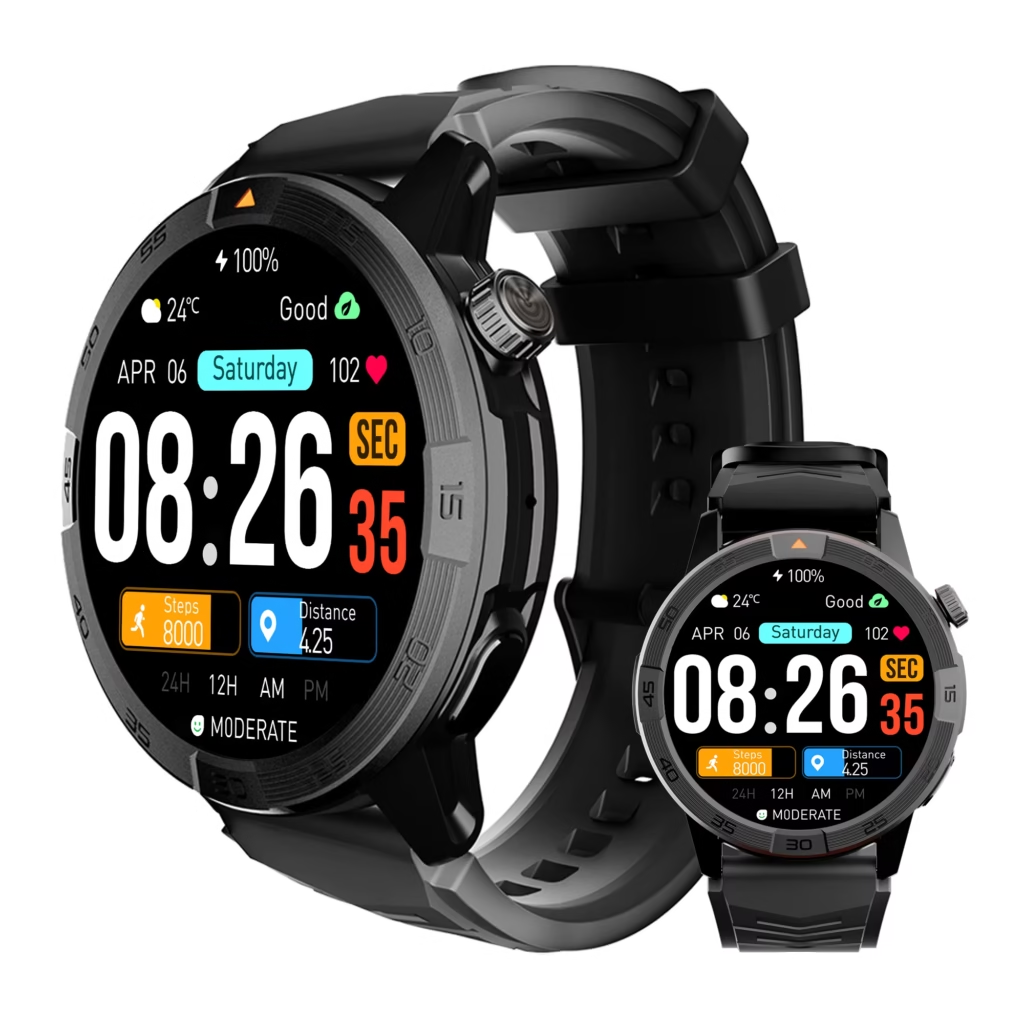
For a U.S. purchase, confirm:
- Current price in dollars
- Exact model
- Seller identity
- Android phone or iPhone compatibility
- Bluetooth calling support
- Caller-identification display
- Answer and reject controls
- End-call response
- Vibration settings
- Return period
- Warranty support
The smartwatch under 150 for commuting and calls should not be chosen for the loudest speaker or longest feature list. It should preserve enough seconds to complete the required task and leave a safe exit buffer.
Candidate A may show the alert quickly but connect audio slowly and make the end control difficult to reach. By comparison, a second model could display the caller clearly, answer reliably, and disconnect faster.
Even with less impressive marketing language, the second option may fit the Newark countdown more effectively.
Is This a Smartwatch Under 150 for Commuting and Calls?
Countdown Completed
The required call task consistently finishes before movement resumes, with time left to return attention to the commute.
One-Detail Call Fit
The watch can confirm one fact or request a callback but should not be used for a broader conversation.
Screening Only
Short windows support caller identification, rejection, and deferral rather than two-way discussion.
Parked-Window Fit
The watch works in a safely parked vehicle or quieter lobby but not during platform or transfer periods.
Window Closed Mid-Task
The conversation regularly continues after the stationary pocket ends.
Noise or Privacy Failure
Enough time exists, but the environment prevents an appropriate exchange.
Moving-Period Rejection
The device can technically receive the call, yet the active travel segment remains excluded.
Complete the Newark Countdown Strip
| Commute location | Stationary? | Available time | Call task | Finished before movement? |
|---|---|---|---|---|
| Station entrance | Yes / No | ___ sec | __________ | Yes / No |
| Platform | Yes / No | ___ sec | __________ | Yes / No |
| Transfer point | Yes / No | ___ sec | __________ | Yes / No |
| Parked car | Yes / No | ___ sec | __________ | Yes / No |
| Building lobby | Yes / No | ___ sec | __________ | Yes / No |
Moving periods crossed out: ____________________
Completed 30-second tasks: ___
Successful 60-second calls: ___
Finished 90-second exchanges: ___
Noise-related failures: ___
Privacy-related failures: ___
Calls transferred to phone or callback: ___
Final dwell-fit verdict: ____________________
Frequently Asked Questions
Is It Practical to Answer Smartwatch Calls on a Train?
It may be impractical when the train is moving, crowded, noisy, or requires attention to balance and upcoming stops. Stationary platform, transfer, parked-car, and lobby windows provide stronger test conditions.
How Much Background Noise Is Acceptable?
Noise is acceptable when one short detail can be exchanged without raised speech, several repetitions, or extending the call beyond the available window.
When Should a Commuter Reject the Call?
Reject or defer when the wearer is moving, boarding, crossing a street, driving, lacking privacy, or facing a call task that exceeds the stationary period.
Can Smartwatch Calls Be Handled While Driving?
This test excludes active driving interaction. Evaluate the call only after the vehicle is safely parked and finish before movement resumes.
Is a Sixty-Second Call Long Enough to Be Useful?
Yes, when the objective is narrow. Confirm one time, location, instruction, or callback. A minute is not well suited to an open-ended discussion.
Does a Longer Platform Wait Always Permit a Call?
No. Crowding, noise, privacy, boarding uncertainty, or unstable phone connectivity may still disqualify the period.
Is the Fastest-Answering Watch Always the Best Commuter Choice?
No. A strong commuter option must also display the caller, connect audio, complete the required exchange, end reliably, and preserve an exit buffer.
Let the Platform Countdown Reach Zero
Ninety seconds confirmed one reporting detail. Sixty seconds handled a callback request. The thirty-second entrance pause supported caller identification and rejection.
Every moving segment remained crossed out because technical call access did not make those periods suitable for wrist interaction.
A smartwatch under 150 for commuting and calls earns value only when the call task ends before the approved stationary pocket closes.
Time the platform, transfer, safely parked, and lobby pauses; assign one narrow task to each; and test whether this watch completes the call before your countdown closes before treating calling as a commute-wide benefit.
Choose the watch that finishes the necessary detail before movement begins again.