
A compatibility page was open on a software-onboarding manager’s screen in Raleigh, North Carolina.
It named one supported Android phone. The organization’s required coverage set contained four.
Environment A appeared in the documentation. Environments B, C, and D did not. That silence proved neither support nor incompatibility, so the manager placed four phone cards beside the page and opened a Cross-Brand Android Coverage Grid.
A smartwatch for Android phones must cover the phones a household or organization actually uses—not merely the handset shown in one compatibility example. Each representative environment needs its own companion-app, service, permission, alert, action, synchronization, and recovery evidence.
The Raleigh test produced three usable columns and one hard gap:
- Environment A passed.
- Environment B passed.
- Environment C passed under one documented background condition.
- Environment D could not install the required companion application.
Because all four environments were mandatory, the organization-wide claim failed.
Define Cross-Brand Android Support Before Testing
“Android compatible” can describe several different levels of support. A phone might discover the watch through Bluetooth but lack an eligible companion application. Another might install the app yet fail to deliver alerts in the background. A third could receive messages but not return the required wrist action.
The Raleigh manager separated five questions:
- Can the phone obtain the correct companion application?
- Are the necessary services and accounts available?
- Can the app recognize the watch?
- Do the required alerts, actions, and synchronization work?
- Does the route recover after an ordinary phone restart?
Readers should first separate the Android label from verified phone support. A platform word on a listing cannot replace evidence from the complete handset environment.
Build the Raleigh Representative Phone Set
The manager did not choose phones because they seemed popular. She selected four environments that represented devices the organization genuinely needed to support during U.S. employee onboarding.
The set included:
- An employer-issued phone already named in the documentation.
- A phone from a different manufacturer used by an approved employee group.
- A third manufacturer with a different background-management path.
- A fourth mandatory handset used in an approved managed environment.
Exact models, variants, Android builds, management states, and account conditions were recorded privately. The public example retained the labels Environment A through Environment D.
A different household or American organization might require two phones, six phones, or another combination. The correct set is the smallest fixed group that represents the environments the buyer must actually cover.
Freeze the Four North Carolina Test Environments
The phone set was frozen before results appeared. A failing handset could not be removed and replaced with an easier one.
Each environment record contained:
- Exact phone and relevant variant.
- Installed Android version and build.
- Device-management state.
- Store and account environment.
- Available required services.
- Current permission state.
- Companion-app battery or background setting.
- Evidence date.
The manager used the exact Android environment certificate to establish each column independently. A passing result on Environment A could not certify Environment B.
She also identified the architecture behind the phone-watch relationship. That step clarified whether the candidate relied on a paired-phone application, a direct watch application, cloud synchronization, or another documented route.
Set the U.S. Organization’s Coverage Threshold
The Coverage Charter was written before testing. All four environments were mandatory because the organization expected the same onboarding workflow across those approved phones.
The charter defined:
- Pass: Every prerequisite and required function works.
- Conditional Pass: The route works under one documented, acceptable condition.
- Unverified: Evidence remains incomplete.
- Hard Coverage Gap: A mandatory prerequisite or function cannot proceed.
Conditional results were acceptable only when the setting was narrow, reproducible, approved, and practical for support staff. Sideloading, policy bypasses, undocumented workarounds, and repeated reconstruction were excluded.

Separate Listed Support From Proven Support
Environment A received a Listed Support Receipt because it appeared on the compatibility page. That receipt did not grant functional credit.
The other phones received Silent Environment Markers. Silence meant only that the page supplied no evidence about them.
The same rule worked in both directions:
- An omitted phone was not automatically supported.
- An omitted phone was not automatically rejected.
- A listed phone still needed practical verification.
- A broad family name did not certify every model or variant.
The candidate had to complete the same grid regardless of how much documentation each phone received.
Verify the Companion App on Every Android Phone
Application eligibility formed the first hard gate. The manager checked the exact store environment on each phone rather than relying on a browser result or a screenshot from Environment A.
Every column recorded:
- Application name and publisher.
- Device-specific availability.
- Installation result.
- Required account or regional state.
- Companion-app recognition of the watch.
Environments A, B, and C could obtain and install the correct application. Environment D reported the app as unavailable or incompatible.
No sideloading attempt followed. A manually installed package would not prove normal eligibility, organizational approval, update support, or a maintainable deployment route.
When the application identity or publisher remains uncertain, buyers should verify the exact companion-app entry route before granting access or purchasing multiple units.
The smartwatch for Android phones now had its first visible gap: Environment D could not begin the required setup.
Check Required Services Across the Raleigh Grid
Store access and service availability were treated separately. Depending on the candidate’s design, its route could require a cloud account, background component, manufacturer service, notification listener, or another phone-side dependency.
The manager verified only the services named by the exact route. She did not assume that every Android watch required the same stack.
Environments A through C contained the necessary services and account state. Environment D remained blocked at application eligibility, so later service rows were marked “Not Testable” rather than failed without evidence.
This distinction kept the grid accurate. The companion app’s absence was enough to create the gap; the test did not invent additional failures.
Map Permission Paths Without Overgranting
The permission screens did not use identical wording across every environment. That difference alone did not prove unequal functionality.
For each eligible phone, the manager reviewed only the access required for the reserved functions:
- Ordinary application notifications.
- Watch notification forwarding or mirroring.
- Nearby-device or Bluetooth access.
- Background operation where the documented route required it.
No generic permission bundle received automatic approval. The manager recorded the actual path on each phone and then tested the resulting behavior.
A useful smartwatch for Android phones does not need identical menus across manufacturers. It needs a supportable route to the same required outcome.
Separate Pairing From Companion-App Recognition
Bluetooth settings showed one watch identity on each eligible phone. That was only part of the relationship.
The application also had to recognize the same watch, complete its setup route, and exchange the data required for the test portfolio. Duplicate identities, stale pairings, and app-level discovery failures would have blocked the column.
Environments A, B, and C passed both system pairing and companion recognition. Environment D remained outside the function test because its application gate had already failed.
Test Background Delivery in Every Eligible Environment
The manager placed each eligible phone through the same controlled idle-state test. The application was closed from view but not forcibly stopped, and no permissions or connections were changed during the waiting period.
The generic alert was:
“Onboarding room changed.”
Environments A and B delivered it without manual intervention. Environment C delayed the alert until the application reopened.
The result was marked Background Continuity Unverified. The manager did not blame the phone maker or change every battery setting.
She inspected the documented app-specific background state, made one narrowly approved adjustment, and repeated the identical test. The alert then arrived without reopening the application.
Environment C earned a Conditional Pass with the setting and evidence date recorded.
Run the Raleigh Alert and Wrist-Action Portfolio
Every eligible environment received the same function portfolio. No easier substitute was offered to a weaker column.
First, the watch had to display the complete “Onboarding room changed” phrase. Next, the manager sent:
“Setup confirmed?”
The approved wrist response was “Seen.” Credit required the action to reach its intended phone or account destination.
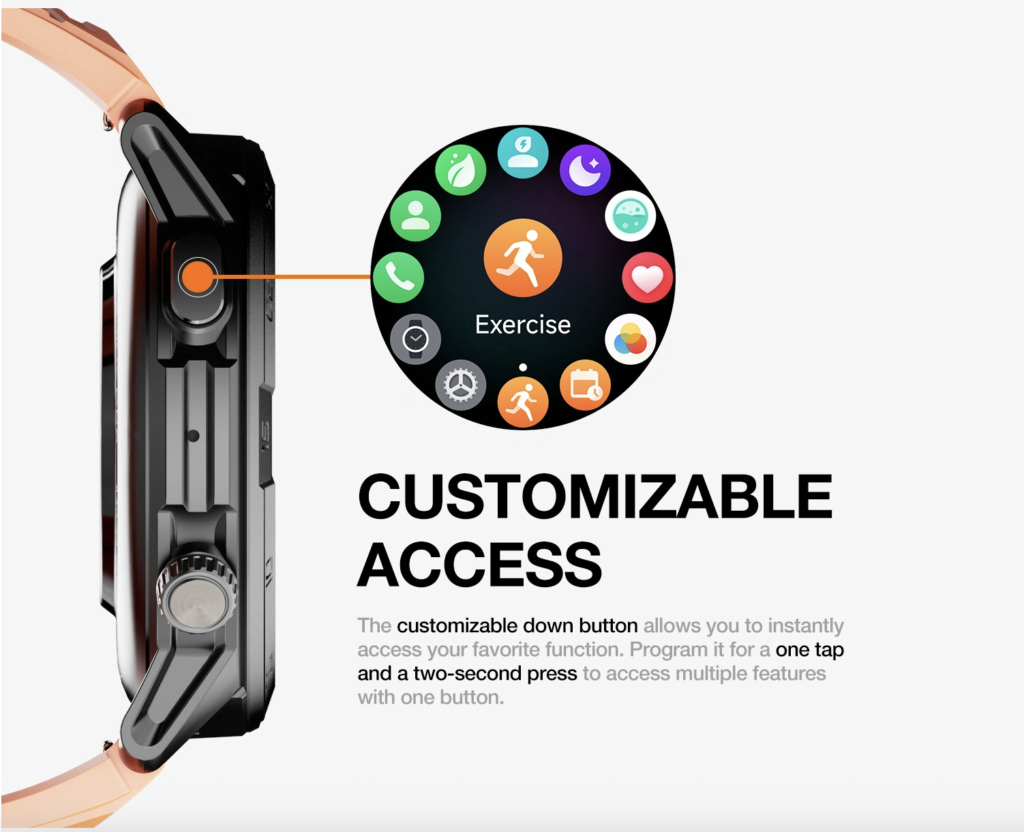
Environments A, B, and C passed after the documented background condition was applied to C.
A successful-looking watch screen was insufficient. The manager used the essential wrist-action verification method to confirm reading, action availability, transmission, and destination state.
Require the Task to Reach the Authoritative Record
The final application task was:
“Setup checklist reviewed.”
The manager opened the item on the watch, marked it complete, and checked the authoritative onboarding record.
A local check mark received no credit unless the destination changed correctly. Environments A through C returned the completed state without creating a duplicate or leaving stale data.
Environment D had no result because the companion route could not be installed. The grid preserved that empty path rather than estimating how the function might behave.
Run a Basic Restart Confirmation per Environment
Each eligible phone was restarted through its ordinary control. After reconnection appeared, the manager withheld approval until a fresh alert and synchronized task result completed.
All three eligible environments recovered under their recorded conditions.
A phone that reconnects visually but fails to restore useful function needs the full Android reconnection recovery drill. Article 365 uses only a basic receipt so the coverage test does not become a troubleshooting manual.
Keep the Unsupported Phone Visible
Environment D remained in the final grid.
The manager did not replace it with another model, remove it from the mandatory list, or claim that a related handset’s pass covered it. Its exact Play Store environment could not provide the companion application, so the required alert and action portfolio could not begin.
The correct label was:
Hard Coverage Gap — Companion Application Ineligible
The finding did not prove that the manufacturer caused the problem. It established only that the required companion route was unavailable on that exact environment on the evidence date.
Do Not Average Away a Required Coverage Failure
Three usable environments out of four may sound strong, but the organization had declared all four mandatory.
A percentage could not override that threshold. Environment C’s conditional pass was acceptable because its documented setting met the charter. Environment D’s missing application route was not.
Organizations may exclude an unsupported phone before deployment, but doing so changes the approved device set and the audience the watch can serve. It does not convert the original four-phone claim into a pass.
Close the Cross-Brand Android Coverage Grid
| Environment | App route | Required functions | Final result |
|---|---|---|---|
| Environment A | Eligible | Passed | Pass |
| Environment B | Eligible | Passed | Pass |
| Environment C | Eligible | Passed after recorded setting | Conditional Pass |
| Environment D | Ineligible | Could not begin | Hard Coverage Gap |
The grid included evidence dates and retest triggers for material phone updates, companion-app changes, permission changes, service changes, management-policy changes, and watch software updates.
Correct Twelve Cross-Brand Compatibility Mistakes
One Listed Phone Equals Broad Coverage
Correction: Test every mandatory environment independently.
Support-Page Silence Equals Support
Correction: Mark the phone unverified until evidence exists.
Support-Page Silence Equals Rejection
Correction: Check the exact app and function route.
Pairing Equals Compatibility
Correction: Require app recognition, alerts, actions, and synchronization.
Installation Equals Functional Parity
Correction: Repeat the identical portfolio in every eligible column.
The Same Android Version Means the Same Result
Correction: Treat the complete handset configuration as the test unit.
Permission Menus Must Look Identical
Correction: Compare approved scope and observed outcomes.
The Manufacturer Caused the Failure
Correction: Record what failed without guessing why.
Every Battery Restriction Must Be Removed
Correction: Change only the documented app-specific condition.
A Passing Phone Can Replace a Failing One
Correction: Keep the predefined coverage set frozen.
Three Passes Can Average Out One Failure
Correction: Apply the mandatory threshold written before testing.
Sideloading Proves Compatibility
Correction: Use the normal approved application and update route.
Keep Raleigh Onboarding Data Private
The test used generic phrases instead of employee names, credentials, passwords, multifactor codes, license keys, customer records, support tickets, internal URLs, project details, or access information.
Detailed onboarding work remained inside approved phone and computer systems. The wrist received only the minimum content needed to test the route.
Managed-device restrictions were respected. The manager did not bypass an employer application catalog, remove device management, or transfer protected information into a personal account.
Keep North Carolina Coverage Tests Safely Stationary
Every setup, permission, alert, action, and restart check occurred while the manager was seated or safely stationary.
No testing took place while driving between Raleigh offices, crossing parking areas, carrying equipment, assisting a new employee, or handling an active technical or safety incident.
Questions U.S. Buyers Ask About Cross-Brand Support
Does Android compatible mean every Android phone?
No. Verify the exact application, services, permissions, and functions on the phone environments you require.
How many phones should the grid contain?
Use the smallest fixed set that represents the household or organization’s mandatory environments.
Should I choose popular phones or phones we actually use?
Use the phones that control the real purchase or deployment decision.
Does one listed model prove related models work?
No. A family resemblance cannot replace an exact environment result.
Can an app appear on one Android phone but not another?
Yes. Device-specific eligibility must be checked separately.
Does pairing prove alerts and actions work?
No. Test app recognition, delivery, wrist actions, and the authoritative destination.
Why can permission steps differ?
Android version, application implementation, and phone software can expose different paths. Compare required scope and outcomes rather than screen wording.
Can one mandatory failure be outweighed by several passes?
Not when the Coverage Charter requires every environment.
Is breadth testing the same as switching between phones?
No. Use the dual-Android handoff loop when one watch must move repeatedly between active phones.
Does a permanent phone change prove broad coverage?
No. A one-way transition is tested through the Android phone-brand switch challenge, while this grid corroborates several independent environments.
Issue the Cross-Brand Coverage Verdict
The mechanism supports four outcomes:
- Complete Cross-Brand Coverage: Every mandatory environment passes without a special condition.
- Conditional Cross-Brand Coverage: Every mandatory environment works under documented, acceptable conditions.
- Partial Coverage With Exclusions: The watch supports a disclosed subset after unsupported environments are formally excluded.
- Required Cross-Brand Coverage Rejected: At least one mandatory environment contains a hard gap.
The Raleigh result is:
Required Cross-Brand Coverage Rejected — Companion App Ineligible on Environment D
The documented baseline passed on Environment A, while a phone from another manufacturer corroborated support in Environment B. After one recorded background adjustment, Environment C also passed. The remaining column exposed the hard gap: Environment D could not begin the companion route.
Verified breadth may later support a finalist position in a role-diverse Android shortlist. Supported environments should also undergo an ownership-friction review before a larger deployment.
Cross-brand support remains separate from use when the Android phone is unavailable. A watch may cover several phone environments yet still depend heavily on whichever phone is currently connected.
A Watch Covers Only the Phones It Actually Passes
The compatibility page at the Raleigh desk had named one phone. The completed grid supplied a more useful answer.
Three environments produced corroborated function evidence, although one required a documented background condition. The fourth lacked an eligible companion application, so the organization could not approve the candidate across its complete device set.
The result applies to one software-onboarding manager, one watch candidate, four fixed Android environments, one companion route, one required function portfolio, one coverage threshold, and one evidence period.
A smartwatch for Android phones covers only the environments where its complete required route has been proven. Documentation, pairing screens, related models, and passing percentages cannot fill an unsupported cell.
To evaluate another option, place this candidate smartwatch through the same Cross-Brand Android Coverage Grid. Independently verify application eligibility, services, permissions, pairing, app recognition, background delivery, wrist actions, synchronization, restart recovery, conditions, and unsupported gaps on every mandatory phone before buying or deploying it.