
A claim that a smartwatch battery lasts weeks not days sounds simple, but battery labels are easy to misunderstand. “Up to 30 days” may describe light use, while daily GPS, long Bluetooth calls, a bright always-on screen, and continuous sensor readings can shorten that result.
The number still matters, but only when you know what it measures. This guide explains how multi-week smartwatch battery life works, what drains it fastest, and how to decide whether a long-battery model fits your real routine rather than an ideal test setting.
When a Smartwatch Battery Lasts Weeks Not Days, What Does That Actually Mean?
Battery life is not one fixed number. A smartwatch can produce very different results depending on what it is doing.
Checking the time a few times, counting steps, and receiving occasional notifications requires relatively little energy. Keeping the screen active, recording a route, using the microphone and speaker, and measuring several health signals throughout the day requires much more.
This is why two owners can use the same watch and report very different charging intervals. Neither result is necessarily wrong. They may simply have different settings and habits.
The most useful way to read a battery claim is to ask which type of use it describes.
Standby Time
Standby usually means the watch is powered on but doing very little. The screen may stay off most of the time, wireless activity may be limited, and advanced features may be reduced.
Standby figures show how slowly a device can consume power when it is mostly inactive. They do not describe how most people use a smartwatch during work, commuting, exercise, calls, and sleep.
Typical or Normal Use
Typical use usually includes a mix of time checks, notifications, step counting, health readings, and some interaction with the screen.
This is the figure that matters most to everyday buyers, but there is no universal definition of “typical.” One manufacturer may include short workouts, while another may not. One test may use raise-to-wake, while another may keep the display always on.
Heavy Use
Heavy use may include daily GPS workouts, frequent calls, high brightness, continuous health monitoring, offline navigation, music controls, and many notifications.
A watch rated for weeks under normal use can still require much earlier charging under this workload. That is not a contradiction. It shows how much the feature mix matters.
A Simple Battery-Claim Decoder
Before trusting a large battery number, translate it into the way you plan to use the watch.
| Battery phrase | What it often describes | What to check |
|---|---|---|
| Up to 30 days | Best-case or lighter-use conditions | Whether calls, GPS, and always-on display were included |
| Typical use | A manufacturer-defined mix of common tasks | The exact testing assumptions |
| Battery-saver mode | Reduced sensors, display activity, connections, or background features | Which functions become limited |
| Standby time | Very little active use | Whether it reflects realistic daily wear |
| GPS mode | Continuous route recording | Hours of GPS use, not days of normal use |
The words “up to” are important. They establish a ceiling, not a personal guarantee.
A good battery claim is still valuable. It tells you the device was designed with endurance in mind. It simply needs to be read as a range shaped by usage rather than a countdown that will be identical for everyone.
Why Some Smartwatches Last a Day and Others Last for Weeks
Battery capacity is only one part of the answer.
A larger battery can store more energy, but efficiency determines how quickly that energy is used. The display, processor, operating system, wireless connections, sensors, apps, and software settings all affect the result.
Full-featured smartwatches often run complex operating systems and support large app libraries, animated interfaces, frequent background updates, voice assistants, and deeper phone integration. Those abilities require energy.
Long-battery watches usually make different design choices. They may use simpler software, control background activity more tightly, limit third-party apps, or prioritize essential functions over a phone-like experience.
That does not automatically make one category better.
A person who wants many apps and deep ecosystem integration may accept charging every day or two. Someone who mainly wants calls, notifications, GPS, activity tracking, and sleep data may prefer a watch that does fewer background tasks and lasts much longer.
The best choice depends on which inconvenience bothers you more: charging often or having fewer advanced apps.
AMOLED Displays: Sharp, Attractive, and Dependent on Settings
AMOLED displays can produce strong contrast, deep blacks, and rich color. They also allow individual pixels to turn off when displaying black, which can help with efficiency on dark watch faces.
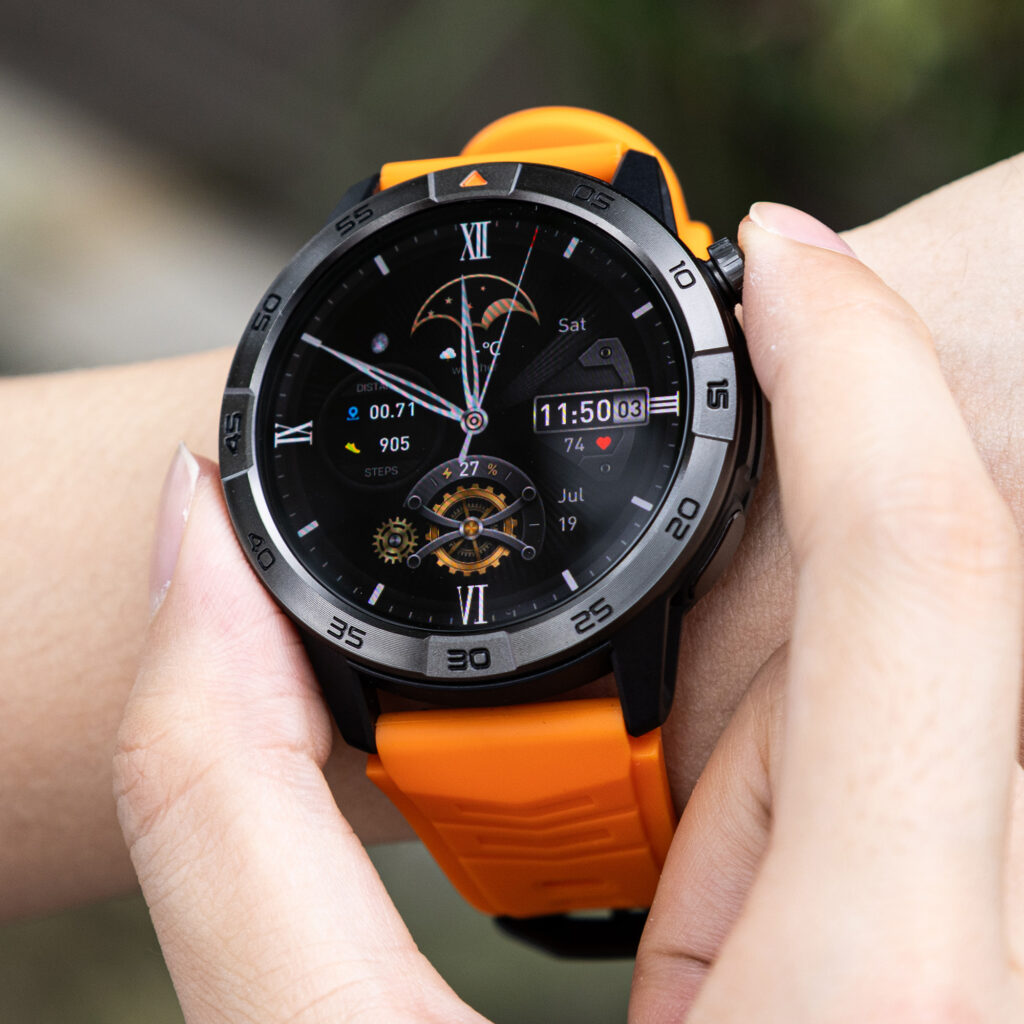
That does not mean every AMOLED watch automatically lasts a long time.
Screen brightness, wake frequency, watch-face design, animation, and always-on display settings all affect power use. A bright face that remains visible throughout the day will use more energy than a mostly black face that wakes only when you raise your wrist.
For a multi-week battery goal, the most practical setup is usually:
- Raise-to-wake instead of always-on display
- Moderate brightness rather than maximum brightness
- A simple, darker watch face
- A short screen timeout
- Fewer unnecessary screen wake-ups
These changes should not make the display unpleasant to use. The aim is to stop wasting power when you are not looking at it.
How Much Battery Does Bluetooth Calling Use?
Bluetooth calling uses more power than receiving a silent notification.
During a wrist call, the watch keeps an active wireless connection while running its microphone, speaker, processor, and screen. A few short calls may have a modest effect. Long or frequent conversations will have a larger one.
Call volume also matters. Driving the speaker harder can require more energy, especially in noisy places.
This does not make Bluetooth calling a bad feature for long-battery watches. It means calling should be included in your personal estimate.
Consider three users.
The occasional caller answers one or two brief calls each day. This person may still get close to a long normal-use result.
The hands-busy worker uses wrist calls several times during a shift. Battery life will likely be shorter, but the feature may provide enough convenience to justify it.
The frequent caller holds long conversations from the watch. This person should expect to charge more often than the advertised maximum suggests.
Bluetooth calling also normally requires the paired phone to remain nearby. Unless a watch includes LTE or cellular service, it is not a complete phone replacement.
GPS Changes the Battery Calculation More Than Most Features
GPS is one of the clearest examples of why “weeks” and “hours” can both describe the same smartwatch.
During ordinary smartwatch use, the device spends much of its time waiting. During GPS tracking, it repeatedly determines location, processes movement data, updates distance and pace, and may display route information.
A person who records a 30-minute walk a few times a week will have a different result from a delivery worker, runner, hiker, or traveler using location features for hours.
Offline maps can increase the workload further because the watch may keep the screen active and process navigation information while tracking position.
When GPS matters to you, look for two separate figures:
- Battery life in normal smartwatch mode
- Battery life during continuous GPS use
Do not assume a 30-day normal-use rating means 30 days of active navigation.
For a closer look at endurance under different feature loads, the guide to smartwatches with the strongest battery performance explains why usage modes matter more than one headline number.
Build Your Own Battery Profile Before Buying
The most accurate battery estimate begins with your routine.
Profile 1: Light Everyday Use
You mainly check the time, receive a few notifications, count steps, and wear the watch for sleep tracking. You rarely use GPS and take only occasional wrist calls.
A multi-week claim is most relevant to this profile.
Profile 2: Balanced Everyday Use
You receive regular notifications, use health and sleep tracking, take a few calls, control music, and record occasional outdoor activities.
You may not reach the maximum rating, but a watch designed for weeks can still provide a much longer charging interval than a daily-charge model.
Profile 3: Feature-Heavy Use
You keep the screen always on, make frequent calls, record GPS workouts every day, use navigation, and enable continuous sensor tracking.
Battery life will fall well below a light-use maximum. A multi-week watch may still last longer than other options, but the difference should be judged under heavy-use conditions.
This simple profile is more useful than asking whether a watch “really” lasts a specific number of days. The answer depends on which user you are.
Reading a 30-Day Claim Without Being Misled
Consider a smartwatch listed with a 370mAh battery and a rating of up to 30 days. It also includes Bluetooth calling, built-in GPS, offline maps, a 1.43-inch AMOLED display, notifications, activity tracking, sleep tracking, and compatibility with iOS and Android.
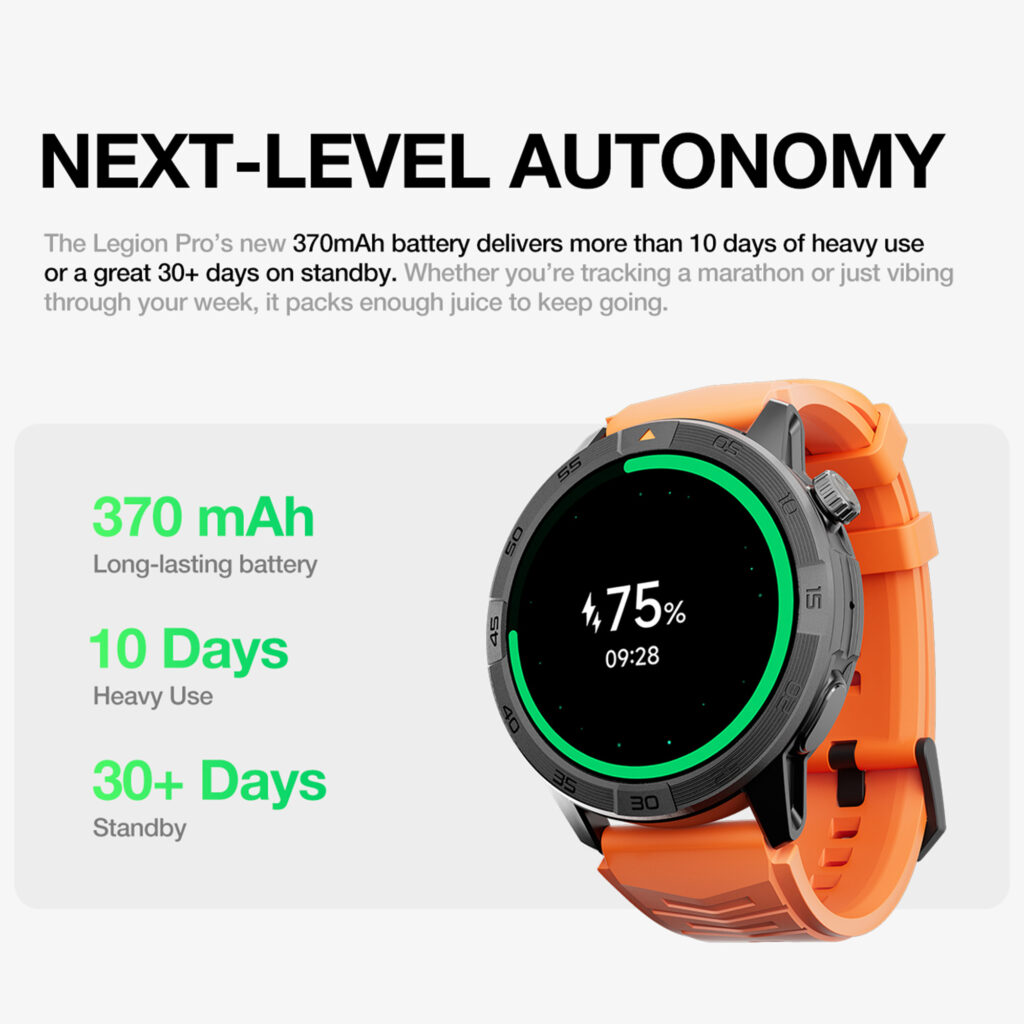
The 30-day figure should be interpreted as the upper end of its battery range.
Someone using time checks, steps, sleep tracking, and occasional notifications may get much closer to that figure than someone using daily navigation and wrist calls.
The product listing does not provide separate published estimates for typical use, heavy use, or continuous GPS. Buyers should not invent those numbers.
What can be said fairly is that the watch is designed to offer a much larger battery window than devices built around daily charging.
At its current $150 price, the feature mix may appeal to buyers who want long potential runtime without giving up Bluetooth calling, GPS, maps, or an AMOLED screen.
The trade-off is that it may not offer the same app ecosystem, software support history, or independent cellular calling as some major-brand watches.
The best reason to consider it is not the promise of exactly 30 days. It is the possibility of charging less often while keeping the everyday functions you actually use.
You can review the full 30-day smartwatch with GPS and Bluetooth calling after deciding which battery profile matches your habits.
How to Extend Battery Life Without Turning the Watch Into a Basic Clock
Battery saving should be selective.
Turning off every feature may produce a better number, but it also removes the reason to wear a smartwatch. Start with settings that reduce waste rather than value.
Use raise-to-wake instead of keeping the display on constantly. Set brightness high enough to read comfortably, but not higher than necessary. Disable alerts from apps that do not deserve wrist access.
Use GPS for activities that benefit from route tracking rather than leaving location features active without a purpose.
Choose the health measurements you care about most. Continuous readings may be useful for some people, while others only need periodic checks and sleep tracking.
Keep the watch software and companion app current when updates are available. Restarting after unusual battery drain can also help when a process or connection has become stuck.
Most importantly, observe your own pattern over the first week.
If calls are the main drain, shorten wrist conversations. If GPS days use far more power, plan charging around workouts rather than following a fixed nightly routine.
A longer guide to reducing charging frequency is available in this article about a smartwatch that does not need frequent charging.
Is a Multi-Week Smartwatch Right for You?
A long-battery smartwatch makes the most sense when consistency matters more than having the largest app selection.
It can be a strong fit for people who want to wear the watch overnight, travel for a few days without another cable, work long shifts, commute, or use basic smart features without managing a charger every evening.
It may be less suitable when you want independent LTE service, advanced third-party apps, highly specialized athletic analysis, or the deepest possible integration with one phone ecosystem.
The decision is not really between good technology and bad technology. It is between two priorities.
One type of smartwatch behaves more like a small computer on your wrist and accepts frequent charging as the cost. Another focuses on essential daily functions and tries to stay powered for much longer.
Choose the one whose trade-offs fit your routine.
Conclusion: When a Smartwatch Battery Lasts Weeks, Not Days
When a smartwatch battery lasts weeks not days, the useful benefit is not winning a battery-number contest. It is reducing interruptions while keeping calls, notifications, tracking, sleep data, and occasional navigation available.
Read every long-battery claim in context. Separate standby from normal use. Expect GPS, Bluetooth calls, high brightness, and continuous monitoring to shorten runtime. Treat “up to 30 days” as a maximum rather than a guarantee.
A multi-week model is worth considering when you want a watch that requires less attention, not a watch that claims to run forever.
Choose based on your actual habits, and the longer charging window can become a practical everyday advantage.