
The smartwatch with best battery for daily use is not always the model with the largest number beside “battery life.” A watch can last for weeks and still feel limited if it cannot handle calls, navigation, sleep tracking, or a busy workday. Another watch may offer many apps but spend every night on a charger.
For everyday buyers, the better question is simple: which smartwatch stays useful from the morning alarm to overnight sleep tracking without becoming another device to manage? This guide uses a normal 24-hour routine to find that balance.
A Daily-Use Smartwatch Has to Pass More Than a Battery Test
Battery endurance keeps every other feature available, but daily use is a combination of small moments. A practical watch should be ready when you wake up, readable during the commute, helpful at work, comfortable during exercise, and still powered at bedtime.
That is why “best battery” needs context.
A basic watch that lasts a month but offers little beyond time and steps may not be the best daily choice. A premium app-focused smartwatch may be impressive, yet frustrating if its charging schedule interrupts sleep tracking or travel.
The best everyday option sits between those extremes. It preserves the features people regularly use while creating a much larger charging window.
The 24-Hour Test for the Smartwatch With Best Battery for Daily Use
Instead of comparing watches only by advertised runtime, imagine how each one handles an ordinary day.
6:30 a.m.: The Watch Is Already on Your Wrist
A useful daily watch should begin the morning without needing to come off the charger.
If you wear it overnight, the alarm can wake you quietly and sleep tracking can continue until you get up. You can check the time, weather information sent from the phone, or the day’s first reminder without searching for another screen.
Longer battery life helps because nightly charging often competes with overnight tracking. A larger window lets you choose a convenient charging time without giving up sleep data.
8:00 a.m.: Notifications During the Commute
During a train ride, bus trip, or drive to work, a watch is most helpful when it filters information.
You do not need every app alert on your wrist. You need the messages, calls, calendar reminders, and schedule changes that may affect the day.
A readable display matters here. So does reliable Bluetooth connectivity. The watch should show enough information to help you decide whether something deserves your phone.
For commuters who regularly spend long periods away from a charger, this guide to smartwatch battery life for commuting explores that situation in more detail.
10:30 a.m.: A Call Arrives While Your Hands Are Busy
Bluetooth calling is one of the clearest differences between a long-lasting tracker and a full everyday smartwatch.
A quick wrist call can help while carrying coffee, moving between rooms, handling packages, or working at a standing desk. The goal is to answer, confirm something quickly, or decide whether the call needs more attention.
Bluetooth calling usually depends on the paired phone remaining nearby. It is not independent LTE calling, but many people already carry their phone and do not want another carrier charge.
The battery cost also depends on use. Occasional short calls fit everyday use better than frequent long conversations.
1:00 p.m.: The Watch Should Not Need Midday Rescue
By lunch, a daily-use watch should still feel dependable.
When the battery is weak, users start protecting the watch instead of using it. They avoid calls, disable tracking, dim the screen, and skip GPS.
A longer-lasting watch provides a buffer for extra meetings, overtime, a longer commute, or an after-work errand.
5:30 p.m.: Work Ends, but the Day Does Not
The day does not end when office hours do. You may stop at the gym, pick up groceries, meet friends, walk the dog, or spend another hour in traffic.
A practical watch needs power for the second half of the day and enough comfort for all-day wear.
7:00 p.m.: GPS and Activity Tracking Become Useful
Built-in GPS is valuable when you want to record a walk, run, hike, or outdoor route without relying entirely on the phone for positioning.
Offline maps can add another layer of convenience during travel or in unfamiliar areas. These features make a watch more capable, but they also use more energy than checking time or receiving notifications.
The best daily watch does not need unlimited GPS endurance. It needs enough battery reserve for occasional location use without making the rest of the week inconvenient.
Casual fitness users should favor measurements they will actually review, such as steps, heart rate, calories, activity duration, and sleep.
11:00 p.m.: There Is Still a Reason to Wear It
At bedtime, the watch should not force a choice between tomorrow’s battery and tonight’s sleep tracking.
A longer charging interval supports more consistent overnight wear. That can make the device feel like part of the routine rather than an accessory that disappears every evening.
This complete cycle is the real daily-use test:
Morning readiness → useful notifications → quick calls → workday reliability → activity tracking → overnight wear
A watch that handles that cycle well is more valuable than one that wins only a battery-number contest.
How Much Battery Life Does Everyday Use Actually Need?
Different battery ranges create different ownership experiences.
| Battery range | What daily life often feels like | Main trade-off |
|---|---|---|
| About one day | Charging becomes part of the nightly routine | Rich apps and deeper phone integration may be available |
| Two to four days | More flexibility, but travel and sleep tracking still require planning | Moderate charging frequency |
| About one to two weeks | Easier overnight wear and short travel | Some app or ecosystem limits may apply |
| Multi-week potential | Charging becomes occasional rather than daily | Runtime can drop with heavy GPS, calls, and always-on display use |
There is no universal minimum. Some buyers accept shorter battery life for deeper Apple or Wear OS integration, while serious athletes may choose Garmin for training tools.
For ordinary work, calls, commuting, casual exercise, and sleep, multi-week potential often provides a more comfortable balance.
Four Types of Smartwatch Buyers
The “best” battery choice changes with the buyer.
The App-First Buyer
This person values apps, payments, messaging, and tight phone integration above charging freedom. An Apple Watch or full Wear OS model may fit better.
The Training-First Buyer
This buyer cares about pace, recovery, training load, navigation, and detailed performance data. A fitness-focused Garmin may offer the better package.
The Style-First Buyer
This person wants a traditional appearance with basic notifications or health tracking. A hybrid can last longer but may limit calling, display size, and navigation.
The Everyday-Balance Buyer
This buyer wants fewer charging sessions without giving up the features used during a normal week:
- Bluetooth calls
- A clear screen
- GPS and navigation
- Useful notifications
- Sleep tracking
- Activity data
- Phone compatibility
For this person, balance matters more than owning the largest app store or the most advanced athletic platform.
Where a 30-Day-Rated Smartwatch Fits
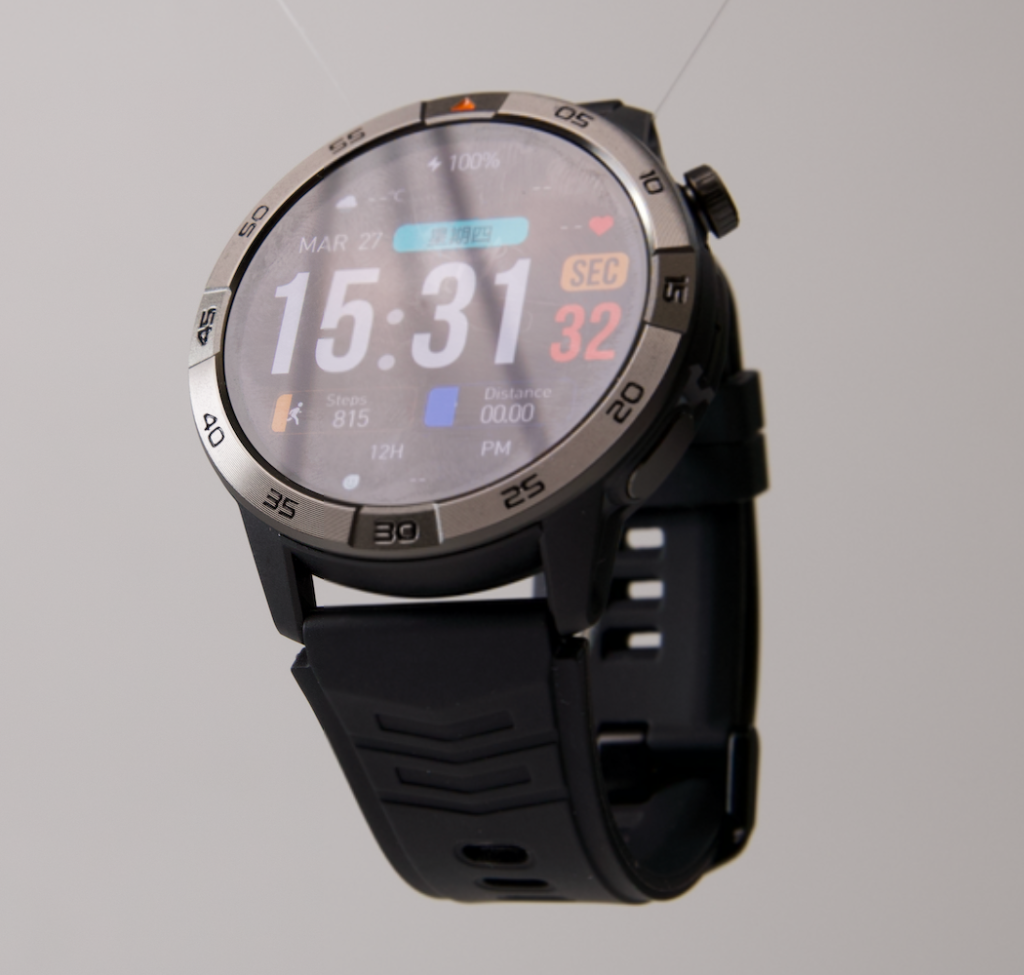
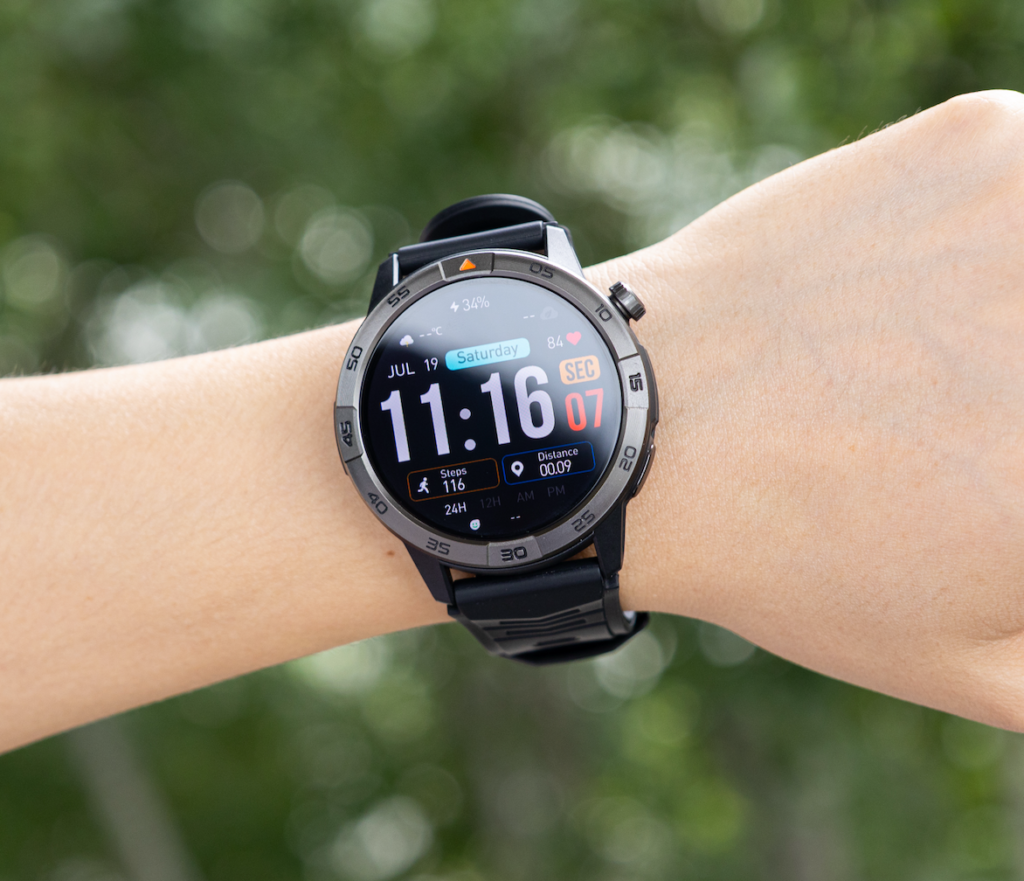
A current $150 option combines an advertised battery life of up to 30 days with a 370mAh battery, Bluetooth calling, built-in GPS, offline maps, and a 1.43-inch AMOLED touchscreen.
It also includes heart-rate monitoring, sleep tracking, steps, calorie tracking, multiple activity modes, music controls, calendar tools, alarms, notifications, and sedentary reminders.
The product listing states compatibility with iOS and Android, along with IP68 and 5ATM protection.
That combination gives it a clear role. It is aimed at the everyday-balance buyer rather than the app-first or advanced-training buyer.
The value is the possibility of using a bright display, calls, navigation, and daily tracking while charging less often. At $150, it may appeal to buyers who want a premium feel without paying mainly for an ecosystem they may not use.
Readers who regularly depend on calls can also review this guide to all-day smartwatch battery and calling convenience.
A Realistic View of the 30-Day Rating
“Up to 30 days” is a maximum product claim, not a guarantee of identical results for every owner.
Battery life will depend on:
- Screen brightness and wake frequency
- Always-on display use
- Number and length of Bluetooth calls
- GPS and offline-map use
- Notification volume
- Health-monitoring frequency
- Workout tracking
- Temperature and connection conditions
A user who checks notifications, tracks steps, records sleep, and takes occasional calls may get much closer to the maximum than someone who navigates daily and keeps the display active.
The product page does not publish separate light-use, heavy-use, or continuous-GPS estimates, so those figures should not be guessed.
The honest buying reason is a larger potential battery window paired with useful daily features.
What You Gain and What You Give Up
Choosing an everyday-balance watch can reduce charging and cost, but there are trade-offs.
This model does not list LTE or cellular service, so Bluetooth calls require the paired phone nearby. Its health tools are for general wellness rather than medical use, and advanced athletes may want deeper training analysis.
The product page currently displays no customer reviews. Buyers should also confirm any required third-party app support and review the shipping, refund, and warranty terms.
These limits define the buyer it suits.
Make the Decision Based on Your Normal Tuesday
A better buying decision comes from thinking about an ordinary Tuesday, not an exceptional marathon, hike, or international trip.
Ask yourself:
- Will you wear the watch to sleep?
- Do you want to answer a short call while your phone is in a bag?
- Will you record a walk after work?
- Do you need calendar reminders during meetings?
- Are you willing to charge every night?
- Do you depend on specialized apps or advanced athletic data?
For calls, notifications, work, commuting, casual fitness, and sleep, a long-battery all-rounder can make more sense than either extreme.
People with especially crowded schedules may also find useful examples in this guide to the best smartwatch battery setup for busy people.
Quick Buying Questions
Is 30-Day Battery Life Necessary for Daily Use?
No. Many people can manage comfortably with a week or more. A 30-day maximum simply creates a larger buffer and may reduce how often charging interrupts sleep, travel, or work.
Can Bluetooth Calling Replace a Phone?
Not completely. Standard Bluetooth calling requires the paired phone nearby. It is best for short, convenient conversations when reaching for the phone is difficult.
Is Built-In GPS Worth Having for Casual Users?
It can be. Built-in GPS is useful for walks, runs, hiking, and travel, even when you are not a serious athlete. Frequent use will reduce battery life.
Is an AMOLED Display Good for Everyday Use?
AMOLED provides strong contrast and sharp visuals. Brightness, watch-face design, and always-on mode can affect battery consumption.
Should iPhone Users Always Buy an Apple Watch?
Not necessarily. Apple Watch offers deeper iPhone integration, but some buyers may prefer longer battery life, cross-platform compatibility, or a lower price.
Is This Watch Suitable for Advanced Athletes?
It may cover general activity tracking, but athletes who need detailed training load, recovery, race planning, or specialized performance metrics may prefer a dedicated sports watch.
Final Recommendation
The smartwatch with best battery for daily use should survive more than a controlled battery test. It should remain helpful from the morning alarm through commuting, work, calls, exercise, evening plans, and overnight tracking.
For buyers who prioritize deep apps or elite training tools, Apple, Samsung, Google, or Garmin may offer a better fit depending on the phone and activity.
For buyers who want a practical middle ground, the 30-day-rated smartwatch offers an appealing combination of battery potential, Bluetooth calling, GPS, offline maps, an AMOLED display, and everyday tracking for $150.
The strongest reason to consider it is that the battery, calling, navigation, display, and tracking tools support the same routine instead of competing with one another.
See the 30-day smartwatch with GPS and Bluetooth calling and judge it against the way your normal day actually works.