
One watch remains powered longer after most connected functions disappear. Another needs charging sooner but completes every task its owner actually expects from it. The first wins the duration contest, yet the second may produce more useful work from each charge. A smartwatch with best efficiency battery usage should not merely stay alive. It should complete required outcomes without starving the wearer of essential functions.
A university facilities energy coordinator in Columbus, Ohio, might recognize the distinction immediately. Operational efficiency is not the same as doing less. It means converting available energy into useful service while limiting demand that produces little value. The Useful-Function Yield method applies that same logic to smartwatch battery performance.
Readers who want to compare maximum duration first should compare endurance only after normalizing the operating mode. This article asks a different question: what useful outcomes does one charging interval actually produce?
The Longer-Lasting Watch Can Produce Less Useful Work
Battery duration and battery efficiency overlap, but they do not mean the same thing. Duration measures how long the watch remains powered under stated conditions. Practical efficiency measures how much required work the watch completes during that interval.

A restricted mode may extend runtime by removing notifications, connections, sensors, screen behavior, or other functions. That trade can make sense when the wearer does not need those features. It becomes misleading when the removed function was the reason for wearing the watch.
Consider three simplified profiles:
| Watch profile | Runtime result | Essential functions | Required outcomes | Efficiency interpretation |
|---|---|---|---|---|
| Restricted long-duration profile | Longer | Several removed | Few completed | Runtime may be inflated |
| Full-function profile | Shorter | Retained | Most completed | Potentially higher useful yield |
| Mixed-demand profile | Moderate | Retained | Uneven | Needs a waste audit |
The comparison cannot start with advertised battery days alone. It needs a declared workload, a fixed function floor, matching operating modes, and a clear definition of useful output.
Lock the Essential-Function Floor Before Energy Enters the Funnel
The Useful-Function Yield Funnel begins with one protection rule: the wearer must identify the functions that cannot disappear merely to create a longer battery claim.
This minimum set forms the Essential-Function Floor.
Select Functions by Consequence
A feature belongs on the floor when losing it would make the watch unsuitable for the intended routine. The decision depends on the wearer, not a universal feature list.
Possible floor items include:
- Selected work or personal alerts
- Time access
- A scheduled timer
- A declared tracking period
- A required calling role
- One selected sensor function
- An alarm or another after-hours role
The wearer should ask what happens when each function disappears. If nothing important changes, the feature may be flexible or optional. When its loss breaks the routine, it belongs on the floor.
Separate Essential, Flexible, and Optional Functions
Not every enabled feature deserves equal protection. Sort the workload into five categories:
- Essential: The watch must retain this function.
- Useful but flexible: The function adds value but can tolerate limited reduction.
- Optional: The wearer can remove it without changing the main purpose.
- Outside the comparison: The feature has no role in this charging interval.
- Behavior unverified: Current documentation does not explain the function clearly enough.
This classification prevents two opposite errors. The wearer does not give unnecessary features permanent protection, and the watch does not earn an efficiency pass by cutting something essential.
Freeze the Floor Before Comparing Runtime
The function floor must remain fixed throughout the comparison. A feature cannot become optional only because it shortens the battery interval.
| Function | Why it matters | Required frequency | Mode retained? | Floor status |
|---|---|---|---|---|
| Function A | User-defined consequence | Continuous, scheduled, or occasional | Yes, no, or unknown | Essential or flexible |
| Function B | User-defined consequence | Continuous, scheduled, or occasional | Yes, no, or unknown | Essential or flexible |
| Function C | User-defined consequence | Continuous, scheduled, or occasional | Yes, no, or unknown | Essential or flexible |
Drop One Real Charging Interval Into the Funnel
Useful yield needs a clearly defined input. The Charge-Interval Intake Card records one period from a documented starting battery state to a predefined ending threshold or charging event.
The intake should include:
- Starting battery condition
- Ending threshold
- Operating mode
- Enabled functions
- Bluetooth, Wi-Fi, cellular, or phone connection behavior
- Display behavior
- Sensor activity
- Required outcomes
- Overnight use when relevant
Two watches cannot receive a fair efficiency comparison when one runs in a heavily restricted mode and the other retains a full feature set. The same problem appears when one test ends at 20 percent and another continues until shutdown.
Workload evidence matters here. Before assigning output credit, the wearer can build a real-use feature loadprint before counting output. The loadprint identifies what the watch does; the yield funnel evaluates what that activity produces.
Keep battery categories separate throughout the intake. Typical use, heavy use, GPS operation, battery saver, standby, and power-off storage describe different conditions. Mixing them creates a false efficiency result.
Count What Comes Out as Useful-Function Tokens
An enabled feature is not automatically useful output. The watch earns a Useful-Function Token only after it completes a declared outcome.
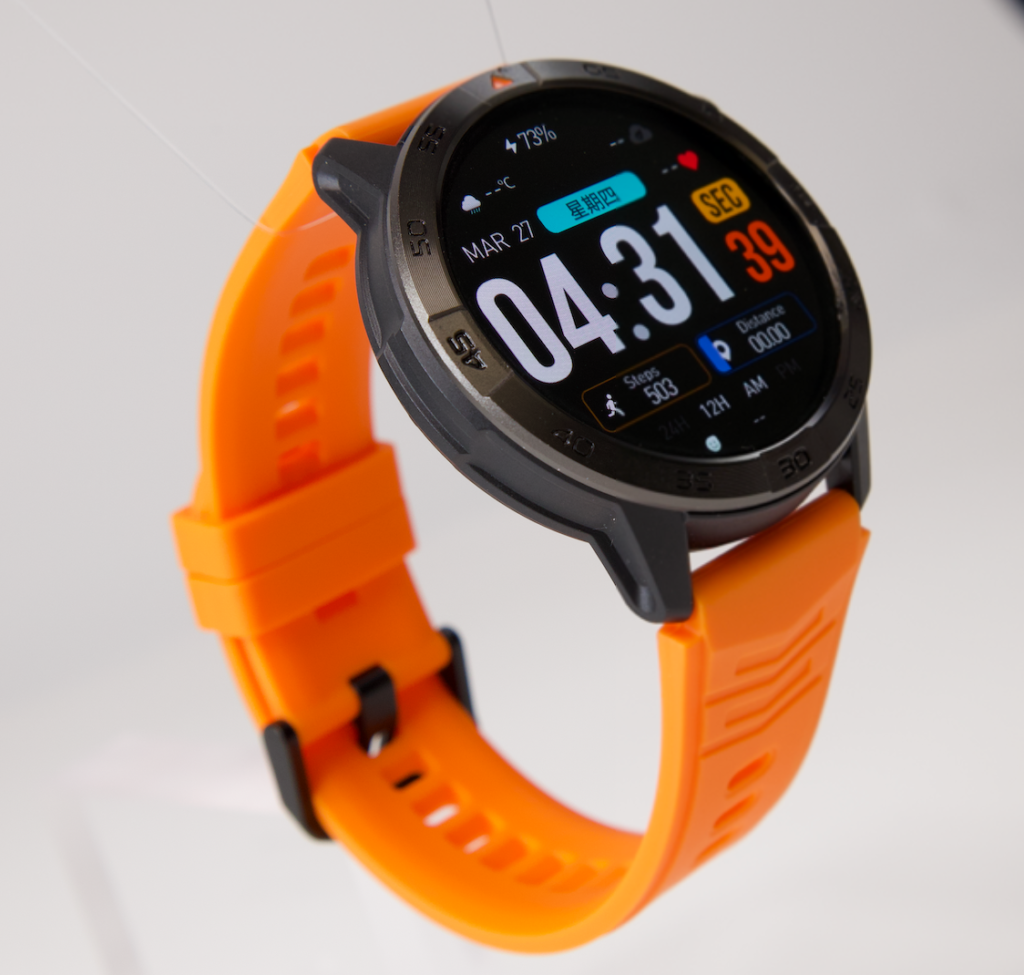
One Feature Can Produce Several Required Outcomes
A timer feature may support several scheduled tasks during one charging interval. In that case, the completed tasks matter more than the fact that a timer app exists.
Likewise, selected alerts may support several distinct actions. Count the useful outcomes that the wearer actually needed, not the number of icons available in the menu.
Several Battery Events Can Produce One Outcome
The opposite pattern also occurs. Multiple screen wakes, repeated alerts, and background connection events may produce only one meaningful result.
Suppose three apps report the same calendar change. The watch may vibrate three times, wake the screen three times, and maintain several notification processes. The wearer still receives one useful scheduling outcome.
A fair ledger gives credit to that outcome once. It records the extra events as support demand or duplicate demand rather than pretending that three alerts created three times the value.
Give Tokens Only to Required Results
Optional experimentation, decorative screen checks, and unused features should not inflate the useful-output total. The wearer may enjoy them, but the efficiency comparison needs a consistent boundary.
| Required outcome | Completion condition | Completed? | Supporting demand | Token count |
|---|---|---|---|---|
| Outcome A | User-defined result | Yes, no, or partial | Screen, connection, sensor, or mode | Recorded |
| Outcome B | User-defined result | Yes, no, or partial | Screen, connection, sensor, or mode | Recorded |
| Outcome C | User-defined result | Yes, no, or partial | Screen, connection, sensor, or mode | Recorded |
This outcome-first approach adds information that runtime claims often omit. It shows what the watch achieved, not merely how long it remained powered.
Open the Avoidable-Demand Chutes
The funnel now separates useful output from battery demand that adds little or no value. The article does not assign universal battery costs to these events. Device hardware, software, settings, signal conditions, and workload can change their impact.
Unnecessary Screen Wake Chute
Some display activations support a required outcome. The wearer may need to read an alert, check the time, or confirm a timer.
Other wakes come from habit, repeated checking, or display behavior that the workload does not require. Those events consume part of the charging interval without creating a new token.
An always-on display can also fall into different categories. It may support frequent time access for one wearer and add little value for another. The function belongs in the useful column only when the declared routine needs it.
Duplicate Alert Chute
Duplicate notifications create demand without necessarily changing the wearer’s action. Several apps may report the same message, calendar event, delivery update, or reminder.
The wearer should ask whether each alert created a distinct outcome. When several notifications led to the same action, the ledger should count one useful result and mark the rest as duplication.
Unused Sensor or Mode Chute
A sensor, workout mode, location feature, or background process may remain active after its useful role ends. If it produces no required record, it belongs in the avoidable or unknown-demand channel.
Do not assume that every sensor creates major battery drain. The point is not to exaggerate its cost. The point is to determine whether the demand produced an outcome the wearer needed.
Repeated Manual Check Chute
Battery concern can create its own demand. A wearer who repeatedly wakes the display to inspect the percentage may use energy without changing any decision.
The first check may inform a charging choice. Several later checks may repeat the same information.
Unknown Background Demand Chute
Some software behavior remains unclear. When official documentation does not explain a background process, notification path, mode, or sensor interaction, the comparison should not turn a guess into a firm conclusion.
Place that demand in Unknown-Demand Quarantine until better evidence appears.
| Demand event | Produced a required outcome? | Necessary support? | Duplicate? | Funnel destination |
|---|---|---|---|---|
| Event A | Yes or no | Yes or no | Yes or no | Useful output, support, waste, or unknown |
| Event B | Yes or no | Yes or no | Yes or no | Useful output, support, waste, or unknown |
| Event C | Yes or no | Yes or no | Yes or no | Useful output, support, waste, or unknown |
Put Battery Saver Through the Function-Floor Gate
Battery saver can improve efficiency, reduce it, or leave the result uncertain. The answer depends on what the mode removes and what the wearer needs.
Battery Saver Can Improve Useful Yield
A saver mode may raise useful yield when it reduces avoidable screen activity, background demand, or unused functions while preserving the entire Essential-Function Floor.
In that case, the watch completes the same required outcomes with less unnecessary demand or a longer practical interval.
Battery Saver Can Lower Useful Yield
A mode can also extend runtime while removing required alerts, connections, sensors, calls, or other essential functions.
The duration rises, but the output tray receives fewer required tokens. The watch may remain powered longer while becoming less useful.
The Mode Name Does Not Prove Its Behavior
Terms such as battery saver, low power, ultra-long, and basic mode do not guarantee the same retained functions. Current official documentation should identify what each mode changes.
Before giving a saver mode efficiency credit, inspect what a restricted battery mode removes.
| Mode | Runtime direction | Essential floor retained? | Avoidable demand reduced? | Yield effect |
|---|---|---|---|---|
| Normal mode | Baseline | Yes, no, or unknown | Baseline | Compare |
| Saver mode | Often longer | Yes, no, or unknown | Yes, no, or unknown | Higher, lower, or conditional |
| Highly restricted mode | Longest claim may appear | Yes, no, or unknown | High reduction | Utility may collapse |
Issue a Columbus Useful-Yield Balance Sheet
A university facilities energy coordinator in Columbus can approach the watch as an operational-efficiency question. The example remains hypothetical and does not represent a real university, campus program, utility project, employer, or completed test.
The coordinator begins with one documented charging interval. The Essential-Function Floor might contain time access, selected work alerts, one timer role, a declared movement record, and one after-hours function.
Next, the coordinator records what the watch completes:
- Did required alerts arrive under the declared connection conditions?
- Did the timer support the scheduled tasks?
- Did the selected tracking period finish?
- Did the after-hours function remain available?
- Did any essential function disappear before the interval ended?
Supporting processes receive tags rather than separate output tokens. Bluetooth activity may support selected alerts. Screen activations may support time checks. Sensor activity may support the declared movement record.
The coordinator then routes duplicate alerts, unnecessary checks, and unused activity into the appropriate demand chutes. Passive time receives its own slip instead of full useful-output credit.
The Yield Balance Sheet now shows four separate results:
- Useful outcomes completed
- Necessary support demand
- Avoidable or duplicate demand
- Passive or unknown time
This separation prevents a long interval from looking efficient merely because little happened during it.
Audit Four Misleading Efficiency Results
The final accounting review looks for errors that can distort the useful-yield verdict.
Audit Error 1: Feature Starvation
Feature Starvation appears when runtime rises because an essential function disappears.
Ask one direct question: would the wearer still choose the watch without that function? If the answer is no, the longer interval cannot earn High Useful Yield.
The correct response is not always to restore every feature. It is to stop claiming that a reduced-function result represents the same workload.
Audit Error 2: Idle-Duration Inflation
Idle-Duration Inflation gives full efficiency credit to hours when the watch simply remains powered.
Passive duration can still matter. It may preserve readiness or extend the interval between active periods. Yet it should not receive the same token value as a completed required task.
Move those hours to the Passive-Duration Slip. Readers evaluating readiness after inactivity can separate passive standby from active useful output.
Audit Error 3: Duplicate-Demand Waste
Duplicate-Demand Waste occurs when several battery-consuming events produce one user outcome.
A repeated alert, screen wake, or background process should not receive separate useful-output credit unless it changes the wearer’s action or creates another required result.
Audit Error 4: Useful-Output Miscount
This error treats app availability, sensor activation, or screen activity as completed work.
The audit asks what the wearer actually accomplished. When the answer remains unclear, the event cannot become a Required-Outcome Token.
Read the Efficiency Receipt
The Useful-Function Yield Receipt combines the Essential-Function Floor, outcome tokens, support demand, waste chutes, and passive-duration record.
High Useful Yield
Use this verdict when the watch retains the full essential floor, completes most or all required outcomes, and limits avoidable demand.
The result must match the declared operating mode and charging interval. Passive time cannot inflate the score.
Balanced Yield
This verdict fits a watch that completes the required workload while carrying some avoidable demand.
The charging interval remains practical, and the essential functions stay available. The wearer may identify room for improvement without needing to starve the feature set.
Long Runtime With Low Utility
Use this result when the watch remains powered for a long interval but completes few required outcomes.
Feature starvation, restricted modes, or passive duration may dominate the result. The runtime looks strong while practical usefulness remains weak.
Inefficient Function Mix
This verdict applies when essential functions remain active, but duplicate alerts, unnecessary wakes, unused sensors, or other avoidable demand consume a large share of the interval.
The problem lies in the function mix, not necessarily the battery capacity.
| Verdict | Essential floor | Required output | Avoidable demand | Passive inflation |
|---|---|---|---|---|
| High Useful Yield | Fully retained | High | Low | None |
| Balanced Yield | Retained | Sufficient | Moderate | Controlled |
| Long Runtime With Low Utility | Starved or reduced | Low | May appear low | High |
| Inefficient Function Mix | Retained | Below expectation | High | Low or moderate |
Questions the Funnel Must Answer
Is Battery Saver Always Efficient?
No. Battery saver improves Useful-Function Yield only when it reduces avoidable demand while retaining every essential function.
A mode that removes a required function may increase duration while lowering practical efficiency.
How Should the Wearer Choose Essential Functions?
Choose them by consequence. A function belongs on the floor when losing it would make the watch unsuitable for the intended routine.
Do not protect a feature merely because the watch supports it.
Should Passive Standby Count as Useful Output?
Record standby separately. Passive survival can preserve availability, but it should not receive the same credit as a completed required outcome.
Is This the Same as Battery-Saving Advice?
No. Battery-saving advice asks how to reduce consumption. Useful-Function Yield asks whether the energy consumed produces enough required outcomes.
The method may expose avoidable demand, but it does not require a generic settings checklist.
Does the Largest Battery Automatically Produce the Best Yield?
No. Capacity matters, but software behavior, display use, connections, sensors, operating modes, and workload also affect the result.
Can Two Users Give the Same Watch Different Efficiency Verdicts?
Yes. Their Essential-Function Floors and required outcomes may differ. A watch can deliver strong yield for one routine and weak yield for another.
Does Short Runtime Always Mean Poor Efficiency?
No. A demanding but useful workload may produce high yield even when the charging interval is shorter.
Long-term consistency is another question. Readers who need to evaluate performance over repeated charge cycles can track efficiency across repeated charge cycles.
Efficiency Is the Work That Survives the Charge
Return to the two watches from the opening. The model that remains powered longer may still deliver less value when it removes the functions the wearer needs.
A credible efficiency comparison locks the Essential-Function Floor, defines one charging interval, counts completed outcomes, separates supporting demand, routes duplication into waste channels, and keeps passive time outside the main output total.
The most efficient battery is not the one that stays alive the longest; it is the one that completes the most required work without starving the wearer of essential functions.
Define the required outcomes, freeze the function floor, and remove passive-time inflation before comparing battery claims. Use the completed accounting to test this watch against your useful-yield ledger rather than judging efficiency by the number of days between charges alone.