
The charging cable has barely moved all week. The companion app has opened four times. A smartwatch for low maintenance lifestyle cannot earn that description from charging frequency alone if its owner keeps restoring permissions, reconnecting services, or rebuilding settings elsewhere.
An independent-bookstore inventory buyer in Louisville, Kentucky, may notice that contradiction after the novelty wears off. The watch lasts long enough to make charging feel easy, yet another small ownership task keeps returning. One day it is a connection check. Later it is a notification setting, an update prompt, a dirty charging contact, or a cable that cannot be replaced with the one already in a travel bag.
The Ownership Chore Surface measures that full burden. Instead of counting only charging sessions, it maps five care surfaces: Charging, Connection, Configuration, Updating, and Physical Care and Accessories. A watch earns a low-maintenance verdict only when those surfaces stay quiet enough for the owner’s real routine.
The Quiet Charger Can Hide a Busy U.S. Ownership Routine
Long battery life solves a real problem for American users who dislike planning every day around a charging cable. Fewer charging sessions can reduce watch removal, missed wear periods, and the need to keep a dock beside the bed or desk.
That benefit covers only one drawer in the maintenance toolbox.
A watch can charge once in many days and still ask for repeated attention through its phone connection, companion app, permissions, firmware, band, or proprietary accessories. The owner has not eliminated maintenance. The burden has moved from a visible cable to less obvious intervention.
This distinction matters because U.S. consumers often compare battery claims before they compare ownership routines. A long interval between charges may look simple on a product page, while recurring app repair or accessory management appears only after setup.
Readers who need to test charger distance as a separate issue can measure how far the watch can separate from its charger. The Ownership Chore Surface asks a broader question: how many categories still require the owner to step in?
| Ownership pattern | Charging burden | Other recurring work | Low-maintenance meaning |
|---|---|---|---|
| Long battery, stable ownership | Low | Low | Strong fit |
| Long battery, repeated app repair | Low | High | Care burden moved elsewhere |
| Frequent charging, little other work | High | Low | Charging dominates |
| Several active care surfaces | Variable | High | Maintenance mismatch |
Open the Toolbox Only After Defining “Recurring”
Initial setup can make any smartwatch look demanding. Pairing the phone, choosing preferences, approving permissions, and learning the companion app all require attention. Those steps should not automatically count against long-term ownership.
The key distinction is recurrence.
Put One-Time Setup Outside the Main Tray
A task belongs outside the recurring total when the owner completes it once and does not need to revisit it during normal use. Initial pairing, the first account sign-in, and the first watch-face selection usually fit this category when they remain stable.
The Ownership Chore Surface keeps those tasks visible, but it does not treat them as ongoing maintenance without evidence that they return.
Add a Recurrence Stamp When the Task Comes Back
A setup action becomes a maintenance chore when the owner must repeat it. Re-pairing, restoring notification access, rebuilding preferred settings, or signing in again after routine software changes can move a task into the recurring tray.
Frequency matters, but frequency alone does not settle the verdict. An annual action may matter more than a weekly one when it disables a function the owner considers essential.
Record the Consequence, Not Just the Annoyance
A chore deserves more weight when ignoring it makes the watch less useful. If the owner can postpone a cosmetic setting change without losing a required function, the task carries little operational importance. When a connection repair restores alerts, syncing, calling, or another declared role, the chore affects the ownership fit directly.
| Owner action | One-time or recurring? | Trigger | Consequence if ignored | Care surface |
|---|---|---|---|---|
| Initial phone pairing | Usually one-time | First setup | Watch remains unpaired | Connection |
| Permission restoration | Recurring if repeated | Reset, phone change, or software event | Selected function may stop | Configuration |
| Routine charging | Recurring | Battery threshold | Watch becomes unavailable | Charging |
| Band cleaning | Depends on need | Wear, sweat, or official care guidance | Comfort or care may decline | Physical care |
Five Care Tools Behind a Low-Maintenance Smartwatch
The maintenance toolbox uses one tool for each recurring care surface. Open all five before deciding that long battery life has made the watch easy to own.
Tool One: Charging
Charging includes more than the interval between full batteries. Record how often the owner must act, whether the timing disrupts wear, whether the cable must stay nearby, and whether the watch returns to the wrist without another reminder.
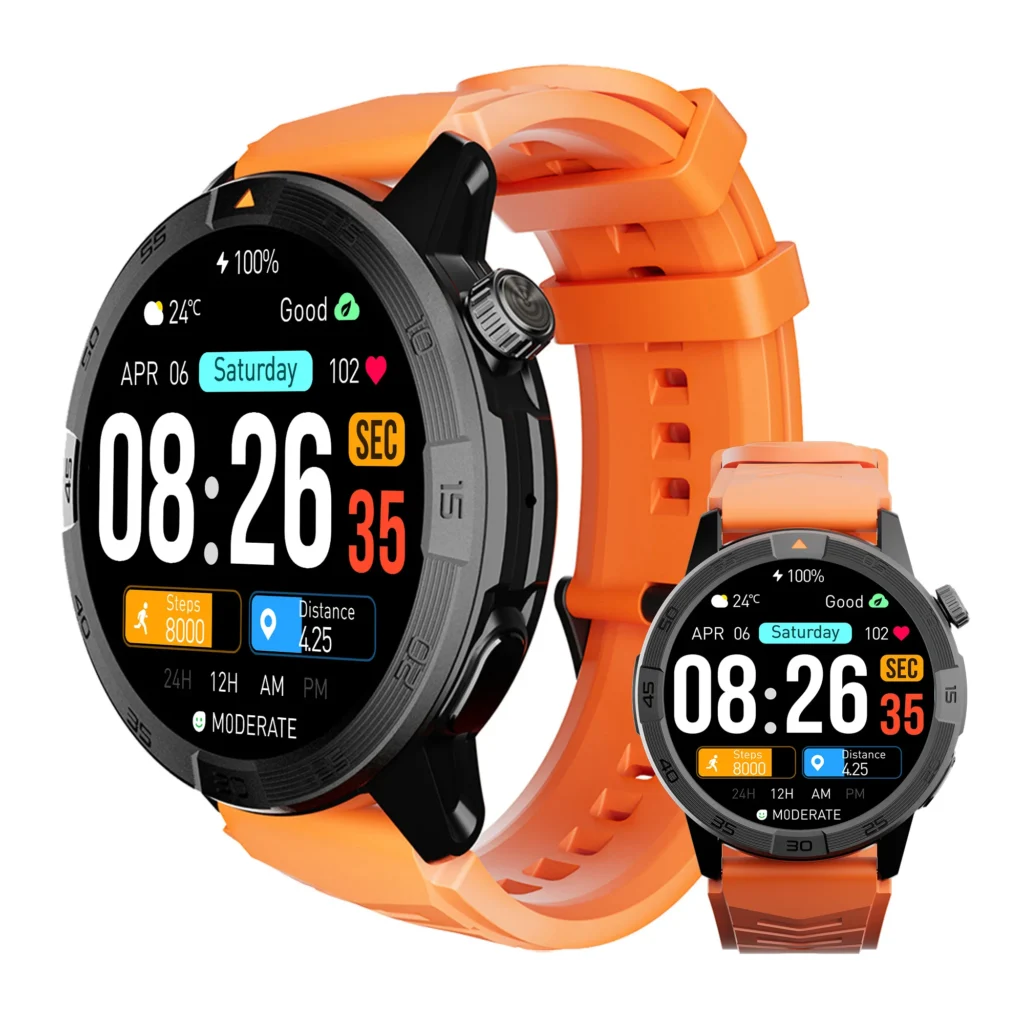
A long interval can quiet this tool. It does not close the other drawers.
Remote workers face a related but narrower problem when a convenient charger encourages repeated top-ups. They can see how nearby charging can still interrupt daily wear. Article 252 counts charging as one part of total ownership care rather than testing desk behavior.
Readers who specifically want to remove nightly charging should find when nightly charging becomes unavoidable. That decision remains separate from the full maintenance map.
Tool Two: Connection
The connection tool records owner intervention involving Bluetooth pairing, phone reconnection, sync recovery, or companion-app access. Automatic reconnection does not count as a chore when it completes quietly and preserves the intended routine.
A repeated manual fix does count. The owner should tag what triggered the repair, what stopped working, and whether another care surface became active afterward.
Tool Three: Configuration
Configuration covers permissions, notification choices, app access, display preferences, watch-face settings, sensors, and other owner-selected behavior. Voluntary customization does not create maintenance by itself. Many Americans change watch faces or alert preferences because they enjoy doing so.
The burden begins when a required configuration disappears and the owner must restore it. A notification setting that resets after a phone change creates a different ownership demand from a watch face changed for variety.
Tool Four: Updating
Updates belong in the toolbox only when they require owner action, create downtime, change expected behavior, or lead to recovery work. A process that completes automatically and leaves the routine intact should not receive a Chore Tag merely because software changed.
When an update asks for charging, approval, app access, reconnection, or a settings review, record each owner action once. Do not multiply one event into several unrelated chores.
Tool Five: Physical Care and Accessories
This tool covers recurring cleaning, charging-contact care, band attention, cable storage, dock management, and replacement-part dependence. The owner should follow official care instructions for the specific materials and device.

Optional polishing does not automatically count. Cleaning becomes part of the maintenance surface when the owner must repeat it to preserve intended use, charging contact, comfort, fit, or manufacturer-directed care.
Accessory dependence also needs context. A proprietary charger does not make a watch high maintenance by definition. The burden comes from storing it, carrying it, replacing it, or sourcing it when another common cable cannot do the job.
What American Owners Should Count as a Real Chore
Not every technical process deserves a place on the map. Smartwatches sync data, manage connections, refresh apps, and perform background activity. The owner may never notice most of it.
A real chore begins when the owner must act.
Use a Chore Tag with six fields:
- Trigger: What caused the intervention?
- Owner action: What did the person have to do?
- Frequency: Did it happen once, occasionally, regularly, or unpredictably?
- Function affected: What became unavailable or unreliable?
- Recovery step: What restored normal use?
- Spillover: Did one fix create work on another surface?
| Chore | Trigger | Owner action | Frequency class | Function affected | Spillover |
|---|---|---|---|---|---|
| Reconnection | Connection loss | Reopen app or pair | Rare to unpredictable | Sync, alerts, or another declared role | Possible configuration work |
| Update completion | Software prompt | Approve, charge, or restart | Occasional | Temporary availability | Possible settings check |
| Required cleaning | Wear or official care need | Clean the specified area | Routine-dependent | Comfort, contact, or charging | Possible accessory care |
This rule keeps the article fair. A failed sync that repeatedly demands repair belongs on the map. A silent background sync does not.
Recurring care also differs from a technical fault. When the watch loses power abnormally, refuses to charge, or behaves outside the expected routine, the owner may need to separate recurring care from an actual battery fault.
Follow Spillover Between Apps, Settings, and Accessories
One maintenance event can spread across the toolbox. The Ownership Chore Surface uses Spillover Threads to show that expansion without double-counting the original action.
Connection Repair Can Spill Into Configuration
A reconnection may restore the phone link but leave selected alerts, permissions, or app access incomplete. The owner now faces two connected tasks: repair the link, then restore the required behavior.
Ignoring the second step creates Syncing Chore Blindness. The connection appears fixed while the watch still fails to perform the job the owner expects.
An Update Can Create Recovery Work
An update may complete successfully yet prompt the owner to review settings, reconnect a service, or confirm that required functions still behave as expected. That pattern creates Update Burden only when the owner must intervene.
Do not assume every update produces this result. The map records observed or documented owner work, not suspicion.
Accessory Dependence Can Reach the Charging Drawer
A missing or damaged cable can turn an otherwise quiet charging routine into an accessory problem. The watch may have excellent endurance, but the owner still needs a workable path to the next charge.
This is Accessory Dependence, not proof that the battery itself performs poorly.
One Reset Can Spill Across Several Settings
A repeated reset may force the owner to restore permissions, alerts, faces, app access, or sensor preferences. The same trigger now reaches several configuration areas.
Use one original Chore Tag and connect the secondary work with Spillover Threads. That prevents inflated counting while still showing the true burden of Reconfiguration Spillover.
Charging-Only Thinking Can Hide the Whole Surface
The most basic error appears when the owner calls the watch low maintenance because the charger stays unused. That Charging-Only Definition ignores every other recurring intervention.
| Starting surface | Triggered surface | Owner work created | Recurring? | Map treatment |
|---|---|---|---|---|
| Connection | Configuration | Restore access or alerts | Yes, no, or unknown | Spillover Thread |
| Updating | Connection | Pair or sync again | Yes, no, or unknown | Spillover Thread |
| Accessories | Charging | Find, carry, or replace cable | Yes, no, or unknown | Dependency Tag |
Build a Louisville Ownership Chore Surface
Consider the independent-bookstore inventory buyer in Louisville. The example remains hypothetical and does not represent a real bookstore, employer, inventory platform, phone model, work schedule, or completed product test.
The buyer starts with a promising result: the watch rarely needs charging. That closes much of the Charging drawer.
Next, the buyer reviews the other four tools. A companion-app visit only counts when it restores a function the owner needs. A voluntary watch-face change stays outside the maintenance total. An update receives a tag only when it asks for attention or creates follow-up work.
The buyer then records physical care and accessory needs. A band cleaning routine may remain manageable. A difficult-to-replace cable may matter more if the buyer moves between the bookstore, home, and occasional buying appointments around Kentucky.
The final map might look like this:
| Care surface | Recurring intervention? | Frequency class | Required function affected | Surface status |
|---|---|---|---|---|
| Charging | Yes | Rare | Watch availability | Quiet |
| Connection | Unknown until observed | Unpredictable | Sync or selected alerts | Verify |
| Configuration | Only if settings return | Rare to unpredictable | User-selected behavior | Conditional |
| Updating | Only when owner action occurs | Occasional | Temporary availability | Manageable or active |
| Physical care and accessories | Routine-dependent | Rare to regular | Comfort, fit, or charging | Quiet or active |
The map does not need invented precision. Its value comes from showing which drawers stay closed, which require occasional attention, and which keep reopening.
Close Empty Drawers and Circle the Dominant Tool
A care drawer closes when the surface requires no recurring owner action, the relevant processes remain automatic, or the task occurred only during setup.
Leave a drawer open when the owner repeatedly steps in, the task returns unpredictably, or a required function stops until recovery.
Then circle one Dominant Tool when a single category overwhelms the rest of ownership. Frequent reconnection may dominate a watch that otherwise charges rarely and needs little physical care. Another model may stay connected reliably but depend on a cable the owner constantly misplaces or struggles to replace.
The dominant chore often matters more than the raw number of active surfaces. One severe recurring interruption can make the watch feel demanding even when four other categories remain quiet.
U.S. Buying Checks That Reduce Maintenance Surprises
American shoppers can screen for likely maintenance before purchase without pretending that every ownership event can be predicted.
Check Official Phone and App Compatibility
Confirm the supported phone operating system, required companion app, account needs, permissions, and feature limitations through current official documentation. Do not assume that Android and iOS provide identical behavior.
Look Beyond the Included Charger
Identify the charging connector or dock, then check how easily the owner can store, replace, or carry it. U.S. buyers who travel between home, work, and regional trips may place more value on replacement availability than someone who keeps one charger in a fixed location.
Read Care Instructions Before Choosing Bands or Accessories
Materials, charging contacts, sensors, and bands may have different care requirements. Official guidance should shape the cleaning routine rather than generic advice from another device.
Separate Update Support From Update Burden
Software support can add value, but the article’s maintenance question asks how much owner work each update creates. Verify what the manufacturer documents, then observe the actual routine after purchase.
Use the Return Period as an Ownership Test
When a U.S. retailer or manufacturer offers a return period, the buyer can use that time to observe all five care surfaces. The goal is not to force a failure. It is to see whether normal use stays quiet enough for the intended lifestyle.
Record recurring intervention rather than judging the watch after one difficult setup afternoon.
Questions Owners Ask After the Toolbox Opens
Does Cleaning Count as Smartwatch Maintenance?
Yes, when the owner must repeat it to preserve intended use, charging contact, comfort, fit, band condition, or manufacturer-directed care. Optional cosmetic cleaning does not automatically count.
Is Initial Setup Part of the Ownership Chore Surface?
Record setup separately. It becomes recurring maintenance only when the owner must repeat pairing, permissions, account access, or configuration during normal ownership.
Does a Proprietary Charger Make a Watch High Maintenance?
Not by itself. Count the owner work created by storing, carrying, replacing, or sourcing that accessory.
Can Long Battery Life Compensate for Recurring Connection Fixes?
It can quiet the Charging surface, but it cannot erase repeated connection work. The final verdict must include both categories.
Should Automatic Updates Count?
Count them only when they request owner action, interrupt a required use period, change expected behavior, or create recovery work.
What if One Update Causes a One-Time Problem?
Record the event, but do not call it recurring unless the same class of owner intervention returns.
Does Changing Watch Faces Count as Maintenance?
Voluntary customization does not count. Restoring a required configuration after an unintended reset or update does.
Read the Toolbox Verdict Card
Low-Maintenance Fit
Use this verdict when few care surfaces require recurring intervention, charging remains manageable, connections and settings stay stable, updates create little owner work, and accessories remain practical.
Battery-Light but Care-Heavy
This result fits a watch that charges infrequently but repeatedly demands attention through connection, configuration, updating, or accessory management.
One Chore Dominates
Choose this verdict when most surfaces remain quiet but one recurring category controls the ownership experience.
Maintenance Mismatch
Use this verdict when several surfaces require recurring attention, spillover expands the work, and the total burden conflicts with the owner’s low-maintenance intent.
| Verdict | Active care surfaces | Dominant chore | Spillover | Ownership interpretation |
|---|---|---|---|---|
| Low-Maintenance Fit | Few | None | Minimal | Care burden remains low |
| Battery-Light but Care-Heavy | Several outside charging | Possible | Moderate | Battery hides other work |
| One Chore Dominates | Few or moderate | Yes | Variable | One category controls the routine |
| Maintenance Mismatch | Several | Possible | Repeated | Care burden conflicts with intent |
Low Maintenance Means Fewer Things Asking for You
Return to the two objects from the opening. The charging cable still looks quiet. The companion app tells the rest of the ownership story.
A credible low-maintenance decision opens every drawer, separates setup from recurrence, tags only actions that require the owner, follows spillover, and circles any chore that dominates the routine.
A watch earns a low-maintenance place only when its quiet charger is matched by quiet connections, settings, updates, and accessories.
Count all five care surfaces before accepting a low-maintenance claim. Use the completed toolbox to measure this watch against your ownership-chore map rather than letting one long battery interval define the entire ownership experience.