
Myth: A packed calendar creates the entire scheduling problem.
Reality: Much of the disruption begins in the five unplanned minutes between two appointments.
An Austin city-permitting specialist leaves a public counter appointment with an unfinished resident request still in mind. The next permit-plan review is already beginning, but the wrong file is open and a required drainage note has not been prepared.
A smartwatch for a busy work schedule becomes useful when it helps an office worker close one block and enter the next with the right context. Merely announcing another calendar event is not enough.
The watch must support the handoff between tasks without becoming one more source of interruption.
Find the Roughest Seam in an Austin Municipal Workday
A schedule seam is the short interval between two work blocks.
For the Austin permitting specialist, one compressed municipal workday moves through five connected blocks:
- Public counter appointment
- Permit-plan review
- Site-condition call
- Protected administrative work
- End-of-day approval queue
Each block may already appear correctly on the calendar. The difficulty begins when information from the previous task remains mentally active while the next task requires a different document, caller, deadline, and level of attention.
Look for task carryover
A rough transition often produces visible signs:
- The previous conversation keeps replaying mentally
- An unresolved item is never recorded
- The wrong permit file is opened
- The phone is checked without a clear purpose
- Preparation begins after the next task has started
- A promised follow-up is discovered hours later
These are not calendar failures. The appointments exist. The transition lacks a reliable closing and preparation process.
Repair one transition before changing the entire day
The specialist should begin with the seam creating the clearest disruption:
Public counter appointment → permit-plan review
Record what normally happens:
- The counter appointment ends at 10:20
- One resident document is still missing
- The next review begins at 10:30
- The revised plan should already be open
- Several unrelated alerts appear during the gap
- The review starts late because the correct context was not prepared
Trying to redesign all five work blocks at once would make the result difficult to evaluate. One repaired seam provides clearer evidence.
Use a Release Cue Before Leaving the Current Task
The first part of the schedule seam is Release.
Its purpose is to preserve unfinished work without carrying the entire task into the next block.
Capture one unresolved item
Before the public counter appointment ends, a discreet wrist cue can prompt the specialist to record the one item that must not disappear.
That item might be:
- A missing site document
- A resident follow-up
- A promised email
- An unanswered plan question
- An approval waiting for another department
Important municipal information should remain in the approved work system rather than only on the smartwatch. The watch supplies the transition cue; the official record stores the work.
Make the reminder actionable
A generic notification such as “Meeting ending” provides time awareness but no closing instruction.
A stronger cue might say:
Two minutes remaining: record the unresolved item and assign the next action.
That prompt helps the worker answer three questions before leaving:
- What remains unfinished?
- Who owns the next step?
- When will it be reviewed?
The task can then be released without being forgotten.
Do not reopen the entire issue
Release does not mean solving every outstanding question immediately.
Suppose the resident still needs to provide a revised drainage document. The specialist does not need to investigate the entire permit during the transition. A successful release simply records:
Await revised drainage document. Review after receipt.
The work remains protected without occupying the next ten minutes.
Reload the Correct Context for the Next Austin Work Block
The second action is Reload.
A calendar alert can announce that the plan review begins at 10:30. A preparation cue should tell the specialist what must be ready before 10:30.
Surface only the necessary context
For the upcoming permit-plan review, the wrist cue may identify:
- Permit number
- Applicant name
- Correct plan version
- Review category
- One unresolved technical question
- Decision deadline
The watch does not need to display the complete plan. It only needs to direct the worker toward the correct file and preparation step.
Replace announcements with preparation prompts
Compare two notifications:
Plan review at 10:30.
and:
Open permit 24-1867, load the revised site plan, and check the drainage note.
The first confirms an event already visible on the calendar. The second reduces transition friction.
Preparation prompts are especially useful for American office workers whose days contain back-to-back meetings, records, calls, and administrative deadlines. The cue should help the next task begin correctly rather than merely announce that it exists.
Keep the wrist message short
A long paragraph on a small display can create another delay.
Use the watch for:
- One record identifier
- One preparation action
- One unresolved question
Detailed review belongs on the computer.
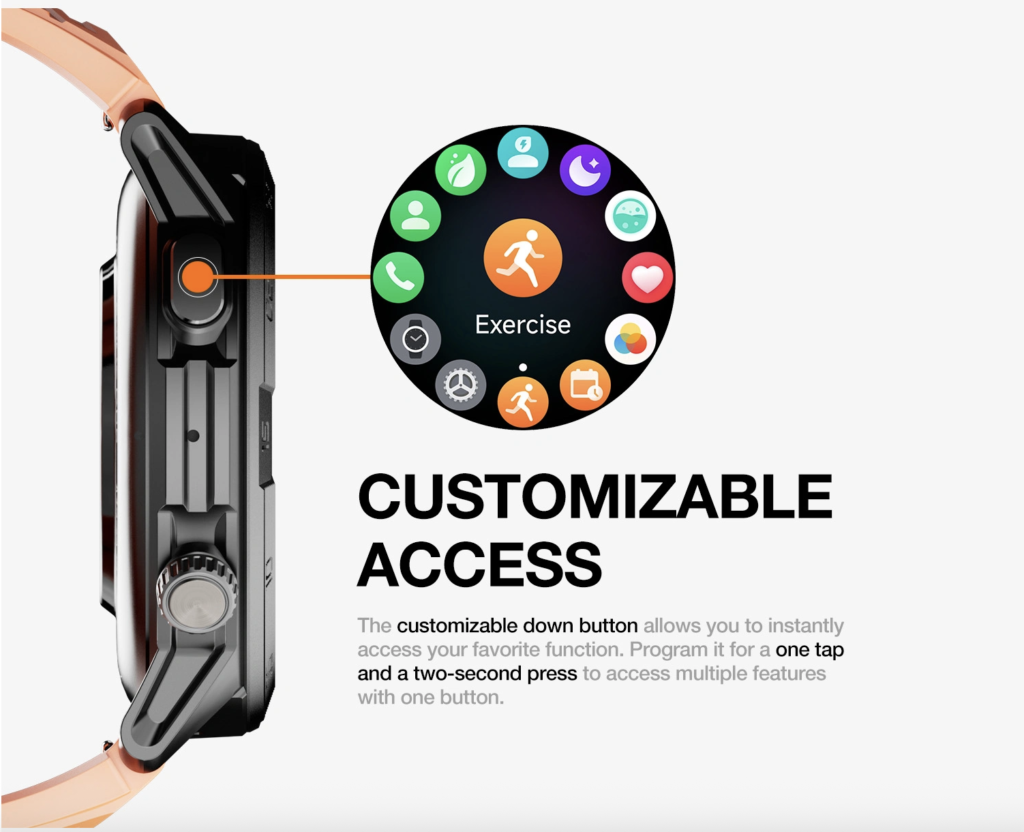
When too many alerts compete with those preparation cues, it may help to reduce communication clutter during a compressed workday.
Re-enter the Next Task With Fewer Interruptions
The third schedule-seam action is Re-enter.
After the correct plan is open, the specialist must prevent unrelated notifications from pulling attention backward into the counter appointment or forward into the site call.
Define the protected alert set
During the permit-plan review, the specialist may still need:
- The next transition cue
- A genuinely urgent office contact
- A time-sensitive site-call update
- An important calendar change
Promotional notifications, routine group messages, and unrelated updates can wait until the protected block ends.
The goal is not complete silence. It is controlled access.

Use discreet wrist checks deliberately
A quick wrist glance can be less disruptive than picking up a phone, unlocking it, and seeing several unrelated apps.
During a meeting or focused review, the watch can provide:
- A quiet time check
- A brief view of the next transition
- Recognition of an urgent caller
- Confirmation that the block is still on schedule
Workplace expectations still apply. Repeatedly checking the watch can become as distracting as checking a phone.
The value comes from purposeful access, not frequent access.
Office workers evaluating that difference can separate practical wrist access from unnecessary phone handling.
Prevent the watch from becoming a second phone
A smartwatch cannot reduce distraction when every phone notification is copied to the wrist.
Review whether:
- Low-priority apps can still interrupt the plan review
- Repeated vibrations break reading concentration
- Decorative alerts serve no work purpose
- The screen is checked without a transition need
- Duplicate calendar reminders appear across several devices
Every permitted alert should have a reason to interrupt the active block.
Repair the Plan-Review-to-Site-Call Seam
The same three-part method now applies to the next transition.
Release the plan review
Before closing the permit file, capture one remaining issue.
For example:
Approval pending confirmation of the rear setback measurement.
That note prevents the specialist from carrying several unresolved possibilities into the site call.
A useful release should record:
- The unresolved issue
- The required evidence
- The next review point
The full plan can then remain closed during the call.
Reload the call context
The next wrist cue can surface:
- Site address
- Caller name
- Permit number
- Condition requiring confirmation
- Document or photograph that should be open
A preparation prompt might say:
Site call: 1420 Eastview. Open permit 24-1867 and rear setback note.
The worker enters the call knowing which record is relevant.
Re-enter with the reference ready
Beginning the call before opening the permit file forces the caller to wait while the specialist searches.
A cleaner transition places the correct reference on screen first. Once the call starts, unrelated alerts remain limited until the discussion ends.
The smartwatch does not replace the computer, plan file, or detailed call. It prepares the handoff between them.
Capture Follow-Up Without Reopening the Call
The site-condition call ends, but one action remains.
The specialist now needs to enter a protected administrative block without mentally replaying the conversation.
Convert the call into one specific action
A useful follow-up may be:
- Request a revised photograph
- Add an inspection condition
- Send the applicant a clarification
- Hold approval pending documentation
- Review the issue before the final queue
The action should be captured before the worker changes context.
Avoid vague reminders
“Follow up later” leaves the entire conversation mentally open.
A stronger prompt identifies the record, action, and review point:
Permit 24-1867: request the drainage photo before the 3:30 approval block.
That wording reduces the effort required when the reminder appears. The specialist does not need to reconstruct why the follow-up exists.
Deliver the prompt at the correct time
A reminder loses value when it appears repeatedly during protected administrative work.
The cue should return when action is possible, such as shortly before the approval queue opens. Until then, the task remains recorded but quiet.
Office workers trying to protect concentrated review time can protect focused office work from low-priority interruptions.
Protect the Final Approval Transition With Battery Reserve
The last major seam moves from administrative work into the end-of-day approval queue.
By this point, the watch has already supported several reminders, screen checks, notifications, and possibly short phone-assisted calls. The remaining charge still has a job.
Identify the final required functions
During the approval period, the specialist may need:
- The approval-block start cue
- Time checks
- Priority office alerts
- One delayed follow-up prompt
- An end-of-day calendar update
A watch that loses power before this transition cannot support those final cues.
Judge reserve by the work still ahead
A fixed rule such as “always keep 30%” ignores differences in display use, notification volume, calling, battery condition, and schedule length.
The useful question is:
Can the remaining charge support the administrative block, the transition into approvals, the complete approval queue, and one realistic extension?
The answer should come from observed workday performance.
Protect transition tools before optional activity
When the remaining battery becomes uncertain, low-priority notifications and unnecessary display activity may deserve reduction before the transition cues that still support the job.
This is not a general battery-saving plan. The priority exists because the final seam remains unfinished.
Workers with schedules that frequently run late can plan battery coverage for work that extends beyond the expected endpoint.
Count Cues by Purpose, Not Volume
More reminders do not automatically create a smoother schedule.
Each cue should perform one clear job.
Release cue
Closes the current block by capturing unfinished work.
Example:
Record the unresolved item and assign its next action.
Reload cue
Surfaces the information needed for the next block.
Example:
Open permit 24-1867 and the revised drainage plan.
Re-entry cue
Protects the new block by limiting unrelated interruptions.
This cue may be a focus setting, notification filter, or simple decision about which contacts can interrupt.
Remove duplicates
The same meeting may produce:
- A desktop calendar alert
- A phone notification
- An email reminder
- A smartwatch vibration
Four announcements do not create four times the preparation.
Keep the notification that helps the transition happen. Remove or silence duplicates that only repeat the event time.
Use the fewest effective cues
A strong seam may require only:
- One release prompt
- One reload prompt
Add another cue only when it repairs a separate failure. The objective is not to build a complicated reminder system. It is to reduce the minutes lost between tasks.
Review Whether the Schedule Seam Became Cleaner
After one comparable Austin workday, the specialist should review the repaired transition.
Record behavior rather than impressions
Useful evidence includes:
- Minutes lost between blocks
- Number of incorrect files opened
- Unfinished items forgotten
- Phone checks during the seam
- Time required to begin the next task
- Follow-ups completed at the intended review point
“Felt more productive” is less useful than observing that the correct permit file was open before the review began.
Look for reduced carryover
A cleaner seam should produce less:
- Mental replay of the previous appointment
- Searching for the next record
- Repeated notification checking
- Late preparation
- Discovery of forgotten follow-ups
The worker should enter the next block with less unfinished context competing for attention.
Remove cues that do not change behavior
Delete or revise a cue when it:
- Repeats the calendar
- Arrives too early to act on
- Appears after the transition
- Contains too much text
- Creates another interruption
- Fails to change preparation behavior
Only cues that repair the seam should remain.
Questions U.S. Office Workers Ask About Task Transitions
Why are calendar alerts not enough for back-to-back work?
Calendar alerts announce the next event. They may not help the worker capture unfinished work, open the correct record, or limit unrelated interruptions before the next block begins.
What should a pre-transition smartwatch cue contain?
Include one action tied to the handoff, such as recording an unresolved item or opening the file required for the next task.
How can unfinished work be captured without reopening the task?
Record the next action, responsible person, and review time in the approved work system. Then leave the full task closed until that review point arrives.
Which notifications should remain hidden during protected work?
Hide alerts unrelated to the active block while preserving any communication the workplace classifies as urgent or time-sensitive.
Can silent wrist checks reduce meeting disruption?
A short, intentional wrist check may be less disruptive than opening a phone. It must still follow workplace expectations and should not become repetitive.
Why should battery reserve protect the final work transition?
The last preparation and follow-up cues still require power. The remaining charge should cover the final block, one realistic extension, and the next dependable charging opportunity.
Repair One Seam, Not the Entire Calendar
Counter appointment released. Correct plan reloaded. Review block entered without reopening the phone.
That is a successful schedule seam.
A smartwatch for a busy work schedule is most useful when it repairs the small handoffs that determine whether the next task starts prepared or already behind.
Choose the roughest transition in tomorrow’s schedule. Add one wrist cue that closes the current task and another that surfaces the next task’s required context. After testing that seam, review the smartwatch’s work-block reminder and alert tools to see whether they support the routine without adding another interruption.