
8:17 a.m. Your calendar says the first meeting starts in 28 minutes. Your phone is zipped inside a laptop bag, one hand is holding coffee, and a call comes in before you reach the office.
That small moment is where a smartwatch for busy professionals becomes useful. Not because it replaces your phone, but because it helps you decide faster: answer, decline, silence, or call back later.
For professionals who move between meetings, calls, travel, lunch breaks, and after-work plans, Bluetooth calling can reduce unnecessary phone checks without adding another screen to babysit all day.
Morning Commute
The commute is where call control often starts before the workday officially begins.
You may be walking from the parking lot, waiting for the train, riding an elevator, or moving through a lobby with your phone buried in a pocket or bag. When a call comes in, reaching for the phone is inconvenient, and sometimes unnecessary.
A Bluetooth calling smartwatch gives you a faster first filter.
You can glance at the caller, decide whether it matters, and avoid unlocking your phone for every interruption. If the call is urgent, you can answer briefly from the wrist while the paired phone stays nearby. If it is not urgent, decline it and keep moving.
This is especially useful for:
- Client calls before business hours
- Family calls during the commute
- Team calls before arriving at the office
- Unknown numbers you do not want to answer
- Quick “I’m on my way” conversations
The watch should not become a distraction while driving. If you are behind the wheel, follow state laws, workplace rules, and safe-driving practices. The best commute use is before driving, after parking, while walking, or while using public transportation safely.
Calls Before Meetings
The five minutes before a meeting are often more important than they look.
That is when professionals check the agenda, open files, review notes, silence distractions, and prepare mentally. A phone call during that window can break focus fast.
A calling smartwatch helps because it turns the call into a quick decision instead of a full phone interaction.
If the caller is important, step aside and answer briefly. If the call can wait, decline it without opening your phone and getting pulled into email, messages, or app notifications.
The best setup is to let only high-value callers reach the watch before meetings. That may include:
- Direct supervisor
- Key clients
- Family emergency contacts
- Calendar alerts
- Critical work communication apps
Everything else can stay silent.
For professionals comparing this feature with broader workday use, the guide to a Bluetooth calling smartwatch for work explains how wrist calls fit into long shifts and workplace routines.
Silent Call Screening
Silent call screening is one of the most underrated smartwatch benefits for professionals.
You do not always need to answer. Sometimes you only need to know who is calling.
A smartwatch lets you screen calls quietly during focused work, meetings, desk sessions, client conversations, or shared office time. Instead of pulling out your phone and looking distracted, you can use a quick wrist glance.
The ideal screening setup is simple:
- Vibration on
- Loud ringtone off
- Caller ID visible
- Nonessential notifications disabled
- Do-not-disturb rules set around meetings
This helps protect attention.
The danger is letting the watch become another interruption machine. If it vibrates for every app, it loses its professional value. A smartwatch should create fewer phone checks, not more wrist checks.
Silent screening works best when the watch shows only the calls and alerts that deserve your attention.
Walking Between Appointments
Busy professionals often live in the gaps between appointments.
Walking from one office to another. Moving between conference rooms. Leaving a coworking space. Crossing a hotel lobby. Heading from a client visit to the parking garage.
These are the moments when a wrist call makes more sense than digging for a phone.
A short Bluetooth call can help with simple communication:
“I’m walking over now.”
“I’ll join in two minutes.”
“Please send the room number.”
“I’m between meetings. I’ll call back after this.”
The key word is short.
A smartwatch speaker and microphone are designed for convenience, not long strategy calls. For extended conversations, private topics, or calls with background noise, move to the phone or earbuds.
Bluetooth calling also depends on the paired phone staying nearby. If the phone is left behind in a distant office, normal Bluetooth calling may fail. For a clearer breakdown of nearby-phone calling versus phone-free calling, read the guide on whether a smartwatch is useful for hands-free calling.
Lunch-Hour Communication
Lunch is often the first real communication reset of the day.
Professionals check missed calls, return personal messages, review schedule changes, and decide what needs attention before the afternoon starts.
A smartwatch can make this process lighter.
Instead of opening the phone and falling into email, social apps, news, or group chats, you can check the call history, see which alerts mattered, and return one quick call from the wrist if the phone is nearby.
This works well for simple updates:
- Confirming a pickup time
- Returning a short family call
- Checking a missed client call
- Responding to a schedule change
- Reviewing afternoon calendar alerts
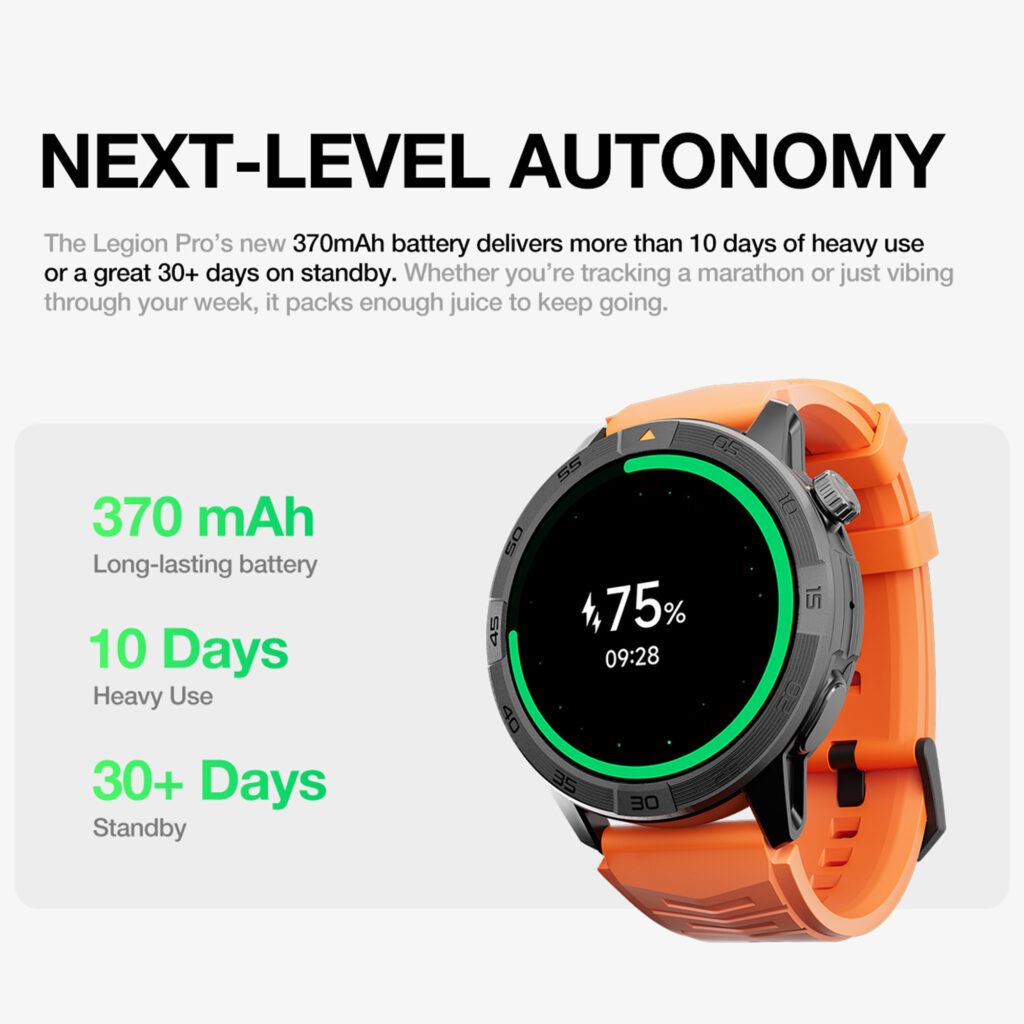
Lunch is also a good time to check battery status. A watch that already feels low by midday may not be ideal for professionals who move through long days, travel, gym sessions, and evening commitments.
A long-battery smartwatch gives more freedom because the watch can stay useful beyond lunch without forcing you to think about the charger.
Calls During Travel
Professional travel changes the way calls happen.
At an airport gate, hotel lobby, rideshare pickup zone, conference venue, train station, or client site, the phone may be in a bag or charging from a power bank. A wrist alert lets you see whether a call matters without unpacking everything.
Bluetooth calling can help during travel when:
- Your phone is in a carry-on
- You are holding luggage
- You are walking through a venue
- You are waiting for a rideshare
- You need a quick call before boarding
- You want to screen calls discreetly
The limitation is privacy.
A smartwatch speaker is not ideal in crowded terminals, quiet lounges, elevators, or shared transportation. People nearby may hear the caller. For confidential business, financial, medical, or client conversations, earbuds or the phone are better.
Battery matters even more during travel. A watch that needs nightly charging can become one more device to manage alongside a phone, laptop, earbuds, and tablet.
For professionals comparing battery and calling value under a clear budget, this Bluetooth calling smartwatch under $200 guide gives a buying-focused breakdown.
After-Work Gym
The professional day does not always end at the office.
Many people go straight to the gym, a walk, a class, or a quick workout before heading home. That is another moment when the phone may not be easy to reach.
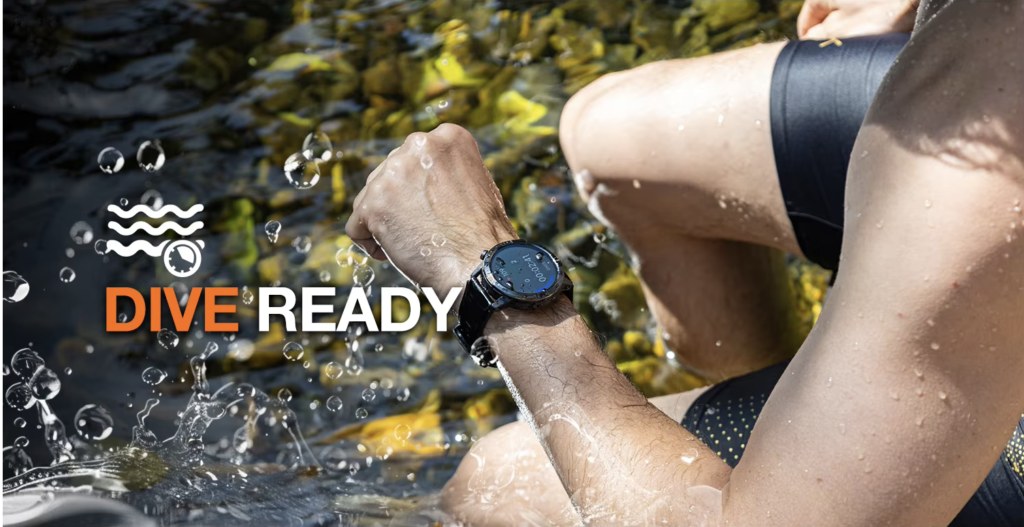
A smartwatch can show who is calling while the phone stays in a locker nearby, gym bag, cup holder, or bench. If the phone remains within Bluetooth range, you may be able to answer a quick call from the wrist.
This is useful for:
- Family calls after work
- A quick schedule change
- Checking whether a work call is urgent
- Rejecting nonessential calls
- Staying reachable without carrying the phone in hand
A watch call is not ideal during heavy lifting, running on a treadmill, cycling, or any activity where tapping the screen creates risk or breaks focus. Use it during safe pauses.
The gym also highlights why battery life matters. A professional may wear the watch from commute to office to lunch to travel to workout to sleep. If the watch needs charging before the evening, it interrupts the routine.
Professional Etiquette Rules
A calling smartwatch should make you look more in control, not less professional.
Use these rules to keep wrist calls appropriate.
Rule 1: Do Not Take Long Speaker Calls in Shared Spaces
A wrist speaker is still a speaker. If the call is long, private, or detailed, use your phone or earbuds.
Rule 2: Silence Nonessential Alerts During Meetings
A vibrating watch every few minutes is still a distraction. Use meeting focus modes or manual notification control.
Rule 3: Do Not Read Long Messages on Your Wrist While Talking to Someone
A quick glance at a caller is different from scrolling while another person is speaking.
Rule 4: Use Wrist Calls for Short Decisions
Answer, decline, confirm, or call back. That is where the watch is strongest.
Rule 5: Keep the Phone Nearby
Bluetooth calling is not LTE. The paired phone must remain close enough for the connection to work.
Rule 6: Respect Workplace Rules
Some offices, secure facilities, healthcare settings, food environments, and job sites may restrict wearable devices. Policy comes first.
Rule 7: Do Not Use the Watch When Attention Matters
Driving, crossing streets, handling equipment, moving through crowded places, or carrying heavy items are not good times to interact with a smartwatch.
For call-quality confidence before relying on wrist calls professionally, the smartwatch call-quality testing guide explains how quiet-room, office, outdoor, speaker, microphone, Bluetooth-distance, and reconnection tests should be done.
Final Recommendation
A smartwatch for busy professionals should help protect attention.
The best use is not taking every call from your wrist. The best use is knowing which calls matter without constantly opening your phone.
During the morning commute, before meetings, between appointments, at lunch, during travel, and after the gym, Bluetooth calling can reduce small interruptions that add up across the day.
Use it as a filter, not a phone replacement. Keep the paired phone nearby, reserve wrist calls for short conversations, and move private or important discussions to a phone or earbuds.
Explore the 30-day smartwatch with GPS and Bluetooth calling and decide whether its attention-management benefits fit your workday.