
Two regional blood-drive recruiters leave the same host table in Hartford with the same schedule and the same watch alerts. The first stops whenever the wrist buzzes, pulls out a phone, reads the full message, and starts walking again. The second follows a stricter rule: glance for one clear fact, tap only when one obvious action is safe, and wait for everything complex.
A smartwatch for people always on the move should not make every wrist interaction feel acceptable during movement. Its real value comes from protecting a small set of no-stop tasks while moving every demanding action to the next stationary point.
A watch can preserve movement when one glance reveals a clear fact or one tap closes a simple action in a low-risk setting. Messages, replies, calls, menus, and any interaction demanding extended attention should wait until the wearer stops. Count only actions completed without route drift, repeated looks, correction, or unsafe distraction.
The Motion Continuity Gate separates genuine movement support from risky convenience. Instead of asking how many features the watch offers, it asks which actions can cross the route without breaking it.
Draw the Hartford Movement Ribbon Before Testing
Begin with one representative work period, not an entire regional travel day. A useful Hartford ribbon might run from the host check-in table to the welcome area, then to the donor-information station, supply table, and staff briefing point.
Mark every place where the recruiter naturally stops:
- Host check-in
- Scheduled briefing
- Supply-table review
- Seated documentation block
- Event closeout point
These are approved pause gates. Full messages, replies, calls, attachments, settings, and uncertain controls belong there.
Draw the ribbon from one pause gate to the next rather than from the start of the day to the end. Short segments make the evidence easier to read. A recruiter may move from the welcome area to the donor-information station in less than a minute, yet that segment still contains a clear beginning, route, and destination. Testing a full day at once would mix movement, driving, desk work, conversations, and equipment handling into one result.
Use an ordinary route, not an obstacle course
The test should reproduce normal event movement. Do not add extra stairs, crowded crossings, outdoor traffic exposure, or equipment-carrying challenges merely to see where the watch fails.
A regional recruiter may travel between Connecticut venues, but driving is outside this test. No watch interaction should be treated as a no-stop task while operating a vehicle.
Exclude unsafe movement before classification
Every wrist action automatically moves to Wait when the recruiter is:
- Crossing a street or parking area
- Using stairs
- Entering or leaving a doorway
- Carrying signs, boxes, forms, or equipment
- Moving through a dense crowd
- Walking on an uneven surface
- Responsible for a safety-sensitive task
Workplace rules and local requirements take priority over convenience. A task does not become appropriate merely because the watch can technically display it.
Readers managing a larger mobile schedule can first map the moving moments inside a crowded workday before testing no-stop actions. Article 209 focuses only on what happens between stationary points.
Build the Glance, Tap, and Wait Gates
Classify each possible wrist action before the route begins. Preclassification prevents the wearer from deciding afterward that an interaction was “simple enough” merely because it seemed convenient at the time.
| Gate | Action standard | Examples | Movement rule |
|---|---|---|---|
| Glance | One clear fact with no scrolling or interpretation chain | Time, timer status, next appointment cue, recognizable caller | May be tested on a clear, low-risk segment |
| Tap | One obvious control with no typing, menu search, or second choice | Dismiss a known reminder, acknowledge a simple cue, stop a timer | Test only when one hand and full route awareness remain available |
| Wait | Reading, replying, calling, scrolling, navigating, or uncertain controls | Full message, reply, call, attachment, map, settings change | Move to the next stationary pause gate |
One glance must answer one question
A valid glance might answer, “What time is the host briefing?” or “Is this the expected caller?” The answer must appear without scrolling, repeated wrist raises, or a chain of interpretation.
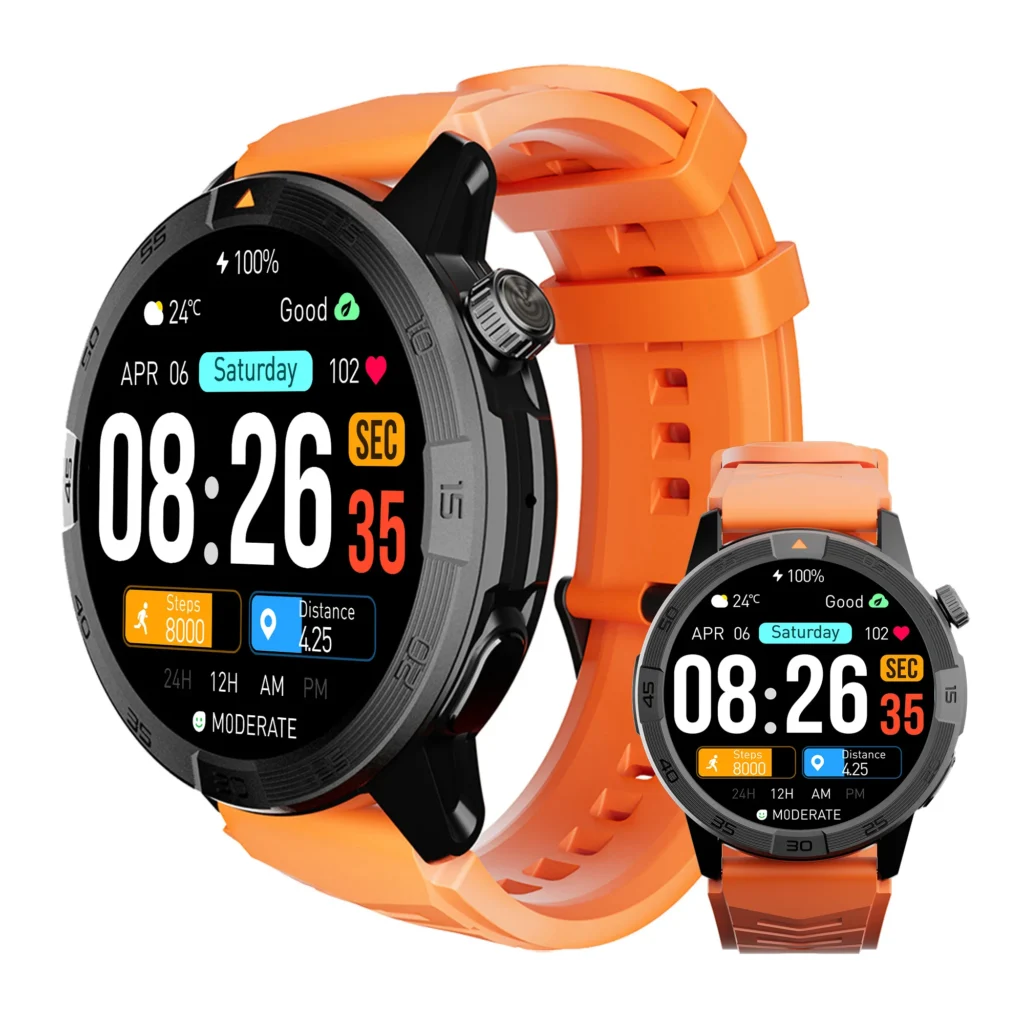
When the display shows only part of a message, a vague sender label, or an unclear icon, the action belongs at Wait. The recruiter should not keep walking while trying to decode incomplete context.
One tap must be obvious and final
A qualifying tap closes the action. It does not open another screen, produce several choices, or lead to phone retrieval moments later.
For example, dismissing a known nonurgent reminder may pass. Opening a conversation thread does not.
General mobility is a neighboring question
Many watches can be useful during a mobile day, but usefulness does not prove movement continuity. Readers can separate general on-the-go convenience from actions that truly preserve motion before treating every wrist interaction as a no-stop benefit.
Run the Glance Pass on a Clear Indoor Segment
Choose a quiet, unobstructed indoor route where the recruiter is walking normally, both hands are free, and no immediate safety responsibility is present. Only preapproved Glance actions enter this pass.
Possible action tokens include:
- Next briefing time
- Known timer status
- Priority caller identity
- Short calendar cue
Keep the needed fact visible without searching
The watch should present the answer directly. A glance fails when the recruiter must raise the wrist again, slow significantly, scroll, wait for another screen, or change direction to understand the display.
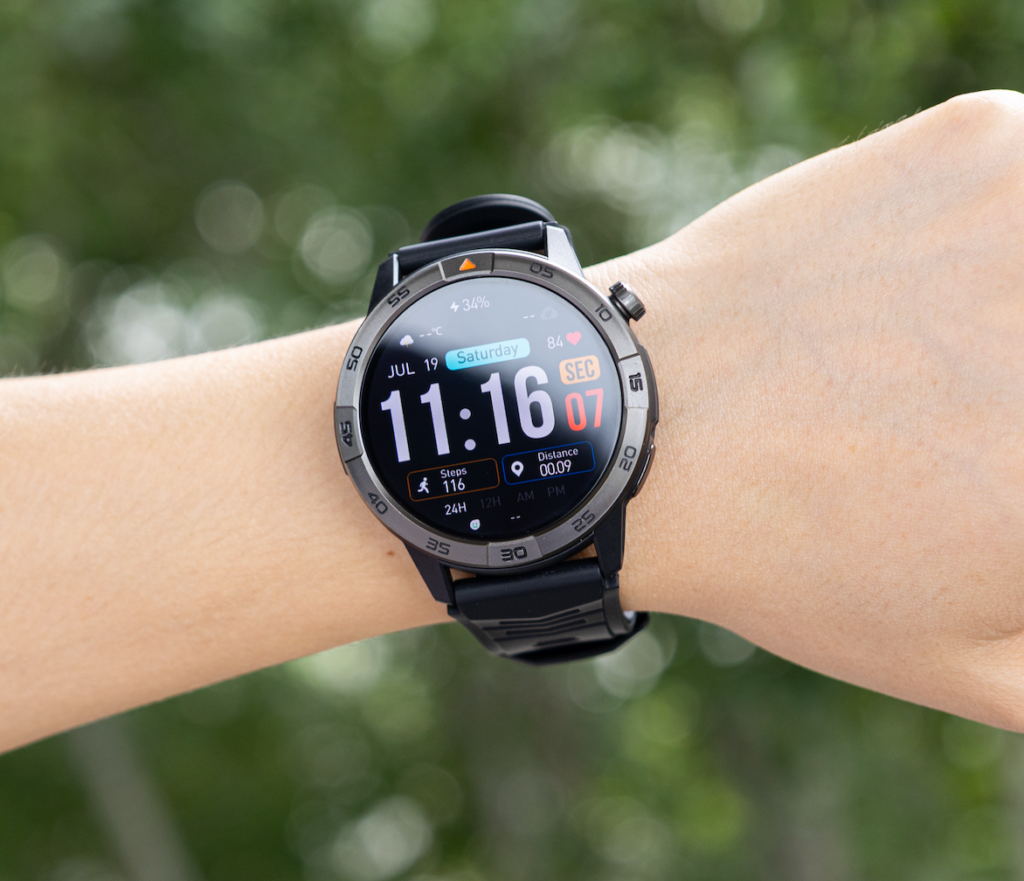
Caller identity may qualify when a familiar name is immediately visible. Reading a full message from that caller does not.
A second look moves the task to Wait
One glance should provide closure. Rechecking means the action demanded more attention than the route could safely spare.
That rule may feel strict, but it prevents a common mistake: claiming that a task preserved movement simply because the feet never fully stopped.
Record continuity, not speed
Do not calculate seconds saved. Record whether:
- The action was completed
- The route remained unchanged
- No unscheduled stop occurred
- No repeated look was needed
- No correction followed
- No safety concern appeared
The evidence is a preserved route, not faster walking.
Run the One-Tap Pass With a Higher Barrier
Taps require more caution because the wearer must aim at a control and confirm what happened. Use the Tap Gate only on a clear indoor segment with one hand safely available.
The tap must close the loop
Appropriate test actions may include dismissing a known reminder, acknowledging a simple cue, or stopping a timer whose purpose is already understood.
The tap fails when it opens a second screen, requires another choice, produces an accidental swipe, or demands visual confirmation for longer than a moment.
Occupied hands send every tap to Wait
Blood-drive recruiters may carry brochures, signage, registration forms, table materials, or supply boxes. When either hand is occupied, even a normally simple tap should be moved to the next pause gate.
Uncertain controls create stop work
A small target, ambiguous icon, mistaken input, or delayed response turns one intended tap into correction work. Once correction is needed, the watch has not preserved motion.
The buyer should test the exact model and interface rather than assuming a touchscreen action is simple because the feature description sounds simple.
Send Every Complex Action to the Next Pause Gate
Wait is not a failure category. It is the rule that protects the route.
Complex actions include:
- Reading a full message
- Writing or dictating a reply
- Answering a call
- Reviewing an attachment
- Choosing between several options
- Starting navigation
- Changing settings
- Confirming information that appears incomplete
Calls belong at a stationary point
Recognizing a caller may qualify as a glance. Answering and holding a conversation should happen at an appropriate pause rather than being assumed safe during movement through an active venue.
A planned pause is better than an emergency stop
Hartford event work already contains host tables, supply stations, and briefing points. Moving a complex task to one of those gates preserves the ribbon without pretending the watch completed everything while the recruiter was walking.
Avoiding phone retrieval is not always avoiding a stop
The recruiter may leave the phone untouched yet still stop to read or operate the watch. Anyone evaluating the narrower handling benefit can compare an avoided stop with the simpler benefit of avoiding phone retrieval.
Article 209 gives credit only when the route itself remains safely intact.
Reject False No-Stop Actions
Some interactions appear successful because the wearer keeps moving. The Motion Continuity Gate rejects them when hidden interruption appears.
Double-take failure
The recruiter glances once, remains uncertain, and looks again. Physical movement may continue, but attention continuity has broken. Move the action to Wait.
Correction failure
A tap selects the wrong control, opens an unintended screen, or needs another input. Any correction removes the action from the approved no-stop count.
Route-drift failure
The wearer slows sharply, misses a turn, changes direction, brushes an obstacle, or approaches a doorway without full awareness. The action fails even when the watch task itself is completed.
Phone-follow-up failure
A preview creates enough uncertainty that the recruiter retrieves the phone moments later. The interaction did not remove the stop; it delayed it.
Policy failure
An action may feel physically easy but still conflict with workplace expectations. Event policies, host-site procedures, and safety responsibilities override the watch’s technical capability.
Phone-check reduction remains a separate test
A watch can reduce phone checking without preserving movement, and it can preserve one glance task without reducing the day’s total phone openings. Use the published quota page to separate a safe no-stop action from a phone-check reduction quota.
Count Only Stops the Ribbon Truly Avoided
The comparison unit is narrow:
Safe glance-or-tap tasks completed without an unscheduled stop.
Use one ribbon record for the tested Hartford route.
| Action token | Gate assigned | Route preserved? | Second look or correction? | Count as avoided stop? |
|---|---|---|---|---|
| Next briefing time | Glance | Yes / No | Yes / No | Yes / No |
| Priority caller identity | Glance | Yes / No | Yes / No | Yes / No |
| Known reminder dismissal | Tap | Yes / No | Yes / No | Yes / No |
| Full host message | Wait | Handled at pause | Not applicable | Not claimed |
Ribbon Preserved
Every approved glance or tap is completed without route change, repeated attention, correction, or unsafe interaction.
Verdict: The watch supports the tested no-stop tasks.
Glance-Only Fit
Simple information checks pass, but tap actions create uncertainty or interruption.
Verdict: Use the watch for clear glance tasks and move controls to pause gates.
Pause-Gate Dependent
Most useful interactions require a stationary point.
Verdict: The watch may still reduce phone handling, but it preserves little movement during this route.
Stop-Creating Setup
Wrist actions cause repeated looks, corrections, phone follow-up, route drift, or unscheduled stops.
Verdict: The current interface or alert set does not support movement continuity.
Do not count stops that never existed
An avoided stop needs a real baseline. If the recruiter would normally ignore an alert until the host table, the watch cannot claim to have removed a stop by displaying it earlier.
Only compare actions that previously caused an unscheduled pause or phone retrieval during the same kind of route.
Turn the Hartford Gate Into a U.S. Buying Rule
The buying requirement should describe interaction simplicity, not the largest feature count:
The watch must present selected time, reminder, and caller information clearly enough to preserve low-risk movement while directing every complex action to the next stationary pause.
Keep the tested action set small. Three or four tokens are enough to reveal whether the interface supports movement continuity. Adding every alert, health screen, app, and control would turn the route into a broad feature demonstration rather than a focused no-stop test.
Compare candidates on the same ribbon
Use the same route, action tokens, Glance–Tap–Wait rules, pause gates, and safety exclusions. Changing the course between watches weakens the evidence.
Verify interface behavior on the exact model
Text visibility, vibration, notification detail, control size, touchscreen response, phone compatibility, and software behavior can vary by model and setup.
Whether paired with an Apple iPhone or Android phone, the buyer should verify how the exact watch displays caller names, reminders, and calendar cues. No screen size or specification automatically makes an interaction appropriate while moving.
Use current U.S. seller terms carefully
When practical, a current U.S. return period may allow a buyer to test several approved low-risk actions during a normal American workday. Seller conditions and model availability vary, so confirm them before purchase.
The strongest choice is not the watch that encourages the most wrist use. It is the one that makes a few useful actions clear and makes waiting easy for everything else.
Questions About Using a Smartwatch While Moving
What qualifies as a safe glance?
A safe glance provides one clear fact without scrolling, repeated reading, route change, or reduced awareness. The route must be low risk, and workplace rules must allow the interaction.
When should even a one-tap action wait?
It should wait whenever the wearer is carrying something, approaching a doorway, using stairs, crossing a vehicle area, moving through a crowd, or unable to keep full attention on the route.
Does reading a short message while walking count as a glance?
Usually not when the message requires several words, interpretation, or a second look. Move it to the next stationary pause.
Can answering a call count as a no-stop task?
Caller identity may qualify as a glance. Answering and holding a conversation should occur at an appropriate stationary point rather than being assumed safe during movement.
Is avoiding phone retrieval the same as avoiding a stop?
No. A person can leave the phone untouched and still stop to read or operate the watch. Article 209 counts only actions that preserve movement safely.
Should every useful smartwatch action be tested while moving?
No. Complexity, route conditions, policy, and safety determine classification. Many valuable smartwatch functions belong at pause gates.
How is this different from a general on-the-go smartwatch guide?
A general guide reviews features for mobile users. The Motion Continuity Gate tests only whether selected glance-or-tap actions preserve a defined route without an unscheduled stop.
Movement Is Preserved by Knowing When to Wait
Return to the two Hartford recruiters. The first treats every wrist alert as permission to interact and repeatedly breaks the route. The second allows only approved glance-or-tap actions onto the moving ribbon.
Glance supplies one clear fact. Tap closes one obvious action. Wait protects every task that demands more attention. The next host table, supply station, or briefing point handles what movement should not.
For a smartwatch for people always on the move, the most valuable action may be the one the interface makes easy to postpone. Movement continuity depends as much on knowing when not to interact as it does on quick wrist access.
Draw one real movement ribbon, mark its stationary pause gates, and send every wrist action through Glance, Tap, or Wait. Before approving a watch, inspect the controls behind its motion-continuity claim and count only actions completed without an unsafe interaction, repeated look, correction, or unscheduled stop.