
How many times does your hand reach for the phone before lunch?
For an independent bookstore events manager in Portland, Maine, the answer can grow quickly. One reach checks the author’s arrival time. Another identifies whether a message came from the publisher, a volunteer, or a customer. A third checks the countdown before chairs move, doors open, or a signing line begins.
A smartwatch for convenience focused users should be judged by the physical actions it removes, not by the number of features shown on a product page. A calendar, timer, call alert, or message preview creates convenience only when the hand stays with the current task and the phone remains where it was.
The Three-Reach Reduction Test makes that visible. Choose three repeated hand-to-phone movements, assign one narrow wrist action to each, and subtract every extra tap, app step, permission, unclear preview, or later phone follow-up. The watch passes only when the movement genuinely disappears.
A convenient smartwatch should remove repeated reaches for the phone rather than merely duplicate phone features. Test three common reaches, then judge the net result after added wrist friction and dependencies are counted.
Trace Three Phone Arcs Through the Portland Bookstore
Begin with one representative event-preparation period. Do not start by browsing smartwatch features. Watch the hand instead.
Each phone reach has a physical arc:
- The hand leaves the current task.
- It travels to the phone.
- The phone is lifted, touched, or awakened.
- One piece of information or one control is accessed.
- The hand returns to the original task.
For the Portland events manager, three arcs repeat often enough to matter.
Arc one: the event-cue reach
The manager is stacking books, checking reserved seats, or preparing the author table. The phone is reached for to confirm the next cue: author arrival, doors opening, reading time, signing transition, or room reset.
Arc two: the priority-contact reach
An alert arrives while the manager is speaking with a bookseller or moving display materials. The phone is retrieved to answer one question: does this need attention now?
Arc three: the countdown reach
A known timer controls chair setup, soundcheck, reading length, signing flow, or event closeout. The manager reaches for the phone to see what remains or to stop the timer.
Count the movement, not only the opened screen
A phone reach still counts when the manager picks up the handset and reads the lock screen without entering it. The physical interruption has already happened.
This is different from measuring phone checks. A phone can be opened while it is already in the hand, and it can be reached for without being opened. Article 210 owns the movement from task to handset and back.
Use repeated arcs, not rare emergencies
Choose movements that occur regularly during the same bookstore-events routine. A once-a-month crisis, complicated publisher dispute, or unusual delivery problem may require the phone, but it does not define everyday convenience.
Give Each Reach One Narrow Wrist Replacement
Assign one watch action to each arc before testing. The replacement must answer the same small question that caused the original reach.
| Phone-reach arc | Narrow wrist replacement | Completion standard |
|---|---|---|
| Event cue | Read the next scheduled time or short calendar cue | The needed time is clear without phone follow-up |
| Priority contact | View a recognizable caller or sender | The manager can decide whether immediate attention is needed |
| Countdown | Check or stop one known timer | The timer is understood or closed at the wrist |
One arc receives one action
Do not turn the test into a catalog of calendars, calls, weather, music, payments, navigation, fitness, and health features. Each selected watch action should replace one repeated reach.
The wrist must provide decision-complete information
“New message” does not replace the priority-contact reach when the manager still picks up the phone to learn who sent it. A calendar icon does not remove the event-cue reach when the actual time remains hidden.
The needed information does not have to be detailed. It does have to be complete enough to close the reason for reaching.
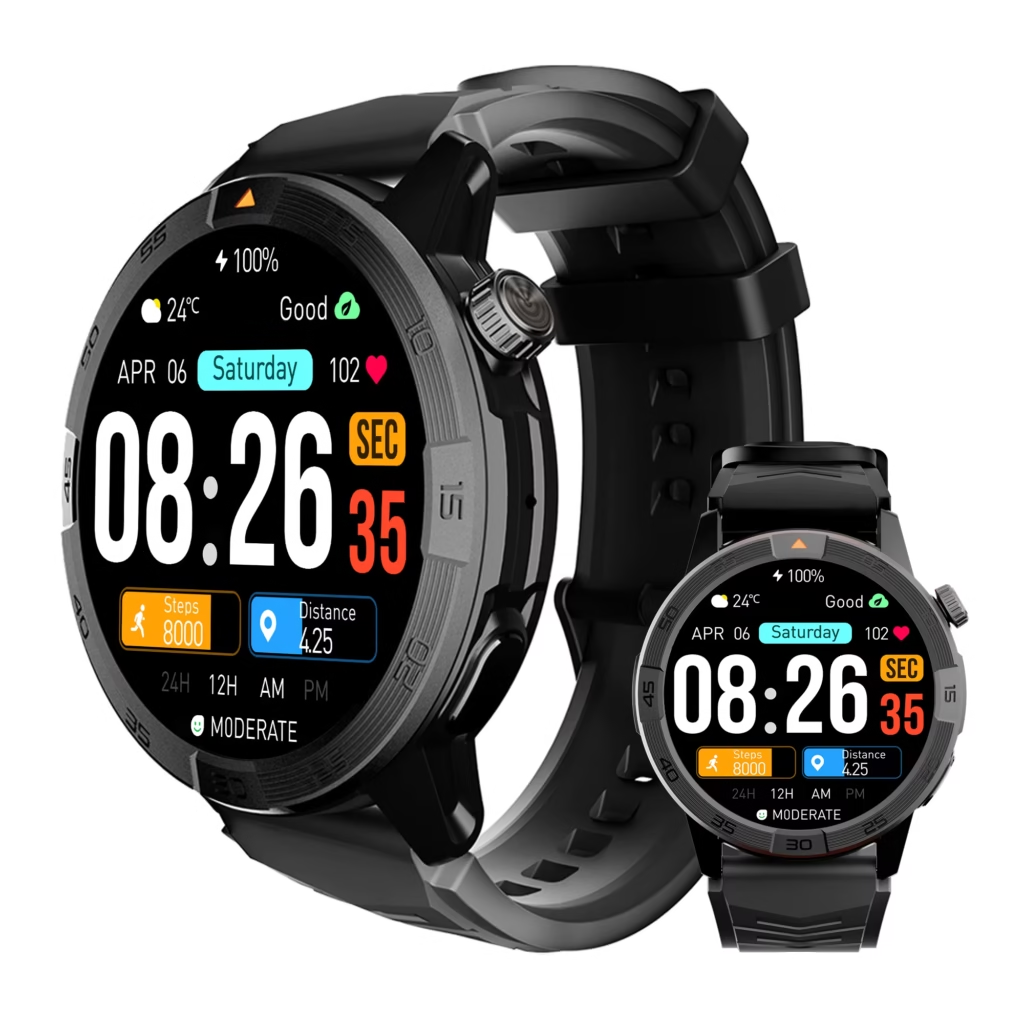
A shortcut should not become a wrist workflow
One glance or one obvious control may be simpler than a phone reach. Menu searches, scrolling, repeated wrist raises, corrections, and several screen changes introduce new friction.
Readers comparing wider daily convenience can separate broad everyday convenience from three physical phone reaches. This test stays with the three arcs.
Cross Out the Event-Cue Reach
The first arc begins while the manager is arranging signed copies near the event table. The next cue is needed, but the phone rests on the front counter.
Under the baseline routine, the manager leaves the book stack, walks to the counter, checks the calendar, and returns. The watch replacement succeeds only when the needed cue appears clearly enough to eliminate that whole trip.
Use one concise bookstore cue
A suitable test item might be:
- Author arrival at 5:30 p.m.
- Doors open at 6:00 p.m.
- Reading ends at 7:10 p.m.
- Signing-table reset begins in ten minutes.
The watch does not need to display the complete event plan. It needs to answer the exact timing question that normally pulls the hand toward the phone.
Count delayed retrieval as reach debt
A quick wrist glance does not earn credit when the manager remains uncertain and retrieves the phone two minutes later for the same cue. The movement has been postponed, not removed.
That delayed follow-up is reach debt. It belongs in the subtraction column.
Technical display is not practical completion
A truncated event title, ambiguous abbreviation, or hidden time may prove that calendar data reached the watch. It does not prove that the physical phone reach disappeared.
For broader context, readers can place the event cue inside a practical everyday-use routine. Article 210 still scores only the missing movement.
Write the first arc receipt
Record:
- The original phone location
- The cue requested
- The watch action used
- Phone follow-up: yes or no
- Extra wrist steps
- Net reach removed: yes or no
Cross Out the Priority-Contact Reach
The second arc begins when a notification arrives during customer-facing work or event setup. The manager does not necessarily need the full message. The immediate question is whether the alert deserves interruption.
Identity must support prioritization
A useful wrist result may show:
- A saved author or publisher contact
- A recognizable caller name
- A volunteer’s name
- A short message preview
- A clear calendar source
An app icon or generic “incoming message” label may create awareness without allowing a decision. When the phone is still retrieved to discover the sender, the arc remains.
Necessary phone work is not a failed replacement
A publisher may send an attachment. An author may need a detailed answer. A customer problem may require the bookstore’s full system. The phone can remain necessary for those actions.
The watch earns convenience when it prevents retrieval for alerts that can be dismissed or deferred. It is not expected to replace every communication task.
Keep reach reduction separate from a phone-opening quota
This arc asks whether one physical movement disappears. It does not count every phone entry across the workday.
Readers examining broader checking behavior can separate one removed phone reach from a full workday phone-opening quota.
Use a complete-or-retained result
At the arc level, the result is direct:
- The watch supplies enough context, and the hand stays with the current task.
- The phone is still retrieved.
Partial awareness may still be useful, but it does not count as complete reach reduction.
Cross Out the Countdown Reach
The third arc follows one known timer. During a bookstore event, the manager may use a countdown for chair setup, author preparation, reading length, signing transition, or closeout.
Use a timer whose purpose is already known
The watch should not require the manager to identify which of several timers is active. One visible countdown or one clear stop control is enough.
The countdown reach disappears when the manager can read the remaining time or end the timer without leaving the current activity.
The control must finish the action
A stop button that opens another screen, requires confirmation, or leads to the phone does not complete the replacement. The original reach has become a longer wrist sequence.
Do not turn the result into a time-saving claim
The test does not calculate seconds saved or promise greater productivity. A removed reach can improve convenience even when the total elapsed time changes very little.
The evidence is physical: the manager’s hand remains with the chairs, books, signage, or event materials instead of traveling to the phone.
Subtract the Hidden Convenience Tax
Three grossly removed reaches do not automatically equal three net reductions. The watch may introduce new burdens that recreate the original friction in another form.
Subtract extra wrist steps
Record added:
- Taps
- Scrolling
- Menu searches
- Repeated wrist raises
- Screen-wake attempts
- Corrections
- Dismissal steps
One simple action may be acceptable. A sequence that demands ongoing attention weakens the replacement.
Subtract phone follow-up
The reach stays on the ledger when the phone is still needed to:
- Complete the original decision
- Read the missing message content
- Confirm the event time
- Correct an input
- Find information hidden from the watch
A later retrieval for the same reason is reach debt, not convenience.
Subtract recurring setup dependencies
The watch may depend on:
- A companion application
- Notification permissions
- Contact access
- Calendar synchronization
- Bluetooth connection
- Manual reconfiguration
A reasonable one-time setup does not automatically cancel the benefit. A dependency becomes a convenience tax when it repeatedly fails, requires frequent attention, or prevents the replacement from staying dependable.
Keep battery planning outside this test
Charging belongs in another branch unless it directly recreates one of these three phone reaches. Article 210 should not expand into a battery-convenience page.
Use the net-reduction rule
Net reach reduction equals complete phone reaches removed minus new wrist steps or recurring dependencies that recreate the original friction.
This is a practical decision rule, not a mathematical claim about performance.
Read the Three-Reach Reduction Ledger
Place the event cue, priority contact, and countdown in one ledger.
| Arc | Phone reach removed? | Phone follow-up? | New wrist friction | Net result |
|---|---|---|---|---|
| Event cue | Yes / No | Yes / No | None / Low / High | Removed / Retained |
| Priority contact | Yes / No | Yes / No | None / Low / High | Removed / Retained |
| Countdown | Yes / No | Yes / No | None / Low / High | Removed / Retained |
Three Reaches Removed
All three physical arcs disappear, and no meaningful dependency recreates them.
Verdict: The watch delivers strong everyday convenience for this Portland bookstore routine.
Two Reaches Removed
Two arcs vanish while one still requires the phone or adds excessive wrist friction.
Verdict: The watch offers useful convenience with one clear limit.
One Reach Removed
Only one repeated movement disappears after the subtraction pass.
Verdict: The convenience is narrow rather than routine-wide.
Reach Transfer
The hand visits the phone less often, but repeated wrist work, unclear previews, app maintenance, or later phone follow-up replaces the movement.
Verdict: The friction moved rather than disappeared.
No Net Reduction
None of the three arcs vanishes after dependencies are counted.
Verdict: The setup adds features without simplifying the routine.
Do not reward a reach that was never repeated
A one-time retrieval should not inflate the verdict. Each arc must represent a genuine recurring movement within the same Portland events workflow.
Turn the Portland Ledger Into a U.S. Buying Rule
The completed ledger creates a precise requirement:
The watch must remove the event-cue, priority-contact, and countdown reaches without repeated phone follow-up, complex wrist navigation, or fragile setup dependencies.
Compare candidates with the same three arcs
Use the same bookstore routine, smartphone, actions, completion standards, and subtraction rules. Changing the test between watches weakens the comparison.
Verify exact-model behavior
Calendar previews, sender names, caller identity, timer controls, synchronization, and notification permissions can vary by smartwatch, phone, operating system, and application.
Whether paired with an Apple iPhone or Android phone, test the exact combination. Do not assume that every watch presents enough context to remove the same reach.
Distinguish complete reach removal from phone location
A phone may remain on the counter while the manager still walks over to touch or wake it. Readers focused on physical handling can compare a complete reach reduction with merely leaving the phone in place.
Use U.S. seller terms carefully
When practical, a current U.S. return period may allow the buyer to observe the three arcs during a representative bookstore event day. Seller policies and model availability change, so verify them before purchasing.
Convenience should be visible in the body: the hand stays on the book stack, the phone remains on the front counter, and the original task continues.
Questions About Removing Everyday Phone Reaches
What counts as one phone reach?
A reach begins when the hand leaves the current activity to retrieve, touch, lift, or wake the phone for a particular piece of information or control. It ends when the user returns to the original activity.
Does a delayed phone check mean the reach was removed?
No. When the wrist creates uncertainty and the phone is retrieved later for the same reason, the movement has been delayed. Record it as reach debt.
How many wrist steps are acceptable?
The replacement should remain simpler than the original movement. One glance or one obvious control may qualify. Scrolling, multiple screens, corrections, or later phone follow-up indicate added friction.
Should initial setup count against the result?
A reasonable one-time setup does not automatically cancel convenience. Repeated permission problems, synchronization failures, reconnection work, or ongoing manual configuration should count as dependencies.
What if the watch shows only part of a message?
The reach is removed only when the visible information is enough to dismiss, defer, or prioritize the item. An incomplete preview that still sends the hand to the phone does not pass.
Why test only three reaches?
Three recurring arcs make convenience observable without creating a generic feature audit. Additional reaches can be tested later using the same replacement and subtraction rules.
How is reach reduction different from phone-check reduction?
Reach reduction measures the physical hand-to-phone movement. Phone-check reduction measures entering or inspecting the handset. One can change while the other remains.
Convenience Should Leave Less Movement Behind
Return to the opening question: how many times does the hand reach for the phone before lunch?
By the end of the Portland test, the events manager should be able to point to three missing arcs. The next event cue no longer pulls the hand toward the phone. From the wrist, the manager can identify a low-priority sender without interrupting the task. Meanwhile, the known countdown remains visible without another retrieval.
A feature does not count because it appears on a specification page. A wrist glance does not count when the phone is still retrieved later. A shortcut does not count when it becomes a longer wrist workflow.
For a smartwatch for convenience focused users, convenience is the movement that remains absent after every extra step and dependency has been subtracted.
Choose three repeated hand-to-phone arcs, assign one narrow wrist action to each, and subtract every extra tap, app step, permission, or later phone follow-up. Before approving a watch, inspect the dependencies behind its three-reach reduction and accept it only when those physical movements genuinely disappear from the routine.