
The motel room has two usable wall outlets. One powers the phone handling directions for tomorrow. The other feeds a small strip shared by two family phones and a tablet. The smartwatch cable is still zipped inside a suitcase beneath the luggage rack.
Nothing is technically broken. Electricity is available. The planning mistake happened earlier: the family counted the motel as a charging stop without deciding whether the watch would have a usable claim on that power.
Choosing a smartwatch for road trips long battery requires more than counting overnight stays. A building can have outlets without providing an accessible, available, or long-enough watch-charging window.
For a three-day family-reunion drive from Kansas City, the better approach is to create a power passport. Every planned stop receives a charging label, a device-priority order, and a backup action.
The rule is simple:
A road-trip stop becomes a power checkpoint only after its charging capacity has an owner.
Passport Page One — Build the Kansas City Departure Manifest
Start with the devices leaving home, not the outlets expected along the road.
A family may carry:
- The driver’s phone
- A second adult’s phone
- A passenger tablet
- A camera
- A portable battery pack
- A watch
- Medical or accessibility equipment
- Another device used for directions or communication
Five devices and one motel power strip create a different battery problem than one traveler with one phone.
List every device before assigning U.S. highway stops
Write down what needs power during the trip and what role each device performs.
A phone handling directions, emergency calls, motel reservations, and family coordination may deserve more charging priority than a tablet used for entertainment. Medical or accessibility equipment may outrank everything else.
The watch still matters, but its place in the charging order should be decided before the first low-battery warning appears.
Assign charging priority before leaving Missouri
A practical family order might look like this:
- Medical or accessibility equipment
- Navigation and emergency communication
- Primary phones
- Portable battery pack
- Smartwatch
- Optional entertainment devices
Another family may choose differently. What matters is that the order exists.
Without a priority plan, the watch is likely to receive whatever charging time remains after everyone reaches the motel tired.
Pack the complete watch-charging chain
A cable alone is not a charging plan.
Confirm:
- The watch cable
- A compatible wall adapter
- The correct vehicle adapter
- Port type
- Cable reach
- A known storage location
- A backup cable when replacement would be difficult
- Any power strip the family plans to use
Keep the watch cable somewhere accessible rather than under several layers of luggage.
A charger that cannot be reached during a twenty-minute stop is not useful at that checkpoint.
Passport Page Two — Stamp Each U.S. Road-Trip Stop by Capacity
Give every planned stop one power stamp.
The stamp should describe what the location can actually support, not what the family hopes to find.
| Stamp | Checkpoint type | Meaning |
|---|---|---|
| C | Confirmed charger | Outlet, cable, permission, and time have been checked |
| S | Shared outlet | Power exists, but several devices compete for it |
| V | Vehicle charging | Port, adapter, cable, and use plan have been verified |
| U | Uncertain stop | Access, compatibility, time, or permission is unknown |
| E | Emergency reserve point | Normal watch use changes because expected charging failed |
These labels form the power passport.
They are planning categories, not smartwatch modes.
Record what each checkpoint can support
Beside every stop, write:
- Expected arrival time
- Expected dwell time
- Available power source
- Devices needing power
- First-priority device
- Expected watch result
- Required cable or adapter
- Backup option
A roadside meal stop may offer vehicle charging but no wall outlet. A motel may provide wall power but force the watch to wait behind three phones.
The checkpoint label should reflect the complete situation.
Do not give a motel a C stamp simply because it has a room
A confirmed charger means more than “the room probably has electricity.”
The family should know that:
- A usable outlet is accessible
- The adapter and cable fit
- Charging is permitted
- The watch can remain connected long enough
- Another device does not already own the outlet
- The cable will be available at check-in
Without those conditions, the motel may deserve an S or U stamp instead.
Treat roadside power as uncertain until it proves useful
Fuel stations, restaurants, visitor centers, and roadside businesses may have power inside the building. That does not mean travelers can use it.
Possible limits include:
- No accessible outlet
- No permission
- Short dwell time
- Crowded seating
- The cable remaining in the vehicle
- An adapter mismatch
- A stop changing at the last minute
Roadside electricity is helpful when available. It should not carry the entire backup plan.
Passport Page Three — What a U.S. Motel Night Can Actually Support
The first overnight stay becomes the central test.
The family arrives late. The driver’s phone has spent the day handling directions and calls. Another phone is low. The tablet needs power for the next morning. The watch has enough battery to continue, but not enough certainty to ignore the outlet problem.
The room has power. Capacity is the issue.
Give the first outlet to the trip-critical device
Before check-in, decide which device gets first claim.
The driver’s phone may need priority because it handles:
- Directions
- Emergency contact
- Reservations
- Family communication
- Check-in details
- Weather and travel updates
The smartwatch should not depend on winning an argument at bedtime.
A clear priority order allows the watch to be assigned a realistic outcome: full charge, partial charge, delayed charge, or no charge.
Separate full recovery from a short top-up
Not every watch-charging session restores the same amount of usable time.
A shared outlet may provide:
- A full overnight recovery
- A partial charge after another device finishes
- A brief top-up before departure
- No watch charging at all
Record the expected result rather than marking the motel simply “charged.”
That distinction matters the next morning.
Decide what battery must remain at checkout
The watch may leave the motel below a full charge.
Its remaining battery may still need to support:
- Departure alarms
- Time checks
- Priority family notifications
- Caller identification
- Selected reminders
- Parked calls
- The next power checkpoint
Travelers comparing headline battery duration can compare advertised week-level battery with an active family travel profile.
A long standby claim does not automatically describe a watch receiving alerts, waking its display, tracking activity, reconnecting to a phone, and handling occasional calls.
Passport Page Four — Give the Vehicle Port a Job Before Leaving Missouri
Vehicle charging can reduce pressure on motel outlets, but only after the complete setup has been tested.
A port icon on the dashboard does not confirm that the watch cable, adapter, and charging routine will work as expected.
Verify the complete in-car charging chain
Check:
- USB or power-port type
- Adapter compatibility
- Cable connection
- Watch charging response
- Cable reach
- Safe placement
- Whether the vehicle must be running
- Whether another device already uses the port
Test the setup while parked before the trip.
A cable that disconnects easily or leaves the watch sliding around the console is not a dependable solution.
Assign vehicle-port ownership before the first driving day
The port may already belong to:
- The phone handling directions
- A passenger’s phone
- A dash device
- A tablet
- A portable battery pack
- Another accessory
Give the watch a specific vehicle-charging window rather than assuming it can use the port whenever needed.
For example:
Watch uses the rear USB port during the lunch stop, provided the tablet remains above its chosen reserve.
That is a plan. “We can probably charge it in the car” is not.
Connect and disconnect only while safely parked
Do not reach for cables, handle the watch, or rearrange charging equipment while driving.
Complete the setup before the next leg begins or after the vehicle is safely parked.
Vehicle power should solve a battery problem without creating a distraction problem.
The Family Power-Claim Page
The next passport page records which device receives power at each checkpoint.
This is where the route becomes realistic.
| Checkpoint | Stamp | First power claim | Expected watch result |
|---|---|---|---|
| Kansas City departure | C | Watch | Begin fully charged |
| Roadside lunch | V | Directions phone | No watch charging unless port opens |
| First motel | S | Two phones | Partial or delayed watch charge |
| Reunion home | U | Unknown | Carry reserve |
| Second motel | C | Watch | Planned recovery |
| Return stop | E | Essential devices only | Reduce nonessential watch use |
The watch does not fail simply because another device receives priority. The plan fails when nobody records the consequence.
Watch for two weak checkpoints in a row
One shared outlet may be manageable. A shared outlet followed by an uncertain stop can create a much harder stretch.
The family might reach the first motel expecting a charge, provide only a short top-up, then arrive at the reunion home without confirmed outlet access.
Both buildings contain electricity. Neither guarantees enough watch-charging capacity.
Find the uncovered part of the passport
Write:
From ______ until ______, the watch may receive no dependable full charge.
This is not only a distance calculation. The uncovered period may exist because:
- Phones take priority
- The vehicle port is occupied
- The motel charge is partial
- The next stop is uncertain
- Arrival is late
- Departure is early
The watch must carry enough useful battery through that period.
Do not confuse a building with an available charging claim
The most useful planning question is not:
Does the stop have an outlet?
Ask:
After higher-priority devices are handled, what charging capacity remains for the watch?
That answer determines the real value of the checkpoint.
What the Watch Must Carry Between Passport Stamps
Battery need changes with actual use.
A watch used mainly for time and alarms may behave differently from one receiving frequent alerts, waking its display, tracking continuously, and handling several parked calls.
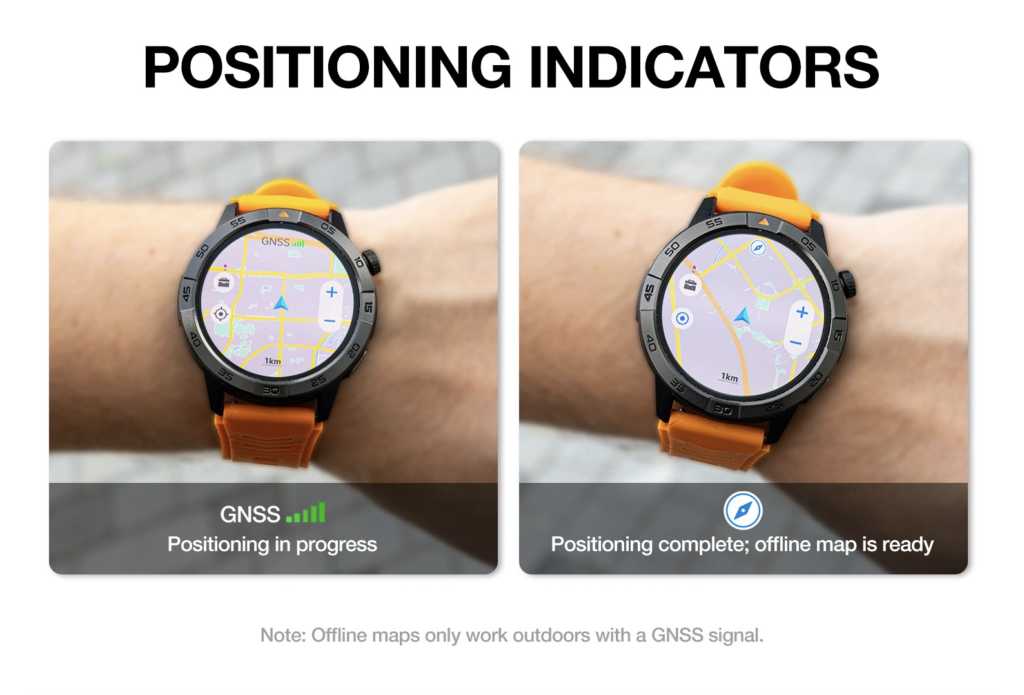
Define the family’s real travel profile
Possible road-trip use includes:
- Time checks
- Departure alarms
- Family-call identification
- Calendar reminders
- Selected notifications
- Activity tracking
- Battery checks
- Short calls while parked
- Weather information delivered through the paired phone
Readers focused on communication can separate road-trip calling needs from the wider power-checkpoint plan.
Calling belongs in this article as one source of battery demand, not as the central topic.
Remove functions the family will not use
Do not build a demanding battery requirement around features that will remain off.
At the same time, do not compare a standby claim with an active travel profile.
Record the actual configuration:
- Notification sources
- Display behavior
- Tracking choices
- Calling expectations
- Phone connection
- Reminder use
The battery plan should match the trip the family will actually take.
Keep directions on the appropriate device
Do not assume the smartwatch replaces:
- The phone’s directions app
- The vehicle’s built-in system
- Printed route information
- Emergency communication equipment
Any map or route capability should be treated according to verified product documentation.
The power passport remains focused on battery availability, not directions.
Passport Page Five — Mark the Red-Stamp Reserve Trigger
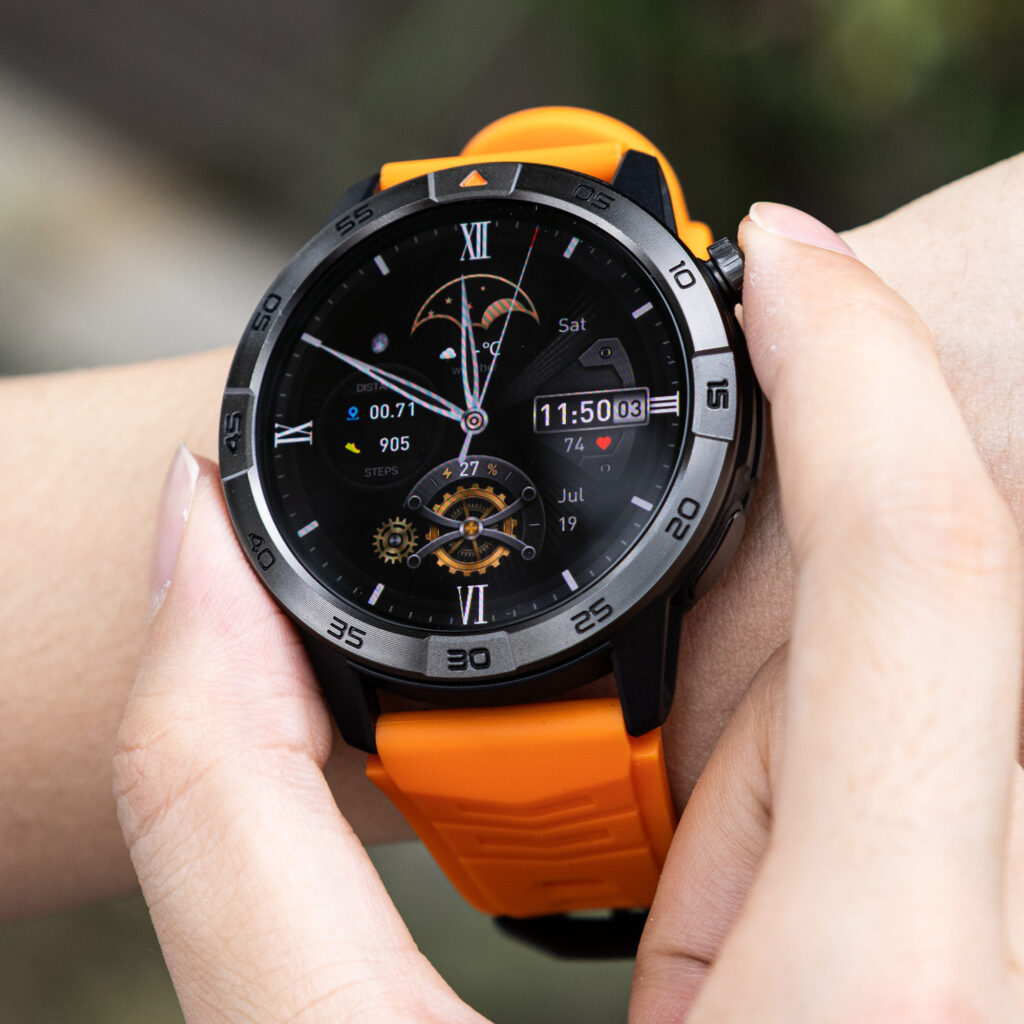
The E stamp marks the point where the family changes the watch’s use because charging did not happen as planned.
This reserve trigger should be decided before departure.
It is a human planning rule, not an automatic watch feature.
Choose the event that starts reserve use
Possible triggers include:
- The expected motel charge fails
- Vehicle charging becomes unavailable
- A confirmed checkpoint changes to uncertain
- Family phones take the shared outlet
- The watch reaches the family’s chosen battery level
- The next recovery point moves to the following day
No universal percentage suits every watch or trip.
Choose a trigger that reflects the next usable checkpoint and the functions the family still needs.
Keep only the functions that matter to the remaining trip
The reserve plan may retain:
- Time
- Alarms
- Priority family alerts
- Caller identification
- Battery visibility
- Essential reminders
The family may reduce lower-value activity, such as:
- Frequent display checks
- Nonessential notifications
- Unneeded tracking
- Decorative display behavior
- Longer parked calls
Do not claim the watch will perform these changes automatically.
Connect the reserve to a named checkpoint
Finish this sentence:
These functions must remain available until ______.
The blank should identify a confirmed charger or verified vehicle-charging opportunity.
“Until we find an outlet” is too vague for a backup plan.
Test the Failed-Motel Scenario During the U.S. Return Window
A normal overnight charge does not test the central weakness in the passport.
The stronger test deliberately removes one expected motel charge.
Reproduce the planned family-use profile
Begin with the watch settings expected on the trip:
- Normal notifications
- Planned alarms
- Typical screen checks
- Selected tracking
- Parked family calls
- Usual phone connection
Avoid artificial heavy use that would not occur during the drive.
Skip one expected overnight charge
Continue through the following day without connecting the watch at the planned motel stop.
This simulates:
- An occupied outlet
- A forgotten cable
- A late arrival
- An incompatible adapter
- A higher-priority device taking the available power
The test should continue until the next checkpoint identified in the passport.
Record what remains available
Check whether:
- Priority notifications still arrive
- Alarms remain active
- Caller names remain visible
- Battery status is easy to read
- Phone connection remains usable
- The watch stays comfortable
- The reserve plan is practical
Run this test early enough to remain inside the seller’s stated return period.
U.S. Road-Trip Buying Checks Before Keeping the Watch
Before the purchase becomes final, verify the entire charging and phone setup.
Check:
- Compatibility with the exact iPhone or Android phone
- Wall-adapter requirements
- Vehicle-adapter requirements
- Replacement-cable availability
- Battery-saving controls
- Clear battery-percentage display
- Companion-app requirements
- Current seller return period
- Warranty support
- Shipping and sales tax
Do not assume universal compatibility with every vehicle port, wall adapter, or charging accessory.
Travelers who mainly want fewer nightly charging decisions can see how reduced nightly charging changes ordinary watch ownership. A family road trip adds a different problem: multiple devices competing for limited capacity.
Questions U.S. Road-Trip Planners Ask
How much smartwatch battery is needed for a three-day road trip?
The watch needs enough battery to cross the portion of the trip where confirmed charging capacity is unavailable or assigned to higher-priority devices. The exact amount depends on settings and use.
Should every motel count as a confirmed charging point?
No. Confirm outlet access, cable compatibility, dwell time, and device competition before giving the motel a confirmed stamp.
Can a smartwatch charge from a vehicle USB port?
Possibly. The port, adapter, cable, and watch must be compatible. Test the complete setup while parked before departure.
Which family devices should receive charging priority?
Medical, accessibility, directions, emergency communication, and primary phone needs often deserve early consideration. Each family should create its own order.
Does Bluetooth calling increase battery use?
Calling may increase battery demand, but the effect depends on the watch, call length, phone connection, and other active settings.
Should travelers pack a replacement watch cable?
A backup may be useful when the cable is proprietary or difficult to replace during the route. Confirm compatibility before packing it.
What should trigger emergency reserve use?
Possible triggers include a missed motel charge, unavailable vehicle power, lower-than-planned battery, or a longer period before the next confirmed checkpoint.
How can a family test the battery plan before departure?
Use the planned settings, skip one expected overnight charge, and confirm that essential functions remain available until the next passport checkpoint.
The Outlets Existed, but the Watch Had No Claim
Return to the motel power strip.
The room had electricity. Every charging position already had an owner.
The watch did not face a simple outlet shortage. It faced an unassigned place in the family’s charging order.
A smartwatch for road trips long battery should be selected only after the family has marked confirmed, shared, vehicle-based, uncertain, and emergency power checkpoints.
Count charging claims, not outlet sightings.
Before the Kansas City reunion drive, create one passport row for every planned stop. Give it a C, S, V, U, or E stamp. Record which device receives first power, how long the family expects to stay, and what battery the watch must carry into the next checkpoint.
Use the completed passport to check whether the watch can complete the unfinished pages in your power plan. When one uncertain motel outlet still carries the entire backup plan, the family is not ready to close the suitcase.