
The vibration arrives near the far end of a Washington, D.C. gallery. The supervisor’s phone is back at the office desk, beyond two exhibition rooms and a staff corridor.
A school group is moving toward the central hall, so another employee briefly covers the floor. The supervisor walks to the office, opens the phone, and finds a promotional email.
The screen check takes seconds. The retrieval route costs much more.
A smartwatch for work without checking phone constantly should reduce unnecessary trips to the phone, not transfer an entire inbox onto the wrist. Before deciding which alerts belong on the watch, draw the path each notification currently creates.
The useful question is not, “Can the watch show this?”
Ask:
Where should this task end: at the wrist, at the phone, during a later callback, or nowhere at all?
Draw the First Red Line Across the D.C. Galleries
Start with the promotional email.
On a simple museum floorplan, mark the point where the watch vibrated. Add a phone pin at the office desk. Connect them with a red line representing the supervisor’s walk.
That line shows the real cost of the notification.
Count the retrieval effort, not just the screen time
The trip may involve:
- Leaving the assigned gallery
- Asking another employee to watch visitor flow
- Crossing a school group’s route
- Entering a staff-only corridor
- Retrieving and unlocking the phone
- Reading a no-action message
- Returning to the original position
- Reestablishing awareness of the gallery
A ten-second phone check can interrupt several minutes of work.
Ask what changed after the phone was opened
The promotional message did not alter:
- Visitor coverage
- Staff assignments
- Security procedures
- The public-event schedule
- A supervisor decision
- An emergency response
No meaningful action followed.
That red line should not be shortened. It should be erased.
Remove alert noise before correcting the floorplan
A map filled with low-value notifications will produce too many routes to manage.
Before assigning access zones, reduce general work-alert noise before mapping phone access. Promotional email, app summaries, routine news, and nonurgent updates should not earn permanent paths across the workplace.
Pin the Phone’s Three Real Locations
The phone does not remain in one place throughout the shift.
For the museum floor supervisor, it may move among three locations:
- Office desk
- Staff pocket
- Secure back area
Each phone position changes what the watch can realistically replace.
Office desk: stable access with a long retrieval route
The phone may remain at the desk while the supervisor handles:
- Gallery rotation
- Visitor questions
- School-group movement
- Staff observations
- Public-event coverage
This location provides dependable access, but retrieving the phone may require leaving the active work area.
Staff pocket: nearby does not mean appropriate
During some transitions, the phone may be carried.
Closer access can help with approved tasks, but the supervisor may still avoid using it while:
- Speaking with visitors
- Handling a complaint
- Directing a crowd
- Supporting another employee
- Walking through a busy gallery
- Following a museum procedure
Physical proximity does not create permission to interact.
Secure back area: the phone is intentionally unavailable
The phone may be placed in a staff-only or secure area because of:
- Workplace rules
- Public-facing expectations
- Collection restrictions
- Security practices
- Camera limitations
- Task-specific procedures
When the phone is stored there, the watch should not pretend full phone access remains available.
Detailed messages, applications, images, and longer responses must wait for an approved access point.
Give Every Museum Task an Access Symbol
Add four symbols to the floorplan.
| Symbol | Access rule | Immediate outcome |
|---|---|---|
| W | Watch sufficient | Wrist information completes the current decision |
| P | Phone required | The task justifies direct phone access |
| C | Callback required | The wrist identifies the task; response waits |
| X | No interaction | Neither device should interrupt the work |
These are workflow labels, not native smartwatch modes.
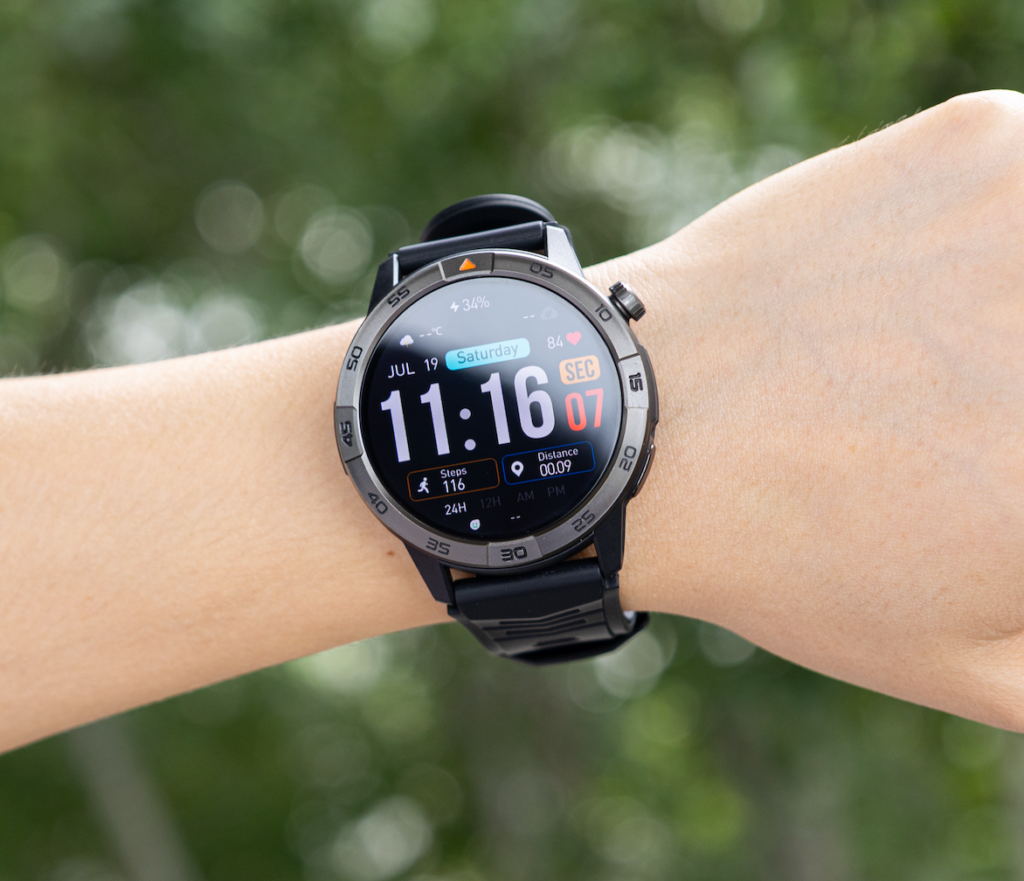
W: the watch provides enough information
A task is watch-sufficient when a brief glance answers the immediate question.
Examples include:
- Who contacted the supervisor?
- Is the message urgent?
- Has a staff assignment changed?
- Is it time for a scheduled rotation?
- Can the issue wait until the office period?
- Is the caller an approved priority contact?
The watch may not complete the entire task. It completes the immediate decision.
P: the phone earns a legitimate route
Some tasks require the full phone because they involve:
- A detailed incident report
- Several staff-schedule changes
- An image or attachment
- Secure workplace software
- Sensitive information
- A long response
- Multi-step communication
- Approved documentation
The goal is not to eliminate phone retrieval. It is to eliminate retrieval that adds no value.
C: the wrist creates a delayed response path
A callback route is useful when the message matters but does not require immediate phone access.
The watch may reveal:
- Sender identity
- Urgency
- A short subject
- Whether a callback is needed
- Which department is affected
The detailed response can wait for:
- Staff rotation
- A scheduled break
- An office return
- The end of a school-group visit
- A planned administration window
X: attention remains with the workplace
An X zone blocks unnecessary interaction.
Examples may include:
- Active visitor emergencies
- Security coordination
- Sensitive staff conversations
- Restricted areas
- Equipment handling
- Lost-child procedures
- Moments requiring full crowd attention
Convenience does not override the task.
Trace One Washington, D.C. Museum Shift
Now follow the supervisor through one representative day.
The phone starts at the office desk. The watch remains on the wrist. Each alert receives a location, an access symbol, and a final destination.
Morning briefing: the phone is already available
During the staff briefing, a detailed schedule change appears.
The phone is on the desk, and the supervisor needs to review several names and gallery assignments.
Classification: P
Phone route: None, because the phone is already at the task location
Outcome: Schedule reviewed directly
This task remains phone-required without creating an unnecessary walk.
East gallery: a break reminder ends at the wrist
Later, the supervisor is covering a public gallery when a scheduled rotation reminder appears.
The watch shows enough information to prepare for the handoff.
Classification: W
Phone route: None
Outcome: Supervisor prepares for the staff change
The wrist completes the immediate decision.
Central hall: a staffing message becomes a callback
A staff member sends a brief note about an afternoon adjustment. The issue matters, but the current school-group movement requires attention.
The watch identifies the sender and subject.
Classification: C
Phone route: Delayed until the next office return
Outcome: No immediate gallery crossing
The message remains important without becoming urgent.
Secure area: a detailed report waits
A visitor-incident follow-up requires a longer response and access to approved records.
The phone is stored elsewhere, and the supervisor is handling a restricted task.
Classification: P, delayed by the current X boundary
Phone route: Begins only after leaving the restricted task
Outcome: Detailed work waits for the approved access point
A legitimate phone task does not always justify immediate retrieval.
Erase the No-Action Paths
Review every red line that ended with no meaningful decision.
Common examples include:
- Promotional messages
- Routine company announcements
- Social notifications
- General news
- Duplicate calendar alerts
- Completed-task confirmations
- App summaries
- Low-priority email
Apply the no-decision test
For each phone trip, ask:
Did opening the phone change what the supervisor did next?
When the answer is no, the route probably should not exist.
Possible corrections include:
- Disable the alert category
- Remove the app from the watch
- Turn off promotional notifications
- Restrict email to selected senders
- Keep routine updates on the office phone only
- Use priority contacts rather than all contacts
Do not create a smaller overloaded inbox
Reducing phone retrieval does not mean reading every message on the watch.
Constant wrist checking can still fragment attention.
The watch should provide:
- Fewer notification sources
- Clear sender identity
- Short, actionable information
- Strong priority rules
- A visible distinction between urgent and delayed tasks
A smaller screen does not automatically create a better workflow.
Shorten the Callback Routes
Some red lines should remain, but they do not need to begin immediately.
A callback symbol transforms an impulsive phone trip into a planned access route.
Give callbacks a known destination
A museum supervisor might schedule phone access during:
- Staff rotation
- Office correction time
- Break coverage
- The gap between school groups
- The end of a public program
- The final gallery handoff
The watch marks the issue. The floorplan determines when the phone becomes available.
Let the wrist answer the first question only
A useful wrist alert may answer:
- Who contacted me?
- Is this urgent?
- Which area is affected?
- Is a response required?
- Can the response wait fifteen minutes?
The phone handles the complete conversation later.
Check whether distance breaks phone-assisted calling
Phone-assisted Bluetooth calling generally requires a compatible paired phone to remain nearby and connected.
Walls, gallery distance, building layout, interference, and device behavior may affect the connection. Workers should confirm when wrist calling still depends on direct phone proximity instead of assuming the watch will remain connected across the museum.
When the phone sits in a secure back area, the watch may support notification awareness without supporting a complete wrist call.
Protect No-Interaction Areas
Some parts of the floorplan should contain no retrieval route, callback decision, or watch interaction during the active task.
Visitor attention can outweigh device access
During a public-facing incident, the supervisor may need to focus on:
- Crowd movement
- Staff coordination
- Visitor safety
- A medical response
- A sensitive complaint
- Security instructions
Nonessential alerts should wait.
Washington, D.C. museum rules define the boundary
The access map should reflect actual workplace policy concerning:
- Personal devices
- Bluetooth
- Cameras
- Messaging
- Wearables
- Restricted collections
- Public-facing behavior
- Staff-only spaces
- Sensitive workplace information
A feature may be technically available and still be inappropriate for the site.
Move waiting tasks beyond the X border
When an alert arrives inside a no-interaction zone:
- Urgent workplace procedures follow established channels
- Nonurgent watch alerts wait
- Callback tasks move to the next C or P point
- Promotional and unnecessary alerts remain off
The map protects attention before convenience.
Keep the Phone Routes That Still Deserve to Exist
A useful smartwatch does not erase every red line.
The following tasks may still justify direct phone access:
- Incident documentation
- Secure workplace applications
- Detailed staff scheduling
- Longer supervisor messages
- Image review
- Approved visitor-service records
- Sensitive communication
- Multi-step responses
- Workplace emergency procedures
A long route can still be necessary
Walking back to the office may be inconvenient, but inconvenience alone does not make a task watch-sufficient.
The phone may provide:
- A larger screen
- Better typing
- Secure authentication
- Approved applications
- More context
- Greater privacy
- Complete records
Use the wrist to approve the route
The watch adds value when it helps the supervisor decide whether the trip is justified before leaving the gallery.
Readers comparing brief wrist decisions with complete device work can distinguish quick wrist decisions from tasks that still require a full device.
The phone route remains, but reflex retrieval disappears.
Publish the Final Phone-Access Map
The corrected floorplan should contain four clearly defined outcomes.
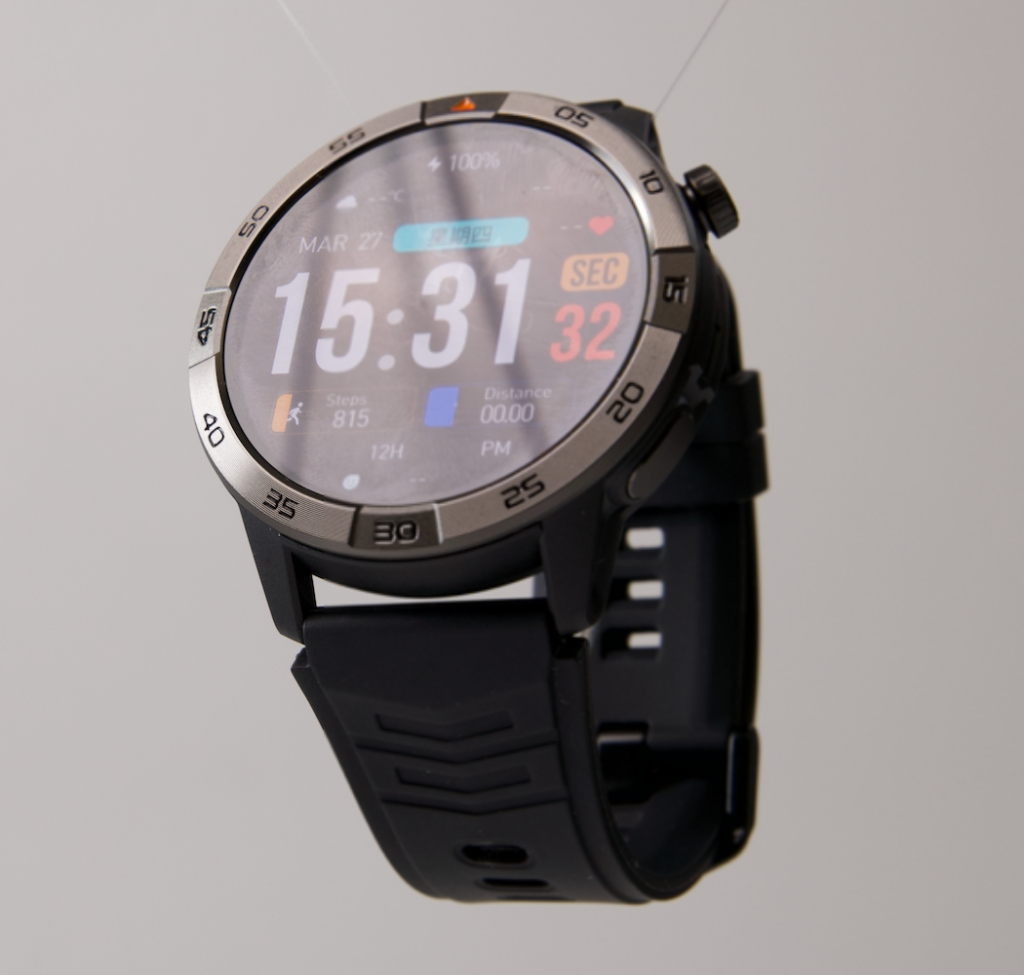
One watch-sufficient zone
Example: Public gallery rotation
The watch may show:
- Time
- Priority sender
- Brief reassignment notice
- Break reminder
- Callback marker
The supervisor remains in the gallery unless the task is classified P.
One phone-available zone
Example: Office desk
The phone handles:
- Detailed messages
- Staff schedules
- Incident records
- Secure applications
- Longer calls
- Image review
Phone-required work is grouped where the phone already exists.
One callback route
Example: Gallery to office during the next staff handoff
The watch identifies the message and holds the callback decision until the planned access window.
The route becomes intentional rather than reactive.
One no-interaction zone
Example: Active visitor incident
Nonessential watch and phone tasks wait until the incident and current responsibility end.
Run the Three-Alert Walk Test
Test the map during the next shift with three realistic signals.
Alert one: promotional email
Location: East gallery
Phone position: Office desk
Symbol: No route needed
Action: Disable or delay the notification
The alert should create no red line.
Alert two: supervisor staffing update
Location: Central hall
Phone position: Staff pocket or office
Symbol: W or C
Action: Read the brief update or schedule a callback
The message may end at the wrist without immediate phone retrieval.
Alert three: detailed incident follow-up
Location: Gallery rotation
Phone position: Office desk
Symbol: P
Action: Retrieve the phone during an approved access period
This route remains because the task genuinely requires the full device.
After the test, review:
- How many red lines were drawn?
- Which ended with useful action?
- Which could be delayed?
- Which should disappear?
- Did any priority message lack a route?
Questions Museum and Public-Space Workers Ask
Can a smartwatch eliminate phone checking at work?
No. It can reduce unnecessary retrieval by helping the worker identify which messages need the phone, which can wait, and which require no action.
What tasks are watch-sufficient?
Time checks, reminders, sender identification, priority alerts, brief staffing information, and callback decisions may be sufficient at the wrist.
When should a callback route be used?
Use a callback route when the issue deserves a response but does not justify interrupting the current gallery or public-facing task.
What belongs in a no-interaction zone?
Emergencies, security procedures, restricted tasks, sensitive conversations, and moments requiring full visitor attention may justify no interaction.
Will Bluetooth calling work when the phone is in a secure back area?
Not necessarily. Phone-assisted calling depends on the compatible phone remaining connected and within usable range. Building layout and distance may affect the connection.
How can the map be tested safely?
Begin with a small priority-contact list, one watch-sufficient zone, one phone-required zone, and scheduled callback windows. Review missed and unnecessary alerts after the shift.
Should every work app send notifications to the watch?
No. Keep only alerts that help the employee make an immediate decision, recognize priority, or schedule a justified phone response.
Erase the Walk, Not the Phone
Return to the first red line.
The supervisor crossed two galleries because a vibration had no assigned destination. The alert could have ended nowhere, but the lack of an access rule sent the worker to the office.
The corrected map creates different outcomes:
- Promotional email creates no path
- A staffing update ends at the wrist
- A callback waits for staff rotation
- A detailed incident report keeps its phone route
- An active visitor issue blocks device interaction
A smartwatch for work without checking phone constantly succeeds when it removes reflex trips to the phone while preserving the routes that real work still requires.
A useful watch does not eliminate the phone. It eliminates unnecessary walks to it.
Before the next Washington, D.C. gallery shift, sketch the workplace and add one W, P, C, and X symbol. Draw a red line every time the phone is retrieved. When a line ends at a no-action notification, remove the alert instead of shortening the route.
Use that map to see whether the watch can cover the phone routes you intend to erase.
Start with one watch-sufficient zone and one phone-required zone. The access design works only when both are clearly defined.