
Myth: A smartwatch that needs daily charging must have a poorly designed battery.
Reality: A feature-rich smartwatch performs phone-like tasks using a battery that must share a wrist-sized case with a display, processor, antennas, sensors, speaker, microphone, vibration motor, and structural hardware.
An engineering student in Tempe, Arizona, comparing a full app-based watch with a simplified endurance model may reasonably ask, why do most smartwatches need daily charging when other wearables can last much longer?
The answer is not one inefficient component. It is an energy stack. Display activity, computing, wireless communication, sensor sampling, and background software all draw from a battery that must remain small enough for comfortable wrist wear.
Understanding that stack helps a buyer choose the engineering compromise that fits their priorities.
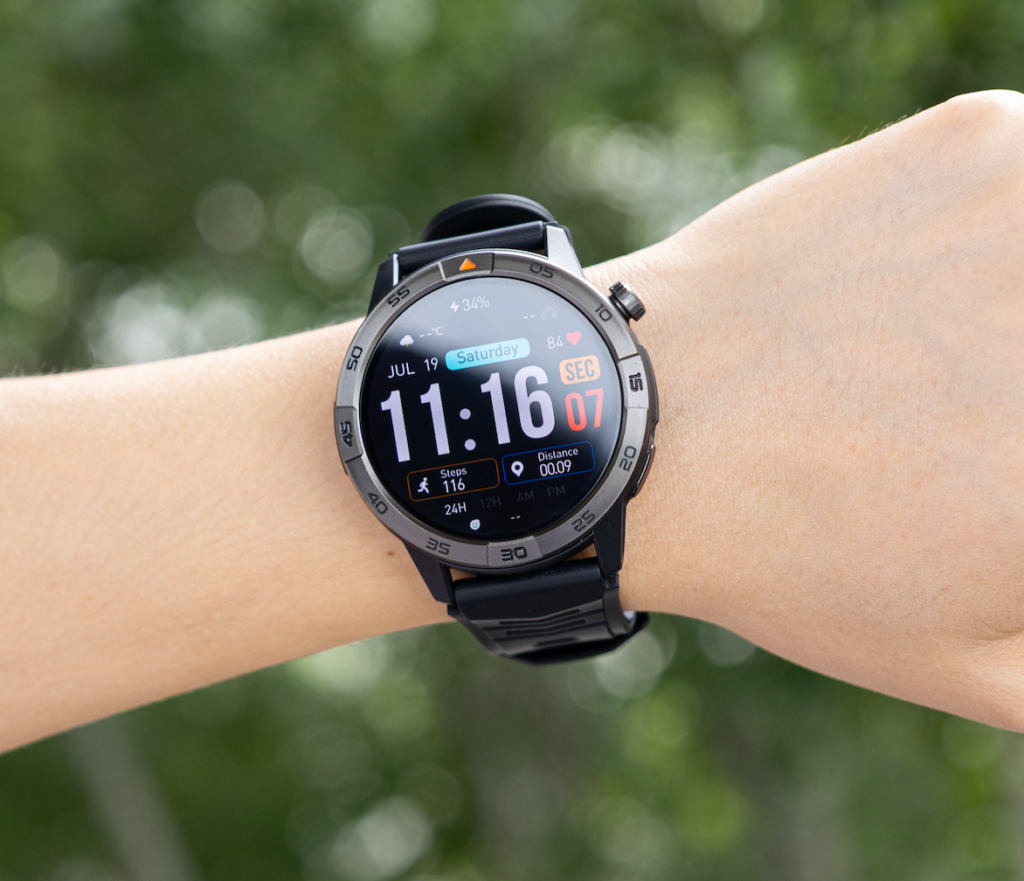
Start With the Wrist-Size Constraint in Tempe
A smartwatch is not simply a phone with a smaller screen.
Its internal space must support several systems inside a case that remains comfortable enough for classes, walking, workouts, and sleep.
The battery shares that space with:
- The display assembly
- Processor and memory
- Bluetooth, Wi-Fi, GPS, or cellular antennas
- Motion and wellness sensors
- Speaker and microphone
- Vibration motor
- Charging components
- Buttons and internal connectors
- Structural support
- Water- and dust-resistant seals
It cannot occupy the entire case.
The Battery Shares a Small Arizona Campus Device
The Tempe student may look at the watch face and assume most of the space behind it could hold a larger battery.
Internally, however, components must be arranged around one another. Sensors need access to the skin. Antennas need suitable placement. Speakers need acoustic space. Buttons and charging contacts require their own structures.
Even the shape of the battery is influenced by the placement of neighboring components.
That makes battery capacity a system-level decision rather than an isolated specification.
A Larger Battery Changes More Than Runtime
Installing a much larger battery could increase endurance, but it might also increase:
- Case thickness
- Overall weight
- Wrist pressure
- Heat retention
- Charging time
- Difficulty wearing the watch during sleep
- Interference with antenna or sensor placement
A watch designed around maximum capacity may feel less comfortable during continuous wear.
The engineering question is therefore not, “Why did the manufacturer refuse to add more battery?”
It is:
How much case volume can be assigned to stored energy without making the complete device uncomfortable or impractical?
The Tempe Student’s First Engineering Rule
Every part inside the case competes for limited space.
Every cubic millimeter assigned to the battery is unavailable to another component. All additional sensor, radio, speaker cavity, or structural layer reduces the freedom to increase battery volume.
Daily charging often begins with this physical compromise.
Trace Display Energy Through an Arizona Campus Day
The display is one of the most visible parts of the smartwatch energy stack.
It must remain readable during indoor classes, quick hallway checks, and bright outdoor walks across a sunny Arizona campus.
Brightness Must Compete With Tempe Sunlight
A dim screen may be efficient indoors but difficult to read outdoors.
Increasing brightness improves visibility, but it also requires more energy while the screen is active.
The actual display demand depends on:
- Brightness level
- Screen size
- Lit screen area
- Screen-on duration
- Refresh behavior
- Watch-face design
- Always-on display use
A high-quality screen is not automatically inefficient. The important variable is how intensely and how often it is used.
Screen-Wake Frequency Matters Alongside Screen Type
The student may activate the display to:
- Check the time
- Read a notification
- Open an app
- View a calendar reminder
- Start an activity
- Check navigation
- Answer a call
- Review health or movement information
Each activation may be brief, but dozens of small activations accumulate across a full day.
A power-efficient display can still become a major energy layer when it wakes frequently.
The student can review how daily-use battery expectations change as active features accumulate before comparing one advertised endurance number with a busy real-world routine.
Always-On Information Changes the Duty Cycle
An always-on display keeps some information visible when the watch is not being actively used.
This does not necessarily mean the complete screen remains fully bright. Platforms may reduce brightness, refresh less often, or simplify the visible interface.
Energy is still required to maintain that persistent information.
The useful engineering questions are:
- How many pixels remain illuminated?
- How bright are they?
- How often does the information refresh?
- How many hours per day is the mode active?
- How frequently does the full interface wake?
Does AMOLED Automatically Cause Daily Charging?
No.
An AMOLED screen can illuminate pixels individually and may be efficient when much of the screen remains dark. A dark watch face can require less display energy than a bright, fully illuminated design.
Battery demand still depends on brightness, active time, colors, animations, refresh behavior, and the rest of the watch.
The display is one layer, not the complete explanation.
Follow Processor and App Activity Through the Tempe Class Schedule
A smartwatch processor does more than respond when the student taps the screen.
It coordinates most of the watch’s visible and invisible activity.
The Processor Coordinates the Energy Stack
The processor may handle:
- Interface animations
- Watch-face updates
- Notification processing
- App execution
- Voice-call functions
- Sensor interpretation
- Data synchronization
- GPS calculations
- Music controls
- Security processes
- Background services
Each individual operation may be small.
The energy demand rises when several operations happen repeatedly or at the same time.
Rich Apps Create More Work Than Simple Data Screens
A full smartwatch platform may offer:
- Third-party apps
- Interactive notifications
- Maps
- Calling interfaces
- Voice features
- Animated watch faces
- Message controls
- Calendar tools
- More complex menus
A simplified endurance wearable may limit app installation, visual effects, and background behavior.
That narrower workload can reduce processing demand.
The simplified device is not necessarily using a magically superior battery. It may be asking the processor to do less.
Performance Has an Energy Cost
Buyers often want:
- Faster app opening
- Smooth scrolling
- Responsive controls
- Richer graphics
- Accurate real-time calculations
- Quick synchronization
Those improvements require processing work.
A modern processor can be more efficient than an older one, but greater efficiency is often used to deliver better performance and additional features—not only to extend runtime.
The result is a familiar engineering pattern: improved hardware enables a richer experience, and the richer experience consumes part of the efficiency gain.
Add Bluetooth, Wi-Fi, GPS, and Cellular to the Energy Stack
Wireless radios allow the watch to communicate, locate itself, and remain connected.
Each radio solves a different problem, and each adds its own power demand.
Bluetooth Maintains the Tempe Phone Connection
it may support:
- Phone notifications
- Contact synchronization
- Companion-app communication
- Music controls
- Bluetooth call audio
- Data transfer
- Connection status
Bluetooth is designed for efficient short-range communication, but it is still part of the watch’s total workload.
The cost grows when the watch exchanges more data, routes calls, reconnects repeatedly, or supports several connected services.
Wi-Fi Adds Another Communication Path
Wi-Fi may help the watch:
- Transfer information
- Download updates
- access selected online services
- Maintain connectivity in supported situations
- Synchronize without relying only on the immediate Bluetooth connection
The exact behavior depends on the watch and operating system.
Wi-Fi capability adds convenience, but the radio and related processing still require energy when active.
GPS Determines Location From the Wrist
GPS can support:
- Outdoor route tracking
- Pace and distance
- Navigation
- Campus walking records
- Workout maps
- Location-based information
A quick location check is different from continuously recording a route.
Long tracking sessions require the watch to keep receiving location signals, process them, store the route, and sometimes display navigation information at the same time.
Cellular Models Pay More for Independence
A cellular smartwatch can communicate more independently from the phone.
That independence requires the watch to manage its own mobile-network connection.
Energy demand may rise during:
- Voice calls
- Data transfers
- Network searching
- Weak-signal conditions
- Frequent connection changes
- Phone-independent use
Readers comparing advanced communication with endurance can see how calling access and longer battery priorities compete inside one watch.
Cellular capability is not poor engineering. It is a capability with an energy price.

Stack Sensor Sampling Behind the Arizona Display
A dark smartwatch screen can create the impression that the device is inactive.
In reality, sensors and background systems may continue working even when the user sees nothing happening.
Sensors Turn Physical Signals Into Useful Data
A smartwatch may use sensors to support:
- Movement detection
- Step counting
- Sleep patterns
- Wrist detection
- Workout tracking
- Orientation
- Heart-rate trends
- Other supported wellness measurements
These features are intended for general tracking rather than medical diagnosis.
Sampling Frequency Changes the Workload
Sensor demand depends on:
- How frequently measurements are collected
- How long monitoring continues
- Whether several sensors operate together
- How much processing follows each reading
- Whether results synchronize to the phone
- Whether an active workout is running
A sensor used occasionally has a different energy profile from a group of sensors operating throughout a workout.
A Dark Screen Does Not Mean an Inactive Watch
While the display appears off, the watch may still:
- Track movement
- Maintain Bluetooth
- process notifications
- Sample sensors
- Update background information
- Store activity data
- Prepare information for the next screen activation
The device continues doing useful work behind the inactive screen.
That invisible usefulness is part of the reason active smartwatches need more frequent charging than a simple digital watch.
Examine Operating-System Work the Student Cannot See
Hardware provides the capability. The operating system coordinates it.
A full smartwatch platform must manage many services without requiring the user to open each one manually.
The Platform Coordinates Multiple Services
The operating system may manage:
- App permissions
- Notification delivery
- Call routing
- Background synchronization
- Watch-face complications
- Sensor access
- Wireless connections
- Security
- Local storage
- Data transfer
- Software updates
Some services run briefly. Others wake at intervals or respond to events from the phone, sensors, or network.
Background Work Preserves Convenience
A smartwatch feels responsive because information is often prepared before the student asks for it.
Examples include:
- A new notification already waiting
- A calendar reminder arriving on time
- Current contact information available for a call
- Recently synchronized activity records
- Weather or schedule data prepared for the watch face
- A connection ready for music or calling controls
That convenience depends on background coordination.
This section is not an argument for disabling the operating system’s services. It explains why a feature-rich platform uses more energy than a wearable designed to perform fewer background tasks.
Software Efficiency Cannot Remove Physics
Better code can reduce unnecessary work.
A more efficient operating system can schedule tasks intelligently, limit background activity, and use lower-power hardware states.
Software cannot eliminate the energy required to:
- Illuminate the display
- Transmit wireless signals
- Run the processor
- Operate the speaker
- Sample sensors
- Store and synchronize data
Efficiency improves the trade-off. It does not remove the trade-off.
Why Do Most Smartwatches Need Daily Charging? Add the Layers Together
Most feature-rich smartwatches need frequent charging because one small battery supports several energy layers at once:
Display + processor + apps + radios + sensors + background software
One layer alone may be manageable.
The shorter charging interval appears when the watch stacks multiple capabilities inside one compact device.
One Feature Rarely Explains the Complete Interval
A bright display may be efficient enough by itself.
Bluetooth may use relatively little power during light communication.
Sensor sampling may be modest outside workouts.
The processor may spend much of the day in lower-power states.
The watch still needs to support all of these systems together. A notification can wake the processor and screen while Bluetooth remains connected and sensors continue tracking movement.
A call can activate the display, processor, Bluetooth, microphone, and speaker simultaneously.
Navigation can combine GPS, processing, data storage, and repeated screen use.
Usage Changes the Weight of Each Layer
For the Tempe student:
- Frequent notifications increase screen and processor activity
- Outdoor navigation increases GPS use
- Wrist calls combine several hardware systems
- Workouts increase sensor sampling
- Rich apps add processing and synchronization
- Always-on display use extends screen activity
Two students wearing the same watch can therefore experience different charging intervals.
The hardware is identical. The energy stack is being used differently.
Daily Charging Can Be a Deliberate Design Balance
A manufacturer may prioritize:
- Compact size
- Comfortable weight
- A bright display
- Fast interactions
- App capability
- Calling
- Navigation
- Continuous tracking
The result may require more frequent charging than a platform designed mainly for core alerts and basic activity records.
| Energy layer | What it provides | Main compromise |
|---|---|---|
| Battery envelope | Stored energy | Size, weight, comfort |
| Display | Readability and interaction | Brightness and active time |
| Processor | Speed and app capability | Computing workload |
| Wireless radios | Connectivity and location | Communication demand |
| Sensors | Activity and wellness data | Sampling and processing |
| Operating system | Responsiveness and convenience | Background work |
Daily charging is not automatically proof that the design failed.
It may be the charging consequence of the capabilities the design prioritized.
Compare a Full Smartwatch With a Lightweight Endurance Platform
The Tempe student is comparing two types of wearable.
They are not necessarily competing to solve the same problem.
The Full App-Based Watch
A full smartwatch platform may prioritize:
- Rich applications
- Interactive notifications
- Calling
- Maps and navigation
- Voice functions
- Smooth graphics
- Multiple wireless radios
- Broader software integration
The experience is closer to a small wrist computer.
The Simplified Endurance Model
An endurance-focused platform may prioritize:
- Core notifications
- Time and alarms
- Basic activity information
- Simpler menus
- Controlled sensor schedules
- Fewer third-party apps
- Less background processing
- Longer charging intervals
Its energy stack is often narrower.
The student can see how endurance-focused watches reduce the number of simultaneous power demands without assuming that fewer features make the device inferior.
Longer Runtime Does Not Automatically Mean Better Engineering
A simplified watch may last longer because it intentionally performs fewer tasks, updates information less often, or limits third-party software.
A full smartwatch may charge more frequently because it is designed to deliver more immediate interaction and broader capability.
Both can be well engineered.
They optimize for different outcomes.
The correct question is not:
Which platform proves better engineering through the longest battery life?
It is:
Which platform’s compromises match the buyer’s priorities?
Why Manufacturers Do Not Simply Install a Much Larger Battery
A larger battery sounds like a direct solution, but wearable design does not allow unlimited expansion.
Larger Capacity Requires Physical Space
More battery capacity may require:
- A thicker watch body
- A larger case
- More weight
- Different component placement
- Revised antenna design
- Longer charging time
- Additional structural support
Those changes affect the complete product.
Wrist Comfort Is an Engineering Requirement
A watch may be worn during:
- Classes
- Walking
- Exercise
- Work
- Sleep
- Travel
- Everyday household activity
A heavier or thicker case may become uncomfortable during continuous wear.
A battery improvement that causes the user to remove the watch more often may undermine sleep or activity tracking.
Internal Space Is a System Decision
Increasing battery volume may reduce space available for:
- Sensors
- Speakers
- Microphones
- Antennas
- Buttons
- Water-resistant construction
- Structural protection
Manufacturers decide how to divide limited case space across the complete system.
The battery is important, but it is not the only design goal.
Does a Higher U.S. Retail Price Guarantee Better Battery Life?
A higher price does not automatically purchase a longer charging interval.
Premium pricing may reflect capabilities that increase power demand.
Price Can Pay for Features Other Than Endurance
A more expensive watch may offer:
- A brighter or sharper display
- Faster processing
- More sensors
- Better materials
- Cellular capability
- More storage
- A larger app ecosystem
- Longer software support
- More advanced construction
Battery life is only one part of the value.
Better Hardware Can Enable a Larger Workload
A faster processor or improved battery chemistry may increase efficiency.
Manufacturers may use that efficiency to provide:
- Smoother software
- More background services
- Better displays
- Additional sensors
- Faster communication
The watch can become more capable without becoming the longest-lasting option.
Compare Priorities Rather Than Price Alone
The Tempe student should compare:
- Active-use endurance
- Display behavior
- App capability
- Communication options
- Comfort
- Charging expectations
- Features that will be used regularly
A lower-priced endurance model may last longer than a premium full smartwatch because the two products optimize for different goals.
Build the Tempe Three-Capability Trade-Off Card
The engineering explanation becomes useful when it changes the buying decision.
The student should identify the three advanced capabilities that matter enough to justify a shorter charging interval.
Choose Three Capabilities That Matter Most
Possible priorities include:
- Wrist calling
- Rich apps
- GPS navigation
- Always-on display
- Advanced activity tracking
- Voice features
- Independent cellular access
- Frequent sensor measurements
Selecting only three forces the buyer to separate genuine needs from attractive specifications.
Connect Each Capability to the Energy Stack
| Desired capability | Main energy layers involved | Worth shorter charging? |
|---|---|---|
| Wrist calling | Bluetooth, processor, display, microphone, speaker | |
| Maps and route tracking | GPS, processor, storage, display | |
| Always-on display | Display brightness and refresh behavior | |
| Rich third-party apps | Processor, memory, operating system | |
| Cellular independence | Cellular radio, processor, call hardware | |
| Continuous tracking | Sensors, processor, synchronization |
Reject Capabilities That Will Rarely Be Used
For each feature, ask:
- Will I use it every week?
- Does it reduce phone use meaningfully?
- Does it improve campus or daily life?
- Would I accept more frequent charging for it?
- Is a simpler device already sufficient?
A feature should not justify daily charging merely because it sounds advanced.
Choose the Preferred Engineering Compromise
The final choice may be:
- A full smartwatch with richer capabilities and shorter endurance
- A lightweight platform with fewer functions and longer endurance
- A balanced watch positioned between those two categories
There is no universal correct answer.
The correct compromise is the one the student understands and accepts before purchasing.
Questions From a Tempe Smartwatch Energy Comparison
Why Not Install a Much Larger Battery?
A much larger battery requires more internal space and may increase thickness, weight, charging time, and discomfort. It can also reduce space available for sensors, antennas, speakers, structural components, and seals.
Does an AMOLED Screen Require Daily Charging?
Not by itself. Runtime depends on brightness, active screen time, watch-face design, always-on behavior, refresh activity, and the rest of the watch’s energy stack.
Does Cellular Service Use More Energy?
Cellular capability can add energy demand because the watch manages its own network connection, calls, and data transfers. Actual impact varies with usage and signal conditions.
Are Simpler Watches More Efficient?
They can be. Simplified platforms often run fewer apps, radios, visual effects, and background services. Their longer endurance may come from a deliberately narrower workload.
Does a Higher Price Improve Battery Life?
Not automatically. A higher price may pay for display quality, processor performance, materials, sensors, cellular capability, software support, or an app ecosystem instead of longer endurance.
Is Daily Charging Always Normal?
No. Charging intervals vary by watch category, battery size, features, settings, and usage. Frequent charging is more common in watches that support a broad, computer-like workload.
Choose the Energy Trade-Off That Fits the Tempe Buyer
For the engineering student, why do most smartwatches need daily charging is answered by tracing the complete wrist-computer energy stack.
The battery must fit inside a compact case. The display needs brightness and repeated interaction. The processor supports responsive software and applications. Bluetooth, Wi-Fi, GPS, and optional cellular service add communication demands. Sensors continue collecting information behind a dark screen, while the operating system manages notifications, synchronization, security, and background services.
A full smartwatch and a simplified endurance wearable can both be well designed. They simply distribute their limited energy and internal space differently.
A buyer seeking another balance can inspect a long-battery smartwatch that combines calling, GPS, and an AMOLED display while recognizing that real endurance varies with the complete energy stack and actual usage.
Choose the three advanced capabilities worth accepting a shorter charging interval. Then compare watches by how well they deliver those capabilities—not by treating daily charging as automatic proof of poor engineering.