
At 7:18 a.m., the Sacramento grocery-delivery route shows 14 stops. Before the first order leaves the staging area, three same-day requests, two apartment delays, and two reassigned deliveries raise the total to 21.
A smartwatch for delivery drivers with long battery should be evaluated against that expanded route, not only the easier schedule displayed at the start of the day. Seven additional stops may create more navigation checks, customer communication, screen activity, waiting time, and a later return to dependable charging.
The key question is not simply, “How many days does the battery last?”
A more useful question is:
Can the watch remain available from the first planned stop through an expanded delivery route, one realistic delay, and the complete trip back to a dependable charger?
That full workload forms the route-energy envelope.
Start With the 14-Stop Sacramento Base Route
Battery planning begins with the route the driver expects to complete.
The Sacramento grocery-delivery driver starts with 14 planned stops, an estimated return time, ordinary customer communication, and a known charging location at the end of the day. That schedule provides the base route.
Before examining advertised runtime, the driver should record:
- Route start time
- Fourteen planned deliveries
- Expected route duration
- Normal customer-contact volume
- Planned navigation use
- Expected end-of-route tasks
- Distance from the final stop to dependable charging
The last item matters because the route is not finished when the final grocery order reaches the customer.
The driver may still need to confirm the delivery, respond to dispatch, review the next day’s schedule, navigate back to the staging area, or contact family. Battery reserve must cover those tasks as well.
Record only the functions used on the normal route
The base calculation should include realistic watch activity, such as:
- Caller identification
- Notification viewing
- Brief calls while safely parked
- Calendar or reminder alerts
- Navigation checks
- GPS sessions, when used
- Music controls
- Battery-percentage checks
A function should not be included merely because the watch supports it.
For example, continuous GPS tracking creates a different workload from briefly checking a map while parked. Similarly, answering one short customer call is different from keeping several conversations on the wrist.
Separate connection time from active interaction
A connected watch may remain paired with the phone for the entire route without being actively used every minute.
Distinguish among:
- Connected but idle
- Screen awakened
- Notification opened
- Caller identified
- Call handled
- Map viewed
- GPS actively used
This distinction prevents the buyer from treating all connected time as the same kind of battery demand.
Identify What Adds Seven Stops to a California Delivery Day
The route does not grow for one predictable reason.
Several small changes can turn a manageable 14-stop schedule into a 21-stop day.
Same-day grocery orders
Three same-day requests may be added after the original route has already been arranged.
Each one can require:
- A new address review
- Route resequencing
- An additional arrival check
- Customer notification
- More screen activity
- A later return time
One added order may be easy. Another could send the driver across a larger section of Sacramento and change the order of several remaining stops.
Reassigned deliveries
Two stops may be transferred from another driver because of uneven workload, staffing changes, or a route delay.
A reassignment can add more than a new address. The driver may need to:
- Review delivery notes
- Confirm the pickup
- Contact dispatch
- Change the route sequence
- Check navigation again
Apartment delays
Two apartment deliveries may already be part of the original stop count but consume much more time than expected.
A single apartment handoff can involve:
- Gate-code messages
- Building-entry questions
- Elevator waiting
- Unit-location checks
- A second customer call
- Rechecking the remaining route
The official number of stops may not change, yet the watch remains connected and active for longer.
This is why the route-energy envelope must include both new stops and longer existing stops.
Drivers comparing the broader role of endurance and communication can compare broad delivery battery and call needs, but this Sacramento route requires a narrower test: what happens when the delivery volume expands after planning?
Build the Route-Energy Envelope Before Comparing Watches
The route-energy envelope contains six sections:
- Base route
- Additional stops
- Customer communication
- Navigation and screen checks
- Delay reserve
- Return-to-charger window
The driver should evaluate all six before deciding whether a battery claim is sufficient.
| Route component | Planned condition | Expanded condition | What must be recorded |
|---|---|---|---|
| Stops | 14 | 21 | Added arrival and departure activity |
| Calls | Normal volume | Higher or less predictable | Caller ID and parked talk time |
| Navigation | Stable sequence | Repeated changes | Map checks and GPS use |
| Screen activity | Predictable | More frequent | Wake time and brightness |
| Delays | Limited | Apartment and store delays | Added route duration |
| Charging return | Expected time | Later time | Final reserve requirement |
Do not assign identical demand to every stop
A simple handoff may require only a quick notification check.
A more complicated stop might involve:
- A route revision
- Several customer messages
- A brief parked call
- A long wait
- Repeated screen viewing
- Another attempt later
Therefore, “seven more stops” does not translate into one fixed battery percentage.
The useful method is to identify which activities grow when the route grows.
Compare the envelope with the advertised conditions
Battery claims should be read carefully.
Determine whether the quoted duration refers to:
- Standby
- Light use
- Typical use
- Reduced notifications
- Power-saving settings
- Calling
- GPS
- Continuous tracking
A delivery driver can translate standby claims into active delivery use rather than assuming the largest advertised number will apply to a 21-stop route.
Add Customer Calls Without Making Calling the Main Topic
Communication is one source of extra demand, but it is not the entire article.
The Sacramento driver may receive calls from:
- Store staff
- Dispatch
- Customers
- Apartment contacts
- Family members
- Unknown numbers
Some calls require only caller identification. Others may create a route change or brief parked conversation.
Record the action created by each call
A caller may need:
- Identification only
- Rejection
- Silence
- A short parked response
- A later callback from the phone
- A route adjustment
Seven extra stops do not necessarily create seven calls.
One apartment-access problem may cause three short contact attempts, while another delivery may require no communication at all.
Count duration as well as quantity
A large number of short caller-identification events may create less active use than one long conversation.
The route worksheet should therefore record:
- Number of calls
- Approximate duration
- Whether the screen remained active
- Whether the call changed the route
- Whether the phone or another audio device handled the conversation
Confirm that Bluetooth calling depends on the phone
Bluetooth calling normally requires the paired phone to remain nearby and connected.
The driver should account for phone-assisted calling during route expansion by checking:
- Contact-name synchronization
- Connection stability
- Audio routing
- Missed-call display
- Reconnection after separation
Calls should be screened or handled only while safely parked. The article does not recommend watch interaction while driving, approaching an address, or temporarily stopped in traffic.
Add Navigation and Screen Checks to the Expanded Route
Extra stops often produce more location checks even when the phone or vehicle system remains the primary navigation tool.
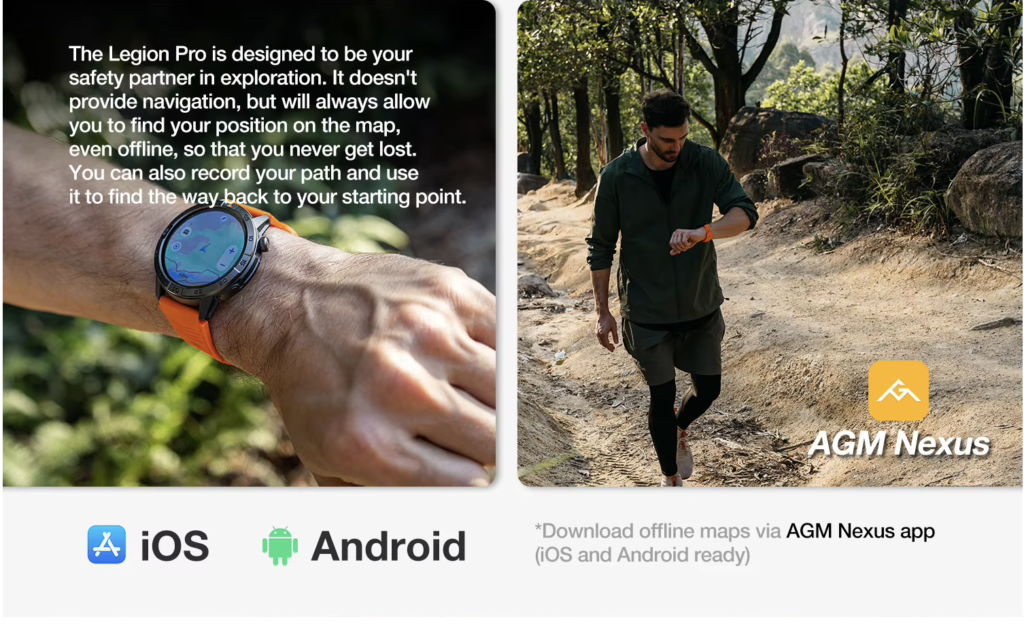
While safely parked, the driver may use the watch to:
- Confirm the next address
- Review a changed stop order
- Check a saved map
- View distance before departure
- Review a reassigned route
- Confirm the time remaining
Separate occasional viewing from continuous GPS use
These activities should not be grouped together:
- Brief map viewing
- Repeated position checks
- Route recording
- Active GPS sessions
- Phone navigation with watch notifications
Each creates a different workload.
A driver who checks a map twice during the route should not use the same battery estimate as someone running a long GPS session.
Include the screen workload
Navigation changes may also increase:
- Screen wake frequency
- Brightness use
- Notification viewing
- Time spent reading information
- Battery-status checks
The display may be active more often even when the watch is not calculating the main route.
Keep commercial navigation separate
A smartwatch should not be presented as a replacement for dedicated commercial-vehicle navigation.
It should not be relied on for:
- Height restrictions
- Weight restrictions
- Hazmat routes
- Commercial-road compliance
- Vehicle-specific routing
The watch may provide supporting information, but the route-energy envelope should reflect its actual limited role.
Keep a Delay Reserve for Apartment and Store Handoffs
A useful battery plan includes uncertainty.
The driver should not reach stop 14 with enough power for only the original schedule.
Store pickup delays
If grocery orders are not ready, waiting can extend:
- Bluetooth connection time
- Notification activity
- Route changes
- Screen checks
- Total operating time
No new stop has been added, but the watch must remain available longer.
Building-entry delays
Apartment access may produce repeated communication and navigation checks.
The driver could need to:
- Request a gate code
- Call the customer
- Wait for entry
- Confirm the building
- Review the remaining route
- Change the delivery sequence
Failed first contact
An unavailable customer may require the driver to wait, call again, follow platform procedures, continue to another stop, or return later.
That single delivery can create several energy-consuming actions.
Protect a practical reserve
The watch should retain enough capacity for:
- One longer-than-expected delay
- One additional communication cycle
- A revised route sequence
- A later return time
- Travel to charging
There is no universal reserve percentage that fits every watch and route. The correct buffer depends on the device, settings, workload, and the driver’s normal schedule.
Protect the Return-to-Charger Window After Stop 21
Battery planning should continue beyond the final customer handoff.
After stop 21, the driver may still need to:
- Confirm route completion
- Respond to store staff
- Contact dispatch
- Navigate back
- Review the next schedule
- Handle a personal call
- Reach home or another charging location
Identify the dependable charger
The final charging point may be:
- The driver’s home
- A store staging area
- A workplace locker
- A confirmed vehicle charger
- Another verified location
A cable in the vehicle does not automatically create dependable charging.
The setup may fail because of:
- The wrong connector
- Poor watch placement
- Unavailable power
- Insufficient charging time
- A damaged or forgotten cable
Calculate the latest realistic return
The route envelope should use the likely return time after 21 stops, not the original estimate for 14.
If the watch reaches the last customer with almost no remaining energy, the envelope is already too narrow.
The device should remain available until:
- The route is closed
- Necessary communication is completed
- The driver returns safely
- Dependable charging begins
Find the Route-Energy Breach Before Buying
A breach occurs when the watch can cover the planned route but not the realistic expanded workload.
The failure point may appear:
- After stop 14
- During the seven added deliveries
- During an apartment delay
- Before the final customer call
- On the return journey
- Just before charging becomes available
A breach does not always indicate a defective battery
The original estimate may have been too optimistic.
Possible causes include:
- Using a standby claim as an active-use estimate
- Starting with less than a full charge
- Enabling unnecessary tracking
- Receiving duplicate notifications
- Using more GPS or calling than expected
- Planning around too few stops
Decide whether configuration changes are enough
The driver may reduce avoidable demand by changing:
- Duplicate app alerts
- Excessive screen wake behavior
- Unused tracking
- Unnecessary GPS sessions
- High brightness
- Repeated nonessential notifications
These adjustments should not remove functions needed for safe and practical work.
Recognize when a wider envelope is required
A different watch may be appropriate when the expanded route still creates a breach after reasonable configuration changes.
The buying threshold should be based on the difficult 21-stop day rather than an unusually light route.
Buying Considerations for American Grocery-Delivery Drivers
Battery capacity is important, but the full ownership decision includes more than one specification.
Read battery claims in context
Compare:
- Battery capacity
- Typical-use wording
- Standby wording
- Charging time
- Calling conditions
- GPS conditions
- Power-saving behavior
Avoid treating an advertised maximum as guaranteed route performance.
Check the current U.S. ownership cost
Review:
- Price in USD
- Shipping
- Sales tax
- Required accessories
- Replacement charger
- Warranty terms
- Return policy
Verify the exact phone connection
Test the actual iPhone or Android setup for:
- Companion-app permissions
- Notifications
- Caller identification
- Bluetooth calling
- Contact synchronization
- Reconnection
- Battery-status visibility
Check parked readability
The display should clearly show:
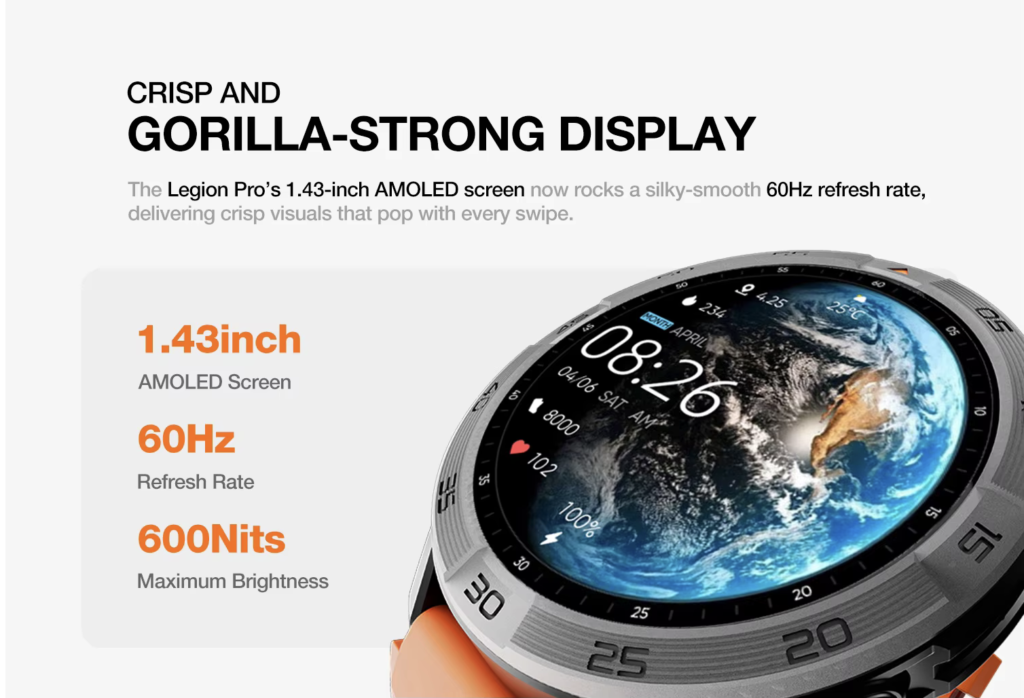
- Caller name
- Remaining battery
- Time
- Short notification
- Connection status
Evaluate comfort through the full route
A 21-stop day may involve many hours of wear.
Consider:
- Case size
- Strap material
- Adjustment range
- Moisture buildup
- Wrist movement
- Pressure points
- Ease of cleaning under manufacturer guidance
Confirm replacement-charger availability
A long-battery watch still needs a dependable charging method that can be replaced in the United States.
Drivers can also compare an expanding route with an always-moving daily routine while keeping this article’s decision tied specifically to grocery-delivery expansion.
Smartwatch for Delivery Drivers With Long Battery: Read the 21-Stop Result
The final result should show whether every part of the envelope is protected.
Base route
Fourteen planned stops: covered under expected active use.
Expansion allowance
Seven additional stops: included with extra arrival checks, communication, navigation, and screen activity.
Delay reserve
Apartment and store delays: supported without exhausting the remaining energy.
Return window
Travel and communication after stop 21: covered until dependable charging begins.
Reject the watch when:
- The 14-stop route consumes almost all usable energy
- Seven added stops immediately create a breach
- Runtime conditions remain unclear
- Mid-route charging is necessary for ordinary work
- Phone connection repeatedly fails
- Remaining battery is difficult to read
- The return-to-charger window is not protected
The completed route envelope should read:
Base route: covered
Expansion allowance: covered
Customer communication: included
Navigation checks: included
Delay reserve: protected
Return-to-charger window: protected
Questions U.S. Delivery Drivers Ask About Long Battery Life
How much smartwatch battery does a grocery-delivery driver need?
The watch should cover the planned route, realistic added stops, customer communication, navigation checks, delays, and the complete return to dependable charging.
Why should additional stops be included in battery planning?
Added stops can increase screen activity, route checks, calls, messages, waiting time, and the total time before the watch reaches a charger.
Do customer calls and navigation reduce smartwatch runtime?
They can increase active demand, but the effect varies according to the watch, duration, settings, connection, and usage pattern.
Can Bluetooth calling work when the paired phone is not nearby?
Standard Bluetooth calling depends on the phone remaining connected and within a suitable range.
How can a delivery driver test battery life before a full route?
Track battery use during a normal route, then simulate realistic additional screen checks, notifications, parked calls, and delay time. Avoid unsafe interaction while driving.
Should the watch retain battery after the final delivery?
Yes. Reserve should cover final confirmations, necessary communication, the return journey, and the time until dependable charging begins.
Choose for the Expanded Route, Not the Easy Route
The Sacramento route-energy envelope now includes:
Base route: 14 stops covered
Expansion allowance: 7 additional stops included
Customer calls: recorded
Navigation demand: included
Delay reserve: protected
Return-to-charger window: covered
A smartwatch for delivery drivers with long battery should be selected against the 21-stop Sacramento day, not the easier 14-stop plan displayed before departure.
The correct watch is not merely the one that completes the scheduled route. It is the one that remains useful when the delivery day becomes larger than expected.
Before comparing watches:
- Record the planned stop count.
- Add one realistic same-day expansion.
- Include customer calls and route checks.
- Protect a delay reserve.
- Add the full return-to-charger window.
After building the route-energy envelope, review the battery and route-supporting specifications to determine whether the smartwatch can support the expanded workload without treating the advertised maximum as guaranteed active-route runtime.