
Road work is rarely one uninterrupted drive. For a disaster-restoration estimator in Baton Rouge, Louisiana, the vehicle becomes one work base, a client property becomes another, and a borrowed desk may become a third. A smartwatch for people who work on the road must carry the same essential function across all three rather than working only in the easiest setting.
The Three-Base Workday Test does not follow a route from stop to stop. It places one required function at the center of a dependency triangle and asks whether that same outcome survives changing phone distance, connection conditions, privacy limits, hand availability, and access to a desk.
The watch passes only when the function reaches the same endpoint at a parked vehicle, client site, and temporary workspace. An alert that merely appears at each base is not enough. The work action must still be understood, completed safely, and closed without another device quietly taking over.
Why Road Work in the United States Is More Than Driving
For many American mobile professionals, the road connects workplaces rather than serving as the workplace itself. A parked vehicle may become a short planning station. A residential or commercial site may become the main work base. Later, a shared table, temporary office, or borrowed desk may support follow-up work before the next assignment.
That pattern differs from continuous driving. Any watch interaction while the vehicle is moving remains outside this article. Readers evaluating that separate intent should separate road-based work from continuous driving.
The same distinction applies to travel. Business travel often centers on airports, hotels, delays, and itinerary continuity. Distributed mobile work is different: the professional performs ordinary work across several temporary operating bases. A related guide can distinguish changing work bases from business travel.
This page therefore does not ask whether the watch is generally useful on the road. It asks whether one defined work function stays portable when the base changes.
Movement is another separate question. A worker may carry supplies between rooms, cross a parking area, or move through a site while the watch remains on the wrist. That does not make every interaction appropriate during motion. The related mobile-action page can test which mobile actions remain safe without creating a stop. Article 227 instead waits for a legitimate operating base and examines whether the work function survives there.
American buyers should also distinguish advertised feature availability from function portability. A product may state that it supports alerts, messages, or app notifications, yet the useful context and closure options can still depend on the phone model, operating system, companion app, permissions, and connection state. Only those dependencies that affect the central status-card contract belong in this test.
Put One Baton Rouge Work Function at the Triangle’s Center
A broad feature bundle would make the result difficult to interpret. Calls, navigation, timers, messages, fitness tracking, and reminders could each fail for different reasons. The Three-Base Workday Test uses one work function so every change can be traced to the operating base rather than to a new task.
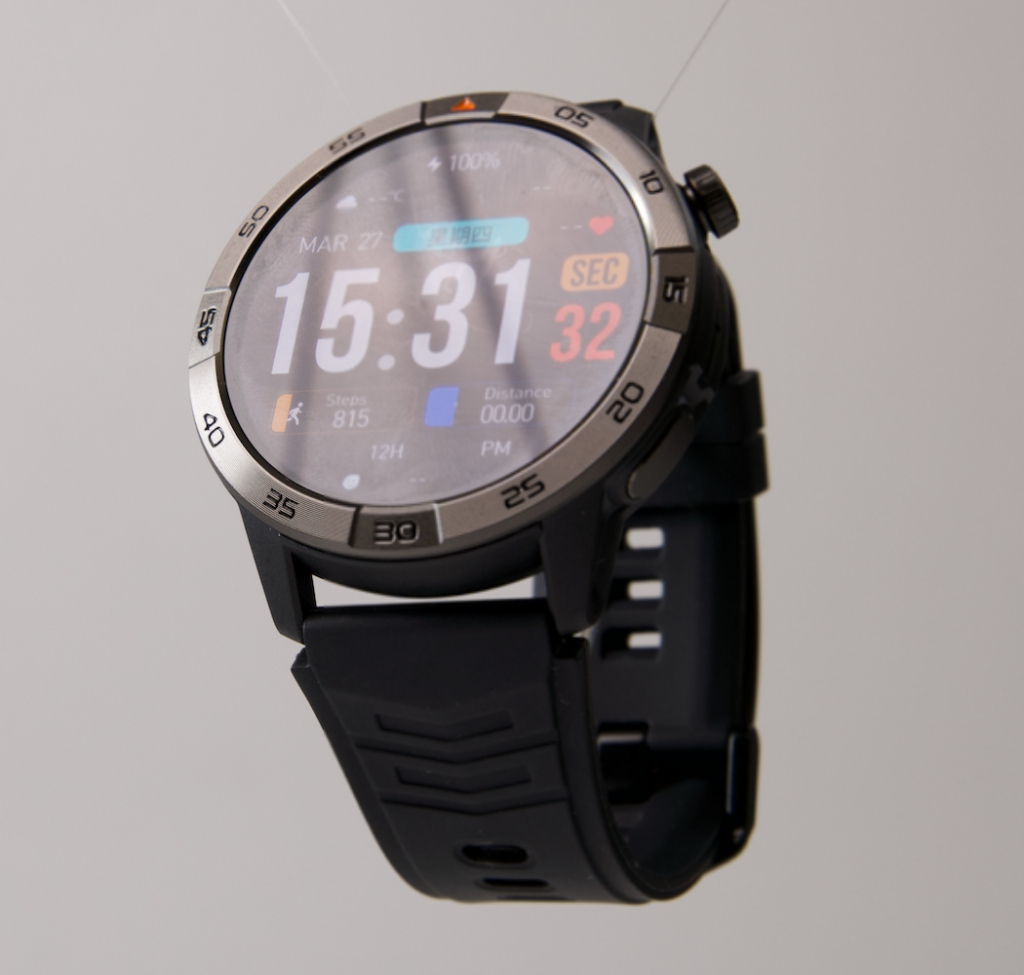
The illustrative central function is:
Review and close a short status card stating that an estimate packet is ready for office review.
The card remains generic. It should not display a client name, street address, insurance information, claim number, property photograph, or loss detail.
Define one function contract
The same endpoint applies at every node:
- Identify the work-item category.
- Read and understand the short status change.
- Mark or acknowledge that the update was reviewed when the intended setup genuinely supports that action.
- Confirm that no immediate phone or laptop step is required merely to close the status card.
These steps describe the buyer’s test, not a claim about a particular watch. Some devices may show only a preview. Others may require the phone for acknowledgment. The purpose is to expose that difference before purchase.
Keep the endpoint fixed
The interface may vary among bases, but the work outcome must not. If the status card can be closed at the temporary desk but only viewed at the client site, the function is not fully portable. A partial version should not be counted as the same result.
Compare Three American Operating Bases Without a Route Diary
The three bases should appear simultaneously as points of one triangle. Do not narrate a morning vehicle stop, midday property visit, and afternoon desk session. The evidence comes from comparing the support conditions around one fixed function.
Parked vehicle base
The vehicle counts only when fully parked and stationary. The estimator may review the status card before leaving for a site or after returning to the vehicle, but never while moving or stopped in traffic.
At this node, inspect whether:
- The phone remains close enough for the intended connection.
- The status card is readable under the actual daylight conditions.
- Cabin noise makes voice interaction unsuitable.
- The action closes on the watch rather than immediately opening the phone.
- The user can remain safely stationary throughout the interaction.
A parked vehicle can be a legitimate American mobile-work base. It is not permission to interact at a red light, in slow traffic, or during vehicle movement.
Client-site base
The client site changes the support layer. The phone may be farther away, the estimator’s attention may belong to the property assessment, and voice interaction may be inappropriate around clients or other workers.
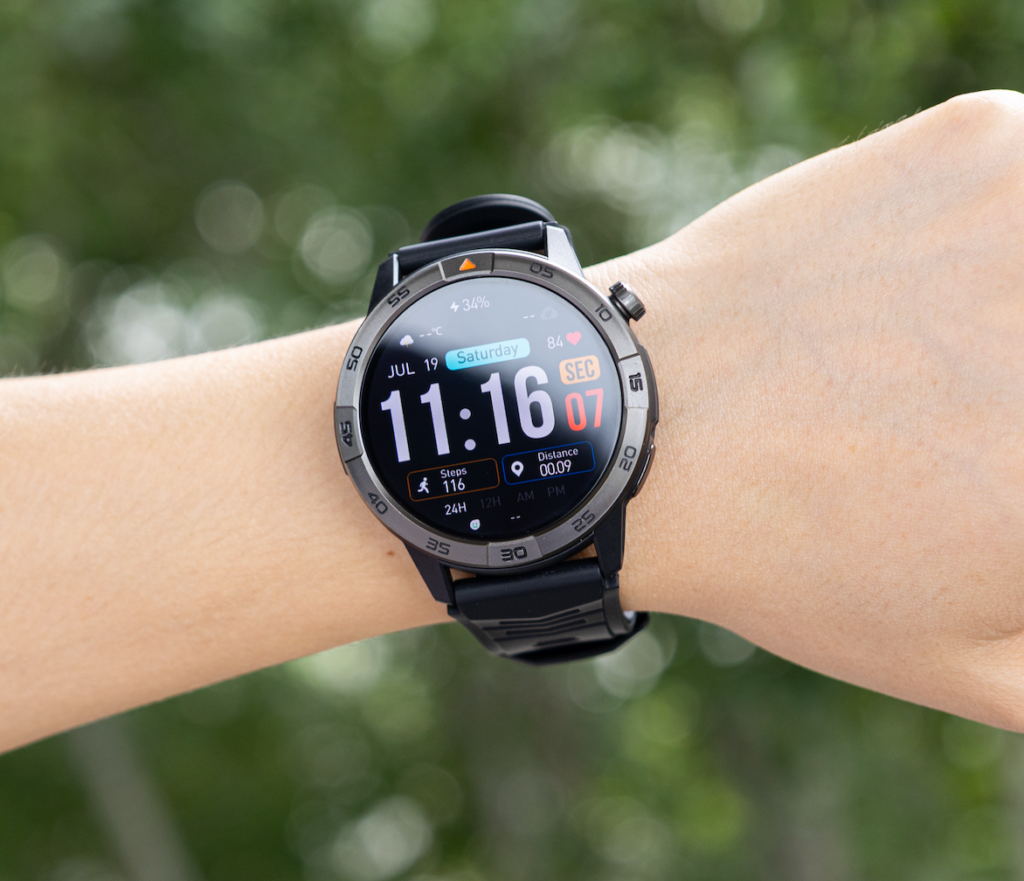
Evaluate the status function only at a safe pause. Do not read, tap, reply, or speak to the watch while using tools, climbing, handling unstable materials, crossing active work areas, or observing a condition that requires continuous attention.
The node should reveal whether:
- The card still contains enough context to understand the update.
- Phone distance changes the function.
- Privacy makes the available interaction method unusable.
- The required acknowledgment can wait for a safe stationary point.
- The watch remains the completing device rather than a preview surface.
Readers evaluating hand occupancy as the primary issue can inspect how occupied hands change wrist completion. This hub keeps the focus on base portability.
Temporary workspace base
A shared project desk, borrowed office surface, or temporary workroom may offer the easiest conditions. The phone can sit nearby. Wi-Fi or power may be available. A laptop may already be open.
Those advantages create Temporary-Desk Bias. The function may appear successful only because another device, stable connection, and seated posture remove the pressures found at the other bases.
The watch passes this node only when the status card still reaches its defined endpoint without the laptop or phone completing the meaningful step.
Inspect the Transfer Edges Instead of Repeating Three Tests
The triangle edges show why portability changes. The central function remains fixed while its support path gains or loses dependencies.
Vehicle-to-client edge
Phone distance may increase. Hand availability may decrease. Privacy expectations and attention demands may become stricter. A function that depended on a nearby phone, spoken reply, or easy wrist rotation can fracture across this edge.
Client-to-workspace edge
Interaction becomes easier. A chair, desk, phone, laptop, power source, or stronger connection may appear. That improvement can hide a watch failure because another device quietly closes the action.
Workspace-to-vehicle edge
Desk support disappears, outdoor light may change screen visibility, and connection conditions may differ. Safe use also depends on the vehicle remaining parked.
Ask three questions on every edge:
- Which dependency disappeared?
- Which new constraint appeared?
- Did the required function endpoint change?
A portable function may use different support paths, but it must deliver the same work outcome. Repeatedly changing the required action, opening another device, or rebuilding settings between bases means the function did not transfer cleanly.
Identify the Fractures That Lock a Function to One Base
Phone-Proximity Lock
The status function works only when the phone remains unusually close. The watch may appear capable at the temporary desk because the phone sits beside it, yet lose context or closure at the client site.
Connection dependence is not automatically a failure. The failure occurs when the real base conditions place the phone outside the range or state needed for the required endpoint.
Context Drop
The card reaches the watch, but the work category, status change, or closure detail is missing. The estimator sees that something changed without knowing what the change means.
Visibility alone does not complete the function. A shortened preview that creates an immediate phone search belongs in Context Drop.
Closure Substitution
The watch reveals the update, but the phone or laptop must mark it reviewed, confirm completion, or open the relevant work system. Another device has substituted for the watch at the final step.
Substitution may be acceptable in a different workflow. It fails this comparison because the selected function was supposed to close at every base.
Base Reconfiguration Tax
The user must alter permissions, connection modes, alert behavior, or another setting whenever the operating base changes. The function can eventually be restored, but it does not remain portable without maintenance.
A one-time initial setup is not the same as repeated base-specific adjustment. The tax appears when changing workplaces repeatedly forces configuration work.
Temporary-Desk Bias
The easiest node approves the watch because the phone, laptop, power, and network are all available. That result cannot represent the whole triangle.
The temporary desk should confirm portability, not create a false positive for a function that breaks elsewhere.
Keep Driving Outside the U.S. Three-Base Workday Test
The parked vehicle is a stationary operating base. Driving is not part of the test.
Do not read, tap, call, reply, or review the status card while the vehicle is moving. A stoplight, traffic queue, mounted phone, or brief slowdown does not create an approved watch-interaction point. The correct action is to continue driving and wait until the vehicle is safely parked.
Long-distance drivers need a different communication structure. That neighboring intent can assign communication to planned parked stops. A harder moving-versus-parked boundary is addressed in the guide that helps drivers keep moving-vehicle interaction behind a hard safety boundary.
If the status alert arrives during movement, leave it unopened. Portability is judged after the estimator reaches a safe parked point, not by whether the notification can be accessed in traffic.
Build the Baton Rouge Three-Base Evidence Panel
Draw one static triangle and place the generic status card in its center.
Estimate packet ready for office review.
Label the nodes:
- Parked vehicle
- Client site
- Temporary workspace
Record the same evidence at each base:
| Evidence field | Question |
|---|---|
| Trigger | Did the correct status update become available? |
| Context | Was enough information visible to understand the change? |
| Action | Could the required review step be completed safely? |
| Closure | Was completion clear without phone or laptop substitution? |
| Configuration | Did the setup remain unchanged when the base changed? |
Attach every failure to a cause:
- Connection
- Phone distance
- Missing context
- Unsafe interaction condition
- Device substitution
- Reconfiguration
Do not convert three nodes into a percentage score. The triangle either preserves the defined endpoint, preserves it conditionally, or breaks at one or more bases.
The Baton Rouge estimator is an illustrative user. No completion rate, connection performance, travel distance, productivity gain, or documented field result should be invented.
Issue the Three-Base Workday Verdict
Triangle Intact
The same essential function reaches completion at the parked vehicle, client site, and temporary workspace. No unsafe interaction, recurring reconfiguration, or hidden phone or laptop substitution is required.
One Node Conditional
Two bases support full completion. The third works only under a clearly defined safe condition, such as waiting until the equipment is secure or the user reaches a stationary pause.
The limitation remains visible rather than being disguised as full portability.
Base-Locked Function
The status card works at only one or two bases because it depends on close phone proximity, desk access, a specific connection, or another local condition.
Transfer Triangle Broken
The function cannot maintain the same endpoint across all three bases. Context disappears, closure changes, repeated settings are needed, or another device must take over.
Frequently Asked Questions for American Mobile Professionals
Does working on the road mean using the watch while driving?
No. The vehicle base is evaluated only when safely parked and stationary. Driving, traffic stops, and slow movement remain outside the interaction test.
Must the function look identical at every base?
No. The display or support path may differ. The required work endpoint must remain the same, and the function should not depend on another device taking over.
Does a parked vehicle count as a real operating base?
Yes, when the professional performs legitimate stationary work there. A parked vehicle can support planning, review, or communication, but it never permits watch interaction during movement.
What if the watch needs the phone nearby at one base?
Record Phone-Proximity Lock when the actual conditions at that base prevent the function from reaching its endpoint. Needing a phone connection is not automatically a failure; failing under the real phone-distance condition is.
Is changing settings between bases automatically a failure?
A one-time initial setup is not a failure. Repeatedly changing permissions, connection modes, or alert behavior whenever the workplace changes creates Base Reconfiguration Tax.
How is this different from a travel-smartwatch test?
Travel testing examines trips, delays, airport access, or itinerary continuity. The Three-Base Workday Test examines ordinary American work distributed across several stationary workplaces.
What if the function must wait at the client site for safety reasons?
Safe deferral can support a One Node Conditional verdict when the function remains available at the next appropriate stationary point. Unsafe interaction should never be used to force a passing result.
The Road Connects the Bases; It Is Not the Test
The Baton Rouge estimator’s workday is not one continuous drive. The road connects three stationary operating bases, each with different connection, privacy, attention, and device conditions.
A useful mobile-work watch carries the same required function through those differences. The temporary desk cannot hide a client-site failure, and a parked vehicle result cannot justify in-motion interaction.
The triangle passes only when one defined work outcome survives all three bases.
Carry One Function Around the Entire Triangle
Choose one required work function and define its exact endpoint. Place it at the center of a parked vehicle, client-site, and temporary-workspace triangle. Reject any setup that changes the required action, opens another device, or demands new settings when the base changes. Before deciding, compare the controls across your three bases.