
By the time student meal service begins, a Des Moines school-cafeteria manager has already handled twelve recurring interruptions. The best smartwatch for busy workers would not copy all twelve onto the wrist. It would reserve limited attention for the five actions that remove the most phone retrieval, repeated checking, and task switching.
That distinction matters because every smartwatch feature creates a cost before it creates value. A vibration must be noticed. The screen must be checked. The sender must be identified. Then the manager must decide whether to act, ignore the alert, or retrieve the phone anyway.
When too many functions reach the wrist, the watch can become another source of work.
The better buying method is to treat wrist attention as a daily budget. This cafeteria manager has room for five useful actions. Every function must earn one of those slots by removing more interaction than it creates.
Open the Des Moines Cafeteria Friction Ledger
The workday does not produce one dramatic interruption. It creates a steady series of small ones.
Before the first student reaches the serving line, the manager may already be coordinating preparation timing, checking staff coverage, watching for a supplier, and waiting for a message from the school office. During service, the manager must protect attention for food handling, student flow, staffing, and immediate operational decisions. Afterward, cleanup and desk tasks create another transition.
The ledger for this one service cycle contains twelve recurring interruptions:
- A meal-stage timer
- A staff coverage message
- A supplier-arrival call
- A school-office priority message
- A student-service start reminder
- A duplicate calendar alert
- General staff group-chat traffic
- A promotional app notification
- A personal social alert
- An automatic movement prompt
- A detailed supplier document
- A closing or cleanup reminder
All twelve may appear on the phone. That does not mean all twelve deserve wrist access.
Every interruption carries a charge
The cost of an alert is not measured only in seconds. It can include several forms of friction.
A retrieval charge appears when the manager must stop and take out the phone.
An interpretation charge appears when the alert requires several taps before its meaning becomes clear.
A duplication charge appears when the watch repeats information already visible on a wall schedule, workstation, or another approved system.
A timing charge appears when the alert arrives during student service, food handling, cart movement, spill response, or another moment when interaction is inappropriate.
A recovery charge appears when attention must be redirected back to the original task.
The watch earns value only when it lowers the total charge.
Charge Every Feature for the Work It Creates
A product page may present notifications, calling, reminders, timers, activity prompts, and app support as separate benefits. The cafeteria manager experiences them differently: as interruptions competing for the same limited attention.
Consider what happens when a general staff message reaches the wrist.
First, the watch vibrates. The manager glances at it. The sender name may or may not be clear. A short preview appears. The message may not require action. Even so, the manager has already paid attention to it and must now return to meal preparation.
If the message cannot be understood without opening the phone, the watch has not removed an interaction. It has added a preview step before the original phone check.
The one-interaction advantage
The strongest wrist actions provide useful information in one brief glance or one simple response.
Examples include:
- Recognizing that the supplier has arrived
- Seeing that the school office sent the message
- Checking how much time remains on a meal-stage timer
- Identifying a priority caller
- Receiving one final transition reminder
Long documents, detailed conversations, schedule editing, and account changes do not gain much from a small display. Those tasks belong on the phone, cafeteria workstation, or another approved system.
The watch should reduce the number of times the manager must investigate an interruption. It should not place an extra layer in front of every task.
Some periods have a zero-interaction budget
During active student service, hot-food handling, spill cleanup, loaded-cart movement, or other attention-sensitive work, the available wrist budget may temporarily fall to zero.
A notification can remain visible for later review. The manager does not need to respond simply because the watch vibrated.
School procedures, food-service rules, hygiene expectations, and workplace safety practices take priority over wearable convenience. The purpose of the watch is to support an appropriate pause, not interrupt a task that requires both hands and full attention.
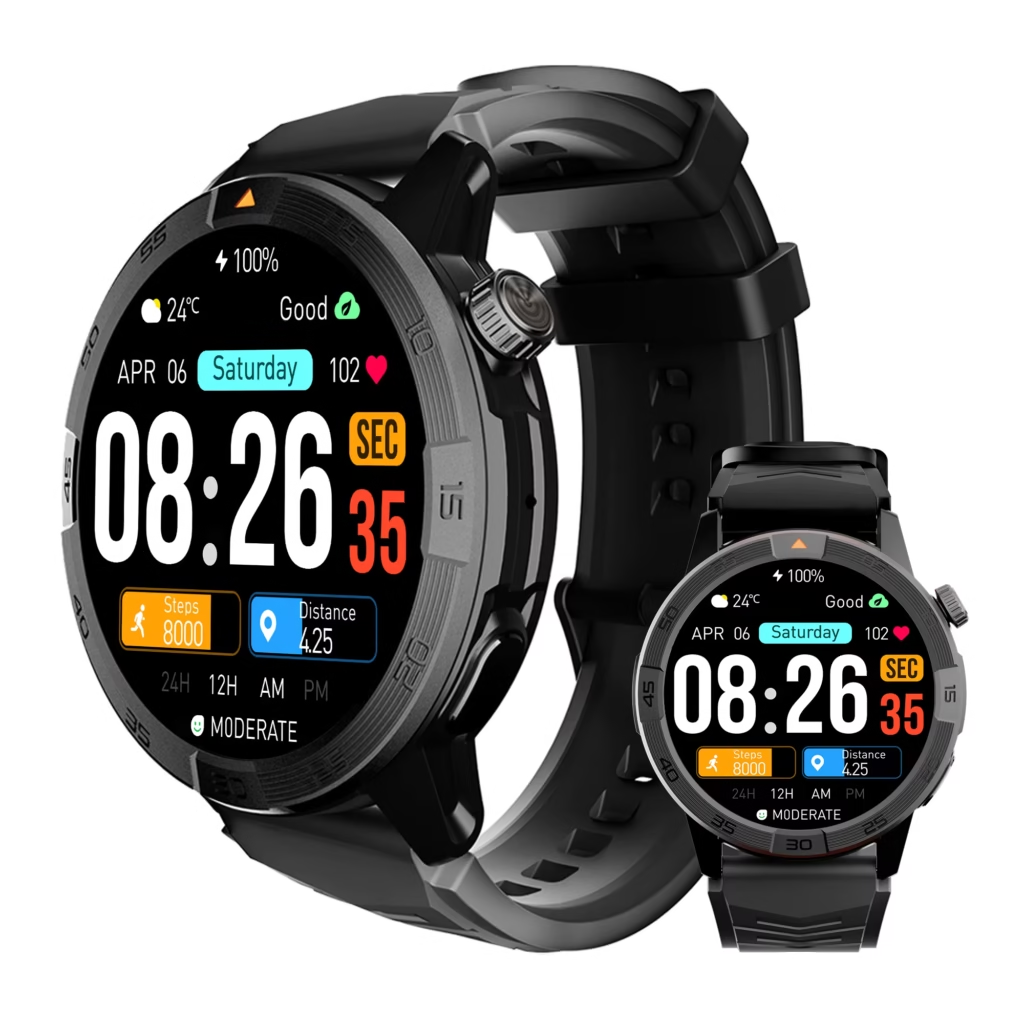
Spend the Five-Function Allowance
The ledger now has twelve entries, but only five wrist slots.
The first five are not chosen because they are the most impressive smartwatch features. They are chosen because they remove the most repeated friction from this specific cafeteria routine.
Wrist Slot 1: One Meal-Stage Timer
Meal preparation includes points where timing matters, but repeated walks back to a phone or wall timer can fragment the manager’s attention.
A wrist timer may remove:
- Repeated clock checks
- Phone retrieval during preparation
- The mental effort of holding one stage time in memory
- Concern that an important transition will be missed

To earn this slot, timer access should be simple. The alert should be noticeable, easy to dismiss, and available without searching through several menus.
The watch does not replace required kitchen timers, temperature checks, food-safety procedures, or approved equipment. It earns its place only as a convenient personal timing cue.
A timer that requires repeated screen navigation may fail the friction rule. The manager should count how many actions are needed to start, pause, and dismiss it during a realistic preparation period.
Wrist Slot 2: One Staff Coordination Route
The cafeteria manager may receive several types of staff communication, but forwarding the entire group conversation to the watch would consume too much of the budget.
Only one route receives a slot.
That route might be a selected supervisor contact, a staffing coordinator, or one approved channel used for coverage changes. The watch should help identify whether the message requires attention without reproducing every conversation on the wrist.
This slot may remove:
- Repeated checks of the staff group chat
- Phone retrieval just to identify the sender
- Treating every message as equally urgent
- Missing a coverage update among unrelated alerts
The manager should separate useful work communication from alerts that merely repeat the phone. A sender name and short preview may be enough. Detailed scheduling changes can move to the phone during an appropriate pause.
The best setup narrows communication rather than expanding it.
Wrist Slot 3: Supplier-Arrival Identification
A supplier may arrive while the manager is away from the inventory desk or working in another part of the cafeteria.
Without a useful wrist alert, the manager may repeatedly check the phone or miss a call that matters. Supplier-arrival identification can reduce that uncertainty.
This slot may remove:
- Repeated phone checking before the expected arrival
- Missed calls while the phone remains in a pocket
- Retrieving the phone for an unknown caller that is unrelated
- Unnecessary waiting near the desk
The most important requirement is clear caller identification. The manager should be able to recognize that the call may involve the expected delivery and then decide where and when to respond.
Bluetooth calling is phone-assisted. The compatible paired phone must remain nearby, connected, and correctly configured. The watch should not be treated as an independent cellular device, and reliable connection across an entire school building should never be assumed.
The buyer should test the actual route between the inventory desk, preparation area, and service space. When the watch disconnects, it should reconnect predictably once the phone returns to a usable range.
Wrist Slot 4: One School-Office Priority Contact
The school office has a different role from the general staff group. A message from that contact may affect timing, student service, or an immediate operational decision.
Giving the office a dedicated slot removes the need to search through mixed notifications.
This slot may reduce:
- Repeated phone checks during preparation
- Priority messages becoming buried beneath promotions
- Confusion between routine staff traffic and office communication
- The mental burden of wondering whether an important message was missed
The watch does not need to display a long administrative message. Its job is to identify the source clearly enough for the manager to decide whether the phone or workstation is needed.
Priority-contact controls may depend on the phone, operating system, companion app, and permission settings. The manager should test the exact iPhone or Android setup rather than assume that every notification can be filtered in the same way.
Wrist Slot 5: One Closing-Transition Reminder
The last slot marks the shift from meal service to cleanup, ordering, inventory review, or desk follow-up.
This is not another general calendar alert. It is one deliberate signal that releases the manager from holding a final transition in memory throughout the service period.
It may remove:
- Repeated clock checking
- Mental rehearsal of the final task
- A forgotten closing step after a disruptive service
- The need to keep another note or phone reminder open
The reminder should be noticeable without repeating unnecessarily. It should be easy to adjust at the desk and simple to dismiss when the transition begins.
The five-function allowance is now spent.
A sixth action cannot simply be added. It must prove that it removes more friction than one of the existing five and then replace that slot.
Cut Seven Interruptions From the Wrist
The remaining ledger entries do not disappear from the manager’s life. They simply lose permission to demand wrist attention.
This is where a smartwatch buying decision often improves. Value comes not only from what the watch can show, but also from what the user chooses to keep away from it.
Cut duplicate calendar reminders
The cafeteria schedule may already appear on a posted timetable, workstation, or established routine. A second notification that announces an expected service period adds a duplication charge without changing the next action.
The closing-transition reminder keeps one timing function. The duplicate calendar alert loses its slot.
Cut full staff group-chat traffic
One selected coordination route remains available. The entire group chat does not.
Most messages may be useful eventually but not urgent at the moment they arrive. Allowing all of them onto the wrist would create constant interpretation and recovery charges.
Cut promotional notifications
Retail offers, app promotions, and marketing messages do not remove cafeteria friction.
They create vibration, screen checks, and distraction without improving meal timing, staff coverage, supplier coordination, or student service.
Cut general social alerts
Personal communication can still be available through selected priority contacts when necessary. General social traffic does not need continuous access to the work period.
The manager should decide which personal alerts should remain outside the active work period rather than allowing every app to compete with cafeteria responsibilities.
Cut automatic activity prompts
A school-cafeteria manager may move throughout the day, but an automatic movement prompt follows the watch’s schedule rather than the meal-service schedule.
Background activity tracking may remain enabled when desired. The prompt itself does not deserve attention during preparation or service.
Cut detailed supplier documents
Invoices, delivery records, product substitutions, and long notes require deliberate review. A wrist display is not the right place to inspect them.
Supplier identification keeps its slot because it reduces uncertainty. The detailed document stays on the phone or computer.
Cut decorative interaction features
Animated menus, frequent watch-face changes, and novelty controls may be enjoyable outside work. They do not remove repeated friction from this service cycle.
A feature can remain part of the product without becoming part of the workday.
Read the Five-Slot Purchasing Receipt
After the cuts, the manager has a clear receipt showing what the watch is being purchased to do.
| Wrist slot | Repeated friction removed | Product detail to examine |
|---|---|---|
| Meal-stage timer | Phone retrieval and clock checking | Timer access and alert controls |
| Staff route | Sorting mixed staff traffic | Selective notifications and sender display |
| Supplier arrival | Repeated checking and missed calls | Caller ID and paired-phone reliability |
| School-office contact | Priority messages hidden in clutter | Contact filtering and readable previews |
| Closing reminder | Mental load and repeated time checks | Reminder access and noticeable vibration |
The watch earns value through these five actions. Features outside the receipt should not dominate the purchase unless they can replace one of the selected slots.
Count how often the phone still has to finish the action
Some phone dependence is normal.
A long staff message belongs on the phone. A detailed supplier document belongs on a larger screen. Notification permissions may need to be changed in the companion app.
The problem appears when every selected wrist action still requires immediate phone retrieval.
The manager should test:
- Caller-name synchronization
- Short notification previews
- Contact identification
- Reconnection after temporary separation
- App permissions
- Compatibility with the exact phone
- Whether a glance provides enough information to make a decision
Calling can be useful when it prevents an unnecessary retrieval or helps identify a priority caller. The buyer should review when wrist-based calling adds convenience instead of another interaction step.
Treat comfort as the condition that keeps the receipt valid
Comfort is not a sixth feature slot. It is what allows the manager to use the selected five throughout the day.
Assess:
- Strap pressure after several hours
- Case movement during preparation
- Interference with sleeves or gloves
- Heat or moisture buildup
- Button placement
- Cleaning guidance from the manufacturer
A watch removed halfway through service cannot continue reducing friction.
Keep battery in the supporting column
Battery life matters because the five selected functions must remain available through the workday and the manager’s realistic charging routine.
It should not replace the friction budget as the buying method.
A watch with a large advertised battery figure may still create excessive alerts, poor synchronization, or uncomfortable wear. A more practical model may provide better daily value even when its marketing focuses on fewer headline features.
The buyer can compare whether an everyday watch remains practical after the novelty of extra features fades while keeping battery as one supporting ownership consideration.
Audit the Five Slots During One Cafeteria Day
The manager does not need a complicated scoring matrix. A simple one-day spending audit is enough to expose which features save attention and which ones consume it.
Before preparation begins, configure only:
- One timer
- One staff route
- Supplier caller identification
- One school-office contact
- One closing reminder
Silence or remove the seven rejected alert sources.
During the day, make a short note whenever one of four things happens:
- The watch prevents a phone retrieval
- An alert duplicates information already known
- A selected action requires too many taps
- The watch interrupts a moment when interaction is inappropriate
At the inventory desk, compare the five slots.
Did the timer eliminate repeated checking?
Did the staff route reduce communication noise?
Was the supplier easy to identify?
Did the school-office contact remain visible among other alerts?
Did the closing reminder arrive at the right moment?
One slot may need to be removed or combined. For example, if the staff route already provides the school-office message reliably, the separate office slot might become unnecessary. That would free one space for a different recurring friction point.
The budget remains fixed at five. The contents can change only when the ledger proves that a replacement removes more daily interaction.
For a U.S. purchase, perform the audit early enough to remain within the seller’s current return period. Verify the listed price in USD, applicable sales tax, shipping, warranty terms, return conditions, replacement-charger availability, replacement straps, and compatibility with the manager’s phone.
Retail policies differ. A watch should not be kept on the assumption that every seller allows the same return window or accepts an opened and worn device.
Leave the Store With a Five-Slot Receipt
The Des Moines cafeteria manager began with twelve recurring interruptions. Placing all twelve on the wrist would not have made the workday more organized. It would have converted the watch into another inbox.
Seven interruptions lost their budget because they duplicated information, demanded attention at the wrong time, or belonged on a different device.
Five remained:
- One meal-stage timer
- One staff coordination route
- Supplier-arrival identification
- One school-office priority contact
- One closing-transition reminder
The best smartwatch for busy workers is not the model with the longest feature list. It is the one whose limited wrist actions save more attention than they consume.
Before comparing products, write down the five repeated interactions you want the watch to remove. Do not add a sixth merely because the feature exists. Require it to replace one of the original five by proving that it removes more friction.
Then review the notification, calling, display, comfort, and battery details according to your five-slot receipt rather than the complete feature list.