
The caller’s name appears on the smartwatch. The Laredo driver taps the green button, expecting the voice to come through the watch, but the truck speakers fill the cab instead.
Nothing failed in the usual sense. The call connected. The problem is that the phone chose a different audio destination than the driver expected.
For someone comparing a smartwatch for truckers Bluetooth calling, that difference matters. A refrigerated-freight driver may have a phone, watch, truck audio system, and headset connected at the same time. One device can display the call, another can play the caller’s voice, and a third may supply the microphone.
The safest time to understand that arrangement is while the truck is parked and secured. Once the preferred route is tested, the driver can stop guessing which device will take over the next call.
Draw the Cab Audio Tree Before Testing Anything
The phone sits at the center of the routing tree because it receives the cellular call.
From there, the audio may move to:
- The smartwatch
- The truck audio system
- A Bluetooth headset
- The phone itself
That sounds simple until several devices reconnect automatically.
The truck system may pair as soon as the ignition turns on. The headset may reconnect when it leaves its charging cradle. The watch may remain paired throughout the day. Each device can become part of the call without necessarily performing the same job.
Before placing a test call, write down what is active:
- Phone model and operating system
- Smartwatch connection
- Truck audio connection
- Headset connection
- Which device connected most recently
- Which device currently handles music or media
- Which device the driver expects to handle calls
The last item is important. The goal is not merely to discover what the devices do. It is to decide what they should do.
Call control and call audio are separate
A smartwatch may show the incoming caller and provide answer or decline controls without carrying the conversation itself.
For example:
- The watch displays the caller.
- The driver answers from the wrist.
- The truck speakers play the caller’s voice.
- The truck microphone sends the driver’s response.
The watch controlled the call, but the truck owned the audio route.
That behavior can look confusing when the driver expects the watch to act as both controller and speaker. Understanding the phone connection behind smartwatch calls helps separate a true connection problem from a normal routing choice.
Bluetooth calling on the watch still relies on the nearby paired phone. It should not be treated as independent cellular service.
Parked Test One: Phone to Watch
Begin with the simplest route.
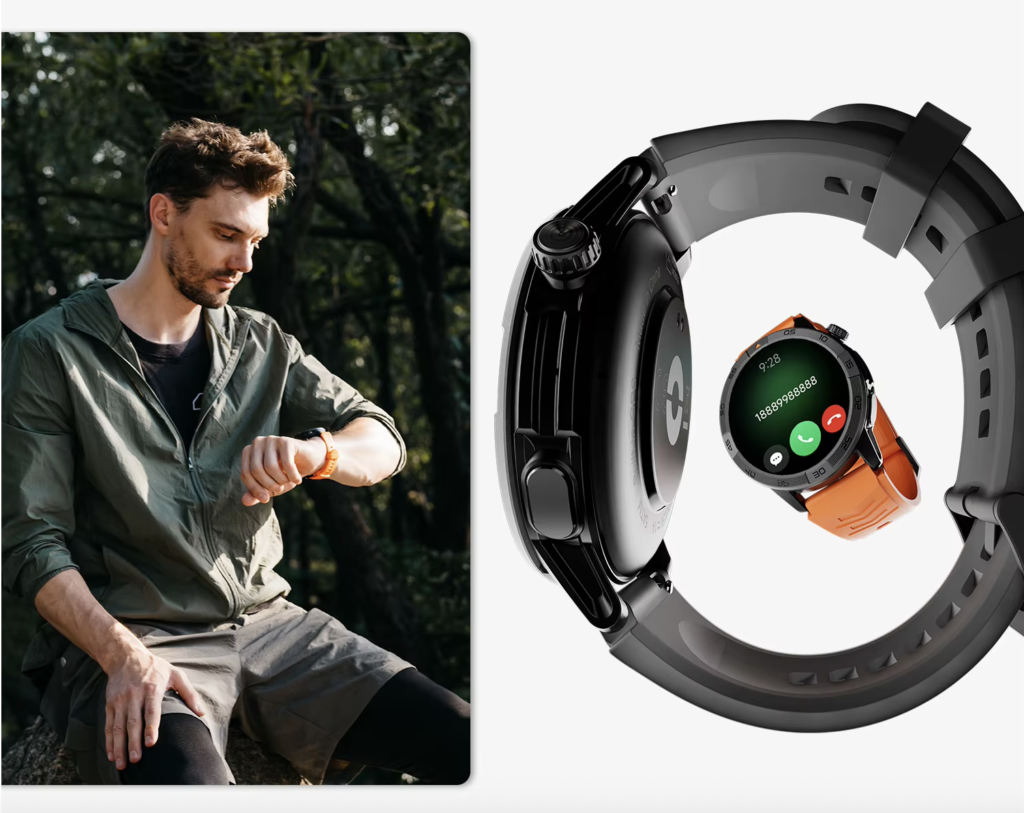
Temporarily disconnect the truck audio system and headset, leaving only the phone and smartwatch paired. The truck should remain safely parked, secured, and away from active loading traffic.
Ask a trusted person to place a short test call.
When the call arrives:
- Confirm that the caller appears on the watch.
- Answer from the watch.
- Listen for the caller’s voice.
- Ask which microphone the caller can hear.
- End the call from the watch.
- Place a second call to confirm the result repeats.
A clean phone-to-watch route should look like this:
Phone receives call → watch displays call → watch speaker plays voice → watch microphone carries response
The exact controls and behavior depend on the phone, operating system, watch, permissions, and companion app.
What a mismatch may look like
The caller may appear on the watch while the voice remains on the phone.
Another possibility is that the driver hears the caller through the watch, but the caller cannot hear the driver clearly. That may indicate a microphone-selection issue, a permission problem, or another device reconnecting in the background.
Record four separate results:
- Where the caller appeared
- Where the voice played
- Which microphone worked
- Which device ended the call
Do not write only “watch call worked.” That phrase hides the very routing details this test is meant to clarify.
Parked Test Two: Let the Truck System Rejoin
Reconnect the truck’s Bluetooth audio system and repeat the call.
This time, both the watch and the truck may react.
The caller might appear on:
- The watch
- The truck display
- The phone
- More than one screen
Now listen for where the audio goes.
A common route is:
Phone receives call → watch displays caller → truck speakers play voice → truck microphone carries response
That arrangement may be perfectly acceptable when the truck system is the chosen destination. It becomes a problem only when the driver expected the watch or headset to handle the conversation.
Answering from the watch may not change the route
Tapping the watch can accept the call while the phone keeps the truck system selected for audio.
That does not automatically mean the watch is defective. The phone may simply be treating the watch as a remote control.
During the parked test, check:
- Whether the truck screen shows the call
- Whether the watch also shows it
- Where the caller’s voice plays
- Which microphone the caller hears
- Whether the phone offers an audio-output selector
- Whether answering from the watch changes anything
The driver should then decide what role the truck system will have:
- Preferred call destination
- Secondary option
- Media-only connection
- Disconnected when watch calls are desired
There is no universal answer. The useful outcome is a predictable one.
Parked Test Three: Add the Headset
The headset creates another branch.
Connect the driver’s usual Bluetooth headset and place a third test call. The headset may take audio priority even when the watch or truck screen displays the caller.
Record:
- Where the caller appears
- Where the voice is heard
- Which microphone is active
- What the headset button does
- What the watch button does
- Which audio destination the phone shows
- What happens on the next call
A possible route is:
Phone receives call → watch displays caller → headset carries speaker and microphone
Again, the watch may be part of the call without becoming the audio device.
Test more than one call
The first test may succeed while the next call takes a different path.
This can happen after:
- The headset reconnects
- The truck system wakes
- The phone remembers a previous destination
- A device powers off and reconnects
- The watch companion app refreshes
Place at least two calls with the same devices active. Predictability matters more than one successful result.
Do not assume that another driver’s phone, headset, or truck system will behave the same way. Bluetooth priority can vary across device combinations and software versions.
Parked Test Four: Move the Call From the Watch to the Phone
Some calls start as quick confirmations and become longer than expected.
A dispatcher may call with one short update, then add a schedule change. A family member may need privacy. A customer-related issue may require better audio or note-taking.
The driver should know how to move that conversation away from the watch.
While parked:
- Answer a test call from the watch.
- Open the phone’s call-audio control.
- Select the phone.
- Confirm that the speaker moved.
- Confirm that the microphone also moved.
- End the call from the phone.
- Place another call to see which destination returns.
Do not assume the speaker and microphone always transfer together. Confirm both sides of the conversation.
Also avoid assuming the next call will automatically return to the watch. Some phones remember the most recently selected destination, while others may reconnect to the truck or headset.
The purpose of the test is not to memorize every menu. It is to learn one reliable handoff before a real call becomes complicated.
Match the Symptom to the Routing Conflict
Once the four routes have been tested, most cab-audio problems fall into a few recognizable patterns.
| Symptom | What may be happening | Parked check |
|---|---|---|
| Caller appears on watch, voice comes through truck | Watch controls the call while truck owns audio | Check the phone’s audio destination |
| Voice is on the right speaker, caller cannot hear driver | Microphone route differs or another device remains active | Disconnect competing devices one at a time |
| Audio jumps during the call | Truck or headset may have reconnected | Note which device became active |
| First call works, second call goes elsewhere | Reconnection order or remembered priority changed | Repeat the test with the same power-on sequence |
| Watch shows call but cannot answer | Permissions, call profile, or app connection may be incomplete | Review pairing and call permissions |
| Audio stays on phone | Watch or other destination was not selected for call audio | Use the phone’s audio selector while parked |
These are starting points, not universal diagnoses. The driver’s own phone, truck system, headset, and watch must be tested together.
Speaker routing is not the same as call quality
A call reaching the intended device does not guarantee that the audio is clear.
Routing answers:
Which device is being used?
Call quality answers:
How well can both people hear once that device is active?
Those are different problems. Drivers comparing microphones, speaker clarity, and battery impact can separate speaker routing from general call quality instead of treating every audio issue as one failure.
Choose One Preferred Cab Destination
After the tests, choose one default route for parked calls.
The best destination depends on the driver’s equipment, privacy needs, and the type of calls normally received.
Watch as the preferred destination
The watch may suit:
- Brief parked confirmations
- Low-privacy calls
- Short dispatch updates
- Situations where the phone remains nearby
Its limitation is that a wrist speaker may be less private or less comfortable for a longer conversation.
Truck audio as the preferred destination
The truck system may suit:
- Parked cab conversations
- Drivers who prefer the built-in microphone
- Calls where cab speakers are acceptable
The watch can still display the caller or provide basic controls.
Headset as the preferred destination
A headset may suit:
- Private listening
- A familiar microphone position
- Drivers who already use the headset as their main communication tool
The driver must still test whether the headset takes over unexpectedly after reconnecting.
Phone as the preferred destination
The phone may be best for:
- Detailed discussions
- Private calls
- Troubleshooting
- Manual audio selection
- Recovery when routing becomes unpredictable
Because the phone requires more direct handling, this option remains for a safe parked situation.
Broader truck-use needs—such as endurance, caller access, comfort, and route length—can be considered separately when drivers compare wider truck-driver battery and calling needs.
Write One Cab Audio Rule
The test is complete when the driver can summarize the setup in one clear sentence.
For example:
When the truck is parked, calls go to the headset. The watch shows the caller and handles brief controls. The phone is the fallback.
Another driver might write:
Parked calls use the truck audio system. The watch is only for caller identification and declining calls.
A watch-centered rule could be:
The watch handles brief parked calls only when the truck system and headset are disconnected. Longer calls move to the phone.
The rule should name:
- Preferred speaker
- Preferred microphone
- The watch’s role
- The handoff destination
- The fallback device
Keep the sentence simple enough to remember after a phone update, truck restart, or headset reconnection.
Create a Failed-Routing Fallback
Even a tested setup may behave differently after software changes or device reconnection.
The fallback should be simple:
- End the call if the audio route is unusable.
- Confirm that the truck is safely parked.
- Disconnect the unintended device.
- Reconnect the preferred destination.
- Check the phone’s audio selector.
- Return the call from the phone.
- Repeat the full route test later if the problem continues.
A practical fallback rule is:
If the audio goes to the wrong device, use the phone directly while parked and troubleshoot the paired devices before the next trip segment.
The fallback should never require menu troubleshooting while the truck is moving, backing, entering a dock, or operating in an active loading area.
Smartwatch for Truckers Bluetooth Calling: Check the Product After the Route Is Defined
Once the preferred cab route is clear, the watch can be evaluated against it.
Useful requirements include:
- Clear caller identification
- Reliable phone pairing
- Simple answer and decline controls
- Visible Bluetooth or phone-connection status
- Understandable speaker and microphone performance for brief parked calls
- Access to recent calls
- Visible battery level
- Compatibility with the driver’s iPhone or Android phone
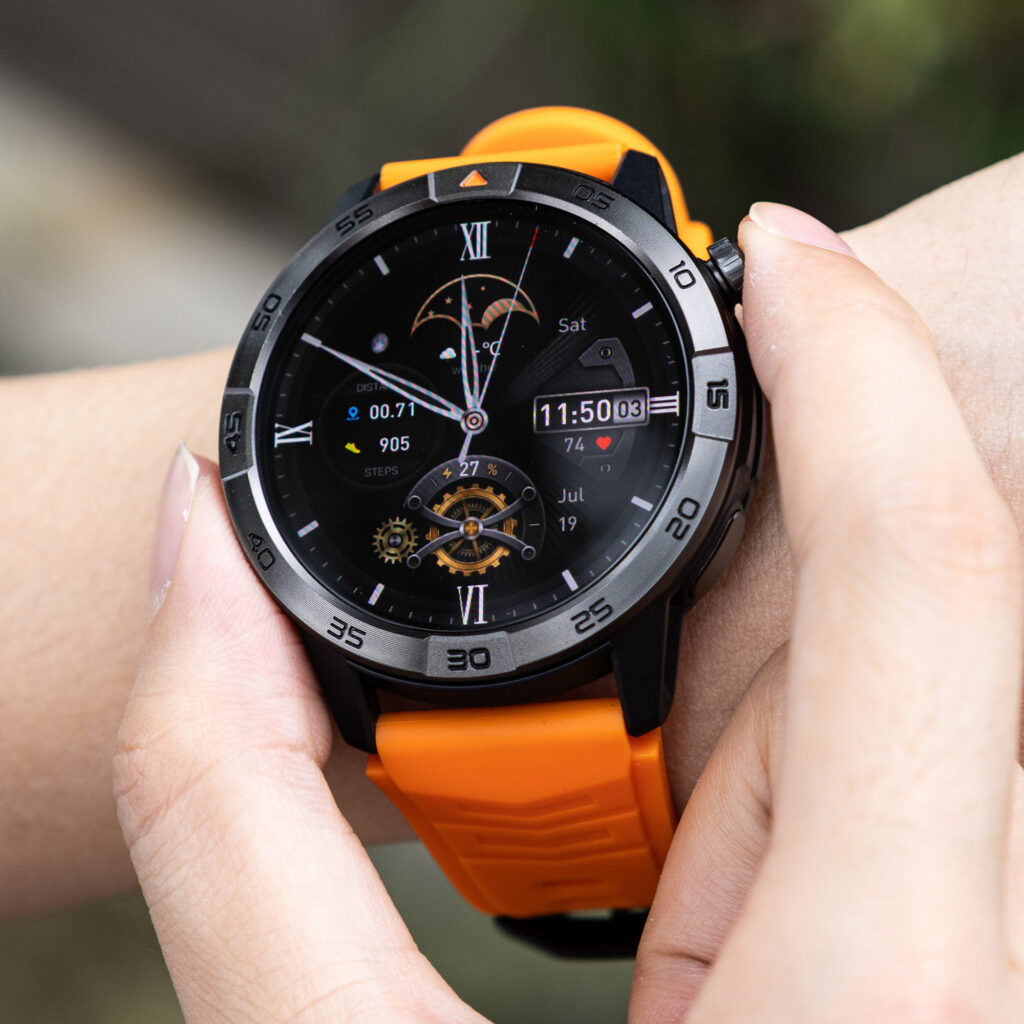
Supporting qualities include:
- Comfortable fit
- Clear vibration
- Readable call controls
- Stable notification permissions
- Predictable reconnection
Avoid unsupported expectations such as:
- Independent LTE calling
- Automatic truck-audio priority
- Guaranteed compatibility with every truck system
- Guaranteed compatibility with every headset
- Automatic watch-to-phone handoff
- Guaranteed Bluetooth range
- Safe call handling while driving
- The watch overriding phone or truck settings
A smartwatch can support the route, but the phone usually remains the device that decides where call audio goes.
Questions to Resolve Before Leaving Laredo
Why does the call appear on the watch but play through the truck speakers?
The watch may be displaying or controlling the call while the phone keeps the truck system selected as the audio destination.
Can the watch control a call without carrying the audio?
Yes, depending on the setup. Call controls, speaker routing, and microphone routing can be separate.
How should a trucker test Bluetooth call routing?
Park and secure the truck, then test the watch, truck system, headset, and phone individually before combining them.
Can a call move from the watch to the phone?
Often the phone’s audio selector can move the conversation, but the exact behavior should be tested with the driver’s own equipment.
Why does the headset take over the next call?
The headset may have reconnected, regained priority, or become the phone’s remembered audio destination.
What should the driver do when audio goes to the wrong device?
Use the phone directly while parked, disconnect the unintended destination, and repeat the configuration test before driving again.
Make the Cab Choose Predictably
At the beginning, the caller appeared on the watch while the truck speakers carried the voice. After the parked test, that result no longer has to be a surprise.
The driver knows:
- Which device displays the call
- Which speaker carries the voice
- Which microphone is active
- How to move a longer call
- What to do when the route fails
A smartwatch for truckers Bluetooth calling is easier to use when one preferred audio destination and one fallback have already been tested in the parked cab.
Pairing several devices creates options. A cab-audio rule creates predictability.
While parked, complete these five checks:
- Phone to watch
- Phone to truck audio
- Phone to headset
- Watch-to-phone handoff
- Failed-routing fallback
Choose one preferred speaker-and-microphone destination. Then review the Bluetooth calling, pairing, battery, and phone requirements to decide whether the watch can support the Laredo driver’s cab-audio rule.