
A vendor calls while a commercial-real-estate receptionist is walking through an empty Charlotte hallway. The question is simple, so a brief wrist response seems harmless—until the conference-room door opens and two clients step into the corridor. A smartwatch for office workers and phone calls becomes useful only when the employee knows where a conversation may continue. The call did not change, but its audience, privacy level, and appropriate destination changed immediately.
That moment reveals the real office-calling problem.
A call-capable watch does not give every incoming call permission to become a wrist conversation. Permission depends on where the employee is standing, who is nearby, who is calling, and what information enters the discussion.
The receptionist therefore needs more than an answer button. She needs a routing map.
The governing rule is simple:
A wrist call does not receive permanent permission. Its permission changes as the worker moves through the office.
Draw Five Possible Call Destinations
The Charlotte office contains five locations that matter to this receptionist:
- Reception
- Hallway
- Conference-room boundary
- Shared break area
- Private desk
These locations are not ranked from good to bad. Each is a possible call destination with different limits.
The map uses five routing symbols:
S — Screen
Identify the caller without answering.
B — Brief response
Give a short acknowledgment that contains no confidential details.
T — Transfer
Move the conversation from the watch to the paired phone.
P — Private continuation
Continue only in an employer-approved location where the discussion cannot be casually overheard.
X — Blocked
Decline, silence, or postpone the call.
These are editorial labels, not smartwatch modes. Their purpose is to help the receptionist decide what to do before a call expands beyond the current location.
The starting map looks like this:
- Reception allows screening and limited responses.
- Hallways are for screening and movement, not extended conversation.
- Conference-room boundaries default to blocked.
- Break areas may allow short responses but are not reliably private.
- The private desk is the preferred destination for detailed calls, provided it is actually private.
Those starting assumptions become clearer when specific callers begin moving through the map.
Route File One: The Vendor Arrival Call
The first route begins at reception.
A vendor is expected to deliver materials to the property office. The receptionist is helping a visitor when the watch vibrates and shows the vendor’s name.
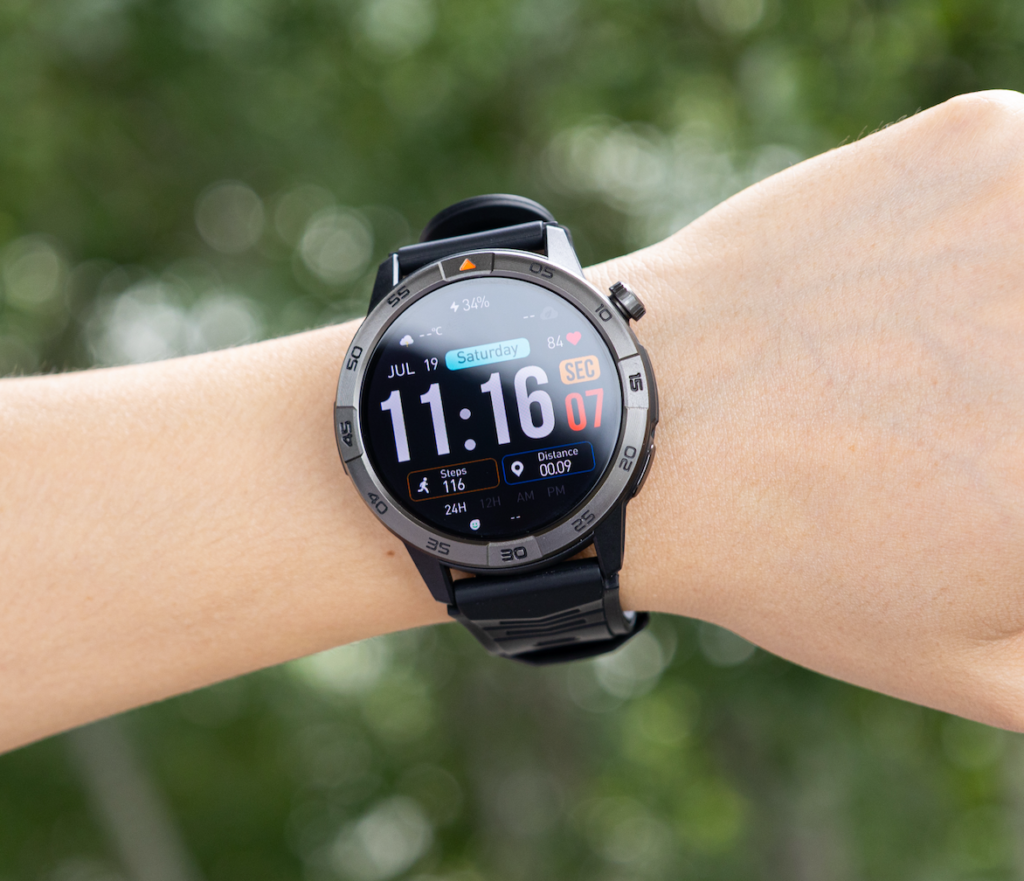
Incoming point: reception
Action: S
The watch removes one unnecessary step: the receptionist does not need to retrieve the phone merely to identify the caller.
She can see that the call is probably connected to the expected delivery. She still does not answer immediately because reception is visitor-facing and her attention belongs to the person at the desk.
Caller identification has already created value without beginning a conversation.
The visitor leaves
The vendor calls again. This time, the reception area is clear and the likely response is short.
The receptionist answers:
“Are you at the loading entrance?”
Action: B
That response is brief, operational, and unlikely to expose tenant, payment, lease, or access information.
This is where wrist calling may remove friction. The receptionist can confirm an arrival without walking back to the phone, unlocking it, and opening the call screen.
The benefit disappears when the conversation expands.
Readers evaluating this kind of use can compare when a wrist response removes a phone check without turning into a full conversation.
The vendor requests detailed access instructions
The caller now asks which entrance to use, who can authorize access, and where the delivery should be recorded.
The call has outgrown the reception response.
Action: T
The receptionist transfers the conversation to the paired phone and moves to an appropriate location before discussing additional details.
The route changed because the information changed.
The receptionist enters the hallway
While moving away from reception, she passes the conference-room door. The corridor appears empty.
The vendor asks one more question.
At first, the hallway seems suitable for a quick answer. Then the conference-room door opens and clients enter the corridor.
Action changes from B to T or X
The receptionist stops the wrist conversation, tells the caller she will continue from another location, and moves on.
The hallway is a route, not a reliable destination. Its privacy can disappear in seconds.
What the vendor route reveals
Without creating a general feature checklist, this call exposes several useful buying requirements:
- Caller names must synchronize correctly.
- The incoming-call screen must be readable at a glance.
- The watch should vibrate discreetly.
- Decline and silence controls should be easy to reach.
- A short response should not require several menu steps.
- Moving the conversation to the phone should be straightforward.
Bluetooth calling remains phone-assisted. The compatible paired phone must remain nearby and connected. A call-capable Bluetooth watch should not be described as an independent cellular device, and no office-wide connection range should be assumed.
Route File Two: The Tenant Call That Closes the Map
The second route begins with a call that appears simple.
A tenant calls reception and asks whether a property representative is available.
The tenant’s name appears on the watch.
The call arrives at reception
Action: S
Reception is suitable for identifying the caller. It is not automatically suitable for continuing the discussion.
The receptionist may give one short response:
“I’ll check and return your call.”
Action: B
That acknowledgment does not reveal private information or invite a longer discussion.
Then the caller adds context.
The conversation moves into sensitive territory
The tenant begins describing a payment question, lease concern, access problem, or personal circumstance.
The privacy level rises, and most routes close immediately.
- Reception becomes T or X
- Hallway becomes X
- Break area becomes T or X
- Conference-room boundary remains X
- Private desk becomes T, followed by P only when actual privacy exists
This creates a central rule for the office map:
As the information becomes more sensitive, the number of acceptable call locations shrinks.
The caller type matters, but the content of the conversation matters more. A tenant call may begin with a harmless scheduling question and turn confidential within one sentence.
Why the watch should not carry the full conversation
The receptionist may need to:
- Review a tenant record
- Confirm an address
- Take notes
- Check a lease-related detail
- Consult an approved office system
- Control call audio more privately
A wrist speaker is poorly suited to those tasks, especially in a shared workplace.
The watch contributes by identifying and routing the call. It does not need to complete the transaction.
This is also where professional call screening becomes more important than answering speed. The receptionist should review how incoming work calls should be screened when the conversation cannot continue professionally.
What the tenant route reveals
The watch should make it easy to:
- Silence an incoming call
- Identify the caller
- Decline without prolonged interaction
- Transfer to the paired phone
- Prevent sensitive previews from remaining exposed
- Maintain reliable contact synchronization
A loud watch speaker or cluttered call interface may be more disruptive than useful in this route.
Route File Three: A Family Call With Urgency but No Location Permission
The third call comes from a priority family contact.
The receptionist is standing near an active conference room when the watch displays the name.
The caller matters. The current location still does not permit a conversation.
The call arrives near the conference room
Action: S or X
The receptionist can identify the caller and decide whether to leave the area. She should not begin speaking simply because the contact is important.
Caller priority affects how quickly the call should be screened. It does not erase the office’s privacy and interruption boundaries.
The receptionist reaches the break area
The break room is quiet for the moment.
She gives a brief response:
“I’m at work. Is this urgent?”
Action: B
If the caller needs only a simple confirmation, the response may end there.
If personal details follow, the route changes.
Action: T
The call moves to the phone, and the receptionist relocates to an approved private area.
The private desk is not actually private
The floor plan labels the next location as a private desk, but a coworker is working close enough to hear the conversation.
The location loses its private status.
Action: T, followed by relocation
This exposes an important weakness in static office labels. A private desk is only private when the real sound conditions support privacy.
The correct question is not “What is this room called?” It is “Who can hear this call right now?”
The family-call rule
A priority family contact should not always be answered through the watch.
The worker may screen it immediately. The conversation should continue only where the location, employer policy, and subject matter allow it.
Investigate Five Route Closures
The three calls reveal that office routes can close without warning.
Closure 1: The conference-room door opens
A hallway response becomes public as clients enter.
Reroute: Stop speaking, transfer to the phone, or promise a callback.
Closure 2: A visitor arrives at reception
The receptionist’s attention returns to the visitor-facing role.
Reroute: Silence or defer the call, even when the conversation began appropriately.
Closure 3: Coworkers enter the break area
A practical family response begins to include personal information.
Reroute: Transfer and move to an approved private space.
Closure 4: The private desk is within hearing distance
The floor plan says private, but the real office conditions say otherwise.
Reroute: Reclassify the desk as semi-private and relocate.
Closure 5: The paired phone disconnects
The watch may still display time while call and notification functions become limited.
Reroute: Return to the phone, desk line, headset, or approved office communication system.
Office walls, distance, interference, and phone placement may affect Bluetooth performance. A seller’s general range statement should not be treated as a promise that the connection will cover every room in a commercial office.
Write the Receptionist’s Routing Rules
The map becomes easier to use when the three route files are converted into short rules.
If the caller is unknown, screen before speaking
An unknown caller does not automatically receive permission to start a wrist conversation at reception, in a hallway, or in the break area.
If the response requires more than one sentence, transfer
A longer answer usually means the conversation has outgrown the watch or the current location.
If private information appears, close the shared routes
Tenant details, financial information, lease discussions, access instructions, client negotiations, and employee information should move away from shared areas.
If another person enters, reassess immediately
The appropriate call action can change mid-sentence.
If the call requires records or notes, change devices
Use the paired phone, computer, desk phone, headset, or another approved system.
If privacy is uncertain, default to transfer or blocked
The receptionist should not rely on optimistic assumptions about who may enter or overhear.
These rules matter more than a long list of watch features because they determine whether the calling function will actually be used appropriately.
Let the Routes Reveal What the Watch Must Do
The vendor route showed the need for quick caller identification and brief responses.
The tenant route showed the importance of silencing, declining, and transferring.
The family route showed why priority contacts still need location controls.
Together, the routes reveal a focused set of buying requirements.
Readable caller information
The receptionist should be able to recognize the caller without staring at the display or navigating through several screens.
A larger display may help, but screen size alone does not prove that names and controls will be clear. Text size, contrast, layout, and wake behavior also matter.

Discreet call alerts
Reception and meeting areas require subtle notification behavior.
The watch should provide useful vibration without forcing loud audio into a shared office.
Simple decline and silence controls
A conference-room boundary or unexpected visitor arrival leaves little time for menu searching.
The worker should be able to silence or decline the call quickly.
Smooth phone transfer
The office map repeatedly moves detailed calls away from the wrist.
The watch therefore needs to work well with the paired phone rather than compete with it.
Dependable synchronization
Caller names, priority contacts, and notifications should remain consistent with the exact phone and companion-app setup.
The receptionist should test iPhone or Android compatibility, permissions, contacts, reconnection, and call controls before the return window closes.
Comfortable office wear
The watch may remain on the wrist through reception duties, hallway movement, desk work, and meetings.
Comfort matters because an uncomfortable watch will be removed, weakening every routing function.
Supporting battery coverage
Battery should cover the normal workday and realistic charging routine, but battery life does not determine where calls may continue.
Office workers who need broader ownership context can examine how calls and notifications compete with office responsibilities.
They can also check whether phone-assisted calling remains practical when the paired phone stays nearby.
Walk the Charlotte Route During the Return Period
The receptionist should test the actual office route before keeping the watch.
At reception, she checks whether caller names are readable, vibrations are discreet, and calls can be declined without several taps.
In the hallway, she observes whether the watch stays connected to the paired phone and how quickly the call can be silenced when someone appears.
Near the conference room, she tests only screening, decline, and silence controls. There is no reason to disturb a meeting or expose real client information.
In the break area, she checks whether the speaker volume would disturb coworkers and whether a short response can remain brief.
At the private desk, she tests phone transfer, reconnection, and comfort during an approved call.
For a U.S. purchase, she should also verify:
- Current price in USD
- Applicable sales tax and shipping
- Return eligibility for an opened and worn device
- Restocking fees
- Warranty support
- Replacement-charger availability
- Compatibility with the exact phone
- Companion-app permission requirements
- Access to customer support
Retailer policies vary. Employer communication, visitor-service, and confidentiality rules override every example in this map.
Publish a Three-Zone Charlotte Call Policy
The finished map does not give every office location permission to carry a watch call.
It creates three chosen zones.
Zone 1: Screening
Chosen location: Reception or hallway
Permitted actions:
- View the caller
- Decline
- Decide whether to relocate
- Prepare to transfer
Zone 2: Brief response
Chosen location: Reception or break area when conditions permit
Permitted actions:
- Confirm an arrival
- Give a short acknowledgment
- Promise a callback
- Tell the caller the conversation will move
Zone 3: Private continuation
Chosen location: Private desk or another employer-approved private area
Permitted actions:
- Continue a longer conversation
- Discuss sensitive information
- Review records
- Take notes
- Use the phone or headset
All other locations default to transfer or blocked.
That includes active conference rooms, visitor-facing moments, shared spaces during sensitive calls, and any place where another person may unexpectedly hear the conversation.
A smartwatch for office workers and phone calls becomes more useful when each call receives a destination before the worker decides whether to answer it.
Draw the real office route:
- Circle one screening point.
- Mark one brief-response point.
- Select one private-call destination.
- Label every remaining space T or X.
Use that map to check whether the watch can screen, silence, and reroute calls at the right moment. Keep it only when its call controls follow the office policy you created instead of encouraging the same response in every location.