
Three missed calls. One voicemail. Two text messages.
All six notifications came from the same vendor, and all six began with one simple question: Which entrance should I use?
For a Saturday farmers’ market site coordinator in Eugene, Oregon, that notification stack reveals a practical way to answer, is Bluetooth calling on smartwatch useful? The feature matters when one clear wrist response closes a communication loop before it turns into repeated calls, messages, and delayed decisions.
Call length alone does not prove usefulness. A twelve-second conversation can fail if the caller has to try again. A thirty-second wrist call can be valuable when it gives the caller everything needed to act.
The better test is not, “How quickly did I answer?”
It is, “Did this answer prevent the next interruption?”
Is Bluetooth Calling on Smartwatch Useful for Busy U.S. Professionals?
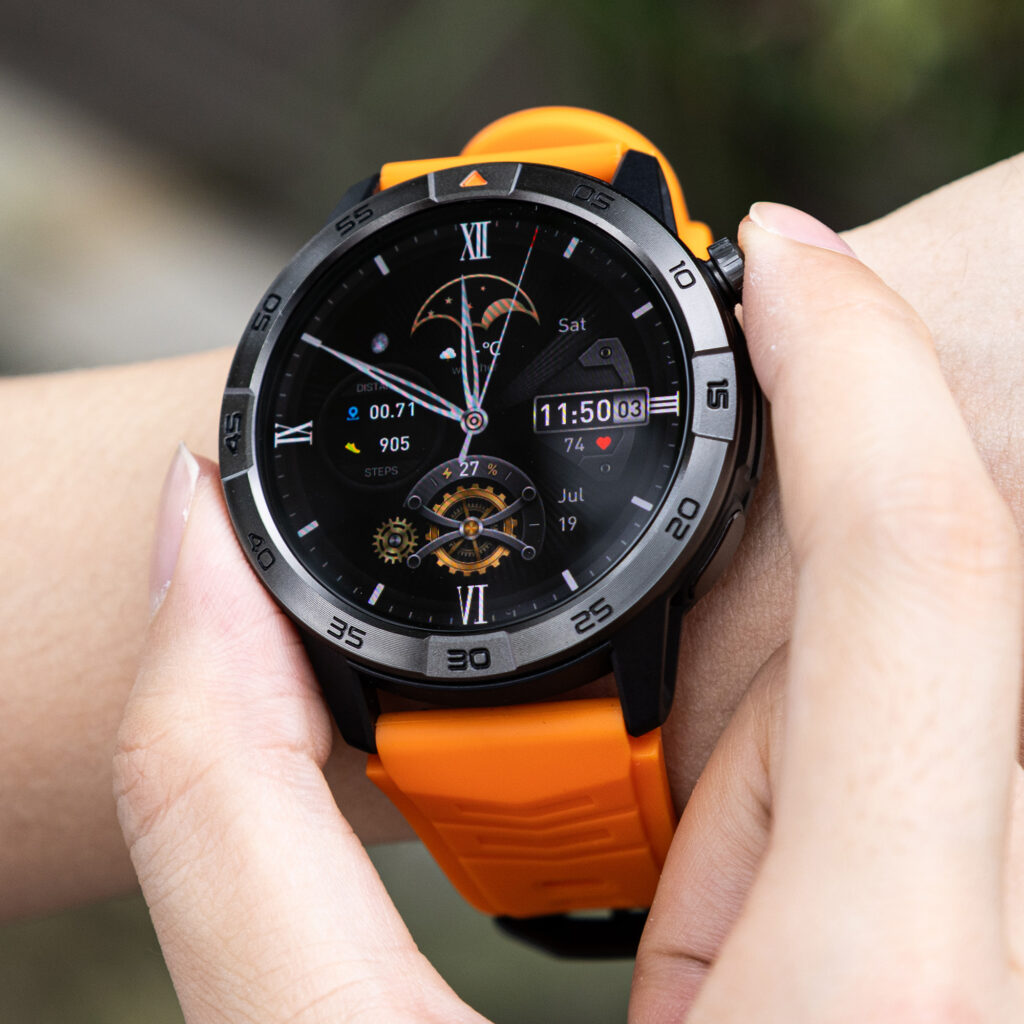
Bluetooth calling can be useful when a person receives recurring calls that require one clear decision, confirmation, or next step.
The Eugene market coordinator moves between vendor entrances, assigned stalls, electrical hookups, and an information tent during the hour before opening. The paired phone may be inside a jacket pocket, placed on a folding table, or packed in a supply bag nearby.
A wrist call can save a trip back to the phone, but convenience is only part of the result. The larger benefit appears when the call resolves the issue completely.
Consider the vendor who does not know which entrance is open. Missing that call may produce a predictable chain:
- The vendor calls again.
- A voicemail appears.
- A text message follows.
- Another vendor is asked to locate the coordinator.
- The original caller tries once more.
One direct answer—“Use the east entrance and wait beside the gate”—may end the entire chain.
That is practical utility.
For busy professionals in the United States, many work interruptions are not long conversations. They are unresolved decisions that keep returning until someone provides a usable answer.
Begin With the Calls That Keep Coming Back
A smartwatch does not become useful merely because it lets the wearer speak through a small speaker.
The feature must improve what happens after the call.
For this article’s single user, the most revealing calls are the ones that generate follow-up contact. During market setup, one unanswered or incomplete call may create:
- Another phone call
- A voicemail
- Several text messages
- A question passed through another vendor
- A delayed stall setup
- A second interruption after the market opens
Those repeat contacts increase the real burden of the original call.
A completed wrist conversation can reduce that burden, but only when the response is accurate, audible, appropriate for the setting, and specific enough to guide the caller.
A short answer is not always a complete answer
Suppose the coordinator says, “Go around the other side.”
The response may be brief, but it leaves several questions:
- Which side?
- Which entrance?
- Is the gate open?
- Where should the vehicle wait?
- Is unloading allowed there?
The vendor may call again because the wrist conversation created movement without creating certainty.
Now compare that with:
“Use the east entrance beside the parking lot. The gate is open, and I’ll meet you at stall 24.”
The second answer may take a few more seconds, yet it is more likely to close the communication loop.
That difference becomes the foundation of the test.
Build a Ten-Call Communication Map
Instead of judging Bluetooth calling after one convenient answer, review ten real incoming calls from one market-setup period.
For each call, record five details:
- What decision did the caller need?
- Was the call answered on the watch?
- Did the caller receive a complete answer?
- Was another action clearly assigned?
- Did the caller contact the coordinator again?
This creates a communication map rather than a speed scorecard.
The purpose is not to prove that every call belongs on the wrist. It is to identify which calls end cleanly there and which calls become more complicated when the phone is not used.
A simple record might look like this:
| Call purpose | Wrist outcome | Follow-up needed? |
|---|---|---|
| Confirm open entrance | Complete answer | No |
| Locate assigned stall | Clear direction | No |
| Check electrical access | Specific callback time | One planned callback |
| Discuss permit wording | Moved to phone | No repeated explanation |
| Ask about several vendor changes | Incomplete wrist answer | Caller contacted again |
The fifth call is especially useful. It shows that answering from the wrist is not automatically the right choice.
Follow One Incoming Call From Ring to Resolution
Each call should be evaluated as a chain:
First ring → wrist response → information exchanged → next action → completed loop or repeat contact
This structure reveals where Bluetooth calling adds utility and where it fails.
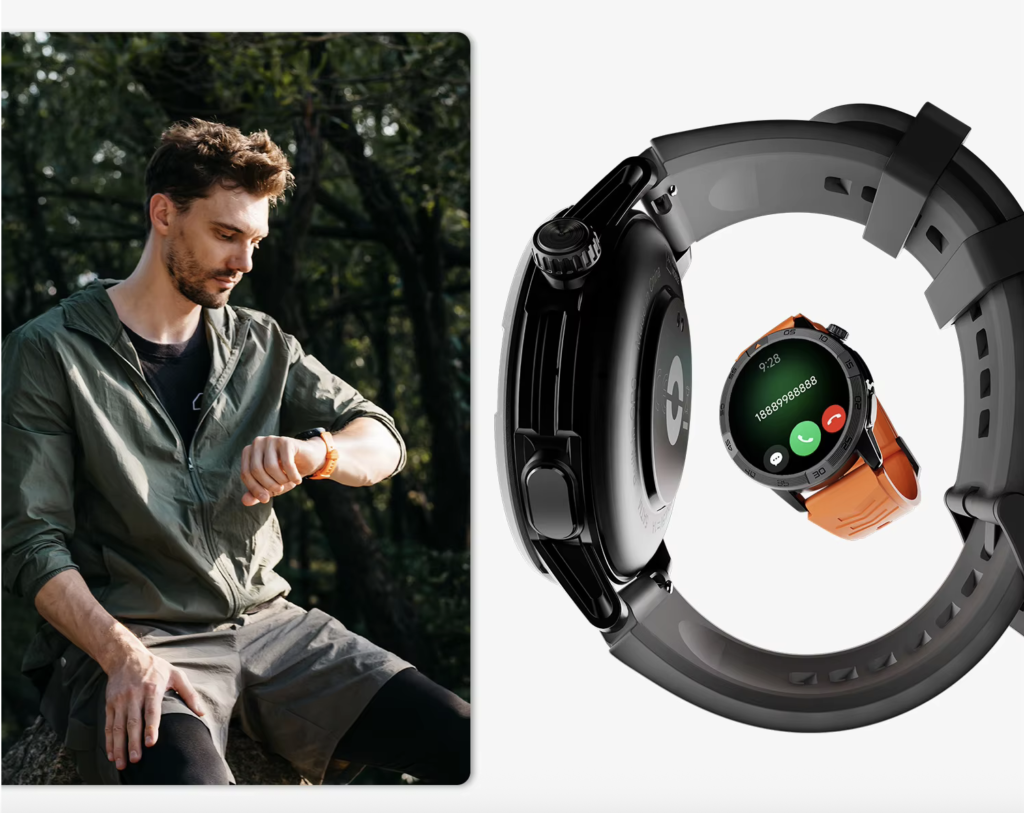
First ring: Is immediate recognition helpful?
The coordinator sees who is calling while standing near the vendor entrance.
Recognizing the caller may be useful even before answering. A known vendor during setup may need an immediate location decision, while an unknown number can be screened, rejected, or left for later review.
The watch does not need to complete every conversation to improve the first decision.
Users unfamiliar with the underlying phone-assisted connection can understand how Bluetooth call support depends on the paired phone.
Wrist response: Can the coordinator answer safely?
The coordinator should answer only when doing so does not interfere with an active task or expose information that should remain private.
During setup, a wrist answer may be reasonable while walking between empty stalls. It may be inappropriate while discussing vendor payment details beside other people.
The ability to answer does not remove the need for judgment.
Information exchanged: Is one decision enough?
The strongest wrist calls usually have a narrow purpose.
Examples from this Eugene setup period include:
- Confirming which entrance is open
- Identifying the assigned stall number
- Saying that a gate has been unlocked
- Confirming that a staff member is walking over
- Redirecting a vehicle to the unloading area
Each example has one decision and one usable outcome.
Next action: Does the caller know what happens now?
A wrist call can still be useful when the issue cannot be solved immediately.
The response should create a precise next action:
- “Wait beside the east gate.”
- “Meet me at the information tent in five minutes.”
- “Send the stall number by text.”
- “I need to check the electrical assignment. I’ll call you at 7:40.”
- “Move the vehicle to the unloading zone, and I’ll meet you there.”
A specific instruction prevents uncertainty from turning into repeated contact.
Final outcome: Did the communication loop close?
The last question matters most.
Did the caller:
- Act without contacting the coordinator again?
- Wait for the promised callback?
- Move to the correct location?
- Send the requested information?
- Continue calling because the answer was unclear?
A useful wrist call changes the final outcome, not merely the first few seconds.
Four Outcomes Reveal Real Wrist-Calling Utility
After reviewing ten calls, label each one with a single outcome.
Closed
The question was answered completely on the wrist.
No voicemail, text chain, or follow-up call was needed.
Example: A vendor asks which entrance is open, receives the exact location, and arrives there.
Directed
The issue was not fully solved, but the caller received one precise next step.
Example: The coordinator promises to verify an electrical hookup and gives a specific callback time.
The call is useful because the caller knows what to do and when to expect an answer.
Transferred
The call moved to the phone or another appropriate line before confusion developed.
Example: A vendor needs a detailed explanation of permit requirements. The coordinator recognizes that the watch is the wrong place for the discussion and transfers early.
Transfer is not failure. It can be the most efficient wrist decision.
Repeated
The caller contacted the coordinator again because the first exchange did not solve the problem or establish a clear next step.
This is the outcome that reduces the feature’s practical value.
The smartwatch may have allowed an answer, but the answer did not reduce interruption.
Calls That Close Cleanly During a U.S. Market Setup
The wrist performs best when the caller needs one fact or one immediate action.
During a community market setup in the United States, useful calls may include questions such as:
- “Which gate is open?”
- “Is stall 24 on the north row?”
- “Can I begin unloading?”
- “Is someone coming to unlock the electrical panel?”
- “Should the delivery van wait by the information tent?”
These questions can often be handled without opening an email, reading a document, studying a map, or discussing private details.
The coordinator can answer, give one direction, and continue moving across the site.
That combination creates genuine convenience:
- The phone remains nearby and connected
- The caller receives an immediate decision
- The coordinator avoids returning to the supply table
- The original issue does not reappear as another notification
This is where Bluetooth calling feels useful rather than ornamental.
When the Wrist Answer Creates More Work
Some calls appear simple at first but expand immediately.
A stallholder may ask where to set up, then mention that the printed assignment shows a different number. The coordinator now needs to check a roster, compare two records, and possibly contact another vendor.
Continuing on the wrist may produce mistakes or repeated clarification.
The call should move away from the watch when it requires:
- Several related facts
- A document or email
- A detailed map reference
- Private contact or payment information
- Extended troubleshooting
- Repeated questions
- Careful note-taking
- A conversation people nearby should not hear
Noise can turn a complete answer into an incomplete one
A farmers’ market before opening may include delivery vehicles, rolling carts, tent frames, generators, and vendors calling across the site.
Even a good watch speaker can be difficult to hear in the wrong environment. The coordinator may repeat information, misunderstand a stall number, or give an answer the caller only partially hears.
The practical test is not whether sound came through the speaker. It is whether both people understood the decision correctly.
When noise begins creating repetition, moving to the phone or a quieter location is more efficient.
Privacy limits public wrist calls
Calls made through a watch speaker may be audible to nearby people.
The coordinator should not handle sensitive vendor information, payment issues, personal contact details, disputes, or confidential operational matters in a public area.
For American professionals, convenience does not override workplace privacy expectations.
A useful Bluetooth-calling habit includes knowing which calls should never begin on speaker.
Move Complex Calls to the Phone Before Confusion Starts
A common mistake is waiting too long to transfer.
The wearer answers on the watch, tries to continue, repeats several details, and finally reaches for the phone after the caller is already frustrated.
A better boundary is to transfer as soon as the conversation requires information that is not readily available on the wrist.
Use the phone early when the coordinator must:
- Read a permit
- Check a vendor list
- Compare stall assignments
- Open a message
- View a detailed map
- Discuss a disagreement
- Record several details
- Protect the caller’s privacy
The watch can still help by identifying the call and buying a moment:
“I need the vendor list for this. Give me one minute, and I’ll continue on the phone.”
That response prevents the wrist from becoming the wrong tool for a growing conversation.
Readers who need a basic overview can review the controls used to answer, reject, and end wrist calls.
Bluetooth Range Still Defines the Work Area
This article evaluates practical utility, not technical setup, but one limitation cannot be ignored.
Standard Bluetooth calling generally requires the paired phone to remain connected and within a workable range. The smartwatch in this project is not an LTE model and should not be presented as an independent cellular device.
At the Eugene market, the coordinator may leave the phone near the information tent while moving between nearby stalls. Calls may work across part of the setup area, but walls, distance, interference, phone placement, and the devices themselves can affect the connection.
A wrist call is useful only while the connection remains dependable.
The user should test the actual market area before relying on the watch. A successful call beside the phone does not prove that every gate, stall row, and unloading zone will remain connected.
Count What Happened After the Call
At the end of the ten-call test, do not count only how many calls were answered.
Count the outcomes:
- How many were closed?
- How many were directed?
- How many transferred cleanly?
- How many created repeat contact?
Bluetooth calling is providing practical utility when most suitable calls end as Closed, Directed, or Transferred.
It offers less value when many calls end as Repeated.
For example:
- Four calls closed completely
- Three created clear next actions
- Two transferred before confusion
- One caused another call
That pattern suggests the watch is helping the coordinator manage communication.
A different result might show:
- One closed call
- Two directed calls
- Three transfers
- Four repeated contacts
In that case, the wrist may be useful mainly for screening rather than conversation.
Neither result needs to become a financial calculation. The goal is to understand how the feature changes the work period.
Who Gains Little From This Calling Pattern?
This use case offers limited benefit when most incoming calls require:
- Detailed documents
- Private discussions
- Long explanations
- Frequent note-taking
- Visual references
- Immediate access to several apps
- A quiet environment that is rarely available
- Phone independence beyond Bluetooth range
The feature may also add little when the user receives very few calls during the relevant work period.
A person should not assume Bluetooth calling is useful simply because it is available. The function earns its place when it repeatedly closes small communication loops without creating larger ones.
Questions Busy U.S. Professionals Ask About Wrist Calls
Can a smartwatch call prevent repeated callbacks?
Yes, when the wearer gives a complete answer or a precise next action. A vague response may still generate another call, voicemail, or text message.
What types of calls can be completed from the wrist?
Calls that require one decision often work best. Examples include confirming a location, approving an immediate action, identifying an entrance, or giving a specific callback time.
What makes a wrist call incomplete?
Unclear directions, missing documents, background noise, privacy concerns, unstable Bluetooth, and conversations requiring several details can prevent the call from closing properly.
Should the caller receive a specific callback time?
A specific time can reduce repeated attempts. “I’ll call at 7:40” creates a clearer expectation than “I’ll call later.”
When should the call move immediately to the phone?
Transfer when the conversation requires documents, private information, detailed directions, several decisions, extended explanations, or repeated clarification.
Can Bluetooth calling work when the phone is far away?
The paired phone normally needs to remain connected and within a workable Bluetooth range. Standard Bluetooth calling should not be treated as independent LTE calling.
The Useful Call Is the One That Does Not Return
The three missed calls, one voicemail, and two text messages on the coordinator’s phone were not six separate problems.
They were one unresolved question that kept returning.
That is why the best answer to is Bluetooth calling on smartwatch useful does not come from timing a conversation or counting how many calls were accepted. It comes from examining what happened next.
The answer depends on what happened after the wrist conversation. A successful exchange should guide the vendor to the correct entrance, provide a clear next action, or move the discussion to the phone before confusion develops. The strongest sign of usefulness comes afterward: no repeat call, voicemail, or follow-up message.
Review the next ten coordination calls and mark each one:
Closed → Directed → Transferred → Repeated
When the watch consistently closes the communication loop or prevents another interruption, Bluetooth calling is serving a real purpose. After completing that test, review the smartwatch’s Bluetooth calling and battery details to see how the phone-assisted feature works alongside the rest of its everyday functions.