
There is no charging outlet at mile twelve, and the watch still needs to record the return route.
For a hiking-club trip leader outside Flagstaff, Arizona, smartwatch battery saving tips for long use are not about squeezing out an impressive number of days. They are about keeping the right functions available until every hiker reaches the trailhead.
Turning off everything at departure is too aggressive. Waiting until the battery is almost empty is too late. A better strategy is to change settings progressively as the hike moves from departure to turnaround and then into the return leg.
That creates three practical operating stages:
Departure mode → Conservation mode → Emergency reserve mode
Each stage protects a different part of the day.
Smartwatch Battery Saving Tips for Long Use Begin With a U.S. Trail Coverage Window
Before changing any setting, calculate how long the watch must remain useful.
A Flagstaff hiking-club leader might leave home before sunrise, meet the group at the trailhead, spend most of the day on the route, and return to dependable charging only after driving back into town. The necessary battery window therefore includes more than the published hiking time.
It should cover:
- Travel to the trailhead
- Pre-hike organization
- The outbound route
- Rest and navigation stops
- The turnaround decision
- The complete return route
- Extra time for delays
- The drive back to a reliable charger
This matters on long outdoor days across the United States, where trail access, weather, elevation, parking, and group pace can make the actual day longer than the planned activity.
Do not ask only, “How long is the hike?”
Ask, “How many hours must the watch remain useful before I can charge it again?”
Separate required functions from optional functions
The watch does not need to perform every available task throughout the trip.
For the Flagstaff leader, essential functions may include:
- Current time
- Offline maps, when supported and downloaded
- Route guidance
- Critical alerts
- Limited access to weather information through the paired phone
- The return-route record
- Basic communication controls when the phone remains nearby
Optional functions may include:
- Social media alerts
- Promotional notifications
- Decorative watch-face animations
- Frequent automatic screen wake-ups
- Music controls that are not being used
- Unnecessary background synchronization
- Repeated manual battery checks
- Secondary fitness data that will not affect the hike
The goal is not to disable everything. It is to decide which functions are earning their share of the remaining charge.
Leave Flagstaff in Full-Function Departure Mode
Departure mode should preserve the complete experience the hike actually requires.
At the trailhead, the group leader still needs to confirm the route, check the time, review the planned turnaround, and make sure the watch is recording the correct activity. This is not the moment to enter the strictest battery-saving state.
Begin with useful features active, but remove obvious waste.
Confirm the watch is truly ready before leaving
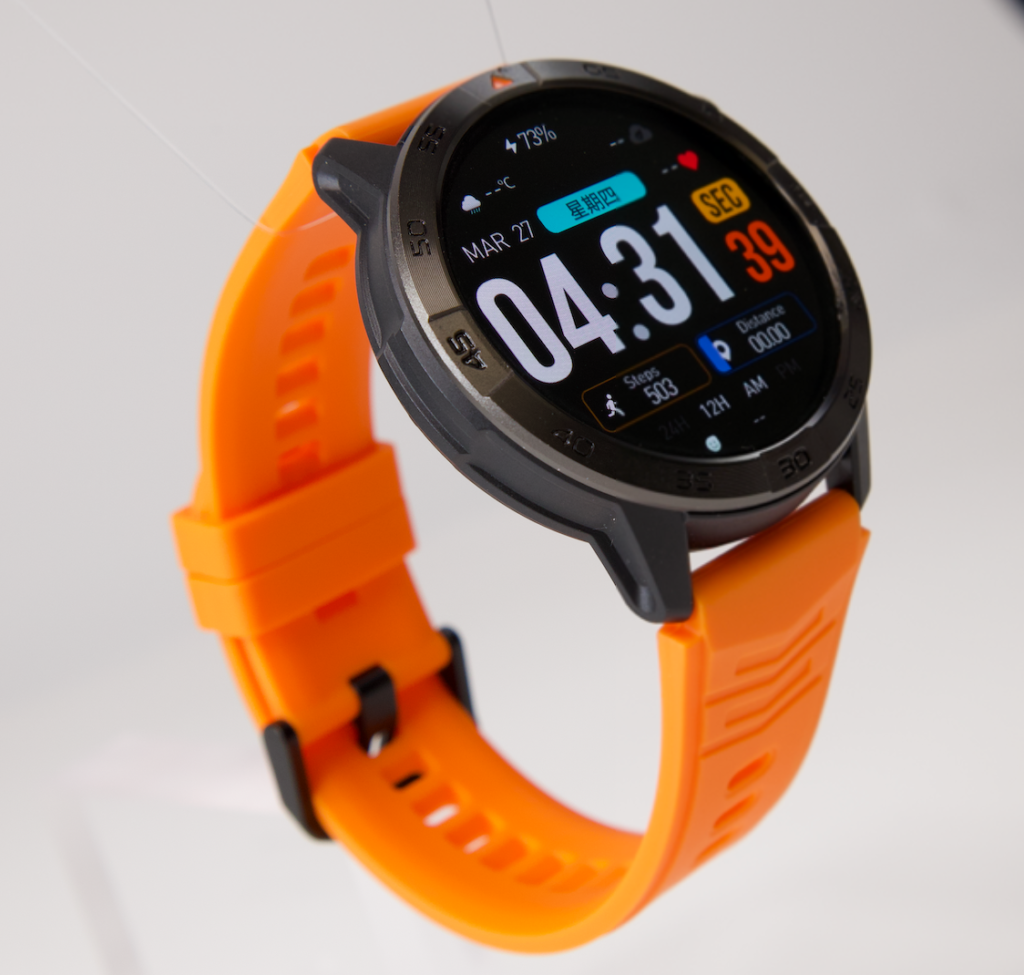
A full battery icon is helpful, but preparation includes more than charging.
Before the group departs:
- Charge the watch fully
- Confirm that the charging connection completed correctly
- Download any required offline maps
- Open the intended route before losing dependable service
- Select the correct workout or navigation mode
- Confirm that the phone and watch are paired when alerts depend on that connection
- Note the starting battery percentage
- Check that no old GPS, workout, or navigation session is still running
A fully charged watch is not guaranteed to last through every trip. Continuous navigation, screen use, wireless searching, temperature, alerts, and recording settings can change real-world endurance.
The purpose of departure mode is to start with a clean, known setup rather than discover an avoidable drain several miles later.
Remove low-value power use first
Use practical settings that save power without reducing route awareness.
For example:
- Lower brightness from maximum to a readable level
- Use a shorter screen timeout
- Disable an always-on display when it is not necessary
- Silence nonessential app notifications
- Reduce accidental raise-to-wake activations
- Choose a simpler watch face for the day
- Avoid opening maps repeatedly without a navigation reason
- Stop unused Bluetooth audio connections
- Prevent duplicate alerts from several apps
These are departure adjustments, not permanent lifestyle changes. The user can restore preferred settings after the hike.
Establish the first trail checkpoint
Do not wait for a low-battery warning before reviewing the situation.
Set a checkpoint tied to the route, such as:
- The first major trail junction
- The end of the initial climbing section
- One-third of the planned distance
- A scheduled rest location
- The turnaround decision point
A route-based checkpoint is more useful than constantly checking the percentage. It connects battery decisions to the actual work still ahead.
Shift Into Conservation Mode Before the Arizona Return Leg
Conservation mode should begin while the watch still has comfortable working power.
The trigger may be a battery percentage, but the number should not be considered alone. The hiking leader must compare remaining charge with remaining distance, time, route difficulty, and GPS dependence.
At the checkpoint, ask:
- Is the group on schedule?
- How much of the route remains?
- Will the return take longer than the outbound section?
- Is continuous navigation still necessary?
- Has the watch used more battery than expected?
- Are weather, pace, or route changes extending the day?
If the remaining battery no longer matches the remaining responsibility, conservation should begin.
Reduce display demand before removing essential tools
The display is often easier to restrict than navigation or timekeeping.
Mid-trip changes may include:
- Lowering brightness another step
- Turning off the always-on display
- Switching from gesture wake to deliberate screen activation
- Shortening display timeout
- Reducing vibration for noncritical alerts
- Waiting for planned checkpoints before reviewing statistics
- Stopping unnecessary watch-face complications from refreshing
Repeated screen checks can become a habit when users feel uncertain about battery life. That anxiety can create more interaction without improving the route plan.
Check the battery when the information will change a decision—not every few minutes.
Decide whether continuous GPS is still necessary
GPS should not be disabled automatically. It may be one of the most important functions on the route.
Keep GPS active when:
- The trail is unfamiliar
- The route has several junctions
- The group depends on watch-based directions
- The return path must be recorded
- The leader needs an active track for route awareness
Consider reducing or ending the session only when:
- The remaining route is clearly marked
- Another dependable navigation method is already active
- The activity record is optional
- Continuous tracking no longer serves a practical purpose
- The route can be preserved without leaving an unnecessary session running
For a better understanding of why active features can produce different results from simple standby estimates, review how to separate real battery performance from headline endurance.
Saving battery should never mean casually removing a route function the group still needs.
Protect the Functions Needed on Remote U.S. Trails
The outbound section and the return section do not have equal battery value.
At mile twelve, the watch may show enough power for ordinary use, but part of that charge already belongs to the journey back. Spending it on optional metrics could remove access to time, maps, or alerts later.
The Flagstaff trip leader should create a protected return list before departure.
That list might include:
- Timekeeping
- Route reference
- Limited map access
- Critical weather or family alerts
- Enough screen access to read directions
- The evening return-route record
- Basic controls for a nearby paired phone
Anything outside the protected list can be reduced when the reserve becomes uncertain.
Stop nonessential tracking before the reserve is threatened
Some tracking may be interesting without being necessary.
Possible candidates for temporary suspension include:
- Optional automatic activity detection
- Repeated heart-rate checks made only out of curiosity
- Secondary workout metrics
- Unneeded background app refreshes
- Duplicate route recordings
- Frequent weather refreshes when conditions have not changed
- Nonessential health summaries during the hike
Users who depend on a sensor or watch function under professional medical guidance should not disable it casually. The battery plan must respect functions that have a genuine personal purpose.
Watch for connection searching and accidental wake-ups
Outdoor use can create power demands that are easy to miss.
The watch may repeatedly search for a paired phone if the phone is buried in another bag, carried by someone else, or frequently moved beyond stable Bluetooth range. Long sleeves, gloves, trekking poles, or gear may also trigger the display unintentionally.
At a checkpoint, observe whether:
- The watch repeatedly disconnects from the phone
- Bluetooth reconnecting is happening frequently
- A GPS session remains active unnecessarily
- Clothing or equipment keeps waking the screen
- The user is opening the display more often than expected
- Cold conditions appear to be affecting available performance
The goal is to identify visible behavior, not assume one cause without evidence.
Enter Emergency Reserve Mode Only When Coverage Is at Risk
Emergency reserve mode is the strictest stage.
It does not need to be an official feature with that exact name. It can simply be a group of restrictive settings the user prepares before the hike.
This mode begins when preserving basic usefulness matters more than keeping the full tracking experience.
Keep the minimum functions needed to finish
A practical priority order is:
- Time
- Essential route information
- Critical alerts
- Limited screen access
- Optional tracking and convenience tools
The order may change when the watch is the primary navigation device. In that case, route access may deserve the highest priority.
Do not enter emergency reserve mode merely because the battery percentage looks lower than expected. Use it when the remaining charge may no longer cover the remaining route.
Apply the strongest temporary reductions
Emergency actions may include:
- Using the lowest readable brightness
- Turning off always-on display
- Ending optional workout recording
- Disabling nonessential notifications
- Silencing noncritical vibration
- Pausing optional sensors
- Ending unused wireless audio connections
- Limiting screen checks
- Activating the watch’s official battery-saver setting
- Using airplane mode only when wireless functions are no longer needed
Airplane mode requires special care. It may reduce wireless activity, but it can also disconnect calls, phone-assisted alerts, syncing, weather updates, and other connected functions.
American hikers should test airplane mode at home before depending on it in an isolated area. The trail is not the place to learn that an expected feature disappears when wireless connections are disabled.
Use Trail Checkpoints Instead of Battery Guesswork
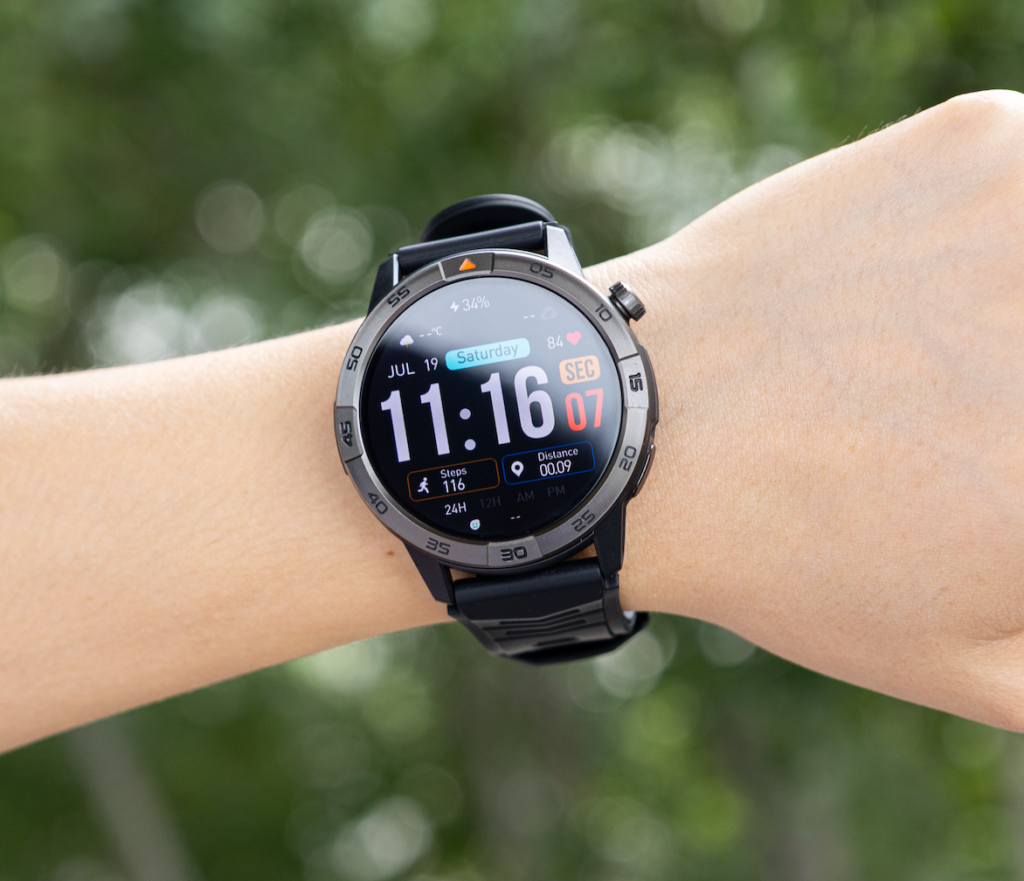
The three operating modes work only when the user knows when to reconsider the plan.
A simple checkpoint system gives the Flagstaff leader a reason to review battery use without creating an hour-by-hour technical investigation.
Departure checkpoint
Record:
- Starting percentage
- Expected return time
- Planned GPS use
- Required functions
- Preferred reserve for the return
- First route checkpoint
This establishes the day’s starting conditions.
Turnaround checkpoint
Review:
- Remaining battery
- Remaining distance
- Expected return time
- Route certainty
- Group pace
- Weather changes
- Whether continuous GPS must stay active
The turnaround point is often the most important decision. The watch must now support the group through the complete return rather than simply reach the next scenic stop.
Final-route checkpoint
Near the last major junction, review:
- Whether the group is delayed
- Which functions remain essential
- Whether emergency reserve settings are necessary
- Whether optional recording can end
- Whether the phone-watch connection still provides useful alerts
- Whether enough power remains for the drive or post-hike coordination
This is not a battery autopsy. The purpose is to make a forward-looking decision while the remaining charge can still be managed.
How Much Charge Should American Hikers Reserve?
There is no universal return percentage.
One smartwatch may handle several hours of active GPS comfortably, while another may consume its available charge faster under the same general routine. Display brightness, battery condition, map use, temperature, wireless behavior, and software settings can all influence the result.
Reserve planning should reflect:
- Remaining mileage
- Expected return time
- Navigation dependence
- Trail complexity
- Screen-use frequency
- Weather and temperature
- Possible delays
- Availability of another navigation tool
- The watch’s performance during previous outings
A useful decision rule is:
Do not spend charge on an optional outbound feature when losing that power could remove an essential return function.
The percentage matters less than what the watch still needs to accomplish.
Test the Three Modes Before a Full-Day Hike
A battery plan should be rehearsed before it is needed.
The Flagstaff leader can run a shorter local hike using the same watch, route-recording settings, screen behavior, and phone connection planned for the longer outing.
During the rehearsal:
- Begin in departure mode
- Move into conservation mode at a chosen trail checkpoint
- Review what emergency reserve mode disables
- Confirm that offline maps remain available
- Test whether connected alerts still work as expected
- Observe GPS use
- Record the ending battery percentage
A short practice route can reveal that a supposedly harmless setting, connection problem, or screen habit uses more power than expected.
It also helps the user compare advertised battery expectations with one real outdoor routine.
Record only the information needed for future planning:
- Test duration
- GPS duration
- Starting and ending percentage
- Number of major screen checks
- Features disabled at each stage
- Unexpected connection behavior
- Functions lost in battery-saver or airplane mode
The exercise is a route rehearsal, not a diagnosis of abnormal battery drain.
When a Progressive Battery Plan Is Not Enough
Settings cannot solve every endurance problem.
A different plan may be necessary when:
- The battery is old or damaged
- The watch shuts down unexpectedly
- The trip exceeds realistic active-GPS endurance
- Continuous navigation is required for most of the day
- Charging did not complete before departure
- Cold conditions noticeably reduce available performance
- The route becomes longer than planned
- The watch is the only navigation source
Practical backup options may include:
- Carrying the correct compact charging cable
- Using a compatible power bank during a long stop
- Bringing a paper map
- Keeping a separate phone navigation option available
- Shortening optional tracking
- Servicing a watch that behaves abnormally
- Choosing not to depend on one battery-powered device for every route function
For outdoor users in the United States, trail readiness should include redundancy. Battery conservation is useful, but it should not replace sound navigation preparation.
Questions Flagstaff Hikers Ask About Preserving Watch Power
Which smartwatch functions should remain active during a long hike?
Keep functions tied to time, route awareness, essential alerts, and completing the hike. Decorative displays, promotional notifications, duplicate tracking, and nonessential metrics can usually be reduced first.
When should GPS be reduced or turned off?
Reduce GPS only when continuous tracking or navigation is no longer required and another dependable route method is available. Do not sacrifice essential guidance simply to preserve a higher battery percentage.
Is airplane mode helpful during an extended hike?
It may reduce wireless activity, but it can also disconnect phone-assisted alerts, calls, syncing, and weather information. Test it before the trip and use it only when the lost connections are no longer necessary.
Should health sensors be disabled to save battery?
Optional sensor activity may be reduced when the reserve is threatened, but users should retain functions they genuinely depend on. Do not casually disable a feature used under professional medical guidance.
How much battery should be saved for the return route?
There is no fixed percentage. Base the reserve on distance, time, navigation needs, trail complexity, expected delays, temperature, and the watch’s tested performance.
Is a built-in battery-saver mode enough for a full-day hike?
That depends on what the mode disables. Some watches may restrict maps, alerts, wireless connections, background activity, or display behavior. Test the mode before relying on it outdoors.
At Mile Twelve, the Return Owns Part of the Battery
The watch at mile twelve is not carrying spare power. It is carrying the time, maps, alerts, and route access needed for the miles still ahead.
That changes the way battery life should be managed.
Begin the hike with the full functions the route requires. Move into conservation mode before the remaining coverage becomes uncertain. Use emergency reserve settings only when protecting basic usefulness becomes more important than preserving the full activity record.
The most effective smartwatch battery saving tips for long use connect every setting change to distance, time, and the job the watch must still perform.
Before the next extended outing, write down three setting groups:
Departure mode → Conservation mode → Emergency reserve mode
Test each one on a shorter route. Decide in advance which functions must survive until the group reaches the final trailhead.
After the endurance plan is clear, users preparing for navigation-heavy outdoor days can review the long-use battery and mapping details before deciding whether the feature combination matches their trips.