
The magnetic charging puck is still beside the hotel bed when the suitcase is already zipped.
For a public-relations coordinator leaving a Philadelphia client event, forgetting that small cable could interrupt calendar alerts, travel updates, client calls, exercise tracking, or overnight wear. Yet choosing a smartwatch with battery longer than Apple Watch requires more than comparing one large battery number with one smaller number.
First, identify the exact Apple Watch model. Next, separate normal use from Low Power Mode. Then match the features each watch must carry through the same week.
Only after those steps can longer runtime become a fair buying advantage.
Name the Apple Watch Before Comparing Battery Life
“Apple Watch battery life” is not one universal specification.
Apple’s current U.S. comparison lineup includes Apple Watch SE 3, Apple Watch Series 11, and Apple Watch Ultra 3. Each model has a different official battery claim and charging profile.[Source]
| Current model | Apple’s normal-use claim | Apple’s Low Power Mode claim |
|---|---|---|
| Apple Watch SE 3 | Up to 18 hours | Up to 32 hours |
| Apple Watch Series 11 | Up to 24 hours | Up to 38 hours |
| Apple Watch Ultra 3 | Up to 42 hours | Up to 72 hours |
Those figures immediately show why a generic comparison can mislead an iPhone user.
An endurance-focused alternative may offer a dramatic improvement over the SE 3 under one routine but a smaller improvement over the Ultra 3. Comparing against whichever Apple model creates the largest numerical gap would not answer the buyer’s real question.
Record the model the buyer would actually use
The Philadelphia coordinator should begin with four facts:
- The exact Apple Watch model owned or seriously considered
- Whether it is a GPS or cellular version
- Its current battery condition
- The operating mode normally used
An older watch with a worn battery may need charging much sooner than a new unit. That personal experience is relevant to the owner, but it should not be presented as the official endurance of a current Apple Watch model.
Likewise, a buyer considering the SE 3 should not use the Ultra 3 as the only comparison baseline. The relevant model is the one that represents the realistic Apple purchase or replacement decision.
A Smartwatch With Battery Longer Than Apple Watch Needs a Matched Mode
Normal use and Low Power Mode are not interchangeable.
Apple states that Low Power Mode can turn off the Always On display and certain background measurements and notifications. Other notifications may arrive later, while some cellular and Wi-Fi behavior becomes more limited.[Source]
That means the extended figure represents a changed operating condition.
Keep both watches in comparable states
A fair comparison should avoid combinations such as:
- Alternative-watch normal use versus Apple Watch Low Power Mode
- Alternative standby time versus Apple Watch normal use
- Full GPS use on one watch versus no GPS use on the other
- Frequent wrist calls on one device versus notification-only use on the other
- Always-on display enabled on one watch and disabled on the other
The same rule applies to the endurance-focused smartwatch. If its longest advertised duration assumes limited use, that figure should not be treated as an active-use guarantee.
The project smartwatch advertises up to 30 days of battery life, but real runtime can change with Bluetooth calling, GPS, screen brightness, notification frequency, sensors, map use, and other active functions.
Label every battery claim honestly
Use wording such as:
- “Apple advertises up to…”
- “The alternative advertises up to…”
- “Under the manufacturer’s stated test conditions…”
- “Actual runtime varies with use and configuration…”
Avoid turning an advertised maximum into a promise.
A buyer needs a defensible comparison, not the most impressive pair of numbers available.
Build One Matched-Use Week for a Philadelphia iPhone User
The public-relations coordinator’s seven-day campaign creates one realistic test period.
That week includes:
- Calendar reminders
- Priority client notifications
- Short client calls
- Domestic travel updates
- Overnight sleep coverage
- One exercise session
- Regular time checks
- A flight day
- A hotel checkout morning
Both watches should be evaluated against that same demand.
Match the notification load
Start by listing the alerts that genuinely matter:
- Client messages
- Calendar changes
- Airline updates
- Meeting reminders
- Incoming-call alerts
Nonessential promotions and social notifications should be filtered consistently on both devices. Leaving every alert active on one watch while carefully limiting the other would distort the result.
Match the calling load
Record the approximate number and duration of wrist calls during the week.
The endurance-focused smartwatch supports phone-assisted Bluetooth calling. It should not be described as an independent LTE replacement for a cellular Apple Watch.
That distinction matters during travel. A cellular Apple Watch may support certain connected functions without the iPhone immediately beside it, while a Bluetooth-calling alternative normally depends on the paired phone remaining connected and within workable range.
The battery test must therefore compare the call behavior the buyer will actually use—not two capabilities that only sound similar.
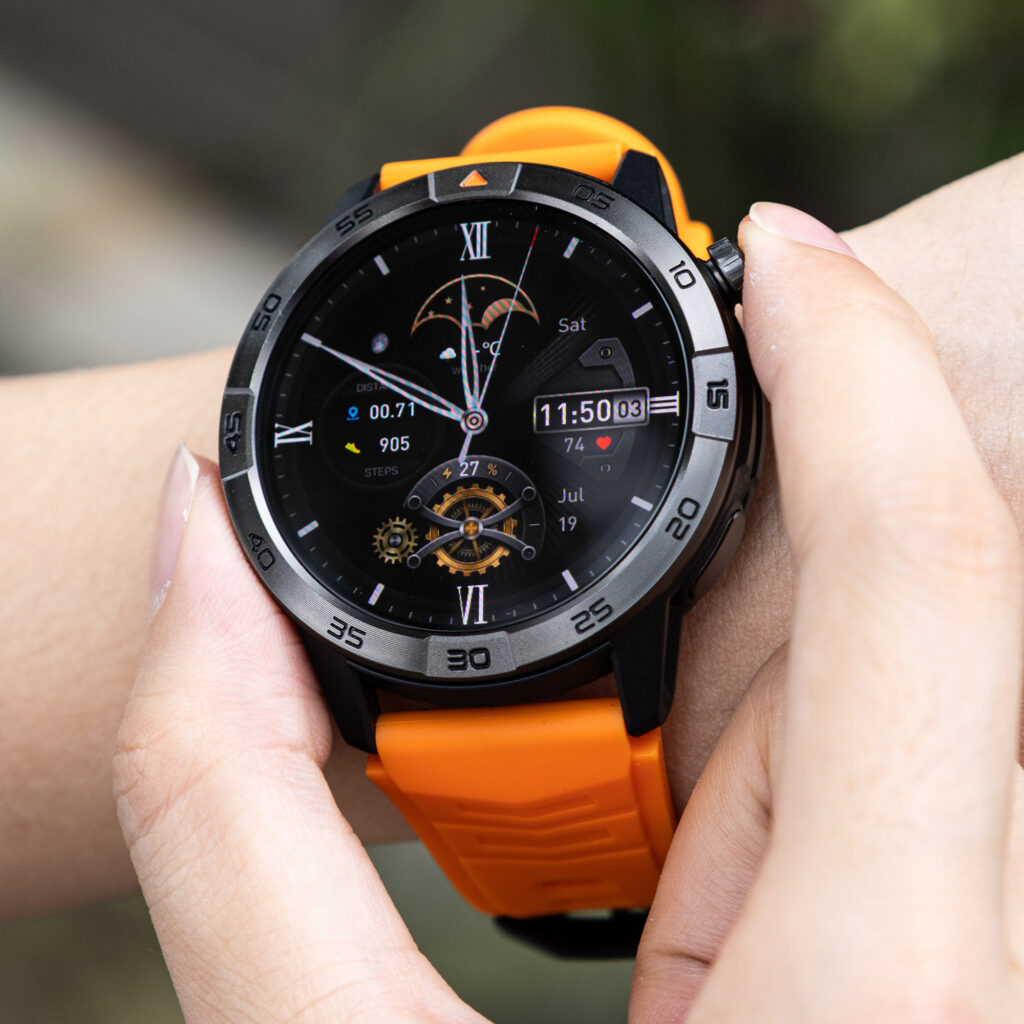
Match display and overnight wear
Display behavior can materially change the routine.
Record:
- Brightness level
- Always-on display status
- Frequency of screen wake-ups
- Overnight wear
- Sleep tracking
- Morning battery level
- Normal charging window
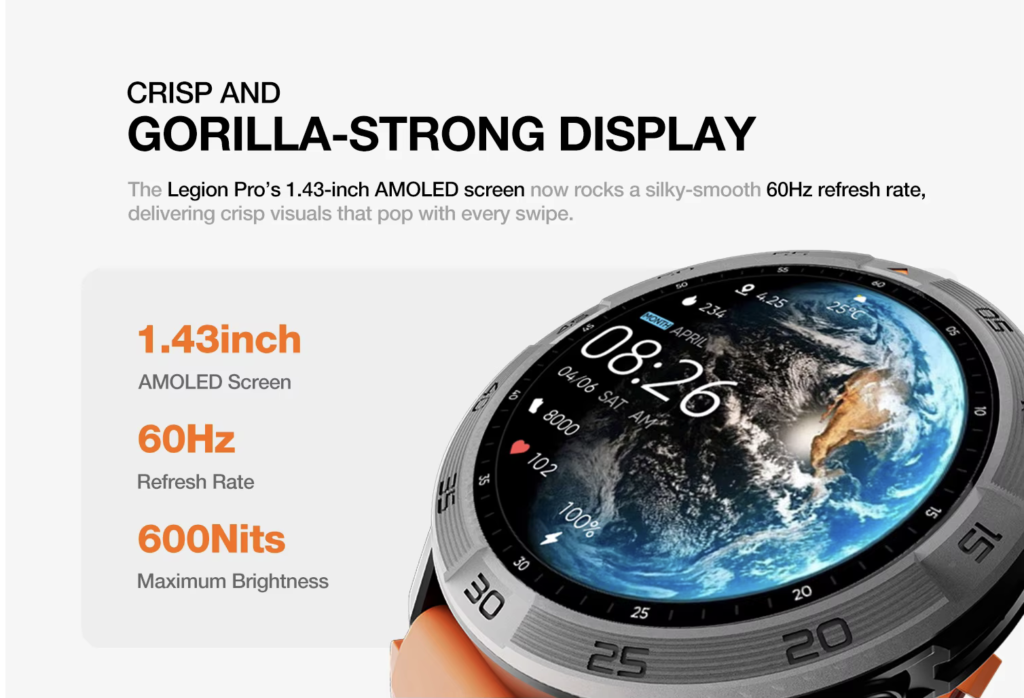
The coordinator wants calendar and travel visibility during the day without losing sleep coverage at night. A battery advantage becomes meaningful when it protects both periods rather than moving charging inconvenience from one part of the day to another.
Match exercise and navigation demand
Use a similar exercise duration and comparable location activity on both watches.
Do not compare an active GPS workout on one device with ordinary standby on the other. Navigation, map access, and location tracking can increase power demand, so those features belong in the matched-use row.
Readers can separate advertised battery days from active feature use before treating a maximum duration as an everyday expectation.
Compare Charging Interruptions Across the U.S. Workweek
The next step is not to count battery days. It is to identify when charging enters the week.
A charging event during a shower may be easy to absorb. Another session could interrupt sleep tracking, airport movement, or a client event.
The timing of the interruption often matters more than the raw frequency.
Mark the activity each charge interrupts
For every required session, note whether it overlaps with:
- Sleep
- Morning preparation
- Office work
- A client meeting
- Exercise
- Airport travel
- Hotel checkout
- Evening recovery
Suppose the Apple Watch needs charging most mornings but reliably recovers while the coordinator showers and packs. That rhythm may be more manageable than the hours figure initially suggests.
Now imagine the alternative lasts much longer but requires a proprietary cable that was left at home. Less frequent charging still offers value, yet cable dependence remains part of ownership.
Separate planned charging from rescue charging
A planned charge fits naturally into the day.
A rescue charge happens because the watch may not complete the next important period.
Examples of rescue charging include:
- Removing the watch before a client reception
- Charging at an airport gate to preserve flight notifications
- Missing sleep tracking because the battery is low
- Delaying exercise until enough charge is available
- Borrowing an outlet shortly before leaving the hotel
Longer runtime becomes valuable when it removes recurring rescue charges, not merely when it produces a larger advertised number.
Fast Charging Can Narrow the Endurance Gap
Battery endurance is only half of the routine. Recovery speed can change how disruptive a shorter-lasting watch feels.
Apple states that Series 11 can reach approximately 80% charge in about 30 minutes, while SE 3 and Ultra 3 can reach approximately 80% in about 45 minutes under Apple’s specified charging conditions.[Source]
Apple also advertises useful partial-charge windows:
- Series 11: 15 minutes for up to eight hours of normal use
- SE 3: 15 minutes for up to eight hours of normal use
- Ultra 3: 15 minutes for up to 12 hours of normal use
These figures are still “up to” claims. Charger, adapter, starting level, temperature, settings, and other factors can affect real results.
Compare useful recovery rather than only a full charge
Ask four practical questions:
- How much charging time is available?
- How much useful runtime can that window restore?
- Does the required cable travel with the user?
- Will the watch be ready for the next valued activity?
A smartwatch that lasts several weeks may require fewer decisions. A shorter-lasting Apple Watch may compensate partly through fast charging that fits into an existing break.
The buyer needs to compare both advantages honestly.
Test the Philadelphia hotel morning
The coordinator wakes after overnight wear. Flight notifications, calendar changes, and client calls may arrive before boarding. The charger also needs to be packed before checkout.
For each watch, ask:
- Is enough power left for the airport and flight?
- Can a short charging window cover the travel period?
- Will charging remove the watch during an important alert window?
- Must the cable remain accessible rather than packed?
- Does the watch support the needed functions in its reduced-power mode?
This travel morning reveals more than an abstract battery-life claim.
Longer Battery Does Not Guarantee Full iPhone Integration
An endurance-focused smartwatch may work with an iPhone without reproducing the complete Apple Watch experience.
Compatibility means the devices can connect and exchange supported information. It does not guarantee identical app depth, message controls, data handling, payments, calling behavior, or platform continuity.
Inventory the functions that matter during the campaign
The Philadelphia user should verify:
- Calendar notification behavior
- Incoming-call visibility
- Wrist calling
- Contact synchronization
- Travel alerts
- Message interaction
- Companion-app reliability
- Music controls
- Health and fitness data handling
- Navigation and offline-map behavior
- Software-update expectations
The alternative does not need to match every Apple feature. It does need to perform the functions the buyer considers essential.
Separate Bluetooth calling from cellular independence
The endurance-focused smartwatch supports Bluetooth calls through the paired phone. It is not an LTE model.
An iPhone user moving from a cellular Apple Watch should therefore consider whether phone-free calling, messaging, or data access is part of the normal routine. A larger battery does not replace a connection type the buyer regularly depends on.
For someone who normally carries the iPhone, that limitation may matter less. For a runner, traveler, or worker who intentionally leaves the phone behind, it could be decisive.
Protect the five non-negotiable functions
For this one Philadelphia routine, the most important functions are:
- Calendar alerts
- Client-call visibility
- Travel notifications
- Sleep continuity
- Basic exercise records
Keeping the list narrow prevents the article from turning into a complete ecosystem migration review.
The question is whether longer endurance improves this week without weakening one of those five functions beyond an acceptable level.
Create an Apple Watch Baseline-Normalization Board
Use a compact comparison board instead of a generic specification list.
| Comparison row | Current Apple Watch | Endurance-focused smartwatch |
|---|---|---|
| Exact model | Name the model | Name the alternative |
| Operating mode | Normal or Low Power | Normal or saver mode |
| Claim type | Normal use, Low Power, or other | Active use, standby, or other |
| Notifications | Record the load | Match the load |
| Wrist calls | Record the load | Match the load |
| Display | Record brightness and mode | Match where possible |
| Sleep coverage | Record overnight use | Use the same nights |
| Exercise or GPS | Record duration | Match the task |
| Charging recovery | Record useful partial charge | Record useful recovery |
| iPhone limitations | Apple baseline | Verify differences |
The board does not need to produce one combined score. Its purpose is to expose invalid comparisons.
Reject any row that mixes unlike conditions
Mark a row as uncertain when:
- One figure represents standby and the other represents active use
- One watch is in a saver mode and the other is not
- Calling or GPS demand differs substantially
- Battery condition is unknown
- iPhone compatibility has not been tested
- The two manufacturers use different assumptions
- One result is official and the other is an unverified estimate
Removing a weak row is better than forcing it into the conclusion.
Treat manufacturer testing as context, not personal prediction
Apple explains that its battery and charging tests use specified devices, software, usage patterns, cables, and adapters. Actual performance can vary with settings, use, network conditions, and environmental factors.[Source]
The endurance-focused alternative deserves the same caution. Its advertised up-to-30-day figure should be treated as a maximum under stated or limited conditions, not a guaranteed result for calls, GPS, bright displays, and frequent alerts.
A fair buyer compares claim type with claim type and then validates the routine personally.
Readers can also examine whether fewer charging sessions solve a real routine problem before making battery duration the deciding feature.
Decide Whether the Endurance Gain Is Large Enough to Matter
At this point, the buyer has two results:
- The amount of charging relief
- The cost of leaving part of the Apple ecosystem
Both belong in the final decision.
Meaningful charging relief changes the week
Longer battery life may justify a switch when it:
- Preserves overnight wear
- Removes rescue charging
- Reduces travel-cable anxiety
- Keeps alerts available through long client events
- Supports exercise and sleep without a charging conflict
- Creates several dependable days between charging decisions
Those benefits affect behavior, not just specifications.
An ecosystem loss may outweigh the battery gain
The alternative may be unsuitable when it creates:
- Unacceptable notification limits
- Missing interaction controls
- Weak companion-app behavior
- Calling limitations that conflict with the routine
- Inadequate app support
- Health or navigation differences the user considers essential
- Loss of phone-free cellular use
Each limitation should be verified for the exact watch and iPhone setup. Do not assume that every non-Apple smartwatch behaves the same way.
Use one buying threshold
Apply this decision rule:
Switch only when charging relief improves the week more often than the missing ecosystem function would disrupt it.
The rule prevents a buyer from choosing solely by the biggest battery claim.
A watch that lasts much longer but weakens a daily client-communication function may be the wrong replacement. Another alternative may offer fewer apps but solve a recurring charging conflict without affecting anything the user considers essential.
Questions U.S. iPhone Users Ask About Longer-Battery Alternatives
Which current Apple Watch model should be the comparison baseline?
Use the exact model you own or would realistically purchase. Apple Watch SE 3, Series 11, and Ultra 3 have different official battery claims, so “Apple Watch battery life” is too broad for a fair comparison.
Can standby battery life be compared with Apple’s normal-use claim?
Not directly. Standby and normal use represent different conditions. Compare similar levels of notifications, calls, display activity, sleep tracking, exercise, and GPS whenever possible.
Does Low Power Mode create a fair comparison?
Only when the alternative is evaluated under a comparable reduced-power condition and the changed features are documented. Apple’s Low Power Mode can disable or limit several functions, so its longer runtime is not identical to normal use.
How should fast charging affect the decision?
Consider whether a short charging window restores enough power without interfering with work, travel, exercise, or overnight wear. Convenient recovery can reduce the practical disadvantage of shorter full-charge endurance.
Will a longer-battery smartwatch work fully with an iPhone?
Not necessarily. iPhone compatibility does not guarantee full Apple Watch parity. Verify notifications, calls, message interaction, companion-app behavior, data syncing, and every function the routine depends on.
When is longer runtime worth leaving Apple Watch?
Longer runtime becomes persuasive when it repeatedly removes charging conflicts without sacrificing an ecosystem function the buyer values more.
Approve or Reject the Comparison Row
Correct model. Same operating mode. Matched feature load. Verified iPhone limits.
When all four conditions are satisfied, the battery comparison is ready to influence a purchase.
A smartwatch with battery longer than Apple Watch is worth considering only when the endurance advantage survives a model-matched, feature-matched comparison. A headline number alone cannot show whether the watch will fit an iPhone user’s work, travel, sleep, and communication routine.
Choose the Apple Watch model that represents your real alternative, complete one matched-use row, and reject any comparison that mixes standby with active use. When the endurance difference remains meaningful after iPhone limitations are included, review the endurance-focused calling and navigation features before making the purchase decision.