
A customer call comes in at the Detroit service desk just as the auto-service advisor steps toward the bay entrance to check on a vehicle. The caller’s name appears on the wrist. The advisor has a choice to make in seconds: answer briefly, move the call to another device, or let it wait for a proper callback.
That is where a smartwatch for hands free work calls can help—but only when it is treated as part of an audio-routing system, not as the one answer for every call.
A call that is suitable for a quick acknowledgment at the customer counter may be inappropriate near a noisy service bay. A customer asking about a completed oil change may need a short response. A caller asking about an estimate, vehicle details, or payment issue needs a more private, complete conversation. The right audio device changes with the location, noise level, privacy need, and the task already in progress.
This article builds a simple audio handoff sequence: screen the caller, check the location, protect privacy, choose the right audio destination, and use a short handoff phrase when the call needs to move.
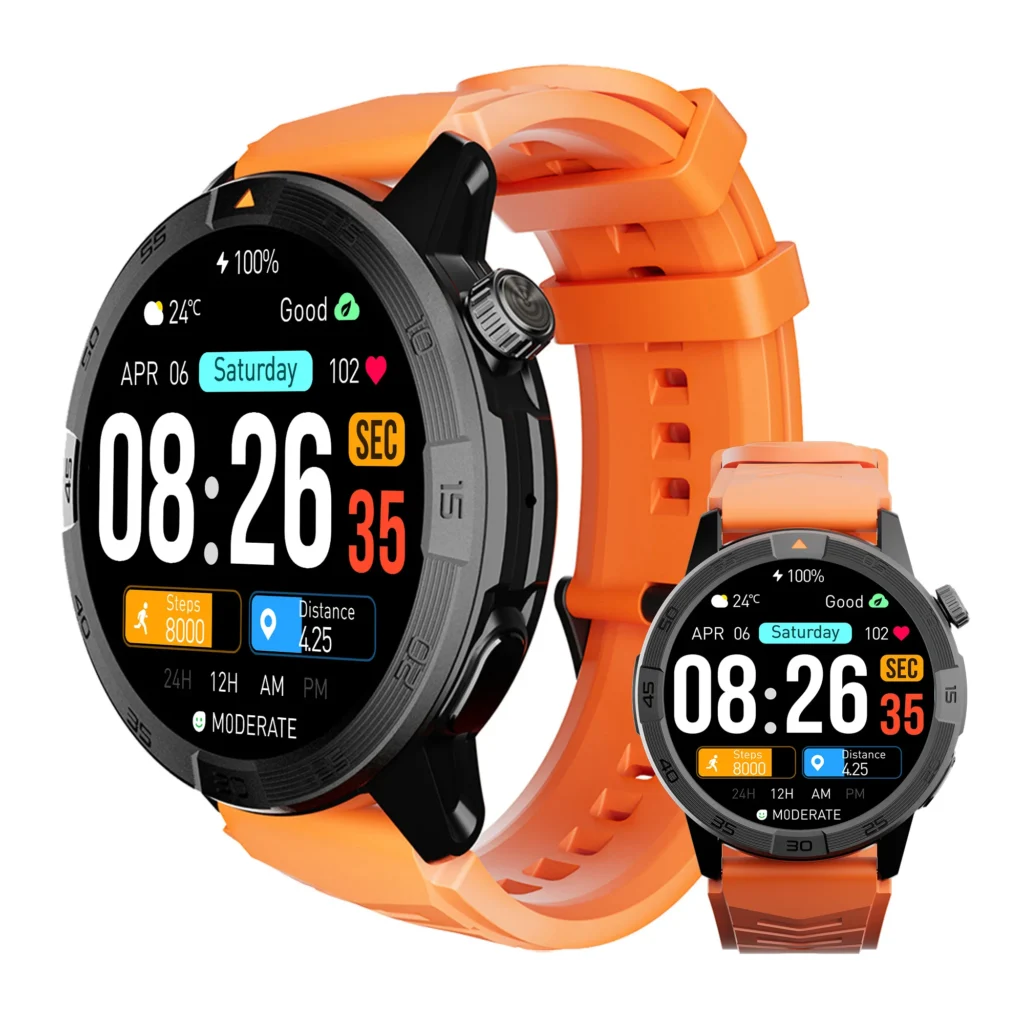
When a Smartwatch for Hands Free Work Calls Needs a Handoff
“Hands-free” can sound like one feature. In a busy auto-service department, it is really a series of decisions.
The watch may be the first place the advisor sees the call. That does not mean the watch should carry the full conversation.
A practical setup has five possible destinations:
- Caller screen only — see who is calling and decide not to respond yet.
- Brief wrist response — acknowledge the call during an appropriate, stationary pause.
- Approved headset — use only where dealership policy, the phone setup, and the work setting permit it.
- Desk phone — move detailed conversations to the location with records, privacy, and full attention.
- Private callback — return the call when the current customer, location, or task makes any live response unsuitable.
The watch belongs at the beginning of the process. It helps the advisor decide what happens next.
Bluetooth calling should also be understood as phone-assisted. Do not assume a smartwatch can handle calls independently when the paired phone is unavailable or out of usable range.
Start With the Caller, Not the Call Button
The first decision is not “answer or decline.” It is “what does this caller need, and can that need be handled here?”
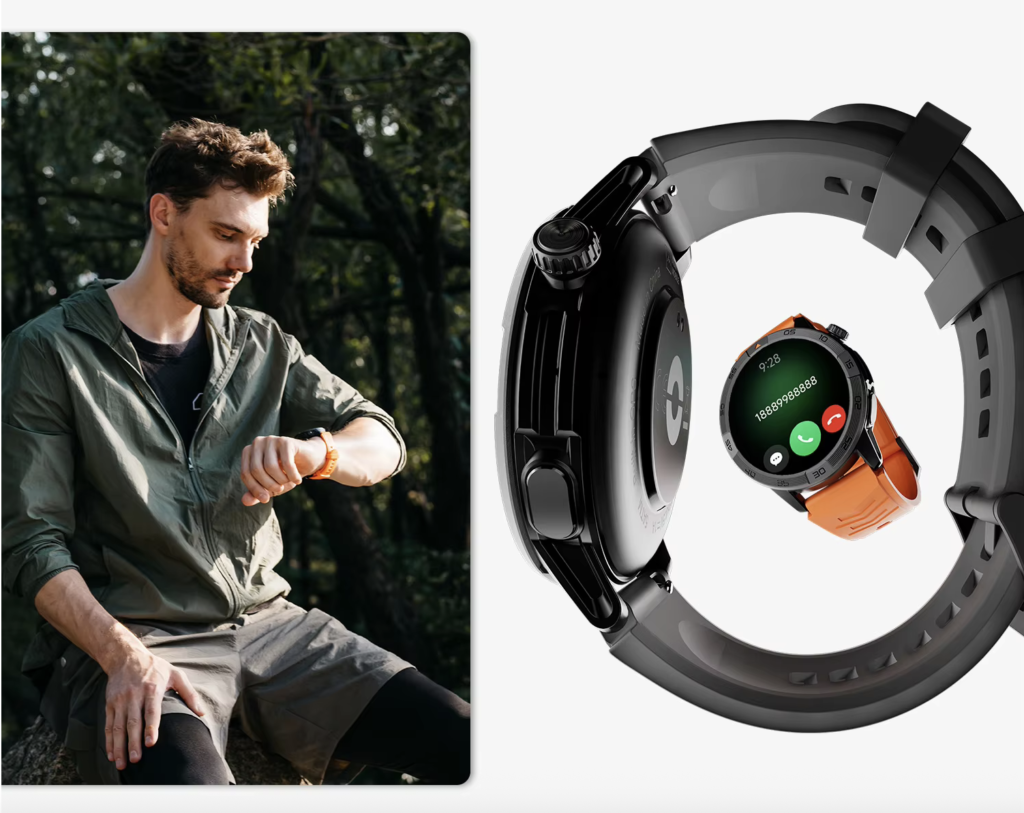
A saved customer contact may signal a quick pickup confirmation or arrival question. An unknown number may need screening before the advisor interrupts the customer already standing at the counter. A caller asking about an estimate, diagnosis, payment, vehicle identification number, or service history needs a setting that supports privacy and records.
The watch can help the advisor identify the caller and make a quick routing decision. It should not turn a customer conversation into an extended exchange on a small speaker in the wrong place.
Use the Wrist for the First Decision
A short wrist interaction can be useful when all of these conditions are met:
- The advisor is stationary.
- The area is appropriate for a brief response.
- The caller’s request is simple.
- No customer information needs to be discussed openly.
- The current customer is not being ignored.
- The next step can be stated clearly in a few seconds.
For example, the advisor may see a returning customer’s name and say: “I’m assisting someone at the moment. I’ll call you back from my desk shortly.”
That is a routing action. It is not a full service conversation.
Understand when a watch call should remain a short first response before treating every incoming call as a wrist-call opportunity.
Calls That Should Leave the Wrist Immediately
Some calls need a different channel from the start:
- Questions about service estimates
- Vehicle information or customer account details
- Payment-related issues
- Complaint handling
- Appointment changes involving several details
- Conversations that require records on screen
- Calls that could be overheard by nearby customers or staff
The watch can still alert the advisor. It just should not become the place where those calls are resolved.
Check the Service-Department Location Before Responding
The same caller may require a different response depending on where the advisor is standing. That is why an audio handoff sequence is more useful than a generic “hands-free calling” rule.
At the Customer Counter: Screen or Acknowledge Briefly
The customer counter is public and customer-facing. The advisor may be greeting someone, checking them in, or listening to a concern.
A watch can help screen the caller without forcing an interruption. If the advisor is free for a brief acknowledgment, the response should stay simple and avoid vehicle details, pricing, or private account information.
Good counter uses include:
- Seeing who is calling
- Silently declining a nonurgent call
- Giving a short callback promise
- Checking whether a priority contact needs a quick response
The customer in front of the advisor should not lose attention because another call appears on the wrist.
At the Service-Bay Entrance: Move the Call Away From the Wrist
A bay entrance can involve noise, moving vehicles, technicians, equipment, and changing activity. It is not a good setting for a detailed wrist conversation.
The advisor should not interact with a smartwatch while walking through an active work area, working around vehicles, or doing a task that requires full attention. Screen the call only at a safe pause. Then defer it, move to an approved audio route, or return the call from a suitable location.
This is not only about audio quality. It is about safety, privacy, and attention.
At the Desk Phone: Handle the Full Conversation
The desk is the natural destination for calls that require information, records, a calmer setting, or a longer conversation.
Use the desk phone or approved dealership phone system when the caller needs:
- An estimate update
- Appointment changes
- Detailed service information
- A discussion about vehicle status
- A follow-up that requires notes or scheduling access
- A conversation that should not be overheard in a shared area
The watch can signal that the call exists. The desk supports the work needed to answer it well.
Near a Vehicle Inspection Area: Defer Until a Proper Callback Point
An advisor may be checking a vehicle, speaking with a technician, or moving between service locations. That is not a place for watch interaction.
The correct choice may simply be to screen the call later and return it from the desk. If an urgent response is necessary, it should happen only after the advisor reaches a safe, approved stationary point.
Match each work location to an appropriate phone-call response rather than treating every workplace area as equal.
Run the Privacy Check Before Choosing the Audio Destination
Noise is obvious. Privacy is often the more important issue.
A service department may contain nearby customers, open counters, employee conversations, vehicle sounds, and information that should not be discussed in public. Before choosing an audio device, the advisor should ask one question:
Can this customer conversation be handled appropriately in this location?
If the answer is no, the call needs to move.
| Call condition | Better audio route | Reason |
|---|---|---|
| Quick arrival confirmation | Brief wrist response or short callback note | Low-detail and time-sensitive |
| Estimate question | Desk phone or private callback | Needs records and fuller context |
| Call arrives near an active bay | Screen and defer | Noise and work activity |
| Advisor is helping a walk-in customer | Caller screen only | Protects the current customer’s attention |
| Vehicle or account details | Desk phone or private callback | Better privacy and accuracy |
Privacy does not mean every caller must wait. It means the advisor chooses a channel that matches the depth of the conversation.
Separate clear calling needs from conversations that require a private setting before deciding where a call belongs.
Choose the Audio Destination and Use a Short Handoff Phrase
Once the caller, location, and privacy needs are clear, the next step is simple: choose the channel that can handle the call properly.
Route 1: Caller Screen Only
Use this when the advisor cannot talk without reducing safety, customer service, or privacy.
The goal is awareness, not immediate response. The advisor can check who called later and return the call from the desk or another approved location.
Route 2: Brief Wrist Response
Use a wrist response only for a short, low-detail statement during an appropriate pause.
A useful response might be:
“I’m helping a customer right now. I’ll return your call when I’m back at my desk.”
It gives the caller a next step without inviting a long conversation in an unsuitable place.
Route 3: Approved Headset
An approved headset can be useful in a suitable, stationary work setting when dealership policy allows it and the phone connection is properly configured.
It is not automatically better than the wrist or desk phone. The advisor still needs to consider privacy, noise, customer attention, and the task at hand. A headset should never encourage calls around moving vehicles, active repair work, or unsafe areas.
Route 4: Desk Phone
Use the desk phone when the call needs records, privacy, notes, scheduling access, or sustained attention.
This is usually the best destination for conversations that affect the customer’s next decision.
Route 5: Private Callback
A private callback is the right choice when every live option is wrong. The advisor may be in a noisy area, helping another customer, moving between work zones, or handling a task that should not be interrupted.
The key is to use an accurate handoff phrase. Do not promise a callback time that cannot realistically be met.
Learn how Bluetooth call support fits into a practical work-call setup before relying on the watch as a customer-contact tool.
Build the Detroit Audio Handoff Sequence
The full sequence can be used for every incoming customer call:
| Moment | Question | Best action |
|---|---|---|
| Call arrives | Who is calling, and what might they need? | Screen the caller |
| Location check | Counter, bay entrance, desk, or inspection area? | Identify safe response options |
| Privacy check | Can the call be heard and handled appropriately here? | Move or defer if needed |
| Audio choice | Wrist, headset, desk phone, or callback? | Select the correct channel |
| Handoff phrase | What is the shortest accurate next step? | Set a realistic expectation |
Imagine the opening situation again. A customer calls while the advisor is leaving the desk for the service-bay entrance.
The advisor sees the caller’s name. The location is changing, and the bay area does not support a full conversation. If the call is simple and the advisor is stationary before entering the active area, a brief callback promise may work. If not, the advisor lets the call go to voicemail and returns it from the desk.
The customer’s estimate question is handled later through the desk phone, where records can be checked and the conversation can be private.
That is audio handoff choreography. The call is not simply answered or missed. It is directed to the channel that fits the moment.
Test the Sequence Before a Busy Detroit Service Day
Technical setup matters, but human habits matter too.
Test the sequence during a quiet time before relying on it during a busy service day. Confirm that caller information appears as expected. Make sure the paired phone stays connected in the areas where the advisor expects to use the watch. Check the practical fallback: desk phone, approved headset, or callback process.
Then test the human side:
- Can the advisor recognize when a call should leave the wrist?
- Is the handoff phrase short enough to say naturally?
- Does the callback process protect the person at the counter and the caller on the line?
- Does the team know which calls require the desk phone?
- Are private conversations staying in appropriate locations?
The watch should help with awareness and first decisions. It should not replace dealership communication procedures, customer privacy, or safe work practices.
Test whether Bluetooth calling works correctly before relying on it at work rather than discovering an audio-routing problem during a customer conversation.
Buying Considerations for U.S. Auto-Service Advisors
For this specific use, look at calling control rather than a long list of unrelated smartwatch features.
Useful buying questions include:
- Can the advisor see caller information quickly?
- Are accept, decline, and notification controls easy to use during an approved pause?
- Does the watch stay reliably paired with the phone the advisor already uses?
- Can the advisor silence nonessential alerts during customer-facing work?
- Does the calling setup support a clear handoff to the desk phone or callback process?
Battery, fitness, maps, and other features may matter to an individual buyer, but they do not decide whether a work-call handoff system functions well. This page is about one thing: moving customer calls to the right audio channel at the right moment.
Compare calling features that matter during a busy workday only after defining the handoff sequence your service department actually needs.
Questions Service Advisors Should Settle Before Using Wrist Calls
Can a smartwatch handle customer calls at an auto-service desk?
It can help screen a caller or support a short response when the paired phone is connected. Detailed conversations usually belong on the desk phone or in a private callback setting.
When should a work call leave the smartwatch?
Move the call when the advisor enters a noisy, private, unsafe, or high-attention area, or when the customer needs detailed service information.
Is an approved headset always better than the wrist?
No. The correct channel depends on dealership policy, privacy, noise, task demands, and whether the call requires records or a full discussion.
Can an advisor use a smartwatch while walking toward a service bay?
The safer choice is to screen or defer the call, then handle it from a suitable stationary point. Avoid smartwatch interaction in active work areas or around moving vehicles.
Does Bluetooth calling work without the phone nearby?
Bluetooth calling generally depends on a paired phone remaining within usable range. Do not assume independent calling unless a product specifically confirms it.
What makes a good handoff phrase?
Keep it short, accurate, and realistic. Tell the caller that you are with a customer or away from the desk, then state the next step without promising an unreliable callback time.
Give Every Work Call a Proper Audio Home
A customer call may begin on the advisor’s wrist, but it should not always stay there.
At the counter, it may need only a quick screen. Near the bay, it may need to wait. At the desk, it may deserve a full conversation. In a private setting, it may finally receive the attention the caller needs.
That is the real value of a smartwatch for hands free work calls: it helps the advisor make a fast, informed routing decision before the wrong audio channel creates a problem.
Before the next busy Detroit service day, map the customer counter, bay entrance, desk phone, and inspection area. Decide exactly when a call should leave the wrist, where it should go next, and which handoff phrase fits that moment.
After setting that sequence, review the calling controls for your service-department handoff plan and decide whether the Bluetooth-calling setup fits the call routes your workday requires.