
Phone. Route sheet. Keys. Charger. Watch.
Those five objects sit on the cab console before an agricultural-supply truck leaves a Wichita yard. The keys start the vehicle. The route sheet identifies the stops. Detailed customer information stays on the phone, while the charger waits for a real power need.
The watch still has to earn its place.
Choosing a smartwatch for truck drivers everyday use begins with the ordinary route, not the longest specification list. A driver should be able to name one repeated job the watch performs before departure, at parked customer stops, between scheduled tasks, during lunch, and after returning to the yard.
A rare premium feature may sound impressive. Five small functions used almost every workday can provide more practical value.
Give Every Object on the Wichita Cab Console One Job
A smartwatch should not compete with tools that already perform their roles well.
| Cab object | Primary role |
|---|---|
| Keys | Vehicle access and route start |
| Route sheet | Stop sequence and delivery requirements |
| Phone | Detailed records, customer information, and complex communication |
| Charger | Power contingency |
| Watch | Brief alerts, reminders, and low-friction stationary checks |
Trying to turn the watch into the route sheet, phone, navigation system, and company record creates unnecessary friction. Its better role is usually smaller.
Keep official route work on approved systems
The watch should not be expected to replace:
- Required pre-trip procedures
- Electronic logging systems
- Fleet-management software
- Customer account records
- Delivery documentation
- Detailed route directions
- Company safety processes
A reminder can point the driver toward a task. It does not become the official record simply because it appears on the wrist.
Judge functions by repetition
A practical function deserves attention when it is likely to be used:
- On most route days
- At several customer stops
- At a predictable time
- Without creating more steps
- Without pulling attention into active driving
Frequency provides a better everyday-use test than novelty.
Before comparing products, write five words in a circle:
Start — Stop — Time — Break — Close
The rest of the buying decision should grow from those moments.
Wheel Segment One: Start the Route at the Wichita Yard
The first segment begins before the truck moves.
An agricultural-supply driver may need to confirm the first stop, check a start time, review one priority message, silence irrelevant alerts, and make sure the paired phone connection is working.
Only one of those jobs needs to become the watch’s primary start function.
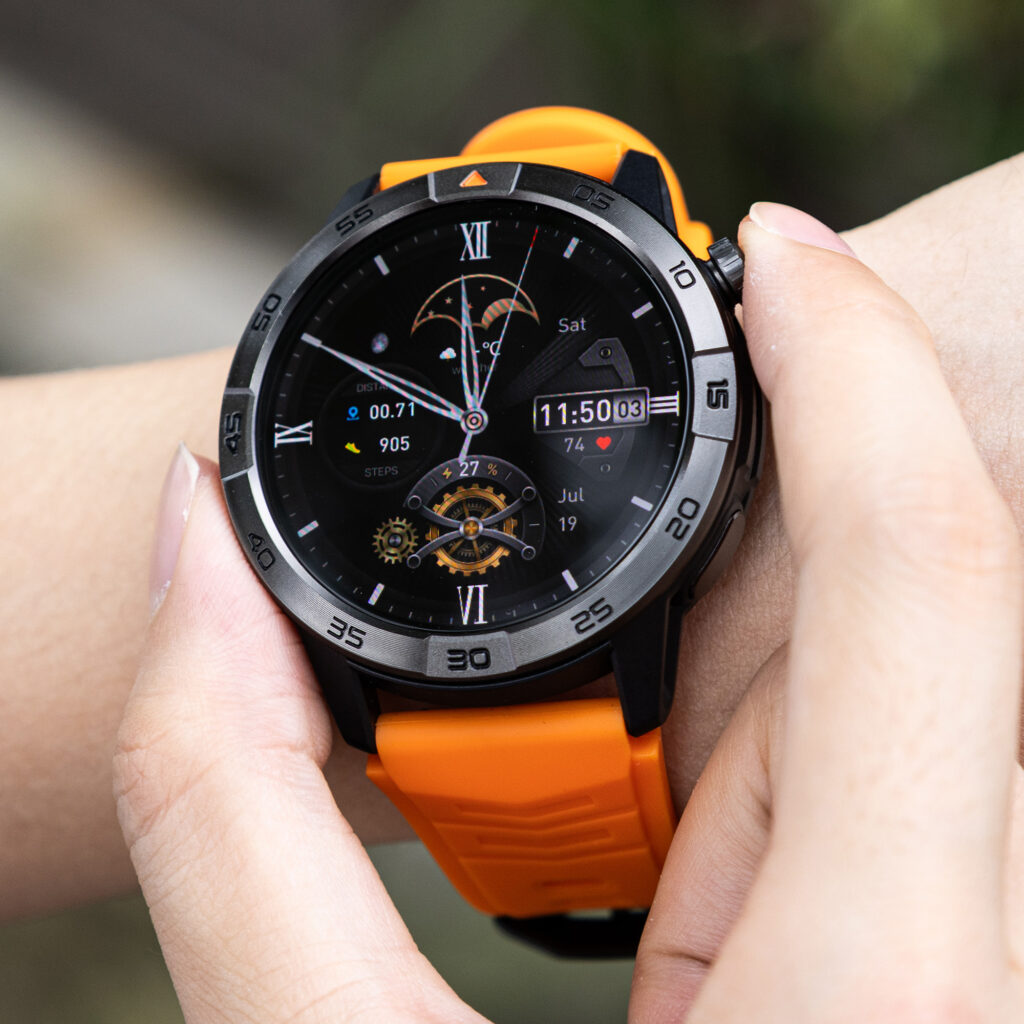
Choose one clear start-of-route cue
Useful options include:
- Shift-start alarm
- First-stop reminder
- Calendar cue
- Priority-message awareness
- Short checklist reminder
The strongest choice is the one that prevents a repeated mistake or unnecessary phone check.
For example:
First customer: 7:30 A.M.
Review route sheet before departure
That reminder supports the routine without pretending to replace the route record.
Keep full stop details off the wrist
The phone, route sheet, or company system should retain:
- Customer name and address
- Delivery quantities
- Product notes
- Handling instructions
- Account details
- Required documentation
- Route changes
A short cue belongs on the watch. Detailed route work belongs on the larger approved device.
Watch for a weak start function
The start segment is failing when:
- The reminder duplicates information already visible
- The driver still opens the phone for the same basic fact
- Too many alerts appear before departure
- The cue arrives after the truck leaves
- Setup takes longer than the task it supports
A function that adds a sixth morning check does not improve the routine.
Start assignment
- Watch job: First-stop or shift-start reminder
- Phone job: Full route and customer details
- Boundary: Review before movement
- Failure sign: Duplicate phone checking continues
Wheel Segment Two: Coordinate at Parked Kansas Customer Stops
The second segment begins only after the truck is lawfully parked and the driving task has ended.
Repeated customer-stop needs may include:
- Identifying an incoming call
- Seeing a short access update
- Noticing a dispatcher message
- Confirming a callback is needed
- Setting a paperwork reminder
- Checking the time before departure
The watch should support one brief decision, not create a full customer-service session.
Use caller identification as a sorting tool
A quick stationary glance may show whether the caller is:
- The current customer
- Dispatch
- The next delivery contact
- A family member
- An unknown number
That information can help the driver decide whether the matter requires immediate attention, a parked callback, or later review.
Calling is only one possible cab function. Drivers comparing it separately can review wrist calling as one limited parked-use function.
Keep detailed customer work on the phone
The phone remains better for:
- Long access instructions
- Order corrections
- Delivery disputes
- Multiple customer questions
- Account information
- Company forms
- Sensitive records
A preview should answer, “Who needs attention?” It should not force the driver to complete every conversation on the wrist.
Protect the movement boundary
The rule should remain simple:
Read, reply, or return the call only after the truck is lawfully parked.
Temporary traffic stops do not become work windows. Nor should a vibration create pressure to interact while the route is active.
Drivers who need a wider system can reserve interactive wrist tasks for lawful parked moments.
Identify a poor parked-stop setup
The segment needs revision when:
- Routine alerts look as urgent as customer changes
- Every preview still causes a phone check
- Both devices repeat the same information
- The message is too short to support a decision
- Watch interaction begins before the driving task ends
Parked-stop assignment
- Watch job: Priority caller or sender identification
- Phone job: Full conversation and records
- Boundary: Lawfully parked only
- Failure sign: Minor alerts still trigger unnecessary phone retrieval
Wheel Segment Three: Use Time and Reminders Between Wichita Stops
The third segment concerns repeatable time cues, not advanced scheduling.
A normal route may include:
- Planned customer departure times
- Paperwork checks
- Parked callbacks
- Lunch timing
- Yard-return targets
- Tasks that must happen before the next stop
One well-timed reminder can be more useful than several premium features that never become part of the day.
Select one reminder category
Possible choices include:
- Departure reminder
- Parked callback cue
- Paperwork reminder
- Lunch alert
- End-of-route target
Activating every category can recreate the notification overload the watch was supposed to reduce.
Make every reminder actionable
Weak reminder:
Check task
Better reminder:
Submit customer paperwork before departure
Another useful version:
Return customer call while parked
Action-based wording reduces interpretation time.
Avoid turning the watch into a clock-checking habit
A reminder system is not working when the driver repeatedly checks the screen because:
- Timing is unclear
- Too many cues overlap
- Vibrations feel identical
- The reminder arrives during loading
- The task cannot be completed at that stop
The watch should reduce uncertainty, not invite constant monitoring.
Timing assignment
- Watch job: One action-based reminder
- Phone job: Form completion or detailed task
- Boundary: Appropriate parked or stationary point
- Failure sign: Alert arrives without a usable next action
Wheel Segment Four: Give the Break Period One Useful Function
Lunch does not need to become another dashboard session.
A practical watch role during the break might be:
- Setting a departure timer
- Reviewing missed priority contacts
- Confirming the afternoon start time
- Silencing routine alerts
- Checking one calendar cue
The goal is convenience, not maximum engagement.
Choose a function that gives the break an ending
A departure timer is often easier to use than repeated clock checks.
For example:
Break ends in 20 minutes
That single cue can be enough.
Another option is a brief priority review at the start of the break, followed by a quiet period for everything nonurgent.
Keep route planning on the larger device
The phone or company system should still handle:
- Reordering stops
- Opening route software
- Reading customer notes
- Responding to detailed dispatch instructions
- Reviewing schedule changes
The watch can announce the next transition without taking over route management.
Check whether the break restores attention
A weak break setup produces:
- Email cleanup
- Social notifications
- Repeated wrist checks
- No clear stopping point
- More unfinished communication
A useful setup leaves the driver knowing when the break ends and what happens next.
Break assignment
- Watch job: Departure timer or priority review
- Phone job: Detailed route and dispatch changes
- Boundary: Stationary break only
- Failure sign: Lunch becomes notification catch-up
Wheel Segment Five: Close the Route at the Wichita Yard
The final segment returns the routine to its starting point.
After securing the truck, the driver may need to:
- Record unresolved customer issues
- Confirm tomorrow’s first task
- Review missed priority contacts
- Stop temporary work notifications
- Return equipment
- Prepare the phone and watch for the next route
The watch needs only one closure job.
Pick a repeatable end-of-day cue
Useful options include:
- End-of-shift reminder
- Tomorrow-first-task cue
- Missed-priority-call review
- Quiet-mode transition
- Charging reminder when necessary
Battery should not become the center of this article. Charging belongs here only when the real routine shows that it is needed.
Close communication before leaving
A short closure sequence can ask:
- Which customer issue remains open?
- What must happen first tomorrow?
- Which work alerts should stop now?
Detailed notes stay in the approved company system.
Decide whether the charger belongs on the console
Its place depends on:
- Actual watch endurance
- Display use
- Calling frequency
- Notification volume
- Shift length
- Charging habits
- Vehicle policy
Battery should be evaluated after the five watch jobs are selected.
Drivers can evaluate truck-route battery needs after defining the daily routine.
Closure assignment
- Watch job: Tomorrow-first-task or end-of-shift cue
- Phone job: Full customer and route records
- Boundary: After the truck is secured
- Failure sign: Work alerts continue into personal time
Complete the Five-Segment Cab-Day Routine Wheel
A finished routine may look like this:
| Cab moment | Selected watch function | Task retained by phone | Interaction boundary | Failure sign |
|---|---|---|---|---|
| Start | First-stop reminder | Full route details | Before movement | Duplicate checking |
| Customer stop | Priority caller identification | Long communication | Lawfully parked | Phone opened for every alert |
| Time | Paperwork or callback reminder | Form completion | Stationary point | Cue has no action |
| Break | Departure timer | Route revisions | During break | Break becomes inbox time |
| Close | Tomorrow-first-task cue | Company records | Secured at yard | Alerts continue after work |
The table is not a requirement to activate five functions. It is a way to expose which roles are genuinely useful.
Leave weak segments empty
A driver does not need to invent a watch function for every moment.
When a segment has no clear wrist role:
- Leave it blank
- Keep the task on the phone
- Remove that feature from the buying decision
- Test another repeated need
Three strong functions are better than five forced ones.
Score repetition instead of specifications
Use a simple value scale:
- 0: No clear use
- 1: Used occasionally
- 2: Used on most route days
- 3: Used several times per day
A five-segment wheel with several twos and threes indicates real everyday utility.
Drivers who want a broader comparison can compare the cab routine with a general practical-use test.
Apply the Everyday-Use Buying Test for U.S. Truck Routes
Once the routine wheel is complete, evaluate the device against those chosen jobs.
Can it support brief stationary checks?
Confirm:
- Readable reminder text
- Clear caller or sender identification
- Configurable vibration
- Easy access to missed alerts
- Controls that do not require long menu navigation
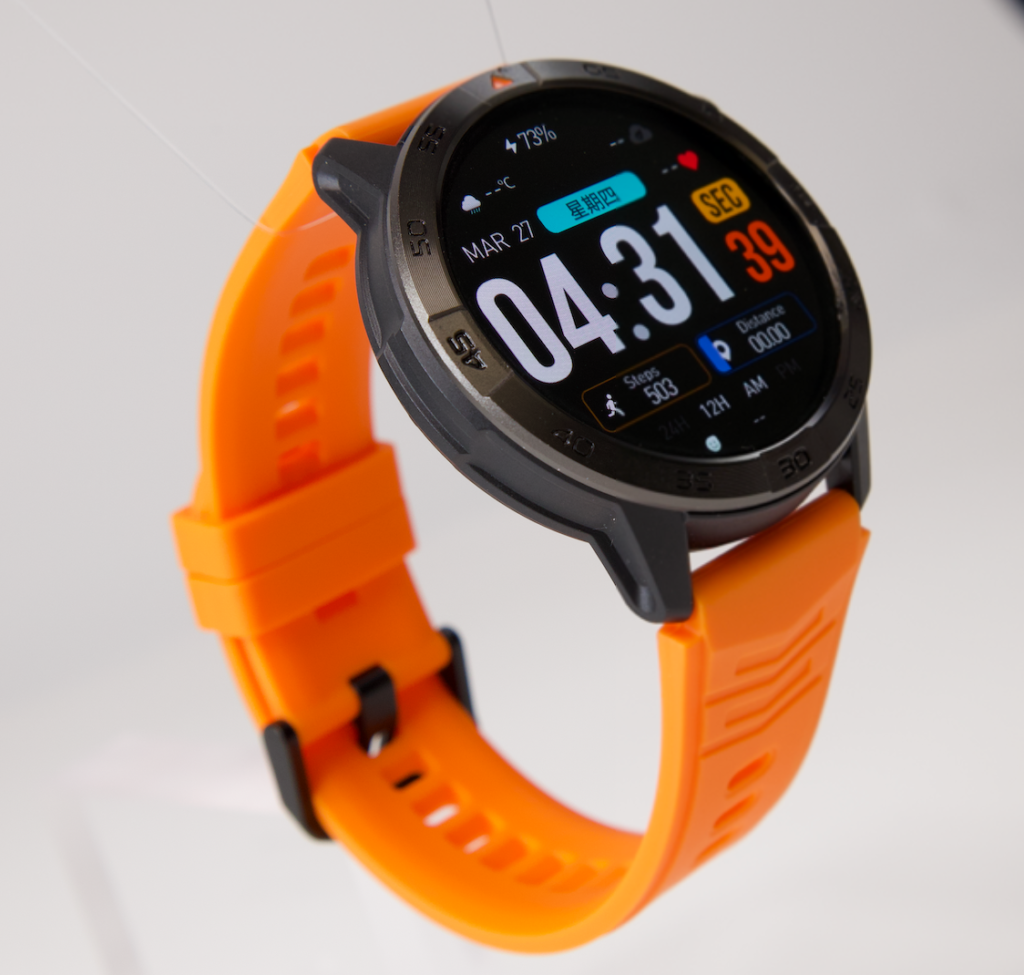
The screen only needs to be good enough for the assigned stationary task. It does not need to imitate the phone.
Does it preserve the phone’s proper role?
The watch should not encourage moving these tasks onto the wrist:
- Fleet applications
- Electronic logs
- Route management
- Customer records
- Company forms
- Detailed instructions
- Long conversations
A practical device reduces friction without confusing tool ownership.
Can notification behavior match each routine moment?
Look for:
- Priority-contact controls
- Notification categories
- Quiet or focus modes
- Preview settings
- Scheduled reminders
- Access to missed information afterward
Exact behavior depends on the watch, paired phone, operating system, and companion app.
Does it fit an American commercial cab environment?
Consider:
- Comfort during a full shift
- Fit with work clothing
- Readability during stationary checks
- Phone compatibility
- Employer device policy
- Return conditions
- Warranty support in the United States
- Companion-app stability
Avoid assuming universal durability or compatibility without product documentation.
Does the price match repeated use?
An expensive feature has little value when it never enters the route.
A more affordable watch may be the better choice when it handles the selected reminders, caller awareness, timers, and closure cues reliably.
Buyers comparing value by budget can separate everyday cab fit from an under-$200 truck-driver comparison.
Run One Ordinary Wichita Cab-Day Trial
Test the proposed routine on a normal route, not the most difficult shift of the year.
For each segment, record:
- Was the function used?
- Did it prevent an unnecessary phone check?
- Did it appear at the right time?
- Was the task completed while safely parked or stationary?
- Would the driver keep it tomorrow?
Name the failure precisely
Possible failures include:
- Duplicate alert
- Poor timing
- Unreadable preview
- Too many menu steps
- Phone still required for a simple check
- Interaction pressure during movement
- Function never used
A precise failure leads to a useful correction.
Remove the weakest role
At the end of the trial, eliminate the lowest-value function.
The routine may work better with:
- One start reminder
- One parked caller-screening role
- One break timer
- One closing cue
The watch does not need to control the whole cab day.
Questions U.S. Truck Drivers Ask About Everyday Watch Use
What smartwatch functions are most practical for truck drivers?
Common practical functions include reminders, caller identification, brief parked message previews, timers, priority alerts, and end-of-route cues. The best combination depends on the driver’s repeated routine.
Should Bluetooth calling be the main buying feature?
Not always. Calling may help in certain parked situations, but reminders, caller screening, timing cues, and notification control may be used more often.
Does everyday use require the longest possible battery life?
Battery matters, but it should be evaluated against real shift length, calling use, display settings, notification volume, and charging habits. A large claim alone does not show how the watch fits the route.
Can a smartwatch replace a route sheet or company phone?
No. Detailed route data, electronic logs, customer information, required records, and company applications should remain on approved systems.
When should a truck driver interact with the watch?
Interactive tasks should occur before departure, during lawful parked stops, during stationary breaks, or after returning to the yard—not while actively driving.
How many watch functions should a driver configure?
Start with one function for each recurring cab moment. Remove any role that duplicates the phone, arrives at the wrong time, or adds unnecessary attention.
What should U.S. buyers verify before purchasing?
Check phone compatibility, employer policy, warranty coverage, returns, companion-app behavior, notification controls, and whether the watch fits the actual route routine.
Remove the Watch From the Console
After the trial, imagine tomorrow’s cab without the watch.
Would the driver lose a useful first-stop cue? At parked stops, would customer calls become harder to prioritize? Without the departure timer, could lunch run late? After the truck returns to the yard, would unfinished work remain open?
When removing the watch changes nothing, it has not earned a permanent job.
The right smartwatch for truck drivers everyday use does not need to dominate the console. It only needs to repeat several small tasks without taking ownership away from the phone, route sheet, approved systems, or driver.
Draw the five cab moments in a circle—start, stop, time, break, and close. Assign one watch function to each, cross out every role that duplicates another device, and match the remaining cab roles to the available watch controls.
A practical watch earns its place one ordinary route at a time.