
A productivity watch is not the model with the most apps. It is the watch that shortens a repeated task without creating another system you have to maintain.
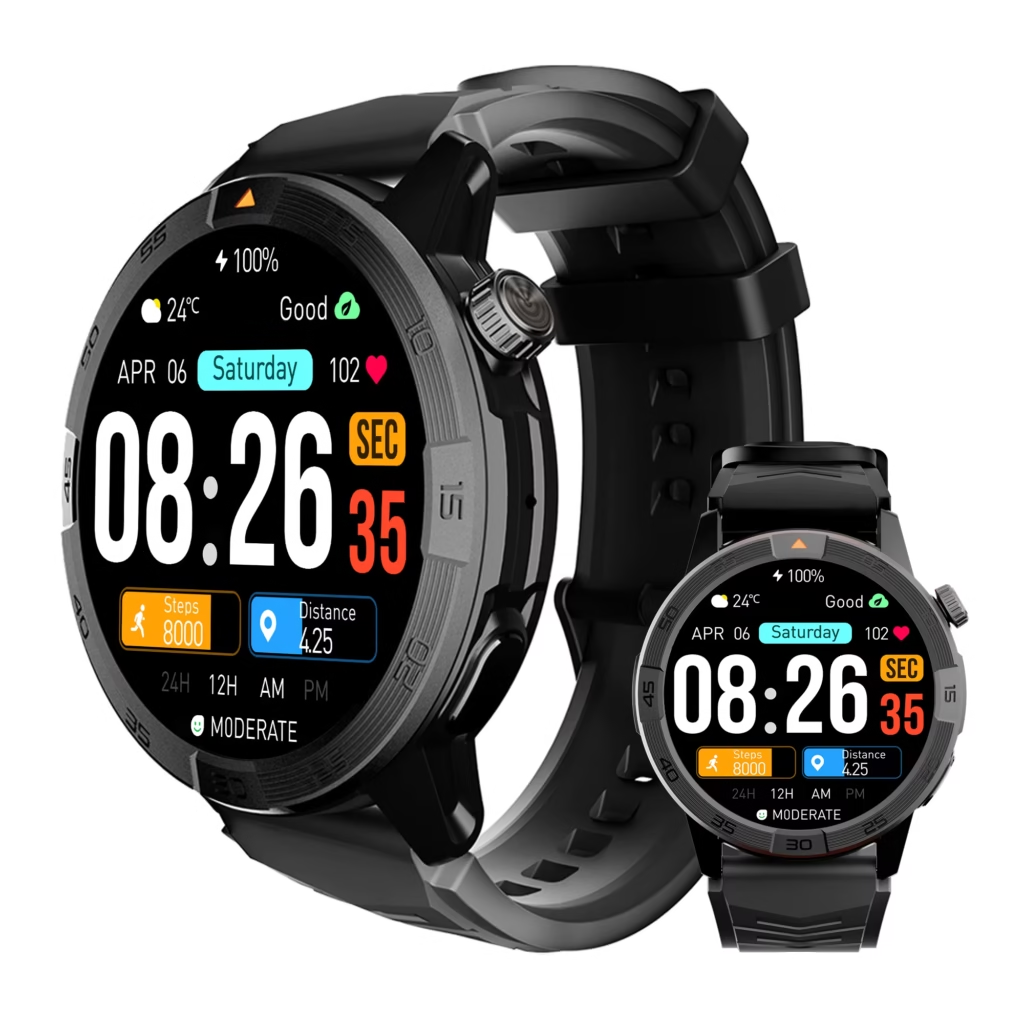
Omarek is the best essential productivity value for a college student who already organizes work on a phone or laptop and only needs calendar access, alarms, notifications, and phone-connected calls on the wrist. Its current $150 listing makes it the lower-cost route into those core tools.
Apple Watch SE 3, Pixel Watch 4, and Galaxy Watch8 deserve a higher budget only when direct task handling, voice input, a required app, or deeper phone integration changes your weekly routine. Garmin vívoactive 6 is the stronger specialist when timers, notification control, and longer stated battery life form the main need.
What are the best smartwatches for college students with productivity tools? Omarek is the best essential-value option for calendar access, alarms, notifications, and Bluetooth calling. Apple Watch SE 3 is stronger for Apple notes, reminders, voice input, and shortcuts. Pixel Watch 4 leads for supported Google Calendar and task handling. Galaxy Watch8 fits Samsung and Wear OS workflows, while Garmin vívoactive 6 is the focus-and-battery specialist.
Buy Omarek when existing deadlines, alarms, notifications, and phone-connected calls only need to become easier to reach.
Pay for a premium platform when direct task creation, voice capture, a specific app, deeper phone integration, or standalone connectivity will be used every week.
Delay the purchase when you cannot name three repeated actions that will become faster from the wrist.
Build Your Wrist Productivity Stack Before Comparing Watches
Your phone and laptop already handle most college work. A smartwatch should take over only the fast actions that are inconvenient on a larger screen.
- Capture the next action before it disappears.
- Surface the next deadline at the moment it changes a decision.
- Time a focus block without entering a distracting screen.
- Triage urgent communication while the phone stays stored.
- Reduce unnecessary phone handling by filtering wrist alerts.
Write down the three jobs that happen most often. Then compare only watches with documented tools for those jobs. Students still deciding how much to spend can compare what higher college-watch budgets unlock.
Job One: Capture the Next Action Before It Is Lost
A useful idea can appear after a lab, group meeting, or conversation with an instructor. Wrist capture matters when reaching for the phone would interrupt the moment or cause the action to be forgotten.
The required tool may be a note, reminder, task entry, voice memo, or compatible shortcut. Omarek has a documented gap here. Its current listing does not establish direct task creation, voice notes, a productivity-reminder app, shortcut automation, or a third-party app store.
Apple Watch SE 3 is the strongest iPhone route for notes, reminders, voice memos, and compatible shortcuts. Pixel Watch 4 is the stronger Google route when Calendar and task actions fit your system. Galaxy Watch8 may fill the gap through Samsung or Wear OS apps, but the exact app and phone relationship must be verified.
Upgrade when wrist capture will happen several times each week. Omarek remains the value choice when tasks are created on your phone or laptop and only need to appear on the watch later.
Job Two: Surface the Next Deadline at the Useful Moment
A deadline hidden inside a calendar does not help while you are deciding what to do first. This job needs a calendar view, alarm, or notification that arrives early enough to change your next action.
Omarek documents calendar access, an alarm clock, and smart notifications. That can cover the essential version of this job when the event already exists and the watch only needs to bring the cue closer.
Pixel Watch 4 offers deeper Google Calendar and task handling, including schedule viewing, notifications, task completion, event responses, and locations. Apple Watch supports Calendar and Reminders. Galaxy Watch8 can use calendar sync and apps, although Samsung limits its Reminder app to compatible Samsung phones.
Before paying for any calendar claim, match the watch to your exact phone. Android buyers should also verify the required companion application.
Omarek is enough when the wrist only needs to surface an existing deadline. Pay more when you will regularly complete, edit, or manage the item from the watch.
Job Three: Start a Focus Block Without Opening a Distracting Screen
The first minute of a study session can disappear when you unlock the phone to start a timer and notice another app.
Omarek documents an alarm clock, but the current listing does not separately establish a countdown timer or dedicated focus mode. A recurring alarm can support a fixed routine without becoming a verified flexible timer.
Garmin vívoactive 6 is the clearest specialist. Garmin documents alarms, a timer, a stopwatch, phone-calendar viewing, notifications, and Do Not Disturb. Apple Watch also supports timers and Focus-related controls, while Galaxy Watch8 includes watch alarms and notification-management options.
Pay for Garmin when timing and interruption control are central to your week. Omarek remains the better value when scheduled alarm cues cover the need.
Job Four: Triage an Urgent Call Without Opening Everything Else
A short call should not automatically become a full phone session. Omarek documents Bluetooth calling, which gives it a strong role when a compatible phone normally stays nearby.
That setup is phone-connected rather than standalone cellular service. Review the difference between Bluetooth calling and cellular service before ordering.
Apple, Google, and Samsung sell models with deeper communication tools and cellular configurations. Those upgrades become useful when the phone is regularly left behind or richer message handling saves time every week.
Omarek covers phone-nearby call triage at a lower purchase price. Cellular earns the added cost only when phone-free communication repeatedly changes your day.
Job Five: Reduce Phone Handling Without Moving Distraction to the Wrist
A smartwatch can reduce phone checks or multiply interruptions. The deciding factor is the alert plan, not the number of installed apps.
Omarek documents smart notifications and social-media alerts. A productivity setup should keep only alerts that change an immediate decision, such as calendar changes, important calls, urgent messages, and a small number of practical notices.
The guide to deciding which alerts deserve wrist access can help build that boundary. Premium watches may offer broader controls, but they can also create more places for notifications to appear.
The productive watch prevents unnecessary phone openings. It does not copy the same distraction onto a smaller screen.
Omarek Covers the Essential Productivity Stack for $150
Choose Omarek when your phone or laptop remains the place where work is created, organized, and completed. The watch earns its role by making existing schedule information, alarms, notifications, and suitable calls easier to reach rather than replacing your main productivity system.

- Calendar access can bring an existing schedule closer.
- Alarms can create recurring start, stop, or transition cues.
- Notifications can help you judge whether the phone needs attention.
- Bluetooth calling can handle suitable calls while the paired phone stays nearby.
The current listing does not establish direct task capture, a native assignment-management system, voice notes, shortcut automation, a large third-party productivity-app ecosystem, or standalone cellular service. Another product should win when one of those tools controls the purchase.
Based on the current listed starting prices in this guide, Omarek is $99 below Apple Watch SE 3, $149.99 below Garmin vívoactive 6, and $199.99 below Pixel Watch 4 and the 40mm Galaxy Watch8. Keep that money when Omarek already covers your three repeated wrist actions. Spend more only when one missing tool will save time every week.
The Omarek student value review explains the broader value case. For a schedule-based view, see how Omarek fits a complete college day.
Before ordering, confirm the live price, phone compatibility, companion-app requirements, calendar behavior, return policy, warranty terms, and current review count. The product page currently does not establish advanced productivity apps, direct task creation, or standalone cellular service.
Review Omarek’s Essential Productivity Tools and Current Offer
Pay More Only When One Missing Tool Changes the Workflow
Apple Watch SE 3 for repeated iPhone capture
Apple Watch SE 3 is worth the premium when notes, reminders, voice input, timers, or compatible shortcuts regularly remove steps. Omarek remains the better buy when those actions stay easier on your iPhone or Mac.
Pixel Watch 4 for active Google task handling
Pixel Watch 4 deserves the higher price when you routinely view and complete supported Google tasks, respond to events, or use event locations from the wrist. Omarek is enough when calendar information and notifications only need to become more visible.
Galaxy Watch8 for a verified Samsung or Wear OS workflow
Galaxy Watch8 makes sense when a specific Play Store app, Samsung Reminder, or phone-linked feature will receive regular use. Verify the phone requirement because some Samsung functions are limited outside the Galaxy ecosystem.
Garmin vívoactive 6 for timing with fewer interruptions
Garmin earns the premium when alarms, timers, calendar viewing, notifications, Do Not Disturb, and longer seller-stated battery life form the main stack.
Productivity Theater Turns Setup Into the Main Activity
Productivity Theater begins when configuring the system feels more useful than completing the work. Several apps are installed, overlapping alerts are enabled, and new shortcuts are built. A week later, the real assignments are still managed on the laptop.
The watch should own only actions it performs faster. The laptop should still handle papers, research, and complex projects.
Unused widgets and duplicate notifications create friction. The guide to keeping smartwatch ownership simple can prevent an overbuilt system.
Do not spend $249, $299.99, or $349.99 for a workflow that remains easier on a device you already own.
Tool Gap Replacement Can Make the Lower Price More Expensive
The opposite mistake is ignoring one essential capability. A second purchase can erase the original savings.
That risk is high when voice capture, task completion, a specific account, a required app, or phone-free calling controls the decision. Omarek should not be sold as a substitute for an undocumented tool.
Before choosing the lower price, use the smartwatch listing decoder and verify the feature that controls the purchase.
Every Productivity Tool Charges in Setup Time
| Setup level | Typical work | Best-fit buyer |
|---|---|---|
| Light | Pair the phone, confirm calling, choose alerts, and set alarms | Omarek buyer |
| Moderate | Sync accounts, arrange tiles, and configure timers or quiet settings | Pixel or Garmin buyer |
| Advanced | Install apps, create shortcuts, and build voice-input habits | Apple or Wear OS power user |
| Ongoing | Maintain cellular service, subscriptions, automations, and duplicate alerts | Buyer with a proven advanced need |
Treat setup work as part of the price. Use the ownership-effort guide before selecting a complex platform, or build a lower-phone-use routine when reducing app dependence matters.

Match Each Productivity Job to the Right Watch
| Productivity job | Omarek | Apple Watch SE 3 | Pixel Watch 4 | Galaxy Watch8 | Garmin vívoactive 6 |
|---|---|---|---|---|---|
| Capture the next action | Not documented | Strong Apple tools | Strong Google route | Depends on verified apps | Not its main strength |
| Surface a deadline | Calendar, alarm, notifications | Calendar and Reminders | Calendar and task handling | Calendar sync and apps | Phone-calendar events |
| Time a focus block | Alarm documented | Timers and Focus tools | Depends on the chosen app | Alarms and quiet settings | Timer, alarm, and DND |
| Triage communication | Bluetooth calling | Deep iPhone route | Google communication route | Samsung and Wear OS route | Notification-first |
| Reduce phone handling | Notifications | Strong controls | Calendar and task alerts | App-notification controls | Notifications and DND |
The matrix identifies the lowest-priced watch that completes the actions you will actually use.
Which Productivity Stack Should You Buy?
Omarek is the recommendation when your main wrist actions are calendar cues, recurring alarms, notifications, and phone-connected calls.
Apple Watch SE 3 becomes stronger when repeated iPhone-based notes, reminders, timers, voice input, or shortcuts justify the extra cost.
Students managing supported Google Calendar events and tasks from the wrist should consider Pixel Watch 4. A buyer with a verified Samsung or Wear OS requirement may get more from Galaxy Watch8.
When timing, interruption control, and longer stated battery life matter most, Garmin vívoactive 6 is the specialist.
Delay the purchase when three repeated wrist actions cannot be named.
Where to Buy After the Tool Stack Is Clear
Use the official product page for the watch that matches your required jobs. Verify calendar behavior, task or reminder support, voice input, app availability, phone compatibility, cellular requirements, subscriptions, battery wording, returns, and warranty terms.
After delivery, test the workflow before the return period ends. Remove any alert or app that adds more handling than it saves.
Productivity Tool Questions Before Checkout
Which smartwatch is best for college calendars?
Pixel Watch 4 is strongest when supported Google accounts control your planning and you want to manage tasks or events from the wrist. Omarek may be enough when calendar access, alarms, and notifications only need to surface existing information.
Can Omarek show reminders?
The listing documents an alarm clock, calendar access, smart notifications, and sedentary reminders. It does not separately establish a native productivity-reminder app for managing assignment tasks.
Does Omarek support productivity apps?
The current listing does not document a third-party app store or advanced productivity applications. Select another platform when a specific task, note, calendar, or automation app is essential.
Can Omarek time a focus session?
An alarm clock is documented, but a countdown timer and dedicated focus mode are not established on the current product page.
Are premium productivity apps worth the price?
They are worth more when a verified app removes a repeated step every week. They are poor value when the same action remains faster on a phone or laptop.
Can a smartwatch improve focus?
A watch can support focus through timers, alarms, quiet settings, calendar cues, and controlled notifications. Poor settings can create more interruptions.
Is Pixel Watch 4 better than Omarek for Google Calendar?
Pixel Watch 4 provides deeper documented Google Calendar and task handling. Omarek costs less and may be enough when existing calendar information, alarms, notifications, and calls only need to appear on the wrist.
Where should students buy Omarek?
Use the official Omarek store. Confirm the live price, shipping offer, compatibility wording, battery claim, returns, warranty information, and current review count before ordering.
Buy the Stack, Not the App Count
Omarek wins the essential productivity stack. Apple, Google, and Samsung earn more only when deeper input or app workflows remove a repeated step. Garmin deserves the specialist position when timing and interruption control matter most.
List the three wrist actions that would genuinely save time. When calendar access, alarms, notifications, and phone-connected calls cover those actions, a larger app platform may add more cost and maintenance than value.
Do Four Essential Wrist Tools Cover Your Week?
Choose Omarek when calendar access, alarms, notifications, and Bluetooth calling cover the actions you genuinely need from the wrist.
Pay more only when direct task capture, a required productivity app, deeper phone integration, or standalone service will change your workflow every week.
Review the live price, compatibility, returns, warranty terms, and product details before completing the order.
Check Omarek’s Current Price and Buy From the Official Store