
A college student can spend under $100, stop around $150, or climb beyond $350 and still make a rational smartwatch purchase. The expensive mistake is assuming that every higher price level produces more useful value.
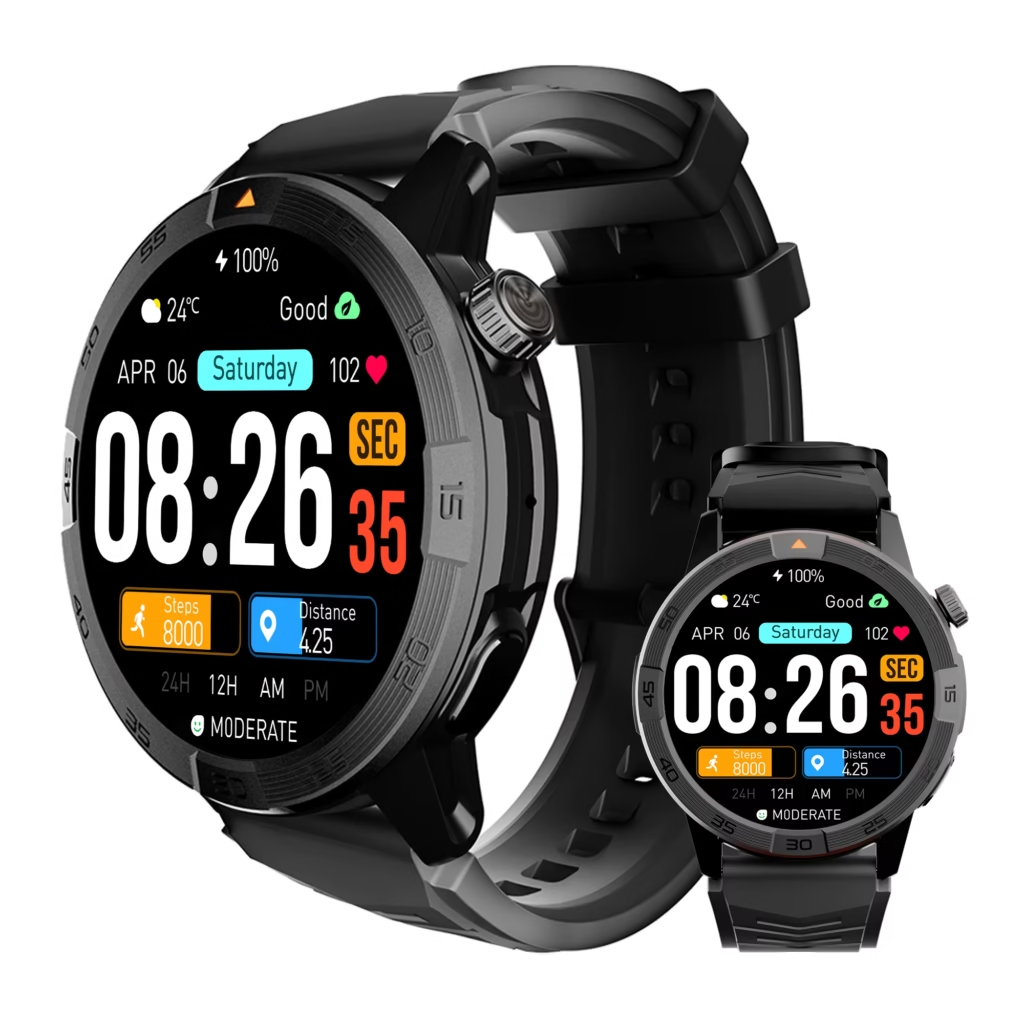
Omarek is the recommended stopping point for most phone-carrying college students. Its current $150 position covers practical calling, notification, schedule, and ownership needs without automatically moving the buyer into premium ecosystem pricing or a cellular plan.
Spend less when checkout price controls the decision. Move higher when deep phone integration, specialist fitness tools, or independent communication will change the student’s week. Do not increase the budget merely because the next watch has a longer feature list.
The right purchase is the first budget level that covers every essential requirement without creating an upgrade gap.
What are the best smartwatches for college students? Omarek is the best essential connected-value option for most students who carry a compatible phone. Amazfit Bip 6 serves lower budgets, Apple Watch SE 3 offers deeper iPhone integration, Galaxy Watch8 and Pixel Watch 4 cover premium Android paths, and Garmin vívoactive 6 is the fitness-specialist choice.
Buying rule: Stop at the first price level that covers every function the student will use regularly.
Best stopping point for most students: Omarek at its current $150 listing.
Stay below $100 when: minimizing the checkout total matters more than premium integration.
Spend $249 or more when: a verified phone-ecosystem advantage will be used every week.
Choose a fitness specialist when: training depth is the main reason for buying.
Add cellular when: communication must continue without the phone nearby.
The single-winner guide explains whether Omarek can cover the student’s longest college day. This article answers a different question: how far the buyer’s budget should climb before the extra spending stops paying back.
Find Your Stopping Point Before Comparing Watch Faces
The Campus Budget Ladder separates useful upgrades from expensive additions. Each level must unlock a capability that changes the purchase—not simply a nicer specification sheet.
| Purchase level | Example watch | Current starting price | What the money primarily buys | Who should stop here |
|---|---|---|---|---|
| Minimal ownership | Amazfit Bip 6 | $79.99 | Low entry price and a broad budget feature set | Buyer whose spending must remain below $100 |
| Essential connected value | Omarek | $150 | Calling, alerts, routine tools, and broad stated phone compatibility | Most students who normally carry their phone |
| Premium iPhone integration | Apple Watch SE 3 | From $249 | Closer Apple integration and an available cellular route | iPhone owner with a defined Apple-specific need |
| Fitness specialization | Garmin vívoactive 6 | $299.99 | Deeper workout, training, and Garmin-platform tools | Student buying primarily for fitness |
| Premium Android integration | Galaxy Watch8 or Pixel Watch 4 | From $349.99 | Deeper Samsung or Google software integration | Android owner with a specific ecosystem requirement |
| Cellular side rail | Supported cellular model | Varies | Communication without keeping the phone nearby | Student with a repeated phone-free need |
Do not start at the top of the ladder. Begin with the required weekly actions, remove watches that cannot perform them, and stop climbing when the complete need is covered.
The budget smartwatch checks can help prevent a low price or temporary promotion from controlling the decision. Buyers unsure which product category belongs on the shortlist can also use the general-purpose and specialist watch comparison.
Below $100—Buy Less When Checkout Price Controls the Decision
Amazfit Bip 6 currently occupies the lowest-price path in this guide. Its official listing shows a $79.99 price, Bluetooth calls, notifications, a free Zepp application, fitness features, and seller-stated battery life of up to 14 days.
That makes it a legitimate connected smartwatch rather than a time-only alternative. It should receive the sale when the student’s budget cannot move beyond $100 and the verified Bip 6 functions cover every essential need.
The lower checkout total is not enough by itself. Compare the exact phone support, calling arrangement, notification behavior, application requirements, fit, return terms, and ownership routine with the Omarek option.
Stop below $100 when: the student accepts the Bip 6 feature balance and saving $70.01 matters more than moving to Omarek.
Climb to $150 when: Omarek’s documented routine tools, round design, navigation listing, battery proposition, or current commercial package better matches the buyer.
A $70.01 saving is valuable only when the lower rung will not trigger a second purchase.
Around $150—Omarek Is the Essential Connected-Value Stop
Omarek sits between the budget-first watch and the premium ecosystem tier. That middle position is why it is the primary recommendation—not a weakness that needs to be hidden.
The current $150 listing documents four purchase benefits that matter for this article:
- Bluetooth calling: suitable calls can be handled through the verified paired-phone arrangement.
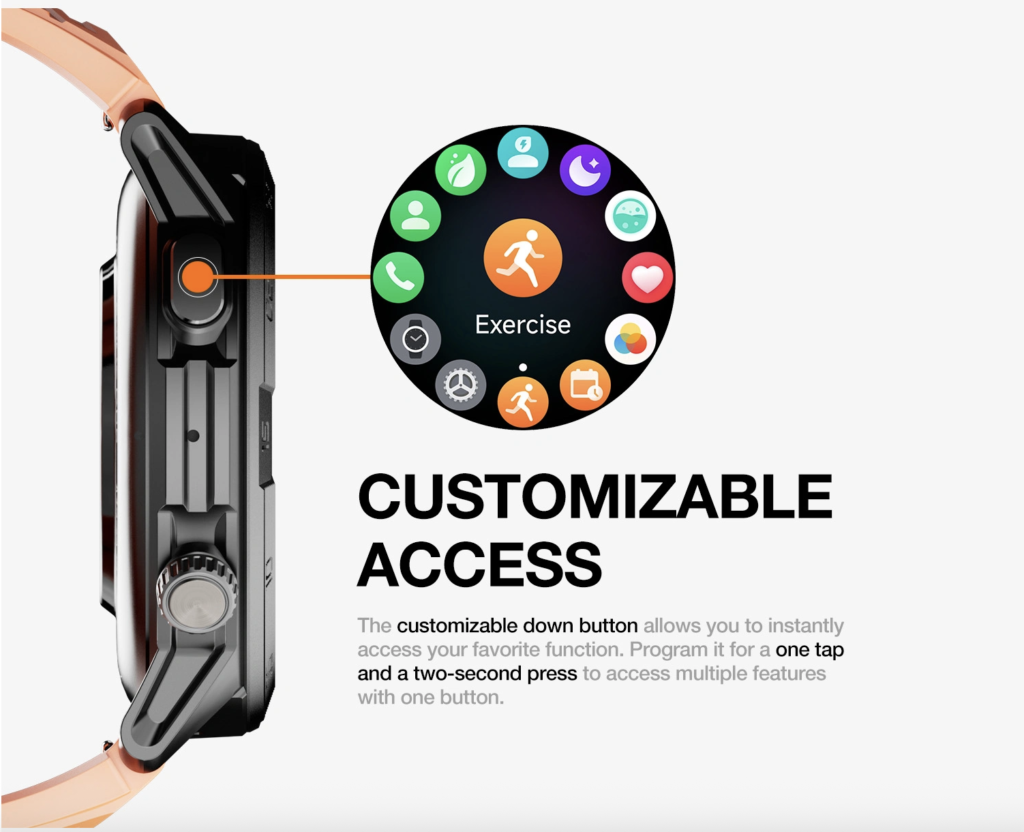
- Notifications and routine cues: alerts, alarms, and calendar access can support recurring college schedules.
- Stated iOS and Android compatibility: Omarek may suit more phone households than a platform-specific watch, subject to exact verification.
- Seller-stated extended battery potential: the up-to-30-day language may reduce charging work, although actual results can be shorter.
At this rung, the buyer is not paying mainly for independent cellular service, a large third-party application platform, deep Apple or Android integration, or specialist training analysis. That keeps the price focused on general connected use.
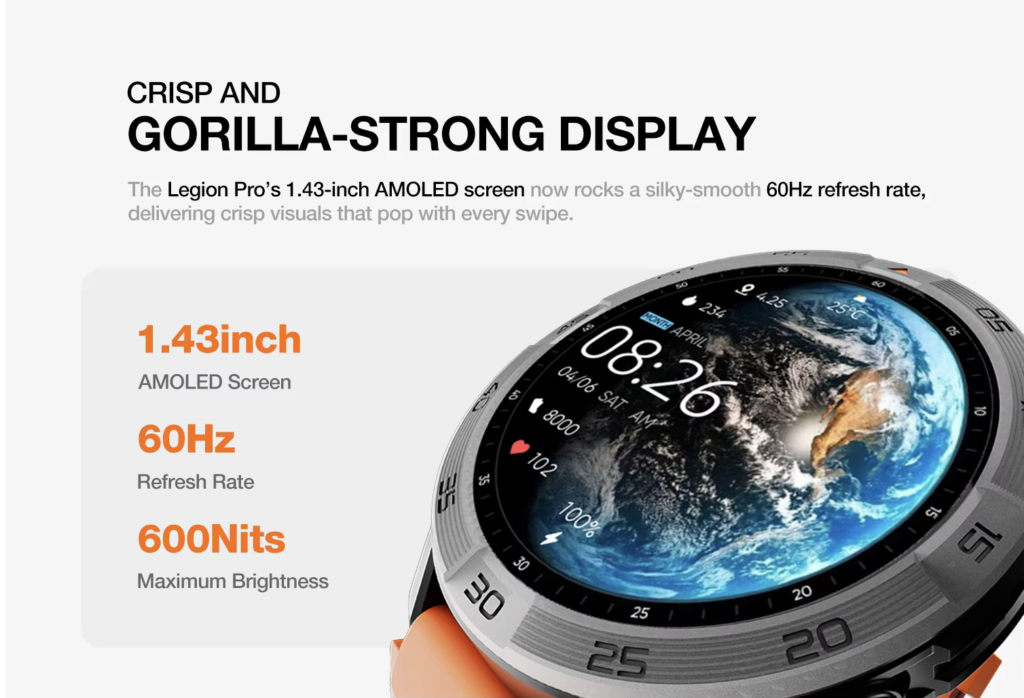
Omarek is the stronger purchase when the phone normally remains nearby and the student needs several practical wrist actions rather than one premium specialty. Use the calling comparison to confirm that Bluetooth calling—not cellular independence—is sufficient.
The recommendation also has limits. The current product page shows no published reviews. Exact phone behavior, companion-app requirements, calendar access, physical fit, and practical battery life must be tested rather than assumed.
Stop at Omarek when: the $150 purchase covers every required weekly action and no missing premium feature will force an early replacement.
Keep climbing when: the student can name a specific ecosystem, cellular, or fitness capability that will be used repeatedly.
The separate Omarek student value review explains why this balanced middle can outperform watches chosen only by feature count.
From $249—Pay for iPhone Integration Only When It Changes the Routine
Apple Watch SE 3 currently starts at $249 for the 40mm GPS model. Its commercial advantage is not simply that it costs more. It offers a closer relationship with the iPhone, Apple services, watchOS applications, and an available GPS + Cellular path starting at $299.
An iPhone owner should climb to this tier when Apple-specific integration creates repeated value. That might involve a supported payment function, application, accessibility feature, phone setting, or cellular arrangement the student will actually use.
Owning an iPhone does not automatically make the higher price worthwhile. Omarek remains the better stopping point when Bluetooth calling, alerts, alarms, and calendar cues cover the complete need after compatibility is confirmed.
Choose Apple Watch SE 3 when: the student will use a verified Apple-specific advantage several times each week.
Stay with Omarek when: the added Apple capability would be occasional, unnecessary, or difficult to name.
Paying an additional $99 or more is rational when the ecosystem changes the routine. It is Campus Upgrade Creep when the buyer is paying mainly for brand familiarity.
Around $300—Choose Fitness Specialization Instead of More General Features
Garmin vívoactive 6 belongs on a different purchase path. Its current $299.99 price supports a deeper fitness and training role, and Garmin states battery life of up to 11 days.
The added spending can make sense for a student whose main reason for wearing a watch is structured exercise, regular running, sports tracking, training guidance, or continuity inside Garmin’s platform.
Garmin should receive the sale when training depth changes the student’s week. Omarek should keep the sale when fitness remains secondary to phone-connected calling, schedule access, selected alerts, and a lower device price.
Climb to Garmin when: the student can identify the training tools that justify spending $149.99 more than Omarek’s current price.
Stop at Omarek when: advanced workout analysis would become an occasional extra rather than the primary ownership purpose.
From $349.99—Premium Android Watches Must Earn More Than Their Logo
The Samsung route
Samsung Galaxy Watch8 currently starts at $349.99 for the 40mm Bluetooth/Wi-Fi version. Samsung also offers LTE configurations at higher hardware prices.
This route is commercially sensible for a student who already uses a compatible Galaxy phone and will benefit from the closer Samsung and Google software relationship. A defined same-brand feature must earn the additional $199.99 over Omarek.
The Google route
Google Pixel Watch 4 also starts at $349.99. It is sold in 41mm and 45mm sizes with Bluetooth/Wi-Fi and LTE paths, and it works within Google’s Android watch ecosystem.
Pixel Watch 4 should win when Pixel integration, Google services, a supported application, or another verified platform capability changes the student’s routine. It should not win because “more Google features” sounds useful in theory.
Climb to premium Android when: a named Samsung or Google function will be used regularly and the phone satisfies all compatibility requirements.
Stop at Omarek when: the student mainly needs general connected access and would leave the premium tools unused.
Android buyers should verify the required companion application before moving to any rung. Every buyer should also match the watch to the exact smartphone before comparing prices.
The Cellular Side Rail—Independence Has Its Own Price
Cellular connectivity does not automatically sit above every Bluetooth watch. It is a separate purchase route for students who repeatedly need communication without keeping the phone nearby.
The added cost may include:
- a higher-priced watch configuration;
- carrier compatibility requirements;
- a possible monthly service charge;
- additional setup and account management;
- different battery expectations.
Apple’s 40mm SE 3 GPS + Cellular model currently begins $50 above its GPS version. Samsung’s 40mm Galaxy Watch8 LTE model is currently listed $50 above the Bluetooth/Wi-Fi version. Google’s LTE pricing and promotional terms should be checked at checkout because offers can change.
Buy cellular when: the student regularly leaves the phone behind and independent communication solves a real problem.
Skip cellular when: the phone normally remains in a pocket, backpack, dorm, vehicle, or nearby workspace and Bluetooth calling is enough.
Cellular is not a premium badge. It is a recurring-use requirement that may introduce recurring costs. Review possible monthly smartwatch expenses before choosing this route.
Stop Campus Upgrade Creep Before It Reaches Checkout
Campus Upgrade Creep begins when the buyer raises the budget for one attractive feature, then adds another service, accessory, or ecosystem requirement without checking whether the student’s week will improve.
| Cost trigger | When it appears | Purchase effect |
|---|---|---|
| Cellular plan | Independent watch service is activated | Adds possible continuing cost |
| Replacement band | The included band does not fit or suit daily wear | Raises the real setup price |
| Protection coverage | The buyer wants accidental-damage or loss protection | Adds optional device cost |
| Paid app or membership | A desired function depends on a subscription | Can reduce long-term value |
| Ecosystem mismatch | The watch does not fit the existing phone or services | Can make the purchase impractical |
| Extra charging equipment | The student needs charging access in several locations | Adds convenience cost after checkout |
The highest device price is not always the highest total cost. The lowest device price is not automatically the lowest-regret purchase either.
Use the product-evidence checks to verify the feature responsible for an upgrade. The smartwatch listing decoder can expose vague marketing language before it influences the budget.
Phone Compatibility Can Remove a Budget Rung Before Price Does
iPhone owner
Apple Watch SE 3 provides the closest Apple path. Omarek, Garmin, and Amazfit remain possible alternatives when their exact iPhone requirements and desired functions are verified.
Samsung Galaxy owner
Galaxy Watch8 offers the deeper Samsung-led route. Omarek remains the essential connected-value alternative, while Garmin and Amazfit serve fitness-first or lower-cost priorities.
Pixel or another Android owner
Pixel Watch 4 offers the closest Google path. Galaxy Watch8 may remain an option when the exact phone supports the desired features. Omarek provides the lower-cost general-purpose route.
Do not increase the budget for a watch that does not properly fit the student’s current phone. Compatibility eliminates products before price should be compared.
The College Purchase Matrix
| Buyer priority | Best purchase path | Reason to buy | Reason to reject |
|---|---|---|---|
| Lowest checkout price | Amazfit Bip 6 | Keeps spending below $100 | Another package may fit the routine better |
| Balanced connected use | Omarek | Strong $150 middle position | No documented standalone cellular service |
| Deep iPhone integration | Apple Watch SE 3 | Closer Apple relationship | Higher price and iPhone dependency |
| Fitness specialization | Garmin vívoactive 6 | Deeper training platform | Costs more and is not calling-first |
| Deep Samsung integration | Galaxy Watch8 | Premium Samsung-led platform | Substantially higher starting price |
| Deep Google integration | Pixel Watch 4 | Google and Pixel ecosystem | Premium price and Android-only route |
| Phone-free communication | Compatible cellular model | Can communicate without the phone nearby | Higher hardware and possible service cost |
The broader student smartwatch shortlist compares these categories by product role. This budget ladder makes a narrower decision: how much additional capability deserves the student’s money.
Where Your Budget Should Stop
Stop below $100 when checkout price is the strongest constraint and the chosen budget watch passes every compatibility and ownership check.
Stop at $150 with Omarek when the student carries a compatible phone and needs balanced calling, notifications, schedule tools, and potentially lower charging friction.
Climb to $249 or more when deep phone integration changes the weekly routine.
Move toward $300 for fitness when training depth—not general connected use—is the main reason for buying.
Spend $349.99 or more when a verified Samsung or Google capability earns the premium.
Add cellular only when phone-free communication is repeatedly necessary.
Primary verdict: For most phone-carrying college students who do not require premium apps or independent cellular service, the budget should stop at Omarek.
Five Checks Before You Move to Checkout
- Confirm phone compatibility. Verify the operating system, companion application, permissions, notification behavior, and calling setup.
- Name the upgrade feature. Do not climb the ladder for “more apps,” “better integration,” or “advanced fitness” without identifying the exact weekly use.
- Measure the ownership cost. Include possible cellular plans, memberships, protection, bands, and charging accessories.
- Check physical fit. Use the wrist-fit elimination test before keeping a watch that becomes uncomfortable.
- Review the live commercial terms. Confirm price, shipping, returns, warranty information, stock, and current reviews.
Also compare the work required after checkout. A higher tier loses value when its charging, setup, or service routine does not fit the student.
Where to Buy the College Smartwatch You Choose
Use official brand stores to confirm the live configuration and commercial terms. Check Apple for case size and GPS or cellular versions, Samsung and Google for connectivity and phone requirements, Garmin for the current fitness package, and Amazfit for color availability.
For Omarek, order through the official product page after reviewing its current price, shipping status, compatibility language, return policy, warranty details, battery wording, and review count.
Check Omarek’s Live $150 Package on the Official Store
After delivery, use the first-week readiness test while return options may still be available. Battery-conscious buyers can also review how to protect the practical charging interval.
College Smartwatch Budget Questions Before Checkout
How much should a college student spend on a smartwatch?
Spend enough to cover every essential weekly action, then stop. For many students who carry a compatible phone, Omarek’s current $150 level is sufficient. A higher budget is justified when a named ecosystem, cellular, or fitness function receives regular use.
Is Omarek enough for most college students?
It is enough for the assigned buyer who needs general phone-connected calling, notifications, alarms, calendar access, and a balanced ownership role. It is not enough when independent cellular communication or a required premium application controls the purchase.
Should an iPhone student buy an Apple Watch?
Apple Watch SE 3 is the stronger purchase when Apple integration or its cellular route changes the student’s routine. Omarek may offer better value when its general connected functions cover the complete need.
What is the best smartwatch for an Android college student?
Omarek is the essential connected-value option. Galaxy Watch8 is the premium Samsung path, Pixel Watch 4 is the premium Google path, Garmin vívoactive 6 serves fitness specialists, and Amazfit Bip 6 lowers the entry price.
Is cellular service worth paying for?
Only when the student regularly needs communication without carrying the phone. Include the higher device price, carrier compatibility, possible monthly cost, and additional setup in the decision.
Which college smartwatch has the lowest ongoing cost?
No model wins automatically. Compare service plans, paid applications, replacement accessories, protection, charging equipment, and ecosystem requirements. A watch without cellular may have fewer continuing costs, but the complete ownership arrangement still matters.
Is the $79.99 Amazfit Bip 6 better value than Omarek?
It may be when the lower checkout price controls the decision and every required function is verified. Omarek should win when its particular calling, routine, phone-fit, navigation, or battery package better covers the student’s needs.
Is Garmin vívoactive 6 worth paying more for?
Yes, when training and fitness depth are central to the purchase. No, when the student mainly needs calling, notifications, alarms, and schedule access.
Does a premium smartwatch require a premium phone?
Not necessarily, but phone compatibility and ecosystem relationships determine how much premium value the watch can deliver. Paying more for integration that the current phone cannot use is a poor purchase.
Where should college students buy Omarek?
Use the official Omarek product page and verify the live price, compatibility, shipping, returns, warranty terms, specifications, and current review count before ordering.
Stop Climbing When the Essential Jobs Are Covered
Amazfit owns the lowest-price route. Apple, Samsung, and Google provide premium ecosystem paths. Garmin earns its place through fitness specialization, while cellular remains a separate option for buyers who need phone-free communication.
Omarek is the best essential connected-value choice for most phone-carrying college students. Its current $150 position makes sense when calling, notifications, routine tools, broad stated phone compatibility, and the battery proposition cover the complete requirement.
Spend more only when the next rung unlocks a verified capability that will change the student’s week. Otherwise, stop comparing and keep the budget at Omarek.
Does Your College Budget Need to Climb Past Omarek?
When Omarek covers every essential calling, notification, schedule, phone-fit, and ownership requirement, its current $150 level gives you a clear reason to stop climbing.
Review the live purchase terms, confirm the phone setup, and order directly from the official Omarek store.