
The wrist does not receive a task just because a watch can display it.
A university alumni-events manager in Pittsburgh writes that rule before reviewing a single feature list. On her desk, a notepad has two headings: “Move to Wrist” and “Keep on Phone.” Alerts, calls, texts, calendar reminders, navigation cues, payments, and quick actions could all appear on the first side. But a smart watch for iPhone becomes useful only when a transferred task removes meaningful phone handling without losing context, exposing private information, or creating an unsafe shortcut.
A smart watch for iPhone should receive only low-context tasks that can be completed safely, privately, and with less phone handling. Keep detailed communication, sensitive content, route planning, and judgment-heavy work on the iPhone. Give every delegated task a clear fallback and revocation rule.
That is the purpose of an iPhone Wrist Delegation Contract. Instead of asking how many features a watch offers, the contract asks what responsibility each task deserves: wrist-owned, shared, phone-retained, or excluded.

Write the Pittsburgh Delegation Rule Before Comparing Features
The manager’s upcoming alumni reception creates plenty of opportunities to check her phone. She may need to notice a venue-readiness update, recognize a schedule change, classify a message, confirm a simple request, review a calendar entry, or plan a route between university locations.
Moving every interaction to the wrist would not automatically make that routine more convenient. It could simply create another screen demanding attention. Before comparing any smart watch for iPhone, she gives each task eight contract terms:
- Trigger: What event deserves a wrist interruption?
- Minimum action: What useful result must occur on the wrist?
- Context: Can she understand the task without opening the phone?
- Privacy: What information could become visible?
- Safety: When may she handle the task while stationary and permitted?
- Fallback: At what point should the iPhone take over?
- Revocation: What repeated failure sends the task back to the phone?
- Success: Did the transfer eliminate a useful phone interaction?
This approach begins with the buyer’s routine, not the candidate’s menu. Readers who have not defined the device’s broader purpose should first decide what job the smartwatch should perform. After that role is clear, task delegation can become specific.
A deliberate phone fallback is not a failed contract. Some work belongs on a larger, more private screen. The goal is not to avoid the iPhone at all costs. It is to stop unnecessary handling while preserving the interactions that the phone performs better.
Let Alerts Negotiate for Wrist Space
Alerts appear to be the easiest tasks to delegate. They are brief, frequent, and often useful at a glance. They are also the fastest route to Task Dumping.
Task Dumping occurs when the buyer mirrors every available notification because each one seems individually convenient. The wrist becomes a second inbox, and the buyer still opens the iPhone to interpret nearly every interruption. A smart watch for iPhone that repeats every alert may increase handling rather than reduce it.
The Pittsburgh manager therefore separates alert awareness from task completion. A generic venue-readiness notice may deserve immediate awareness. A long event-planning thread does not. A reminder that a scheduled preparation window has begun may fit the wrist. A message containing names, private arrangements, or an unresolved problem remains phone-first.
An alert earns wrist ownership only when it answers a narrow question: “Do I need to act now?” If it merely announces that more information exists elsewhere, its value is limited.
Her contract approves selected generic alerts under three conditions:
- The alert can be understood without private details.
- Seeing it prevents a needless phone check.
- It can be ignored safely until she is stationary.
Broad notification mirroring is rejected. The manager will later test the approved alerts through one controlled iPhone workday, but only the alerts that first earn a place in the contract enter that test.
Keep Quick Confirmations Narrow and Reversible
A quick confirmation can reduce phone handling, but only when “quick” describes the entire task rather than the first tap.
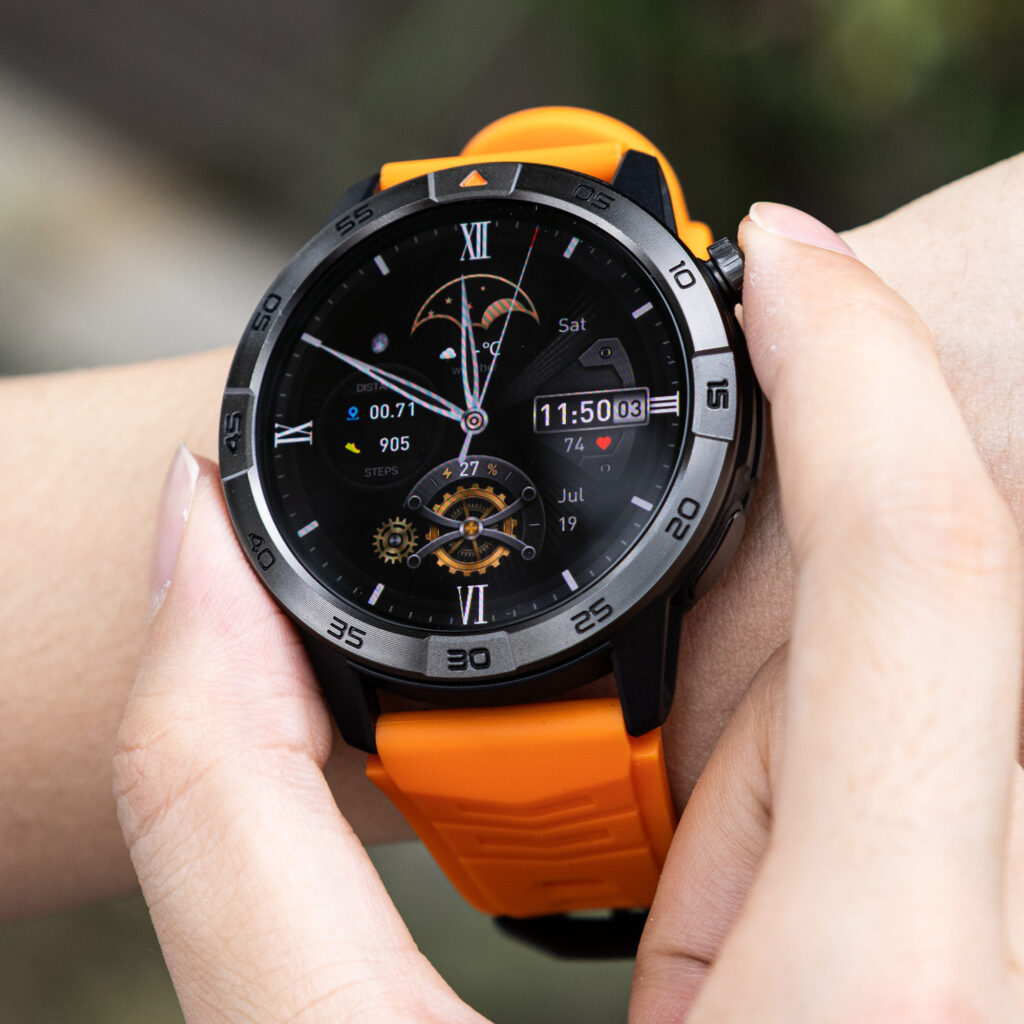
Suppose the manager’s smart watch for iPhone displays a generic request requiring one uncomplicated acknowledgment. Delegation may help only if the exact configuration can complete that action, synchronize the result, and make the outcome unambiguous. A visible button alone proves none of those things.
The task stays shared until support is verified. The wrist may receive the initial opportunity, while the iPhone remains the fallback whenever the request includes explanation, uncertainty, private content, or a consequence that demands review.
A quick confirmation loses delegation when it creates two checks: one on the watch and another on the phone to confirm that the first action worked. The contract also revokes it after repeated synchronization uncertainty or accidental responses.
This makes the assignment reversible. The buyer is not committing every simple action to the wrist forever. She is granting a narrow responsibility that remains valid only while it saves effort reliably.
Give Calls and Texts Separate Delegation Terms
Calls and texts often appear together on feature lists, but they demand different context, privacy, and completion rules. Treating them as one communication function encourages a Phone-Replacement Fantasy: the assumption that visible communication controls make the watch a complete substitute for the iPhone.
Calls may divide awareness from conversation
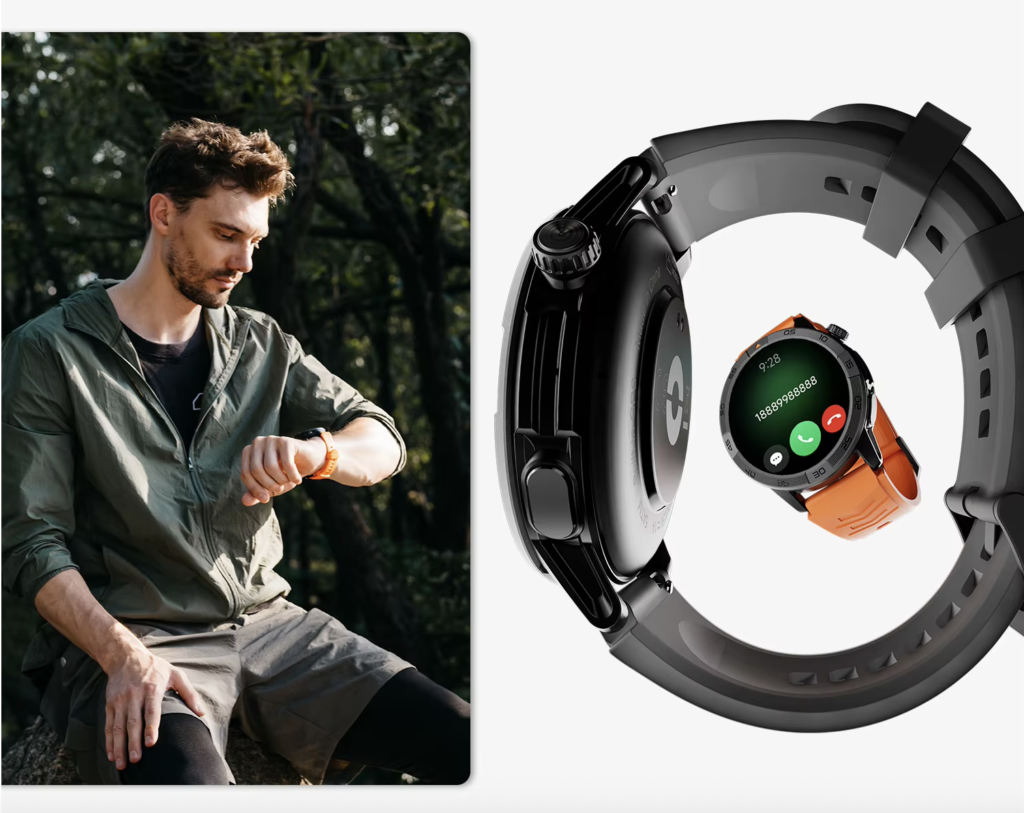
A smart watch for iPhone may provide useful caller awareness if the exact function is documented and verified. The conversation itself may still belong on the phone because it needs privacy, dependable audio, detailed context, or note-taking.
The manager never handles a call while walking across campus, using stairs, moving through a parking area, carrying event materials, directing arriving guests, or responding to an active incident. Any call occurs only while she is safely stationary, permitted to take it, and able to protect the conversation.
The resulting contract is shared: awareness may move to the wrist if independently supported, but substantive conversation remains phone-retained.
Texts carry a different completion burden
A text alert may reveal that a message arrived without revealing enough to classify it. Reading a message does not prove that the watch can answer it. A reply control does not prove that the response will synchronize correctly.
Generic awareness can remain shared, but alumni-event discussions, detailed instructions, changes involving participants, and any sensitive message stay on the phone. Article 346 does not measure communication capability itself. Buyers who require that technical evidence should separate the verified calling and texting action levels before approving either task.
Set a Pittsburgh Calendar Boundary
Calendar convenience changes depending on whether the buyer needs awareness or editing. A smart watch for iPhone can earn a narrow reminder role without receiving ownership of the full calendar workflow.
A reminder that a preparation block is beginning may work as a low-context wrist task. It tells the manager what moment has arrived without requiring her to inspect a full schedule. That reminder can become shared or wrist-owned if it stays generic and removes an actual phone check.
Calendar editing remains phone-retained. Changing a time, reviewing participants, checking private notes, comparing locations, or resolving a conflict requires more context than a small display should be expected to provide.
This boundary also prevents Privacy Spill. A wrist screen can be visible to someone standing nearby. Alumni identities, private guest issues, internal event notes, and travel details should not appear merely because a calendar application can send a preview.
The contract therefore splits one apparent feature into two responsibilities:
- Reminder awareness: Potentially delegated.
- Schedule interpretation and editing: Retained by the iPhone.
Once a calendar task is approved, the manager must still trace that wrist task to the access it actually requires. Permission review follows delegation; it does not justify delegation by itself.
Put Navigation and Payments Behind a U.S. Safety Gate
Navigation and payments can sound especially convenient because both may reduce moments when the phone comes out. They also carry stronger context, safety, and verification requirements.
Route planning stays on the iPhone
The manager may need to move between a campus office, event venue, parking area, or nearby meeting point. She plans and reviews the route on the phone before moving.
No watch interaction occurs while driving, crossing a street, walking through a parking lot, using stairs, carrying supplies, or moving through an active loading area. Even a brief cue becomes a poor delegation when it encourages attention to leave the surroundings.
A verified cue might assist after the route has already been understood, but the continuing example does not require it. Navigation remains phone-retained, so route guidance does not become a buying requirement for this smart watch for iPhone.
Payments require more than a visible wallet symbol
A payment icon cannot establish device eligibility, card support, account setup, terminal acceptance, or successful completion. Nor would a wrist payment replace the need to review disputed transactions, receipts, account details, or setup information on the phone.
The Pittsburgh manager has no repeated event-day payment interaction that justifies a wrist assignment. Payments remain phone-retained rather than becoming an unnecessary technical requirement for the purchase.
This is where Unsafe Interaction differs from ordinary inconvenience. A poorly assigned task does not merely waste time. It can pull attention away from traffic, stairs, moving equipment, guests, or an active workplace situation. Safety exclusions override feature convenience.
Exclude Private Alumni Content From the Wrist
Some tasks do not need to negotiate. They are excluded before candidate testing begins.
The manager keeps the following information off the wrist:
- Alumni and donor identities
- Giving or payment information
- Personal contact details
- Private guest concerns
- Access codes or credentials
- Confidential university schedules
- Travel records
- Sensitive event notes
Shortening a preview does not automatically make private material appropriate. A partial name, subject line, or message fragment may still reveal more than the situation permits.
The smart watch for iPhone does not need to support every communication path when several paths should never receive wrist access. Removing those requirements may reduce permission burden, distraction, and accidental disclosure.
Issue the Alumni-Event Delegation Verdict
The completed notepad no longer contains two casual feature lists. It records a controlled division of responsibility.
- Selected generic alerts: Wrist-Owned
- One low-risk confirmation: Shared and conditional
- Caller awareness: Shared if verified
- Private or detailed calls: Phone-Retained
- Generic text awareness: Shared if verified
- Detailed texts and replies: Phone-Retained
- Generic calendar reminders: Shared
- Calendar editing: Phone-Retained
- Navigation planning: Phone-Retained
- Payments: Phone-Retained
- Private alumni content: Excluded
The verdict is Selective Delegation.
That result does not mean the manager rejected smartwatch convenience. It means she defined convenience precisely. The wrist receives a small group of low-context interactions. The iPhone keeps tasks that require privacy, judgment, detailed input, or safe concentration.
A smart watch for iPhone candidate is now ready for verification against the approved tasks. A buyer can use the required iPhone compatibility layers to test each approved task. Overall relationship depth should also remain limited to what the routine needs, rather than expanding automatically toward the maximum available integration.
The separate guide to choosing the minimum sufficient iPhone integration handles that broader decision. Article 346 stays focused on responsibility inside the chosen relationship.
When a Wrist Task Breaks Its Terms
Does receiving an alert mean the task moved successfully?
No. An alert succeeds only when it gives enough information to make the intended decision without forcing an unnecessary second check.
Is returning to the iPhone a delegation failure?
No. Planned fallback is part of the contract. The failure occurs when a supposedly complete wrist task unexpectedly sends the buyer back to the phone.
Can a task remain shared permanently?
Yes. Caller awareness, generic reminders, and selected message awareness may work best as shared responsibilities. The wrist handles recognition while the phone handles detail.
Should every one-tap action move to the wrist?
No. The action must also be low-risk, unambiguous, private, safely handled, and confirmed as complete. A short action can still carry a large consequence.
What if delegation creates two device checks?
The task should be revised or returned to the phone. A smart watch for iPhone should remove a meaningful interaction, not split one interaction across two screens.
When should an alert lose wrist ownership?
Revoke it when it repeatedly interrupts without changing an immediate decision, exposes unnecessary details, duplicates another alert, or encourages unsafe attention.
Can private content become acceptable with shorter previews?
Not automatically. Even limited text may expose identity, subject matter, timing, or another sensitive clue. Privacy depends on the information and setting, not only the number of visible words.
Does deeper integration justify delegating more tasks?
No. Integration describes available connection depth. Delegation describes required responsibility. A capable relationship may still need a narrow wrist assignment.
Should the contract change later?
Yes. Retest it when duties, event routines, application behavior, phone settings, or software conditions change. A task that once saved effort may later create distraction or uncertainty.
The Right Smart Watch for iPhone Owns Fewer, Better Tasks
The “Move to Wrist” column on the Pittsburgh manager’s notepad is shorter than it was at the beginning. That is the article’s success, not a limitation.
Selected alerts, a narrow confirmation, and basic awareness may reduce useful phone handling. Detailed communication, calendar editing, route planning, payments, and private alumni information remain on the iPhone or outside the wrist workflow entirely. Every delegated task has a fallback, and every assignment can be revoked.
Her final verdict is Selective Delegation. It applies to this university event routine, not every buyer or smartwatch. It does not prove that any candidate supports the approved tasks, completes them correctly, or fits the required iPhone configuration.
The strongest smart watch for iPhone workflow does not move the most functions. It transfers only the interactions that the wrist can finish without sacrificing context, privacy, or safety.
Use your completed task clauses to inspect this smartwatch against your wrist-task contract, treating every listed function as a claim to verify rather than proof that the watch earns your delegation verdict.