
The retired public-library branch manager hears a phone ringing somewhere inside the Tucson home. After checking the living room and hallway, the buyer finds it beneath a folded library tote on the kitchen counter. That small inconvenience reveals what a smartwatch for seniors should do for this particular owner: solve a few ordinary problems through clear, repeatable paths instead of adding medical claims, constant alerts, or a complicated second phone.
Beside the recovered handset, the manager writes six tasks on an index card: show the time, deliver one reading-group reminder, identify Approved Caller A, make the misplaced phone sound, return to one charging home, and send detailed actions back to the phone. The Senior Daily-Use Support Contract will compare Candidate A, Candidate B, and Candidate C against those six rows—and reject any option that creates more work than it removes.
How to Choose a Smartwatch for Seniors by Daily Tasks
A useful senior smartwatch plan begins with the buyer’s own routine, not assumptions about age. Give the wrist only the actions that remove a real daily inconvenience, then leave private, detailed, or infrequent work on the phone.
- Read the time without opening a menu.
- Receive and recognize one scheduled reminder.
- Identify one approved incoming caller.
- Trigger a sound on the nearby misplaced phone.
- Return the watch to one consistent charging location.
- Use the phone for conversations, editing, permissions, and troubleshooting.
Before comparing candidates, the buyer can assign the watch one clear daily-support role. The six tasks then define what that role includes and, just as importantly, what it excludes.
Why the Misplaced Tucson Phone Reveals the Real Need
The ringing phone under the tote solves a better buying question than a long feature list. Candidate specifications may mention activity records, weather, calling, wellness screens, applications, and dozens of display choices. None of those functions matters to the opening problem unless the watch can make the exact handset play an audible sound through a path the manager can remember.
That single need also exposes five nearby decisions. Time should remain immediately visible. A community reading-group reminder should arrive clearly. Approved Caller A should be recognizable without exposing unnecessary details. Charging needs one permanent home, while complex actions should stay on the phone.
Marketing language cannot settle those paths. A buyer should first translate the product listing into testable claims, then mark every unsupported icon, screenshot, or broad promise as unresolved.
Write the Retired Manager’s Six-Task Support Contract
The contract assigns a minimum watch action, a phone-owned fallback, and a complexity limit to every task.
| Daily task | Watch-owned minimum | Phone-owned fallback | Complexity veto |
|---|---|---|---|
| Time | Immediate glance | Time and display changes | No menu search |
| Reading-group reminder | Clear alert and acknowledgment | Create or edit details | No duplicate confusion |
| Approved Caller A | Recognizable caller awareness | Conversation | No unwanted call flood |
| Find the phone | One known trigger | Connection repair | No buried path |
| Charging | One evening home | Power settings | No required-use conflict |
| Detailed actions | Awareness only | Authoritative control | No forced wrist complexity |
The candidate must also match the buyer’s actual handset. A separate phone-first smartwatch check can confirm that the intended application, permissions, and connection route are available before the daily-support test begins.
Keep Time Visible Without Opening a Menu
The manager selects one neutral face and checks it three times during the Tucson day: after breakfast, before leaving for the reading group, and during the evening routine. Each glance occurs while stationary.
Candidate A shows the correct time, but unnecessary activity figures and rotating cards compete with the information the buyer wants. Candidate B presents a quieter face yet occasionally returns to a different screen after an accidental touch. By contrast, Candidate C keeps the chosen time display in place without requiring another action.
No universal screen size or layout wins this gate. The buyer’s own ability to recognize the required information through the selected face decides the result. Physical suitability should already have survived a broader fit-elimination process; this section judges only the task path.

Test the Tucson Reading-Group Reminder
The community reading-group prompt contains only neutral wording: “Reading group at 2:00.” It is created on the authoritative phone so the manager can trace the same item from creation to wrist arrival and final status.
Candidate A displays the reminder and allows a clear acknowledgment, but the setup also restores several unrelated alerts. With Candidate B, the prompt appears even though its wrist action does not produce a clearly confirmed phone status. By contrast, Candidate C delivers the wording, records the acknowledgment, and leaves the authoritative reminder state understandable.
A reminder icon alone earns no credit. The task passes only when the buyer can recognize the message, complete the intended wrist action, and verify what happened at the source.
Limit Calls to Approved Caller Awareness
The manager does not require a wrist conversation. The support contract asks only for a privacy-safe label when Approved Caller A rings, followed by a deliberate move to the phone for the actual call.
Candidate A identifies the caller correctly, but its default setup also sends unnecessary call and message previews. On Candidate B, only a generic phone symbol appears, leaving the buyer unable to distinguish the approved caller from an unrelated call. The planned boundary works with Candidate C, which presents the neutral caller label and keeps the conversation on the handset.
This distinction prevents a common proof error. Readers can separate incoming-call awareness from actual answering instead of assuming that a phone icon, Answer button, or ringing screen proves complete calling.
Make the Misplaced Phone Ring From One Known Path
For the central test, the exact phone returns beneath the folded library tote. The manager starts from the normal watch face, follows the documented phone-finding path, and listens for an audible response.
Candidate A eventually makes the handset sound, but the control sits behind several changing menus. Repeating the trial requires another search. Candidate B contains a finder-style icon, yet the exact phone does not respond under the recorded connection state. Candidate C uses one stable path and makes the correct handset ring in both trials.
The result proves only a nearby phone-finding action in the documented environment. It does not establish theft recovery, remote location, emergency support, or future behavior after a software change.
Choose One Charging Home for the Tucson Routine
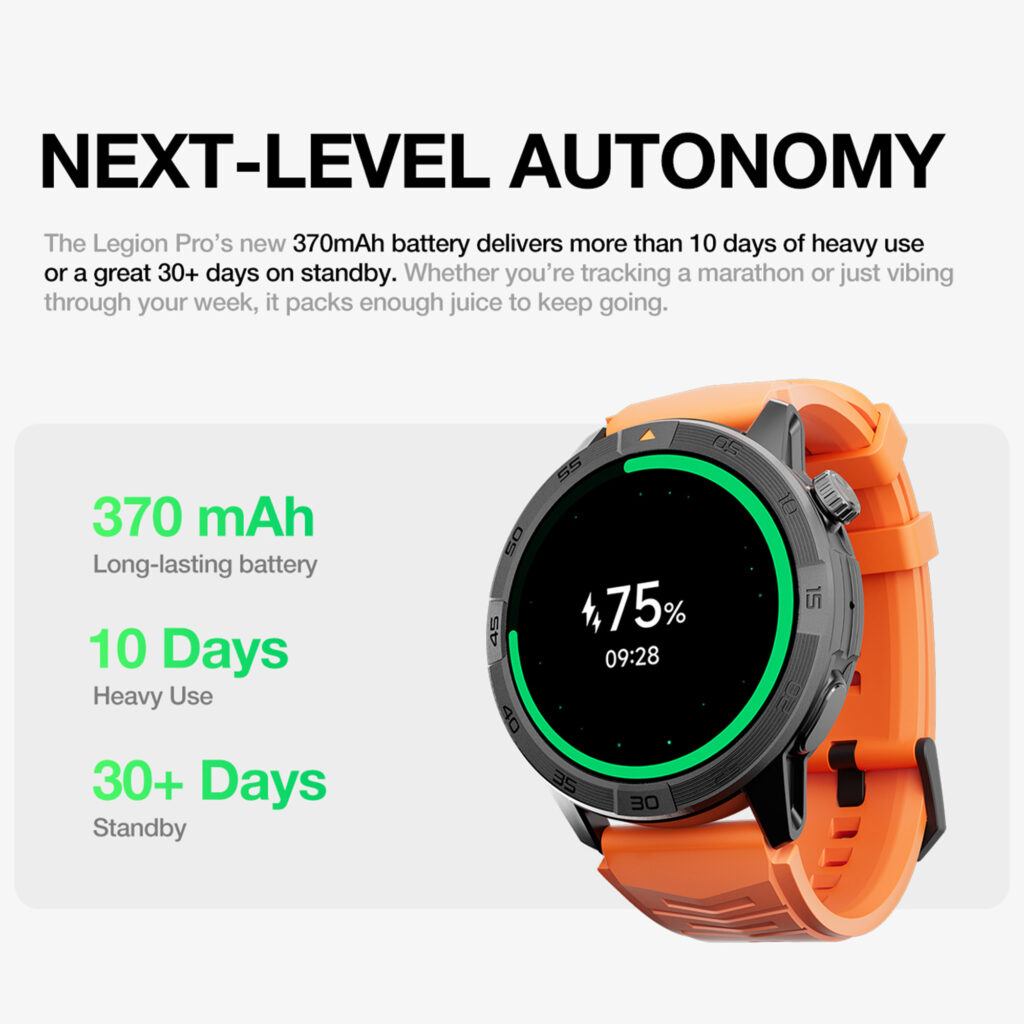
The manager places one charger on the same evening table and leaves it there. Charging begins after the final required support task and ends before the next morning’s first time check.
Candidate A’s observed need overlaps the reading-group period unless the buyer adds another charging location. Candidate B fits the evening slot, while Candidate C also returns ready for the next morning under the tested settings. No advertised duration is used as proof.
A stable charging home matters because ownership repeats. Buyers who want a broader maintenance check can compare the candidate with a low-maintenance smartwatch routine rather than assuming that a large battery claim removes charging work.
Keep Detailed Actions on the Phone
The Senior Daily-Use Support Contract does not ask the wrist to replace the handset. Phone-owned tasks include full conversations, reminder editing, account changes, permission management, private details, and troubleshooting.
Candidate A encourages feature expansion by placing additional actions and prompts in the daily path. Although Candidate B keeps more work on the phone, some basic wrist outcomes remain unclear. A deliberate split defines Candidate C: quick awareness and one simple trigger belong on the watch; detail and authority stay on the phone.
That approach supports reduced phone handling without pretending the phone is unnecessary. A buyer pursuing the same boundary can review a minimal-phone usage plan while retaining the handset as the authoritative device.
Apply the Unwanted-Complexity Veto
A feature can work technically and still fail this buyer. The complexity veto removes any candidate that requires repeated menu searching, restores unwanted alerts, changes the charging plan, demands frequent repair, or hides which device owns the final action.
- Candidate A completes several tasks but continually expands the routine.
- Although Candidate B looks simple, essential outcomes remain unresolved.
- Every required Candidate C path stays direct and documented.
Simplicity does not mean removing useful capability. It means that the required functions remain repeatable and nonessential ones do not interfere. The broader question of choosing for a limited ownership goal is explored in a smartwatch simplicity framework.
Compare the Three Tucson Daily-Support Contracts
| Contract row | Candidate A | Candidate B | Candidate C |
|---|---|---|---|
| Time at a glance | Pass with visual clutter | Unstable selected screen | Pass |
| Reading-group reminder | Pass with unrelated alerts | Final status unclear | Pass |
| Approved Caller A | Pass with excess previews | Generic call symbol | Pass |
| Phone finding | Works through complex path | Unresolved | Pass twice |
| Charging home | Routine conflict | Pass | Pass |
| Phone fallback | Feature expansion | Incomplete outcomes | Planned |
| Complexity veto | Fail | Fail | Clear |
| Final result | Rejected | Daily support incomplete | Daily Support Fit |
Candidate A offers the most visible capability, yet its unwanted alerts, menu depth, and charging conflict exceed the support ceiling. Although Candidate B appears restrained, the unclear reminder state, generic call notice, and unresolved finder path leave the contract incomplete. Candidate C completes every required row without moving complex work onto the wrist.
The buyer-specific verdict is:
Daily Support Fit — Candidate C Covers the Tucson Plan Without Unwanted Complexity.
Why More Senior Features Can Produce Less Support
Products built for health monitoring, professional response, caregiver access, or broader communication may serve legitimate needs. They simply solve a different problem from this Tucson buyer’s ordinary daily-support plan.
Adding every available function can introduce more permissions, notifications, setup decisions, charging work, and account responsibility. When those additions do not solve one of the six reserved tasks, they create ownership without creating value.
After selection, the manager should still run a controlled first-week readiness check. That next step can confirm setup stability without expanding Article 376 into a full onboarding guide.
Correct Seven Smartwatch-for-Seniors Mistakes
1. Starting With Health Features the Buyer Did Not Request
Begin with the owner’s real task list. Medical or emergency products require a different intent and different proof.
2. Assuming Every Senior Needs the Same Interface
Age does not establish the preferred screen, controls, feature depth, or support arrangement. Test the actual buyer.
3. Calling a Larger Screen Automatically Easier
Case fit, layout, contrast, information density, controls, and personal preference work together. No single dimension settles usability.
4. Treating Every Calling Feature as Necessary
Approved-caller awareness with phone fallback may cover the requirement without adding wrist audio or complex controls.
5. Trusting a Phone-Finder Icon Without a Sound Test
Place the exact handset nearby, trigger the action, and confirm that the correct device responds twice.
6. Comparing Battery Claims Without Choosing a Charging Home
Put the charger in one repeatable location and observe whether the schedule protects the required tasks.
7. Moving Detailed Work Onto the Wrist
Editing, private information, permissions, and troubleshooting may remain easier and clearer on the phone.
Questions U.S. Buyers Ask About Senior Smartwatches
Must a Smartwatch for Seniors Include Medical Features?
No. The appropriate feature set depends on the buyer’s actual purpose. Ordinary time, reminders, caller awareness, phone finding, and charging can form a complete non-medical plan.
Is a Larger Screen Always Easier to Use?
No. Buyers should test the whole physical and visual arrangement, including case fit, information density, controls, contrast, and the chosen face.
Can a Smartwatch Find a Misplaced Phone?
Treat phone finding as unresolved until the exact candidate makes the correct nearby handset ring through a repeatable path.
Should Approved Calls Be Answered on the Watch?
Only when wrist answering belongs in the buyer’s requirement. The Tucson manager needs recognizable caller awareness and then uses the phone for the conversation.
Does Simple Mean Very Few Capabilities?
No. Simple means the required actions remain direct while unwanted functions stay out of the routine.
Should a Family Member Control the Setup?
Not automatically. The buyer’s desired ownership, privacy, and support boundaries should determine who manages accounts, settings, and troubleshooting.
Does This Contract Prove Medical or Emergency Reliability?
No. The method evaluates six ordinary daily-support tasks and makes no medical, emergency, rescue, or safety claim.
Choose the Watch That Supports the Tucson Day
The misplaced phone beneath the folded tote did not show that the retired manager needed dozens of smartwatch features. It revealed one useful action and helped define five related tasks that belong in the same restrained plan.
Candidate A completed several actions but exceeded the complexity limit. Candidate B looked simpler while leaving essential outcomes unresolved. Through six clear paths, Candidate C kept time visible, delivered the reading-group reminder, identified Approved Caller A, made the phone ring, fit the evening charging home, and returned detailed work to the handset.
That result applies only to this buyer, phone, application, settings, connection state, routine, and test date. It does not prove universal ease of use, future support, medical performance, emergency reliability, health accuracy, or suitability for another older adult.
The right watch supports the buyer’s day without asking the day to reorganize around the watch.
Before considering this smartwatch product candidate, treat it as unverified and test all six daily-support tasks, the phone fallback, and the unwanted-complexity veto independently.