
Our pick: Buy Omarek when your elementary student needs a supervised smartwatch for morning routines, dismissal, after-school activities, and home use—and a compatible parent-controlled phone will remain part of the setup.
Omarek can provide useful everyday value through alarms, calendar access, phone-connected calling, a readable display, and seller-stated extended battery capacity. Those benefits matter when the student can use them during approved periods and the family does not need a specialized child-management platform.
Choose a purpose-built children’s watch instead when approved contacts, standalone calling, remote restrictions, or parent-focused location controls determine whether the purchase will work. Choose a simple watch when time and alarms solve the entire need.
What is the best smartwatch for elementary students? Omarek is a strong general-purpose choice for approved before-school, dismissal, after-school, and home use when a compatible phone-connected setup is acceptable. Choose a child-specific watch when approved contacts, independent communication, or remote school controls are essential.
- Confirm the school’s current smartwatch rule.
- Buy for permitted use periods, not imagined all-day access.
- Verify the paired-phone requirements before ordering.
- Check the adult-style case against the student’s wrist.
- Pay for child-specific controls only when the family needs them.
Purchase rule: The watch must create enough value outside restricted classroom periods to justify its price and ownership work.
Parents still deciding between device categories should compare child-specific and general-purpose smartwatch ownership first.
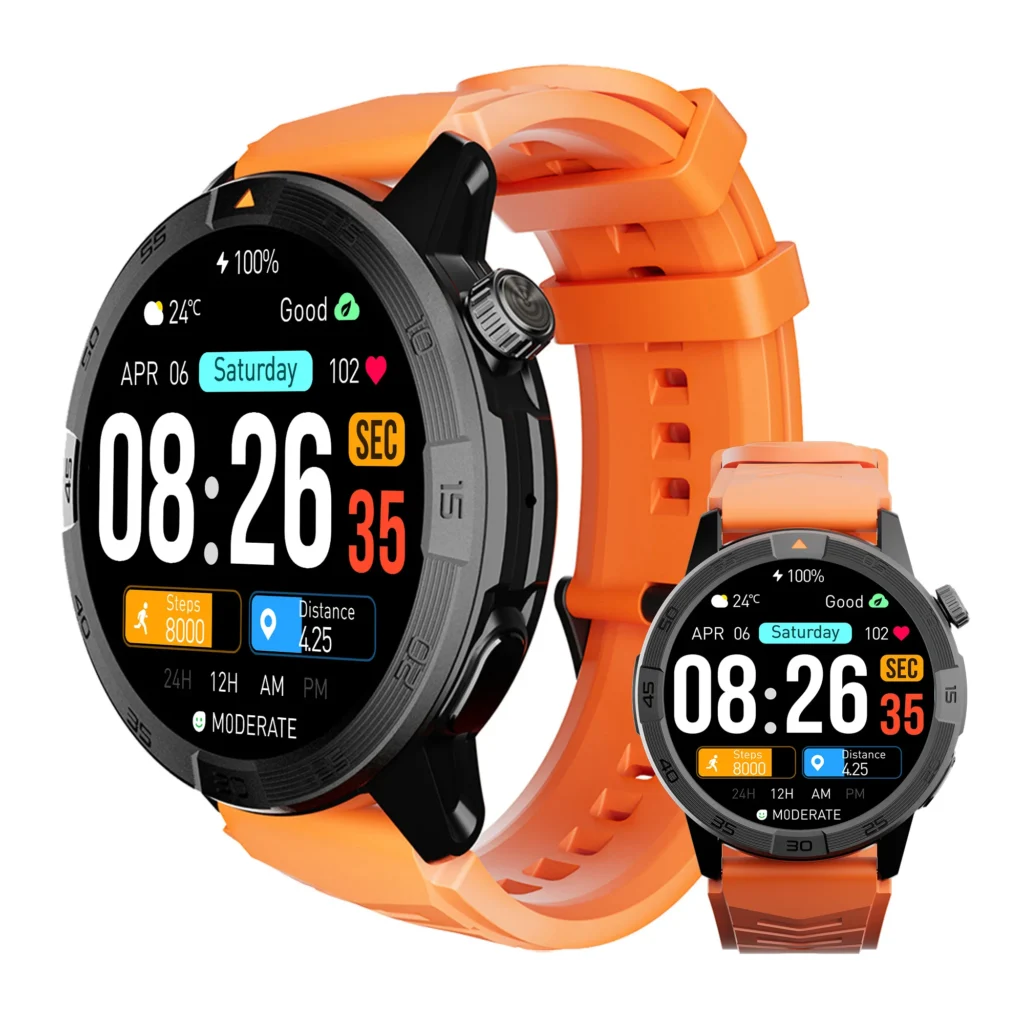
Best Overall for Approved School-Day Use: Omarek
Omarek earns our best-overall recommendation for a student who can follow ordinary school boundaries and use a general-purpose smartwatch under parent supervision.
The strongest buying case is not unrestricted classroom access. It is useful access around the school day.
Before school, alarms and calendar information may support a simple morning routine. A student can check an approved reminder before entering the restricted setting without needing a separate child-management service.
At dismissal, Bluetooth calling may provide convenient wrist access through a verified paired-phone arrangement. This can help when that setup is available and the school permits interaction after the final bell.
After school, the same watch can continue supporting appropriate reminders, selected notifications, and normal home routines rather than becoming a single-purpose school product.
Omarek’s value improves when those functions replace repeated parent prompting or unnecessary phone handling. It becomes weaker when the purchase depends on standalone calling, parent-approved contacts, or remote restrictions that its current listing does not document.
Review Omarek’s current price, routine tools, compatibility, and purchase terms.
Choose the Ownership Model Before You Pay
The right product depends on the type of control your student still needs—not on which watch advertises the most technology.
Buy Omarek for supervised general-purpose ownership
Choose this route when:
- A parent-controlled compatible phone remains available.
- Bluetooth calling is sufficient for the intended role.
- The student can silence or store the watch when required.
- Alarms and calendar access solve recurring routine problems.
- Approved contacts and remote parent controls are unnecessary.
- The case fits comfortably.
This path can provide better value when you do not need to pay for a separate child communication platform.
Pay for a child-specific smartwatch when control is the product
A dedicated children’s device may justify its higher price or service cost when you require:
- Parent-approved contacts
- Calling without a nearby paired phone
- Remote parent administration
- Scheduled school restrictions
- Documented family-location tools
- A child-focused account system
Those functions should be verified individually. A product marketed to children does not automatically include every control.
Buy a simple watch when connectivity adds no useful result
A basic watch can offer stronger value when the school allows timekeeping but restricts connected functions throughout the useful day.
Time, an alarm, and a clear routine may solve the full problem without applications, accounts, pairing, notifications, or recurring service.
Use the smartwatch role contract to define the one school-related job that must justify the purchase.
The School Policy Is a Checkout Filter
Do not order until you know whether the student may wear, store, or operate a smartwatch.
Ask the school:
- May the device be worn during class?
- Must it remain silent, powered off, or stored?
- Are calls and messages prohibited?
- Are alarms permitted?
- Does the rule apply during lunch and recess?
- When may the student access it at dismissal?
- What happens after distraction or misuse?
NCES reported that most surveyed elementary schools restricted cell phones during class. Some schools also restricted phone use outside lessons. These figures show why the policy matters, but they do not establish how your school treats wrist-worn devices.
Review the NCES school-device findings, then get the rule that applies to your student.
Buy Omarek when ordinary silence or secure storage satisfies the policy and useful access remains available before school, after dismissal, or at home.
Choose a child-specific device when remotely scheduled restrictions are nonnegotiable and documented for that product.
Buy a simple watch when the school permits only timekeeping and the connected functions would stay unusable.
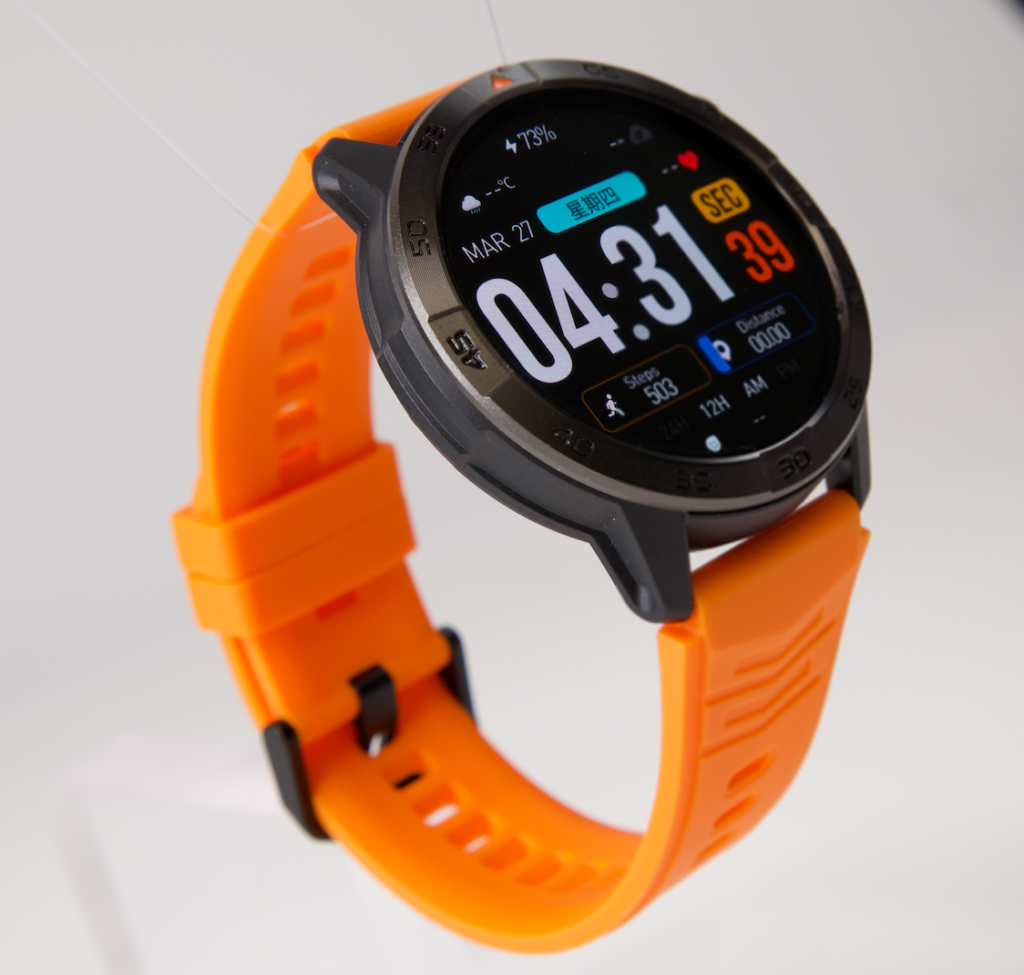
What Your Money Buys With Omarek
Omarek should be evaluated through student outcomes rather than a repeated specification list.
Fewer morning reminders
An alarm can give the student responsibility for one predictable routine. Calendar access may support an approved schedule check before school or after class.
The benefit is small but commercial: the watch may reduce repeated prompting when the student can manage the reminder independently.
Permitted dismissal access
Bluetooth calling may make it easier to handle an appropriate call from the wrist after school. This only has buying value when the exact phone arrangement is available and the school allows access.
Before relying on it, verify what Omarek’s calling function requires and confirm that the supervising phone fits the plan.
For an Android setup, check the required Android application and permissions before paying.
Readable information without a phone in hand
The listed 1.43-inch display may make approved information easier to read. That can be useful for a simple reminder or schedule check.
A larger display also means a substantial case. Readability does not justify the purchase when the watch feels oversized, interferes with normal movement, or is repeatedly removed.
Potentially less charging friction
The Omarek listing states that the watch has a 370mAh battery and may provide up to 30 days of battery life. Treat this as seller-stated maximum language rather than a guaranteed result.
When practical runtime covers the required school and after-school periods with fewer reminders, the battery claim strengthens the value proposition. When the actual setup needs frequent charging, judge the purchase using that real interval.
Dismissal Use Must Work in the Real Setup
Dismissal can be the buying reason that makes Omarek worthwhile, but only when the role is clearly defined.
Confirm:
- The student may access the watch after the final bell.
- The paired phone will be nearby when calling is needed.
- The student knows whom to contact.
- The watch does not replace the school’s official pickup procedure.
- A non-watch backup plan remains available.
The student should interact only while stationary and in an appropriate place. Calls and screen checks should wait during road crossings, stair use, transportation boarding, cycling, or movement through parking areas.
Choose Omarek when phone-connected wrist access solves a repeated dismissal or after-school need.
Choose a cellular children’s watch when communication must work independently of the paired-phone arrangement.
Pause the purchase when the communication plan still depends on assumptions about connection, school permission, or phone availability.
The Adult-Style Case Can Cancel the Deal
Omarek is marketed for men and women, so its physical fit must be verified rather than assumed for an elementary student.
Check:
- Case diameter and thickness
- Wrist coverage
- Strap adjustment range
- Weight and clasp security
- Button accessibility
- Contact with sleeves and backpack straps
- Comfort while writing or sitting at a desk
- Return and exchange terms
A strap that closes does not prove appropriate fit. A large case can still become uncomfortable, distracting, or easy to bump against desks and equipment.
Buy Omarek only after the case and strap clear the intended wrist.
Choose a smaller purpose-built watch when compact hardware is a nonnegotiable requirement.
Battery Value Ends When the Watch Is Unavailable
The relevant requirement is not the largest advertised number. It is enough power to cover every period used to justify the purchase.

Record the expected timeline:
- Morning departure
- Before-school use
- Restricted classroom period
- Dismissal
- After-school activity
- Return home
Also decide who owns charging and where the cable will remain.
Bluetooth calling, notifications, display behavior, and enabled tracking can affect practical runtime. Review how settings may change the school-week charging interval.
Omarek has a strong battery-value case when tested runtime covers the useful windows without constant parent reminders.
Ignore the maximum claim when the actual setup produces a materially shorter interval.
Know What Omarek Does Not Replace
A commercially honest recommendation must separate documented general-purpose functions from child-specific controls.
The current Omarek page does not document:
- Standalone child cellular service
- Parent-approved contact management
- A remotely managed school mode
- A parent location dashboard
- Geofencing or family location alerts
- Separate caregiver permission levels
- An elementary-student fit designation
Do not buy Omarek when one of those functions is central to the plan.
Use the smartwatch listing decoder to separate general features from child-management functions. The product-evidence checks can help verify any claim that controls the purchase.
Give the Purchase Five Green Lights
Omarek should remain in the cart only when all five statements are true.
The policy light
The school permits the planned wearing, storage, and access arrangement.
The usefulness light
Before-school, dismissal, after-school, and home functions provide enough repeated value.
The phone light
The exact paired-phone and application requirements fit the household.
The fit light
The case, strap, controls, and return terms are acceptable for the intended wrist.
The ownership light
The student can manage silence, storage, and basic charging without turning the watch into another daily parent task.
Use the first-week readiness process to test the setup while return options may remain available. Also estimate how much continuing device work the parent will accept.
Before paying, confirm that the approved use periods justify the total price.
When they do not, consider whether a simpler watch would solve enough of the need. A household focused on fewer phone interruptions may also check whether limited wrist access could reduce unnecessary phone handling.
Questions Parents Ask Before Ordering
Is Omarek the best smartwatch for elementary students?
Omarek is our best general-purpose recommendation for approved before-school, dismissal, after-school, and home use when a compatible paired-phone arrangement is acceptable. It is not the right choice when child-specific communication or remote parent controls are required.
Is Omarek designed specifically for elementary students?
No. The current listing markets the watch for men and women. Physical fit, student readiness, and school suitability must be checked independently.
Can a student call from Omarek without a smartphone?
The listing documents Bluetooth calling and compatibility with iOS and Android devices, not standalone child cellular service. Verify which phone, application, permissions, and connection are needed.
Does Omarek include a school mode?
The current product page does not document a dedicated child-focused or remotely managed school mode. Ordinary silence and notification settings should not be presented as an equivalent parent-control feature.
Can the school prohibit a smartwatch?
School and district policies differ. Some may permit wearing but prohibit interaction, while others may require connected devices to remain stored or powered off. Confirm the current rule before ordering.
Does built-in GPS let a parent track the student?
Not automatically. On-watch positioning or maps do not establish a parent dashboard, geofencing, continuous sharing, or location alerts.
When is a simple watch the better purchase?
Choose a simple watch when time and alarms solve the full problem, connected functions would remain inaccessible during most useful periods, or the student is not ready to manage another device.
What if the watch is being considered as assistive technology?
Discuss the need with the student’s IEP team. Federal guidance says IEP teams must consider assistive-technology needs and can address when a student-owned device may be used, training requirements, maintenance, repair, replacement, and other responsibilities.
Buy Omarek When the Useful Hours Justify the Order
Best overall for approved school-day use: Omarek. Choose it when the student can follow normal device restrictions, a compatible phone-connected setup fits the plan, the adult-style case fits comfortably, and meaningful value remains before school, at dismissal, after class, and at home.
Pay for a child-specific watch when approved contacts, standalone communication, remote restrictions, or parent-focused location tools are the functions you actually need. Buy a simple watch when connected access would remain closed during nearly every useful period.
Do not purchase for an imagined all-day role. Purchase Omarek when its documented functions solve repeated needs during the hours your student may genuinely use it.
Choose Omarek for approved school-day and after-school value.